Quays & Piers

Hello everyone, and welcome to this developer diary discussing the enhancements introduced in the Quays & Piers Patch – 1.3.3f1. While we diligently polish the Bridges & Ports expansion to ensure it meets our standards, we trust this content, initially slated for release in the accompanying free update, will enhance your cities’ waterfronts.
Today, we’ll explore the new quays and piers, highlighting their distinctions and collaborative uses. We’ll also examine two new bridges: a rail bridge and a double-deck road and rail bridge. Lastly, we’ll briefly address the bug fixes included in this patch.
We’ve noticed your creative use of cut-and-fill roads for makeshift quays, though we understand the difficulty in constructing them. Contrary to roads and pedestrian paths, which adjust to the terrain and create retaining structures only with significant elevation changes, quays respond to the slightest elevation shift, forming a retaining wall on the lower side. This feature simplifies lining your waterfronts compared to using conventional roads. Additionally, quays can extend into the water to form jetties.
Quays are available in three sizes: The narrow quay, suitable for pedestrian use, is located in the Landscaping Menu. Medium and wide quays accommodate vehicle lanes and sidewalks, supporting road upgrades, including wide sidewalks, trees, bus lanes, and tram tracks, found in the Roads Menu under Small and Medium roads, respectively.
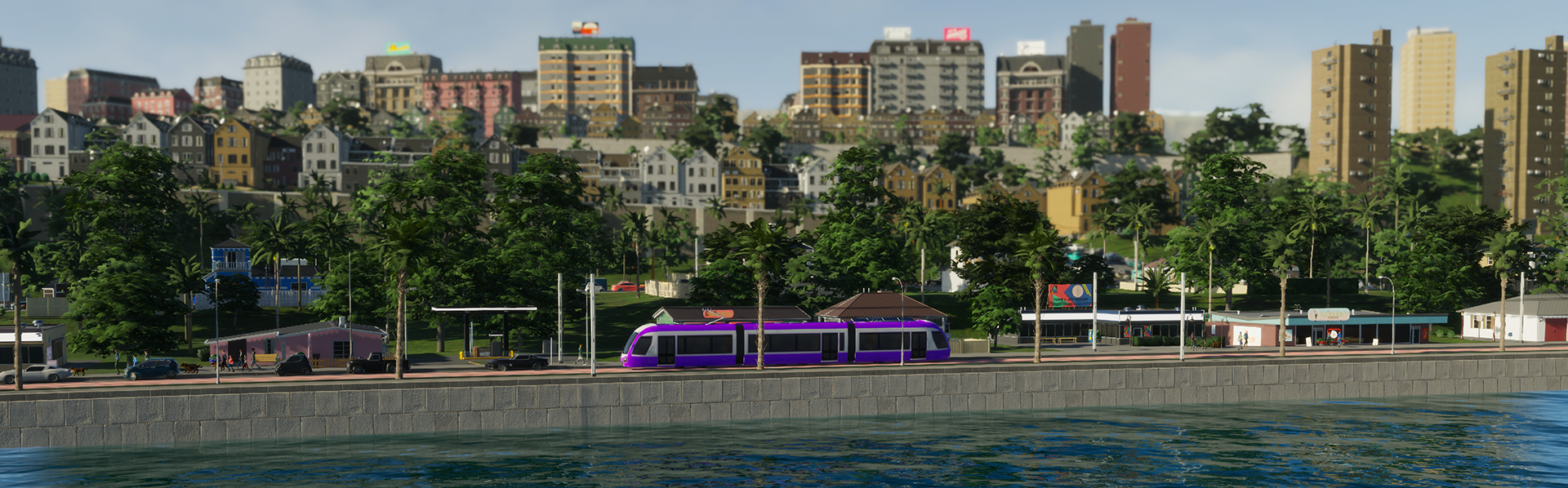
Enhance your quays with trees, grass, or public transport lanes using the road upgrade tool.
When placing quays, you’ll notice a novel snapping feature: Snap to shoreline. This function causes quays to adhere to the water’s edge, maintaining a consistent height above the water surface, adjustable via elevation steps. Enabled by default, it’s ideal for aligning natural waterfronts with the new quays, while still permitting quays to extend into the water.
Disabling “Snap to shoreline” stops quays from adhering to the shore and allows them to follow terrain height upon leaving the water. If you envision a specific design requiring control over quay placement and height, disabling this feature offers that flexibility. Despite a limit on proximity to water to prevent flooding, the snapping option, alongside standard network options, grants freedom to craft your desired waterfronts.
Quays aren’t just for waterfronts—they can be constructed on slopes to create landscape terraces, which necessitate at least a 10-meter height difference where they push terrain down on the retaining wall side.
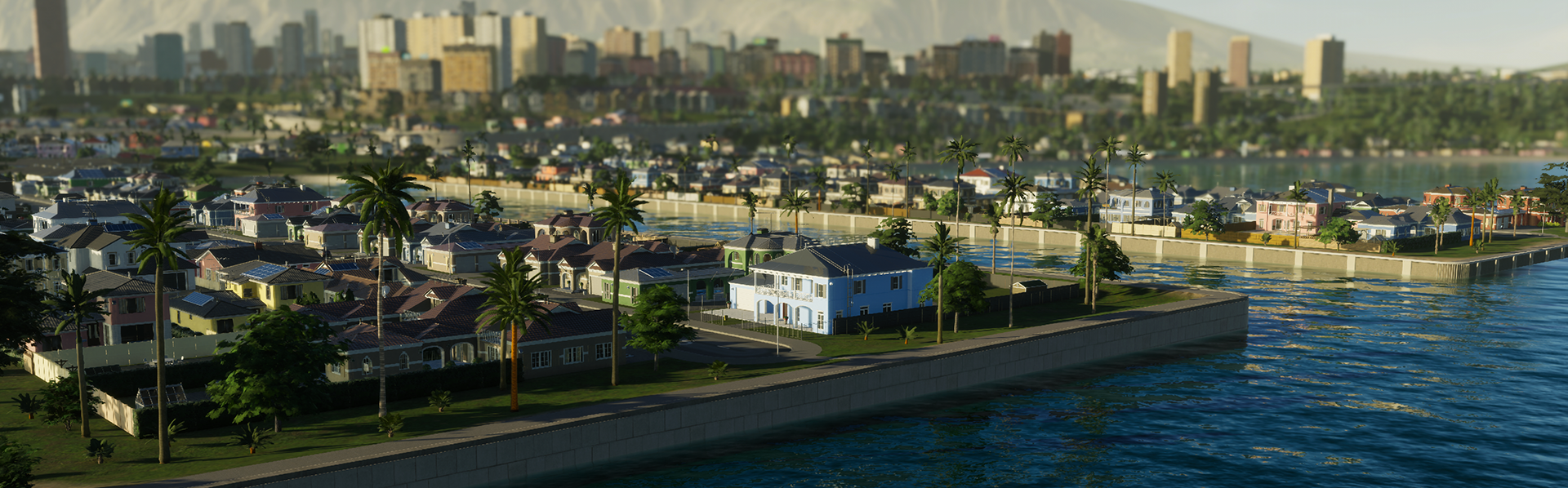
Narrow quays, available in two styles, cater to pedestrian use.
Piers in Cities: Skylines II revolve around leisurely activities. These elevated pedestrian networks, available under the Landscaping Menu, come in Narrow, Medium, and Wide sizes, allowing complex pier networks to form. With a minimum height, they can stretch over water or serve as vantage points over the city.
Once constructed to your preference, piers provide a venue for citizens seeking outdoor leisure, which they can access via pedestrian paths or direct connections to roads or quays.
Create piers that suit your city’s vibe and observe as citizens flock to the waterfront for relaxation.
The update also introduces two unique bridges with distinct designs and purposes. The Train Transportation Menu now features a truss arch bridge supporting two train tracks; its classic design is visually striking, able to span gorges or waterways, or, if elevated sufficiently, narrow seaways.
For those seeking more versatility, the game’s first double-decked bridge is now available, combining a four-lane highway atop a double train track. This cost-effective option serves both highway and rail needs, boasting an aesthetically pleasing extradosed design.
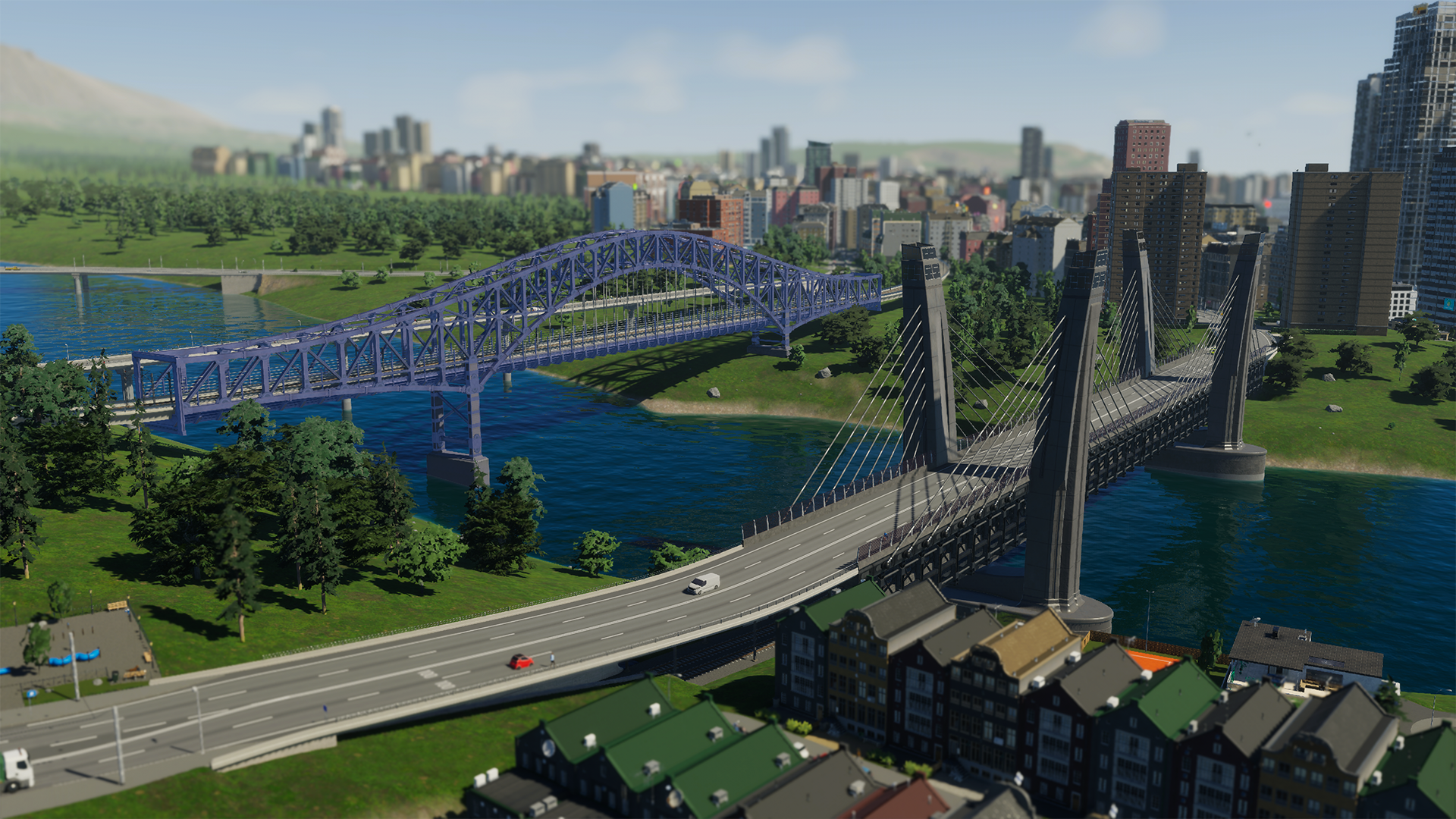
Link your railways with the new double-track bridge or elevate your network with the inaugural double-decked bridge.
Considering cargo transportation’s role in Bridges & Ports gameplay, we’ve prioritized resolving base game issues affecting goods flow. Some fixes are obvious, such as stopping truck visits once the Cargo Harbor is deactivated post-trip. Others subtly improve system performance and resource distribution.
We’ve enhanced the cargo transportation buildings’ Selected Info Panel to better visualize goods importation and exportation. Now, all storable resources appear in a collapsible section, color-coded to indicate import priorities and export readiness.
Cargo transportation buildings strive to maintain a steady supply of resources and materials, enabling swift replenishment of industry and commercial supplies. A red-highlighted resource indicates a reserve shortfall in the building, prompting imports. Excess production populates building storage, shown in green, and is exported when possible.
Besides cargo-specific solutions, the Quays & Piers Patch includes numerous bug fixes enhancing the game experience. We continue addressing reported issues, grateful for your feedback. Please report post-patch bugs on our support forum. Though fixes aren’t immediate, your efforts help prioritize impactful issues.
That’s our update for today. Enjoy the new content and fixes, detailed in the patch notes. We’d love to see your waterfront enhancements!
 Hotfix #36 is Now Available!
 Community Update #36: A Very Moddy Christmas
 Hotfix 35 Now Available
 Hotfix 34 Is Now Live!
 Free Update and New Plans
 RoboCop: Rogue City – Unfinished Business Story Trailer
 The Witcher in Concert Arrives in the US!
 The Witcher in Concert Arrives in the US!