
Update 1.58: UI & UX Enhancements
Exploring the UI/UX Evolution in the Upcoming 1.58 Update
In today’s preview, we are diving deep into one of the most substantial components of the 1.58 update for American Truck Simulator. Our Game Design department has been meticulously crafting a comprehensive suite of User Interface (UI) and User Experience (UX) enhancements to modernize the way players interact with the world of trucking.
This release represents a pivotal milestone, touching nearly every screen and menu you navigate during your daily hauls. While some of these adjustments serve as a highly anticipated aesthetic rejuvenation, others are strategic steps forward, establishing a more robust foundation for the ambitious projects we have currently in development.
The Philosophy Behind the Redesign
Over the years, ATS has expanded exponentially. As the game matures, it becomes essential to revisit and refine legacy systems. The objective of the 1.58 update is to go beyond mere visual polish; we are building a flexible, future-proof framework capable of supporting new features, diverse content, and additional platforms in the years to come.
We recognize that for our veteran drivers, these modifications might require a period of adjustment. Ingrained motor skills developed over thousands of hours may need a brief recalibration. However, we are confident that these improvements align more closely with modern gaming standards and provide a more fluid, comfortable interface as our simulation continues to grow.
Key Features Arriving in 1.58
Our Game Design team is rolling out a significant package of refinements, categorized into several core areas:
Modernized Tutorials & Contextual Guidance
We are phasing out the traditional, linear tutorial in favor of a dynamic system centered on contextual hints. This approach introduces game mechanics to new players more organically, offering relevant information precisely when it is needed rather than overwhelming users with a single, massive data dump at the start.
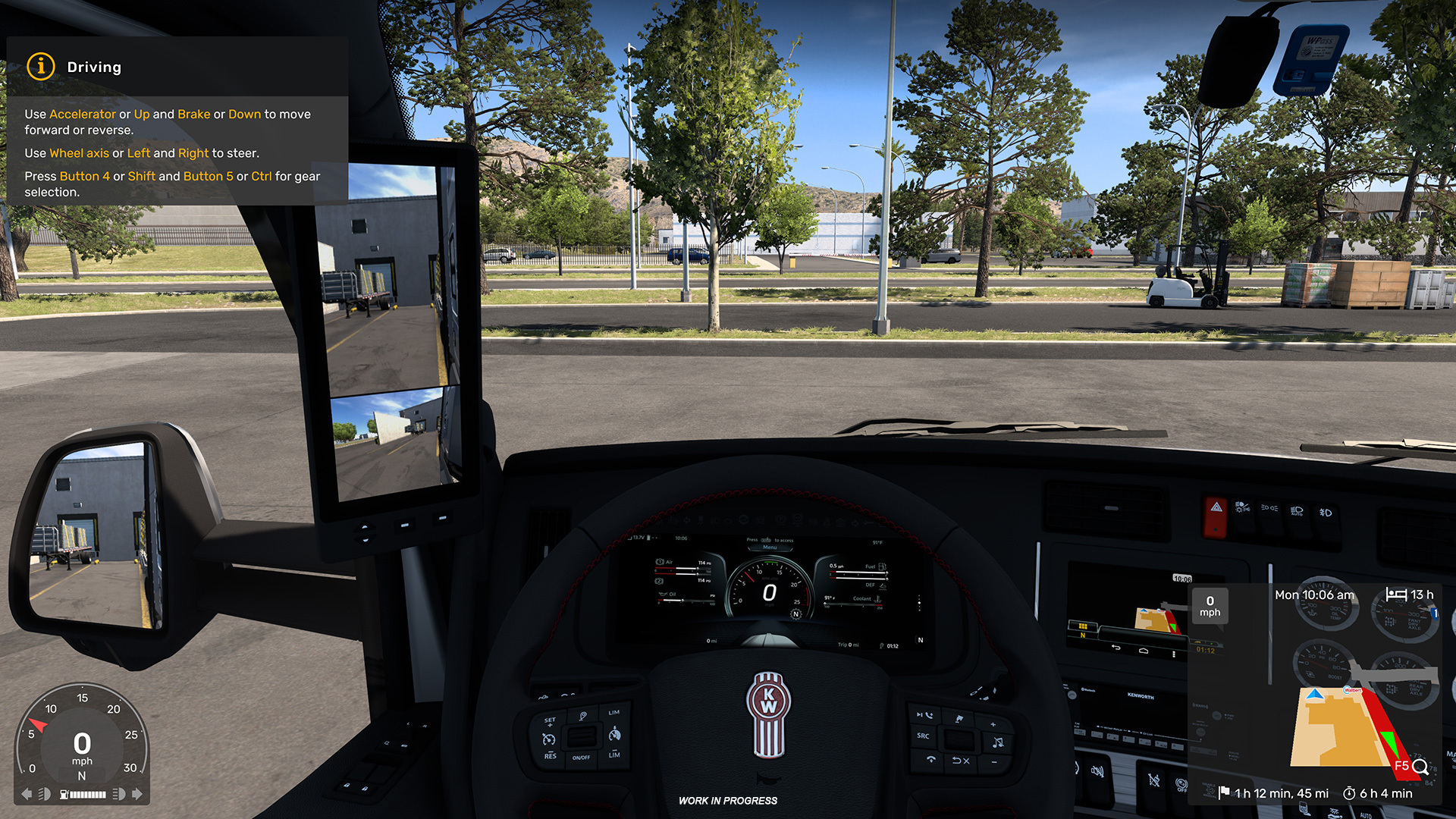
Initially, this system will integrate updated prompts from the existing first-job tutorial alongside a collection of fresh hints. These notifications are designed to appear naturally during gameplay, allowing newcomers to grasp core mechanics while ensuring experienced drivers remain focused on the horizon.
A Reimagined Route Advisor
Perhaps the most striking visual shift in 1.58 is the total overhaul of the Route Advisor. The legacy Advisor is being retired, replaced by an innovative, widget-based architecture.
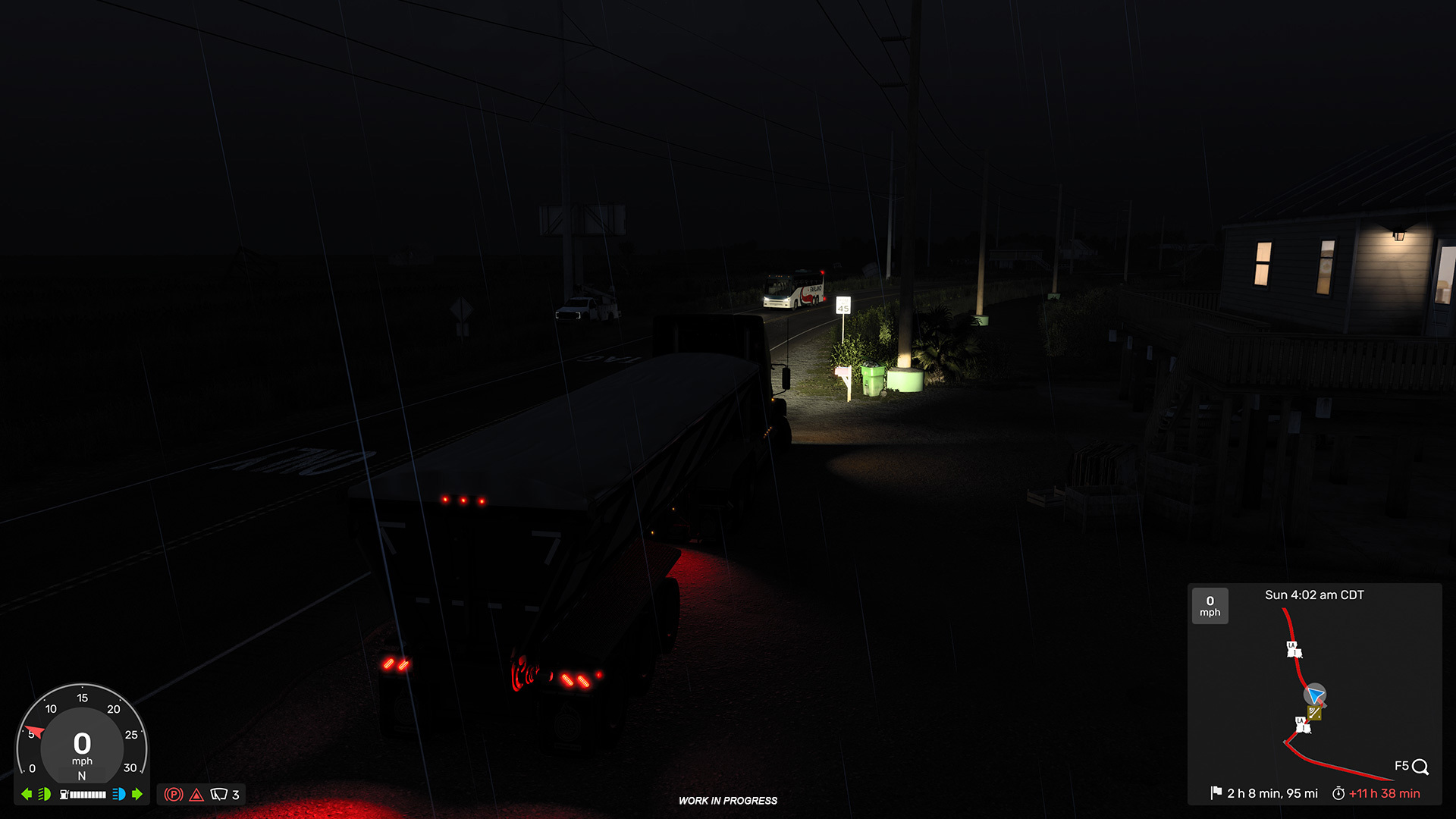
Instead of a static, monolithic panel, information is now distributed across individual graphical widgets, each focused on a specific metric. This modular design results in a much cleaner on-screen HUD, granting players the freedom to toggle and customize which data they see. Whether you prefer a minimalist cockpit or a data-heavy display, the new system adapts to your personal playstyle.
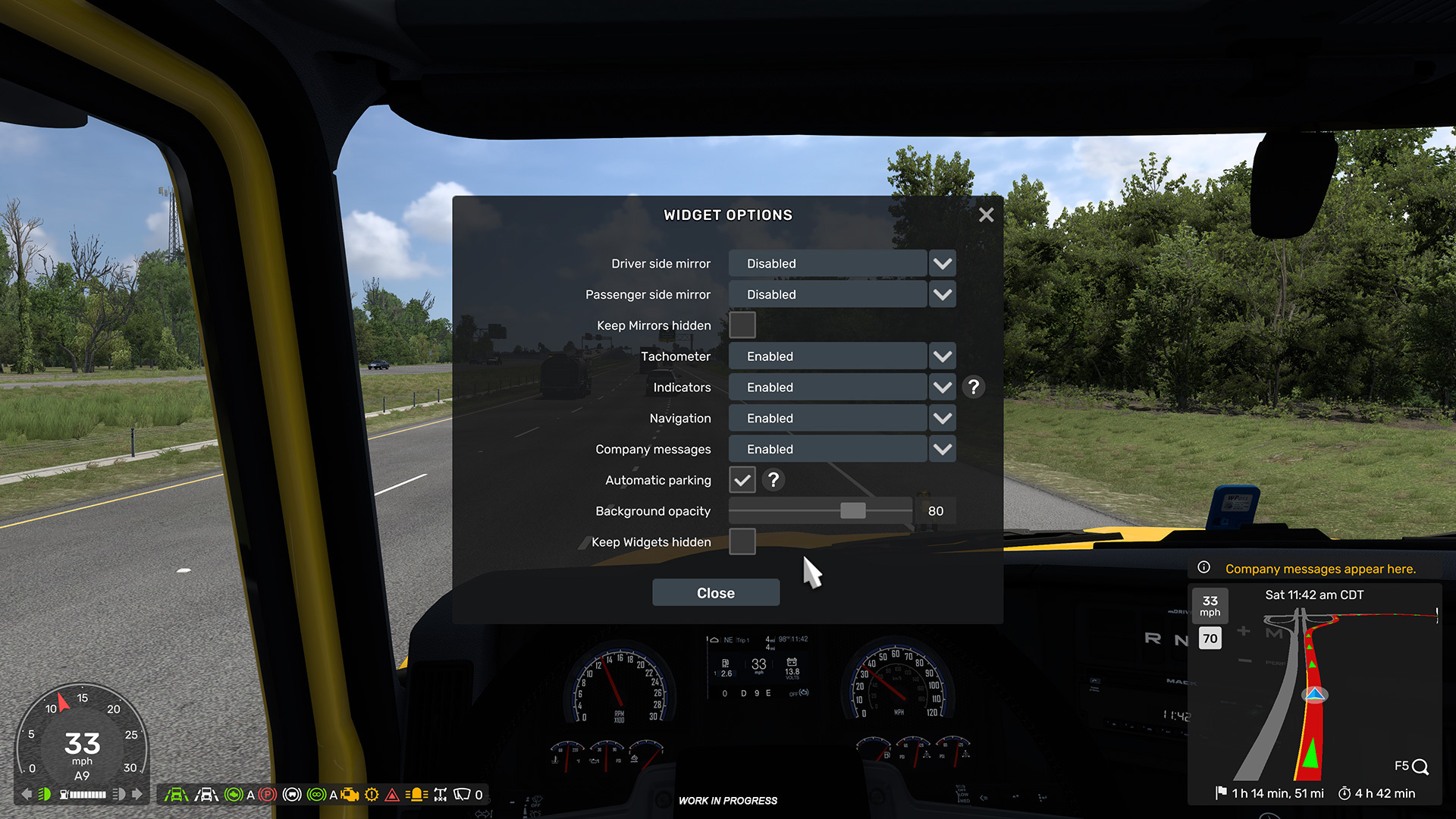
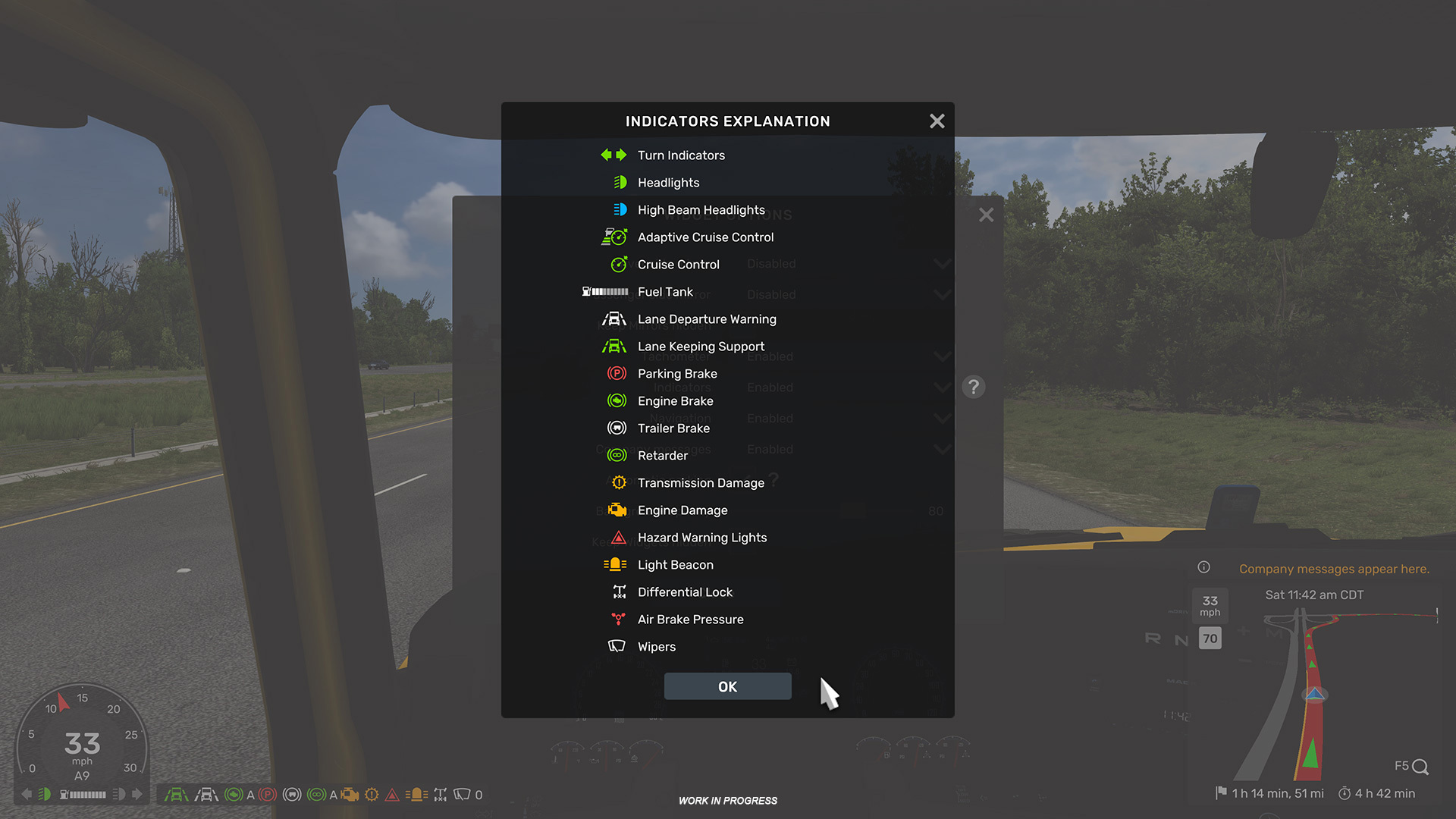
This transformation has been a long-term project driven by community feedback. After successful showcases at our SCS Fan Day and rigorous testing—both internally and with senior external contributors—the results have been exceptionally positive. During the Open Beta, we will continue to monitor your feedback closely to fine-tune these tools for the final release.
The “Quick Info” Feature
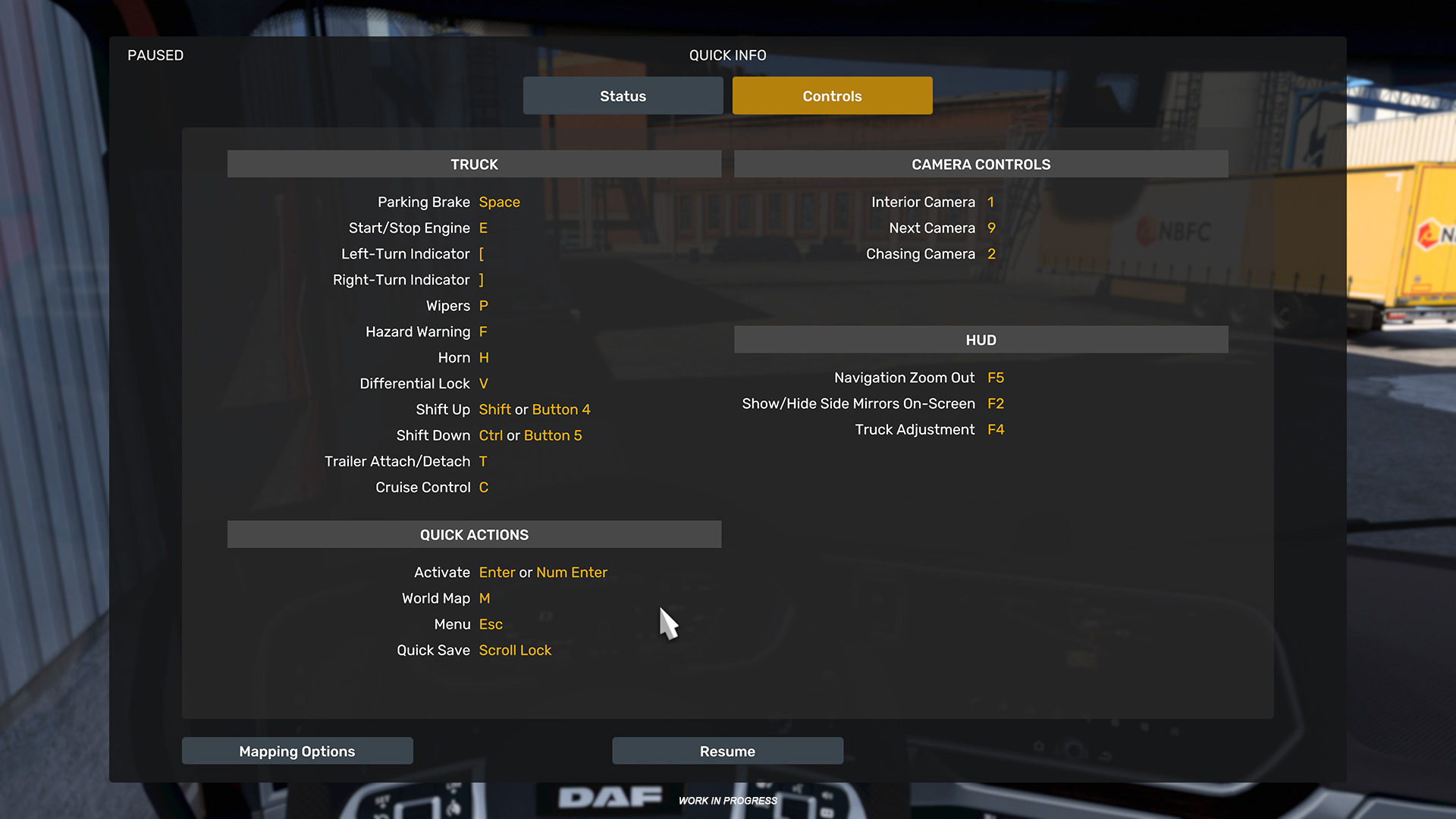
The standard Pause Screen has been fundamentally reimagined to better serve the needs of modern players. It has evolved into the “Quick Info” hub—a centralized dashboard for all essential operational data. This screen now presents a structured overview of controls, vehicle status, cargo details, and regional regulations in one legible interface.
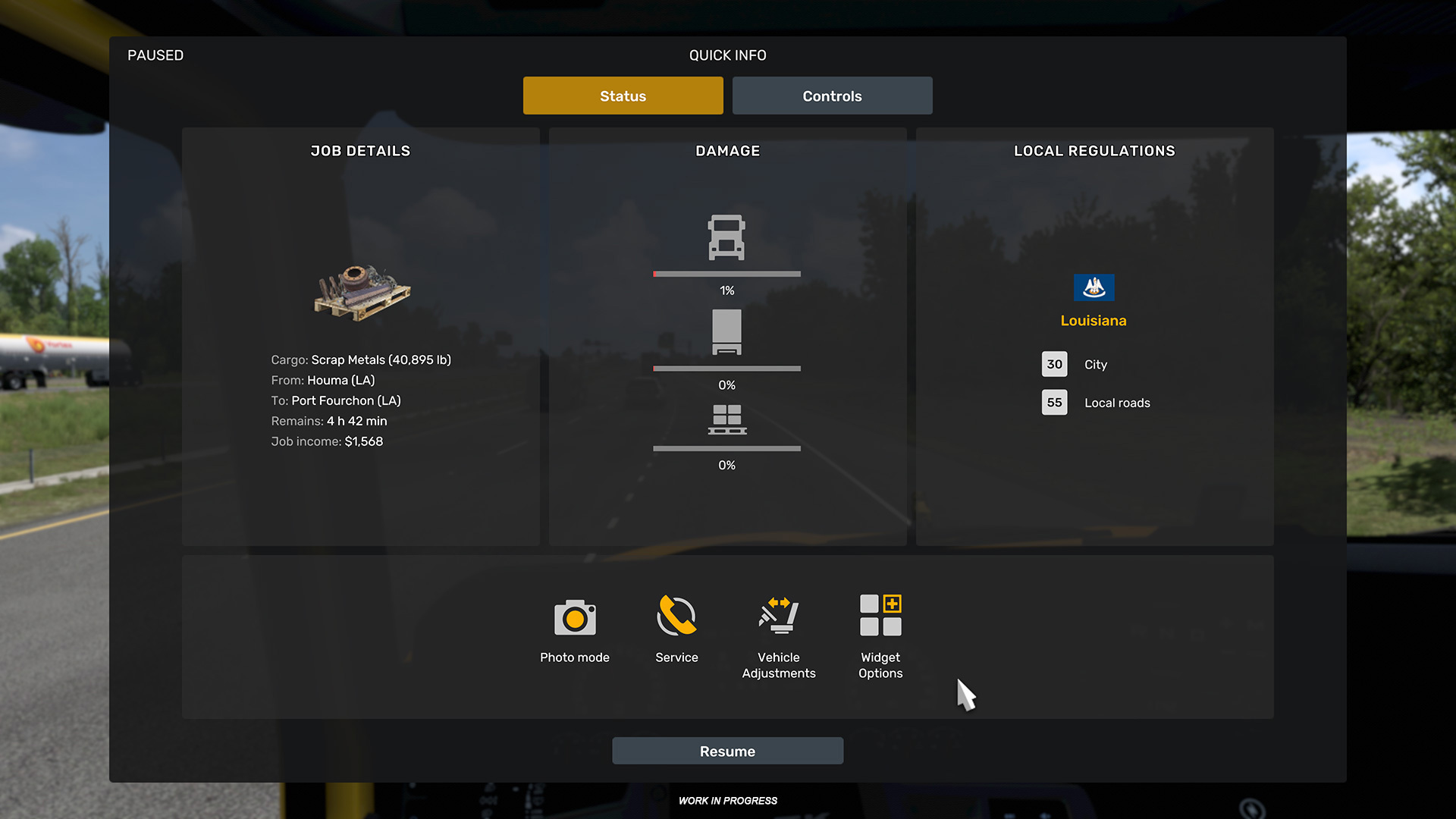
By migrating specific details—such as truck damage, cargo logs, and service calls—from the primary HUD to the Quick Info screen, we’ve managed to declutter the driving experience. This shift also paves the technical way for upcoming expansions, including the Coach expansion and Project Road Trip.
Management Screen Polishing
The 1.58 update also applies a layer of refinement to the existing management interfaces, including the Driver, Trailer, Truck, and Garage Managers. While the core structure remains familiar, we have implemented various Quality of Life (QoL) tweaks to improve clarity and usability.
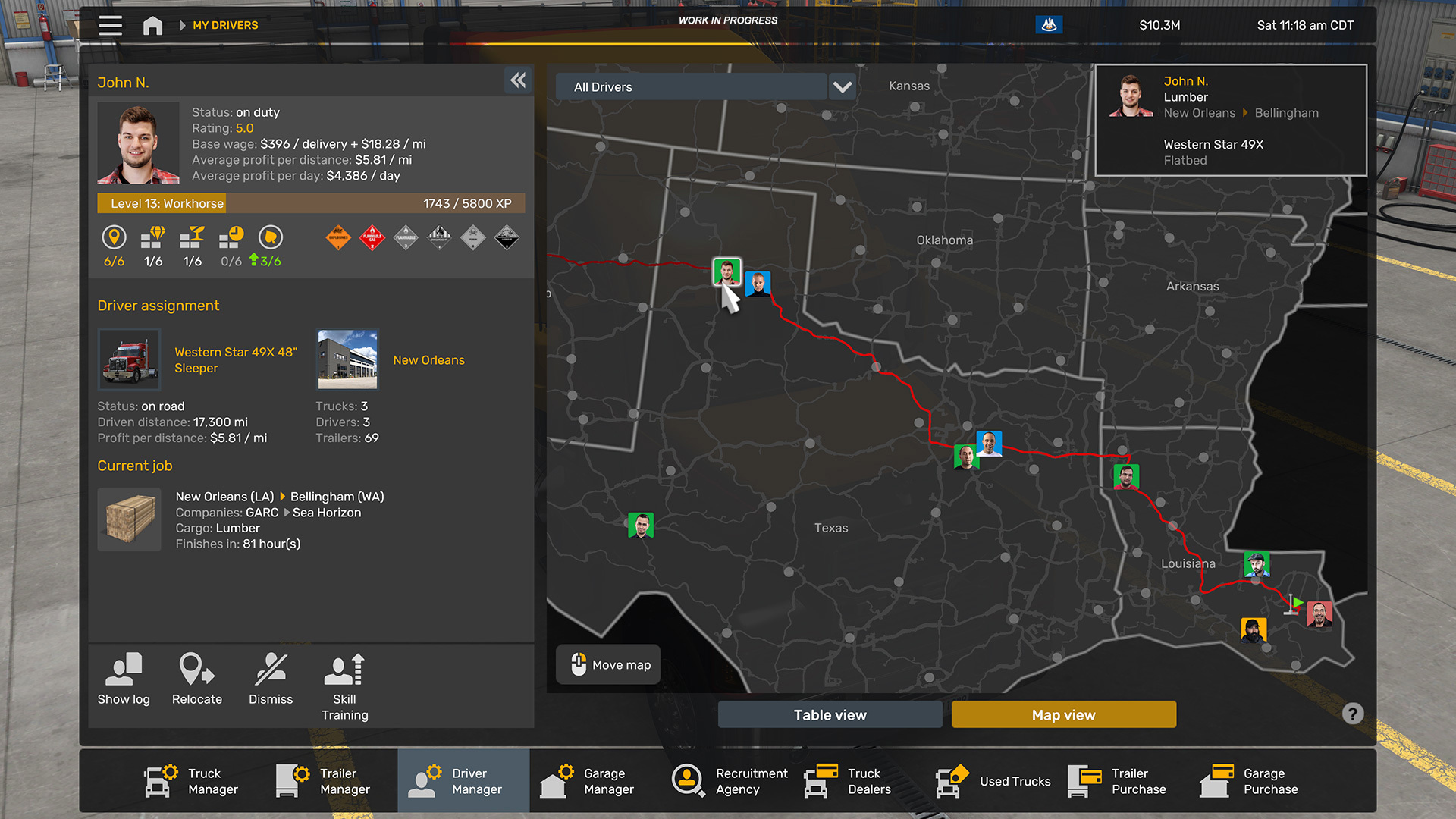
One notable improvement is the enhanced visibility of employee progression. Tracking the skill development of your hired drivers is now more intuitive, with current training paths highlighted directly in the overview. Additionally, we’ve streamlined access to corporate identity settings, such as company logos and titles, making it easier to manage your growing logistics empire.
Refined Truck Configurator
The Truck and Trailer Configurator and Explorer menus are receiving targeted optimizations. We recognized that these powerful tools were occasionally cumbersome when using a controller or navigating with a mouse. Our goal here was to enhance navigation, add helpful tooltips, and improve overall stability without forcing players to relearn the entire customization process.
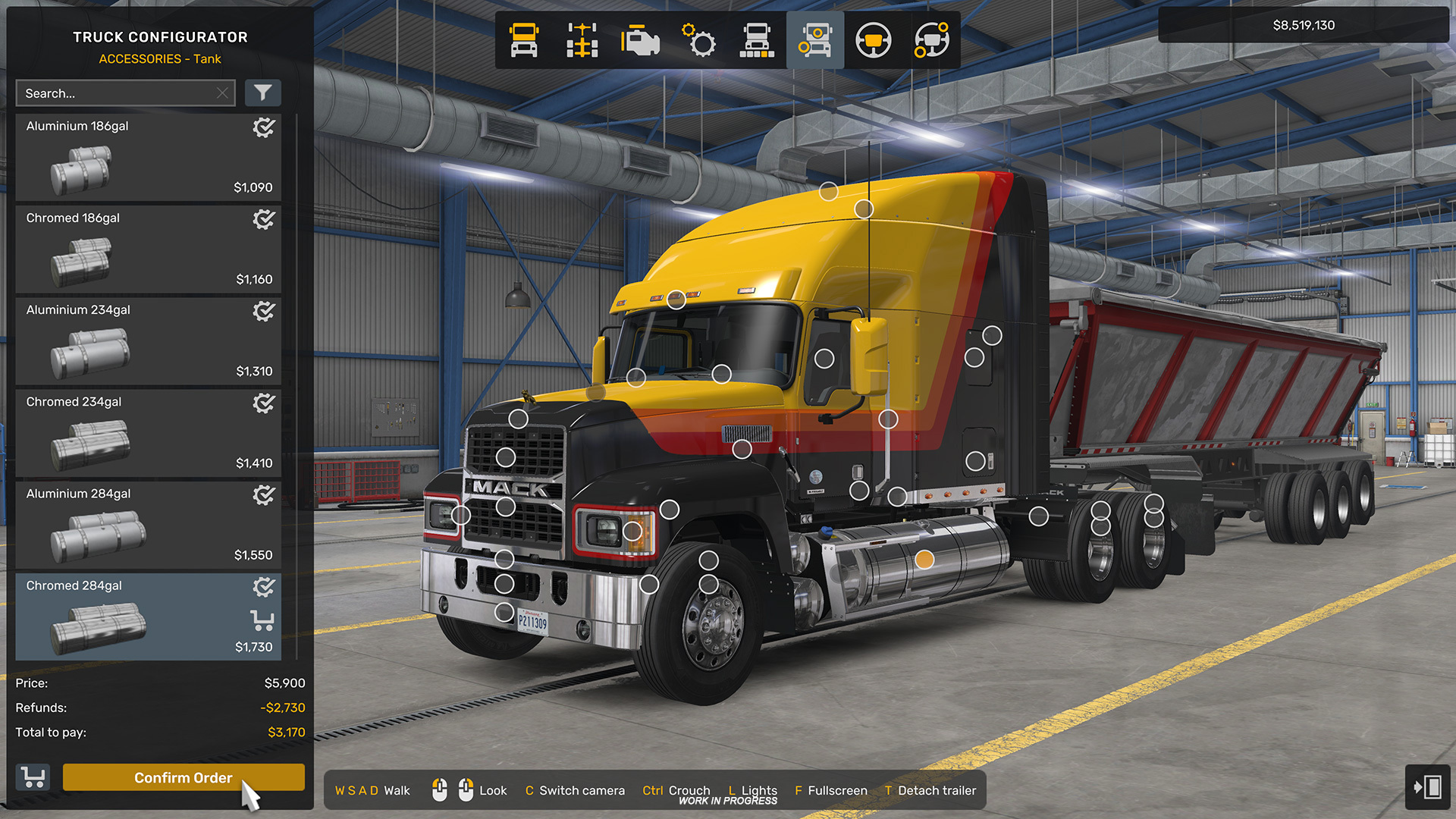
These adjustments ensure that whether you are fine-tuning a chrome bumper or selecting a new trailer chassis, the experience is smoother, more responsive, and more informative.
We are excited to share these advancements with you. The Open Beta phase will be a critical period for gathering your impressions and ensuring these UI/UX shifts meet the high standards of our community. These changes are a testament to our long-term vision for American Truck Simulator, ensuring it remains at the forefront of the simulation genre.
We look forward to your feedback during the beta. Until then, stay safe on the road!
Related articles
 Indiana Research Expedition
 Euro Truck Simulator 2: Version 1.61 Update Released
 SCS On The Road: Iceland Research Trip
 American Truck Simulator: Update 1.61 Released
 Freight Market & Quick Jobs Road Trip
 World of Trucks: Events Resume
 World of Trucks: Resuming Events
 Community Stories: Trucker Cassie