Forza Horizon 6 takes creative freedom to a new level, making garage customization a must-have skill for any player looking to showcase their automotive collection in style. Beyond the aesthetic appeal, refining your space can actually be a lucrative endeavor; if other players discover and download your garage designs, you can earn extra credits.
Read on for a comprehensive guide on personalizing your space and transforming your Forza Horizon 6 garage into a true reflection of your unique style.
How to personalize your garage in Forza Horizon 6
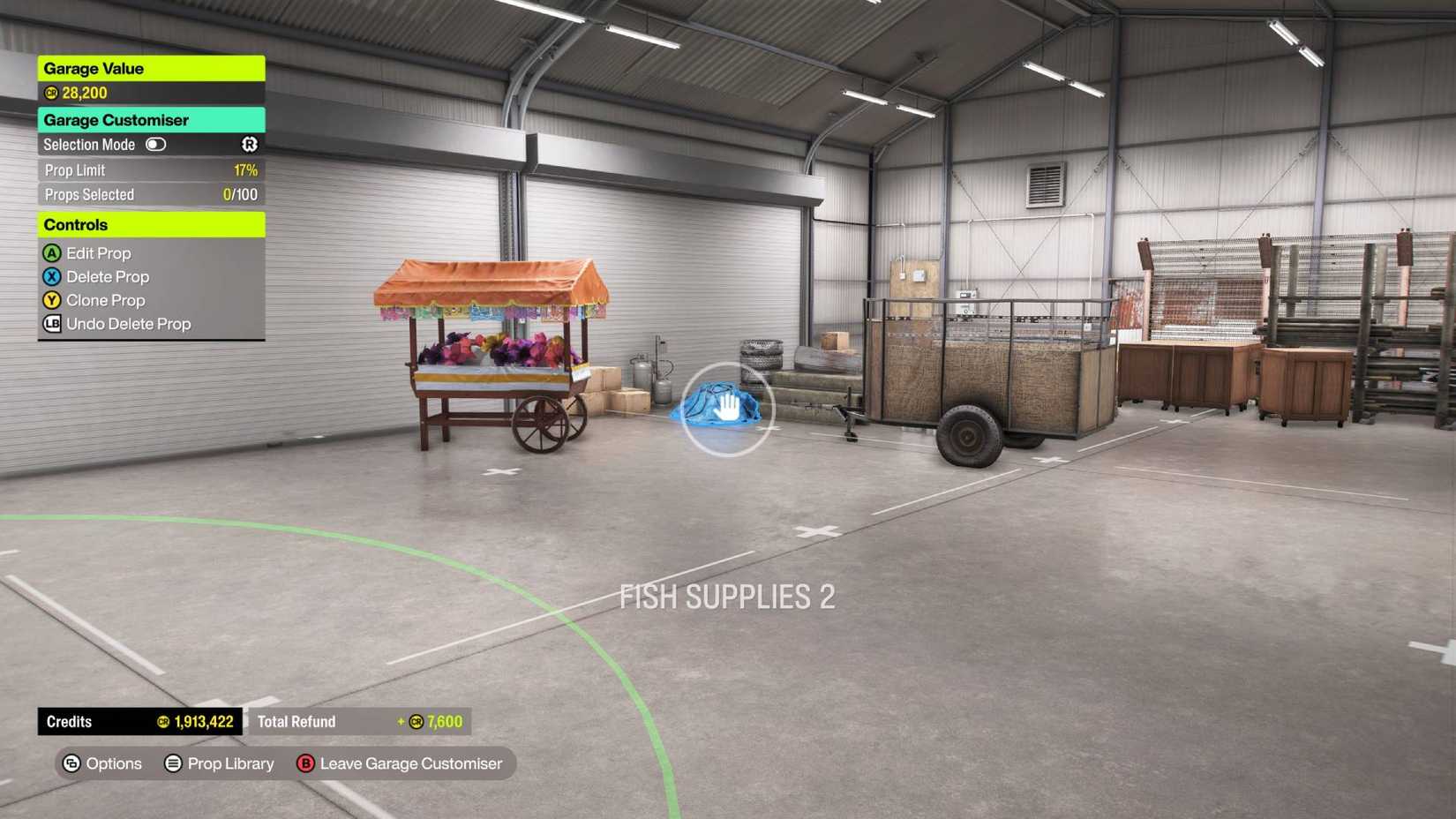
Every house you acquire in Forza Horizon 6 comes with its own customizable garage. With eight distinct properties available—including the starting residence—you have plenty of opportunities to express your creativity and invest your credits into unique designs.
To begin, head to one of your properties and select the “Customizable Garage” tab at the top of the interface. Choosing “Customize Garage” enters a free-camera mode, allowing you to curate your space using the prop library. You are free to place items as you see fit, provided you stay within the prop limit and have the necessary credits. To refine your layout, simply hover over any object to remove it, or reset the entire space by heading to the “Browse & Manage” menu and selecting “Empty My Garage.”

If you would rather skip the design process, you can leverage the community’s creativity. Under the “Browse & Manage” menu, navigate to “Browse Community Garages.” Here, you can preview and download layouts created by other players. Applying these pre-made designs to your property will require a small credit fee.
Finally, curate your collection by selecting “Display Cars” to choose which vehicles take center stage. When your masterpiece is ready to be shared, simply flip the “Visitor Permission” toggle to “Open” to welcome other drivers into your space.
Source: Polygon