City Corner #4 – A Performance Insight

Greetings, Mayors!
In this edition of City Corner, we are pulling back the curtain on the technical architecture of Cities: Skylines II. We sat down with our lead programmer and technical director to dissect our current performance landscape. We will be exploring the two primary categories of performance bottlenecks, our roadmap for future optimizations, and providing an exclusive preview of a new utility arriving in our next patch.
Buckle up—let’s get into the details.
Understanding Game Performance
What exactly does “performance” mean in our context? At its core, Cities: Skylines II was engineered to leverage multi-core CPU architectures. While the fundamental technology is robust, there is significant room for refinement. Developing a city-builder presents a unique set of challenges: the ability to zoom from a granular, citizen-level view to a sprawling metropolitan vista creates immense pressure on the engine. Because our world is dynamic and living, we cannot rely on “baked” or precomputed lighting and geometry, meaning the engine must calculate everything in real time.
We view these technical hurdles as an exciting opportunity—the very reason we entered game development. By collaborating closely with Unity, we are isolating specific inefficiencies and implementing targeted solutions. Let’s break down the factors currently impacting performance.
GPU Optimization: Rendering Challenges
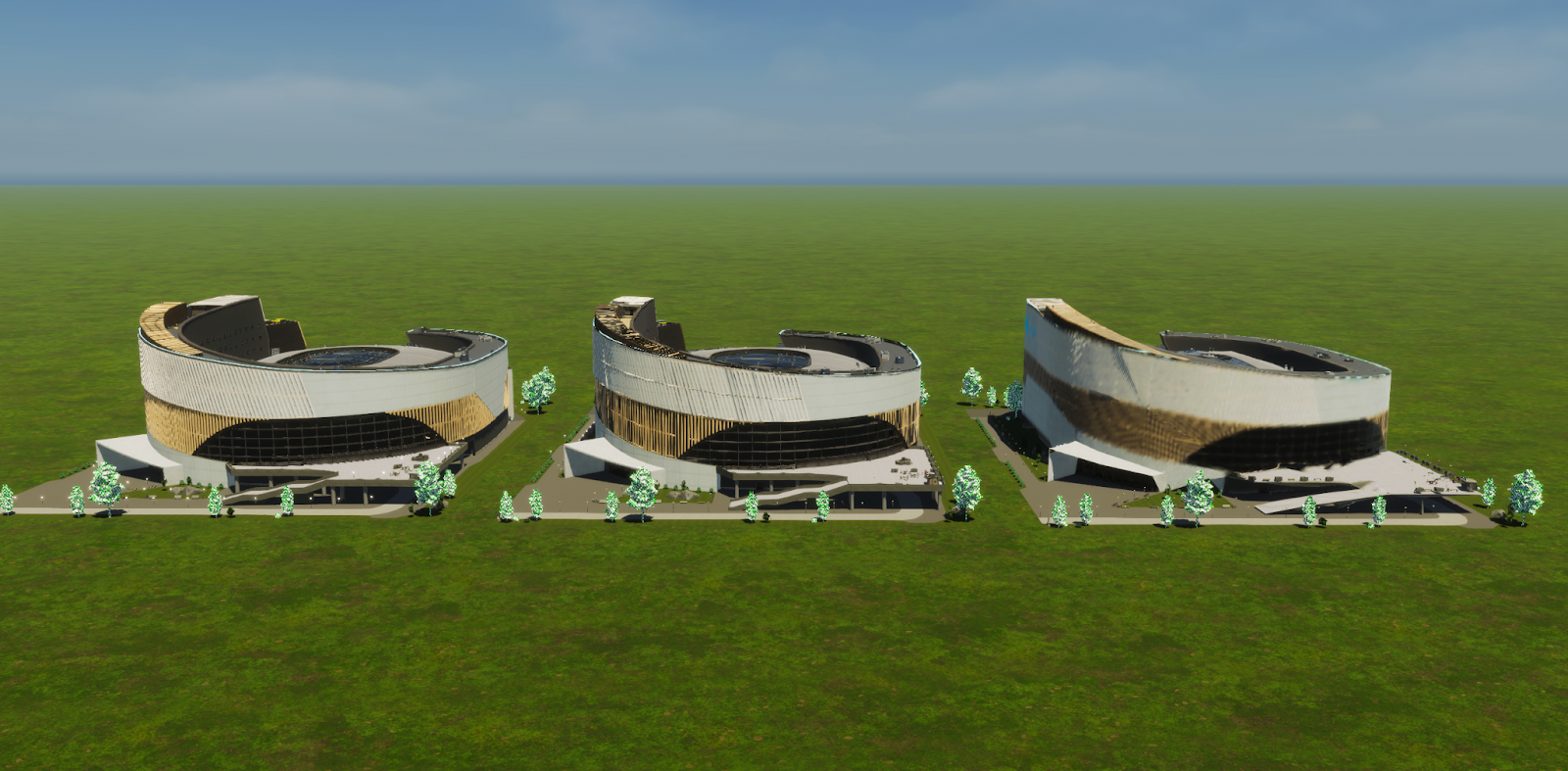
While it may seem intuitive that the volume of triangles is the primary driver of GPU load, the reality is more nuanced. For instance, in earlier builds, the game rendered high-detail teeth for every individual citizen, regardless of camera distance. While that bug was squashed long ago, it serves as a perfect example of unnecessary “work” being offloaded to the graphics card.
Our primary strategy for improving rendering is the implementation of more sophisticated Level of Detail (LOD) models. By utilizing simplified geometry for distant objects, we drastically reduce the number of triangles the GPU processes. This reduction also eases the burden on shadow rendering, which relies on that same geometry.
Water simulation also relies heavily on the GPU’s parallel processing capabilities. Currently, this system is quite demanding; on lower-end hardware, its resource consumption can stifle other essential rendering processes. We are actively refining this simulation to ensure it plays nicely with other graphical features.
Finally, we are optimizing terrain rendering. Our data indicates that a significant percentage of terrain geometry—sometimes up to 65%—is generated even when it falls outside the player’s view. By implementing more intelligent visibility culling, we can prevent the engine from wasting resources on objects that aren’t even on screen.
CPU Optimization: Simulation Performance
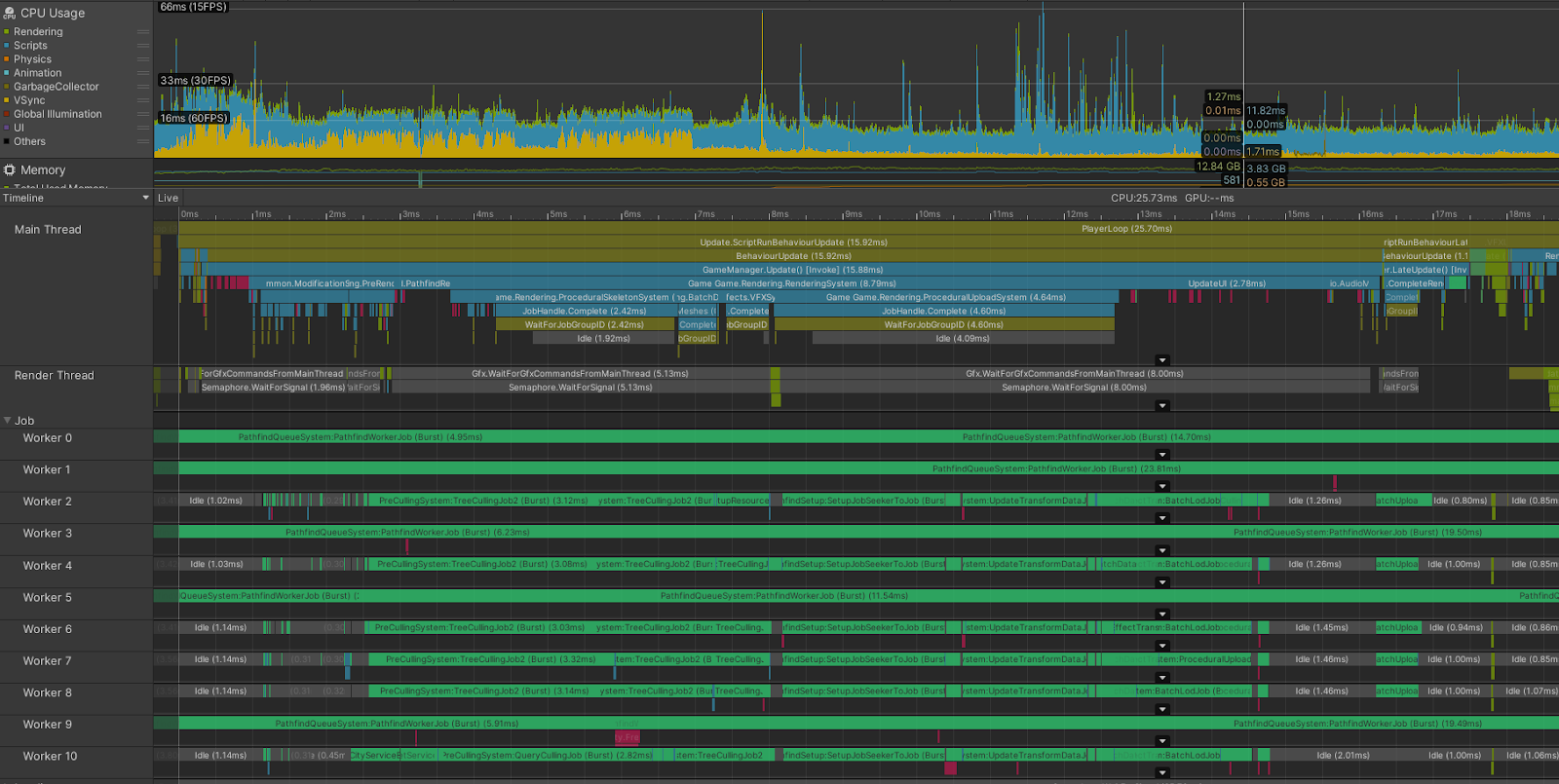
Simulation performance is a more complex beast, as it typically begins to falter only after your city reaches a significant scale. These bottlenecks are usually tied to population density and pathfinding logic. We are exploring smarter ways for citizens to conduct daily tasks; for example, rather than a citizen traversing the entire city for groceries, we are looking for ways to streamline their decision-making process.
Adjusting these underlying systems requires caution, as any change to the pathfinding logic ripples through the entire simulation. We are currently evaluating changes such as dynamic pedestrian density adjustments to maintain stability in massive cities.
We are also investigating “edge-case” bugs—such as instances of NPCs getting trapped in geometry or excessive bike usage—that inadvertently overwhelm our pathfinding threads.
The Path Forward
We have already deployed several “quick wins,” including automated graphics quality detection and the disabling of resource-heavy features like Screen Space Global Illumination (SSGI) on lower-end hardware.
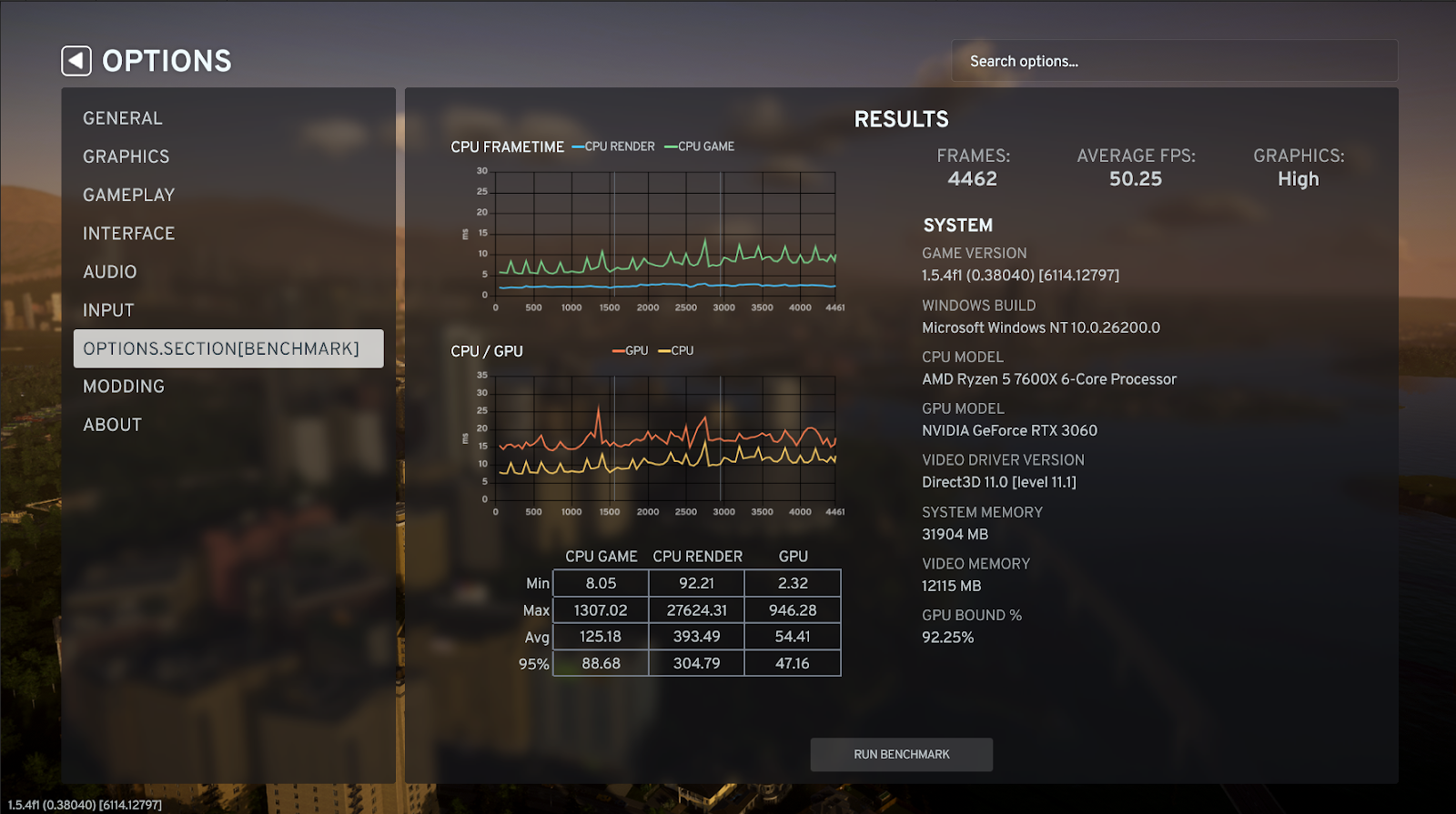
Looking ahead, we are prioritizing improvements to LOD systems and rendering algorithms, which will yield immediate benefits across all city sizes. Furthermore, we are introducing a new in-game benchmark tool in our next patch. This utility will allow you to track your own performance metrics and provide us with vital telemetry data across a vast array of hardware configurations. If testing proceeds as expected, this update will arrive by the end of the month.
Thank you for your patience and support. We are committed to refining Cities: Skylines II and will continue to share our progress as we implement these optimizations. See you in the next update!
 Official Q&A Thread | 2026
 City Corner #12: Collected Questions
 City Corner No. 11: Autumn Breeze
 City Corner #10 – Expanding the Modding Tools
 City Corner #9 – Happy Six-Month Anniversary!
 Patch 1.6.0f1 – Summer Solstice
 City Corner #8 – Reshaping the Landscape
 Hotfix: Patch 1.5.10f1