The Steam Controller Is a Near-Perfect PC Gamepad That Should Only Get Better
A decade ago, a colleague handed me the original Steam Controller. I had no context for it; it felt like an alien artifact that tossed decades of established design standards aside in favor of two peculiar trackpads. I struggled to navigate the radial weapon menu in Doom and promptly dismissed the hardware as another of Valve’s eccentric experiments. After all, why reinvent the wheel?
Ten years later, the landscape has shifted entirely. Over the past few weeks, I have spent so much time with Valve’s latest iteration of the Steam Controller that the prospect of playing PC games with anything else feels unimaginable. With its refined geometry, superior ergonomics, and effortless integration with the Steam ecosystem, Valve has finally demonstrated that its original vision was sound—it just needed the right refinements. While the finished product—much like the initial launch of the Steam Deck—still leaves some room for growth, Valve has undeniably delivered a premium PC gamepad that justifies its existence, albeit with a few caveats.
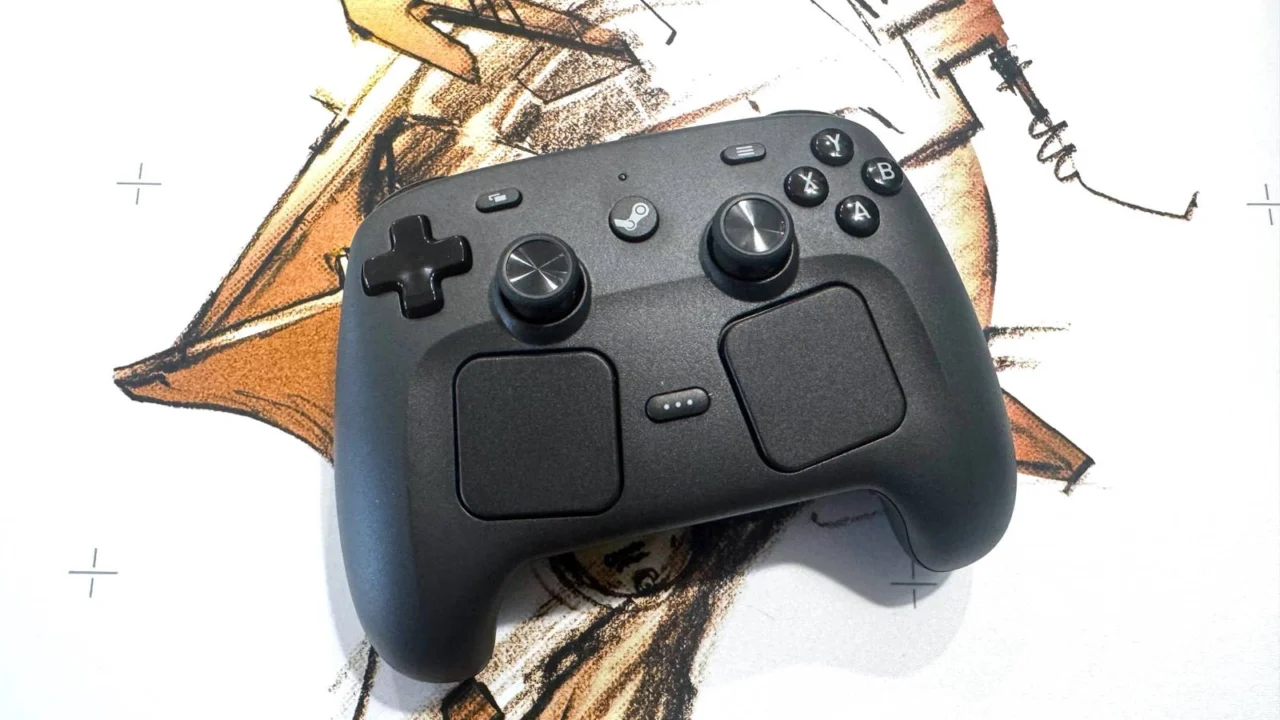
At first glance, the Steam Controller’s somewhat boxy aesthetic—reminiscent of a high-end Joy-Con Grip—might give you pause. However, any skepticism regarding comfort vanishes the moment you hold it. It is arguably the most ergonomically balanced controller I have ever tested, making my standard Xbox Wireless Controller feel somewhat unrefined by comparison.
The comfort comes from a series of deliberate design choices. It is surprisingly lightweight, mirroring the deceivingly airy build of the Steam Deck. The matte black finish provides a tactile, premium feel, and the straightness of the grips significantly reduces wrist fatigue. My thumbs naturally find their home on the buttons and joysticks, and the transition to the trackpads feels fluid. While those with smaller hands might find the reach a bit demanding, the layout feels far less crowded than the top-heavy configuration of the Steam Deck.
The only minor critique concerns the rear buttons. While they offer a more substantial, satisfying click than those found on the Steam Deck, their positioning is slightly too low. My middle fingers hit the upper triggers effortlessly, but my ring fingers require an uncomfortable stretch to reach the bottom buttons. It is a minor ergonomic compromise that stems from the controller’s unique grip angle.
Otherwise, the performance is exemplary. If you are a long-term Steam Deck user, this controller will feel like an extension of that device. The face buttons and D-pad are consistent in feel, albeit slightly larger. The joysticks—boasting TMR magnetic sensors—offer a welcome level of resistance that elevates the experience. The triggers and bumpers are arguably the most improved elements, offering a smooth, rounded profile that requires minimal actuation force.
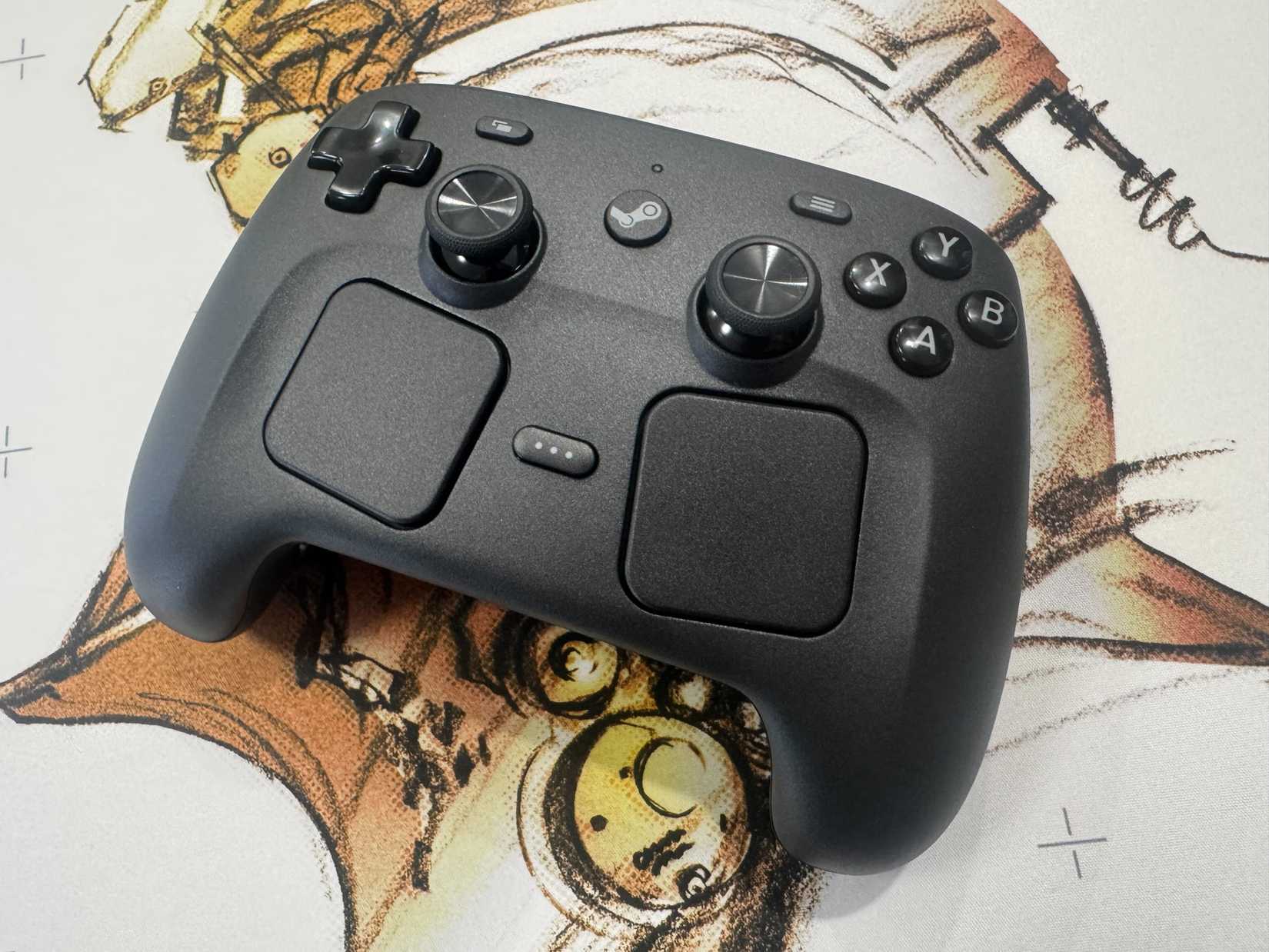
The true standout feature remains the dual haptic trackpads. They are noticeably larger than those on the Steam Deck, providing ample surface area for precise mouse simulation. Games like Sol Cesto, which are heavily reliant on cursor input, feel perfectly at home here. This continuity across devices—from the Deck to the upcoming Steam Machine—is the real selling point.
Valve also introduces “Grip Sense,” which enables gyro controls based on how tightly you squeeze the controller. Unfortunately, this feels like an experimental gimmick for now; I found it inconsistent and difficult to rely on during fast-paced play. It is an optional feature, and one that most users will likely toggle off.
Setting up the controller is straightforward if you are locked into the Steam ecosystem. The magnetic charging puck acts as your pairing hub, and once synced, the central Steam button provides a perfect gateway to Big Picture Mode. There is occasional friction during the initial firmware pairing process, but once connected, the experience is largely plug-and-play.
The puck’s utility as a charger is a clever touch, boasting a 35-hour battery life that I found sufficient for even the longest gaming marathons. However, its weak magnetic connection makes it unsuitable for wired gameplay. Bluetooth pairing is also an option, though the lack of a dedicated pairing button makes the process unnecessarily cumbersome when switching between multiple devices.
That’s the price you pay for innovation, I suppose.
The biggest hurdle is that the Steam Controller is strictly a Steam-centric device. If you attempt to use it with other storefronts like the Epic Games Store or the Xbox app, it functions purely as a basic mouse-and-keyboard input, stripping away most of its advanced features. You can work around this by adding games to your Steam library, but it remains an annoying friction point for a $99 peripheral.
At this price point, you are paying for innovation—the unique haptic trackpads and the seamless Steam integration. It is a premium-priced device that lacks some standard amenities, such as a headphone jack, but for the dedicated PC gamer, the value is clear. It is a refined, comfortable, and highly capable tool, and if Valve continues to support it with the same software-driven improvements they gave the Steam Deck, it may well become the definitive way to play on PC.
The Steam Controller will be available to order on May 4. It was tested using two prerelease units provided by Valve. You can find additional information about Polygon’s ethics policy here.
Source: Polygon
Related articles
 One-Punch Man Season 3 Trailer Criticized by Fans Over Animation Quality Ahead of 2027 Release
 Amazon Developing New Stargate Series with WandaVision Creator
 New Trailer Released for The Apothecary Diaries Anime Film
 Dr. Stone Creators Announce Continuation After Final Season
 Charlie Cox Mocked Mike Colter Over The Defenders Leak
 Grant Gustin Expresses Interest in Returning to the Flash Role
 10 Years Later, Naruto Mobile Fighting Game to Launch Outside China
 Mike Flanagan Casts Samantha Sloyan for Carrie Adaptation