
Development Log: New Features
Greetings — I’m Zwirbaum. This development diary outlines the features arriving in the update on November 20. There’s a great deal to cover, so I’ll move briskly and focus on the most important changes, especially where mechanics have been adjusted since earlier previews. Let’s get straight into the feature highlight run.
The faction interface has received a major visual overhaul, but the changes aren’t merely cosmetic — several faction systems have been reworked to improve clarity and depth.
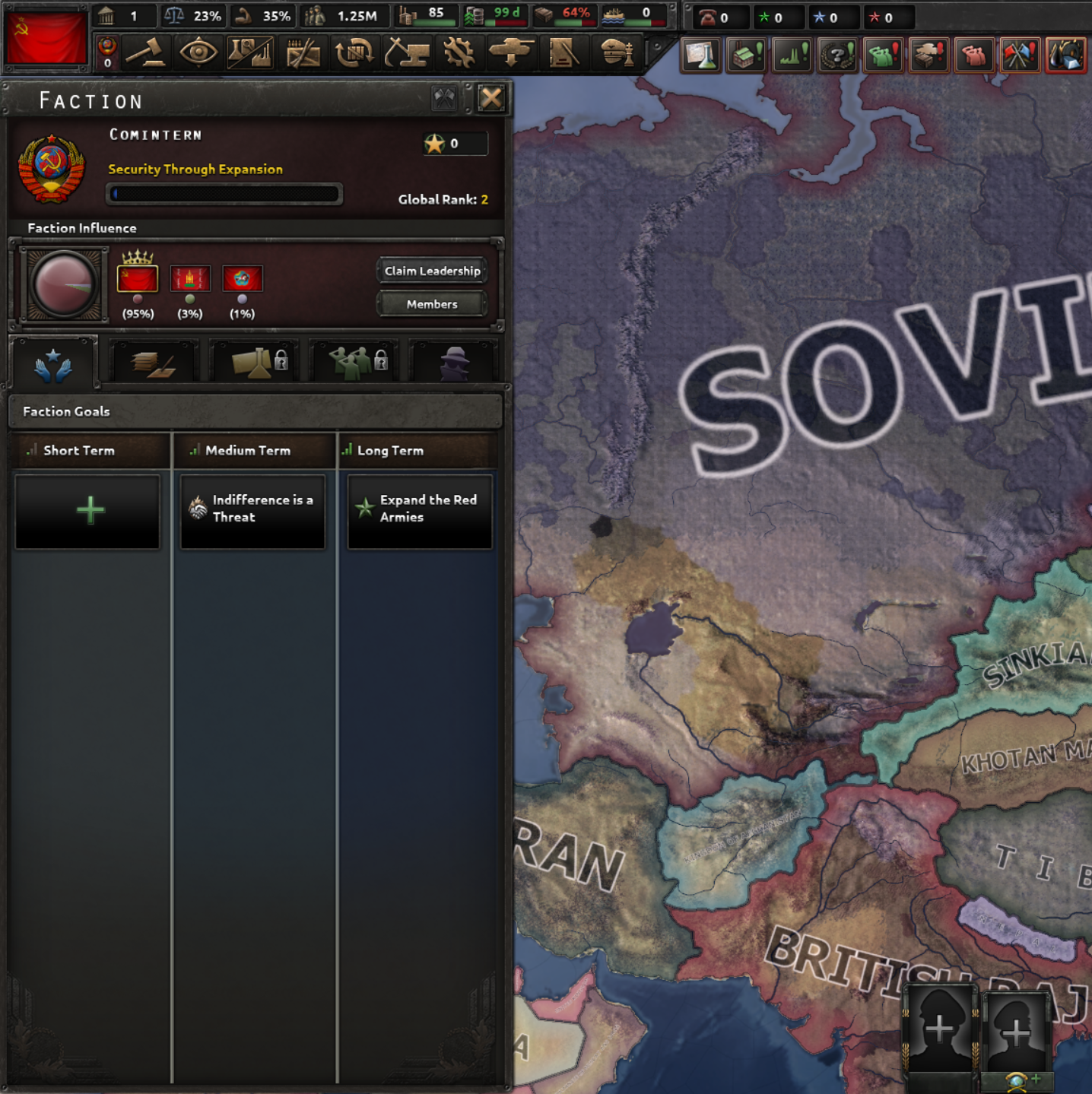 Updated faction window: a new shortcut appears on the top bar between the country flag and decisions tab. The faction-specific emblem is shown, the number beneath it displays your current Faction Initiatives, and the flag-with-exclamation alert indicates a selectable Short-Term Faction Goal.
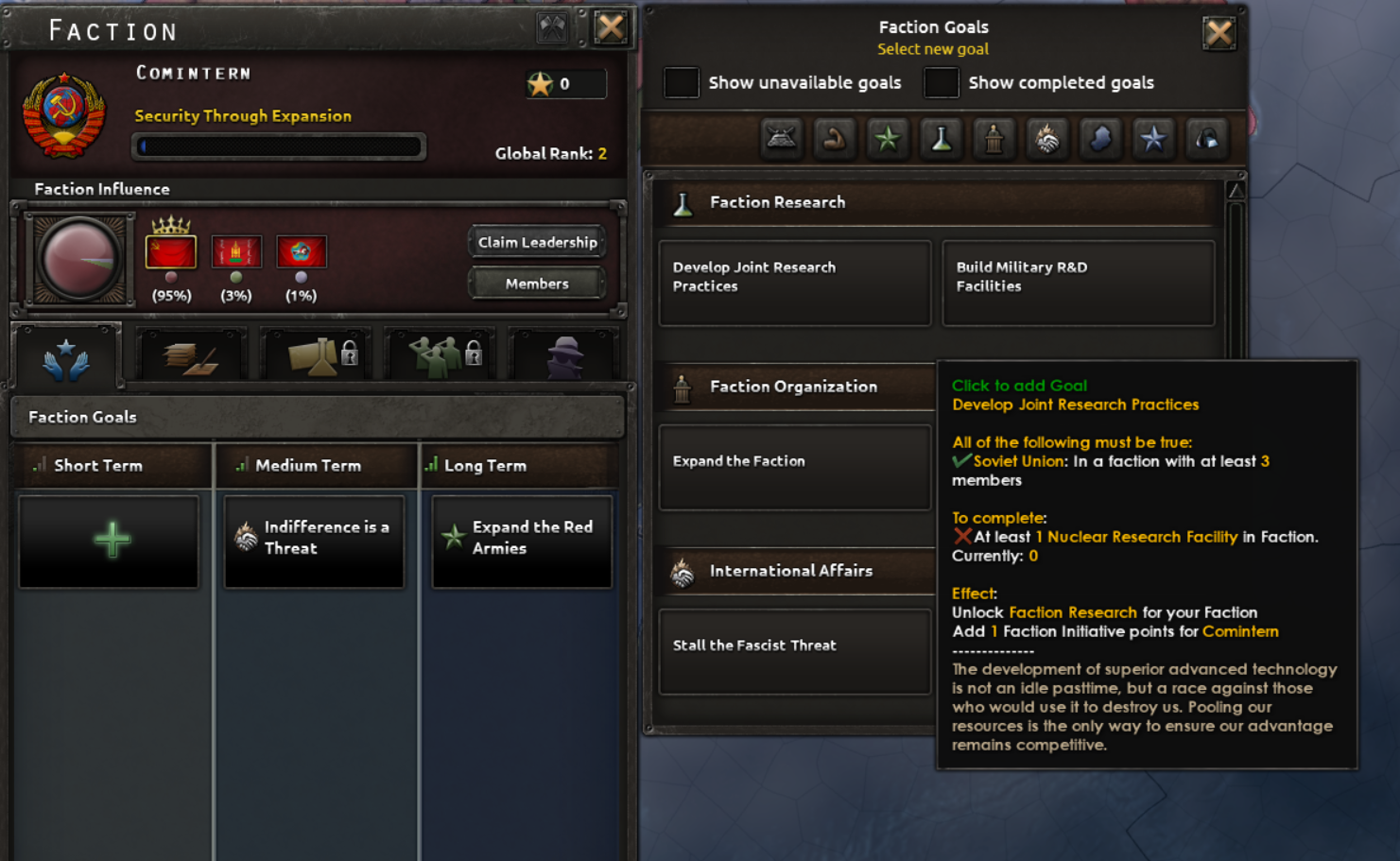 Goals are now grouped by timeframe — Short, Medium and Long Term — and categorized by the systems they affect. Quick filters make navigation easier, and some goals unlock faction-wide research. Note: rewards and completion conditions remain subject to change.
Goals are no longer a fixed, static list. When you have an open goal slot you may select a new objective; completing one frees up space for another. If a goal no longer suits your strategy, you can spend Faction Initiatives to replace it. This makes the faction agenda more flexible and player-driven.
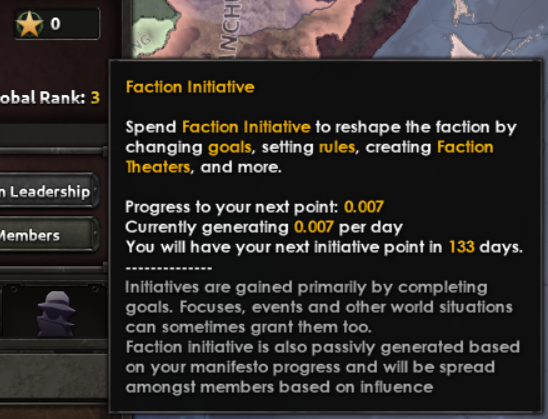 Example: even without additional sources, a faction may passively generate one Initiative over a set period (133 days in this example). Faction Influence measures your sway inside the faction.
Initiatives now trickle in based on how well your Faction Manifesto is fulfilled and your Faction Influence. This passive generation gives members the ability to use faction features without being constantly constrained by a tiny initiative pool.
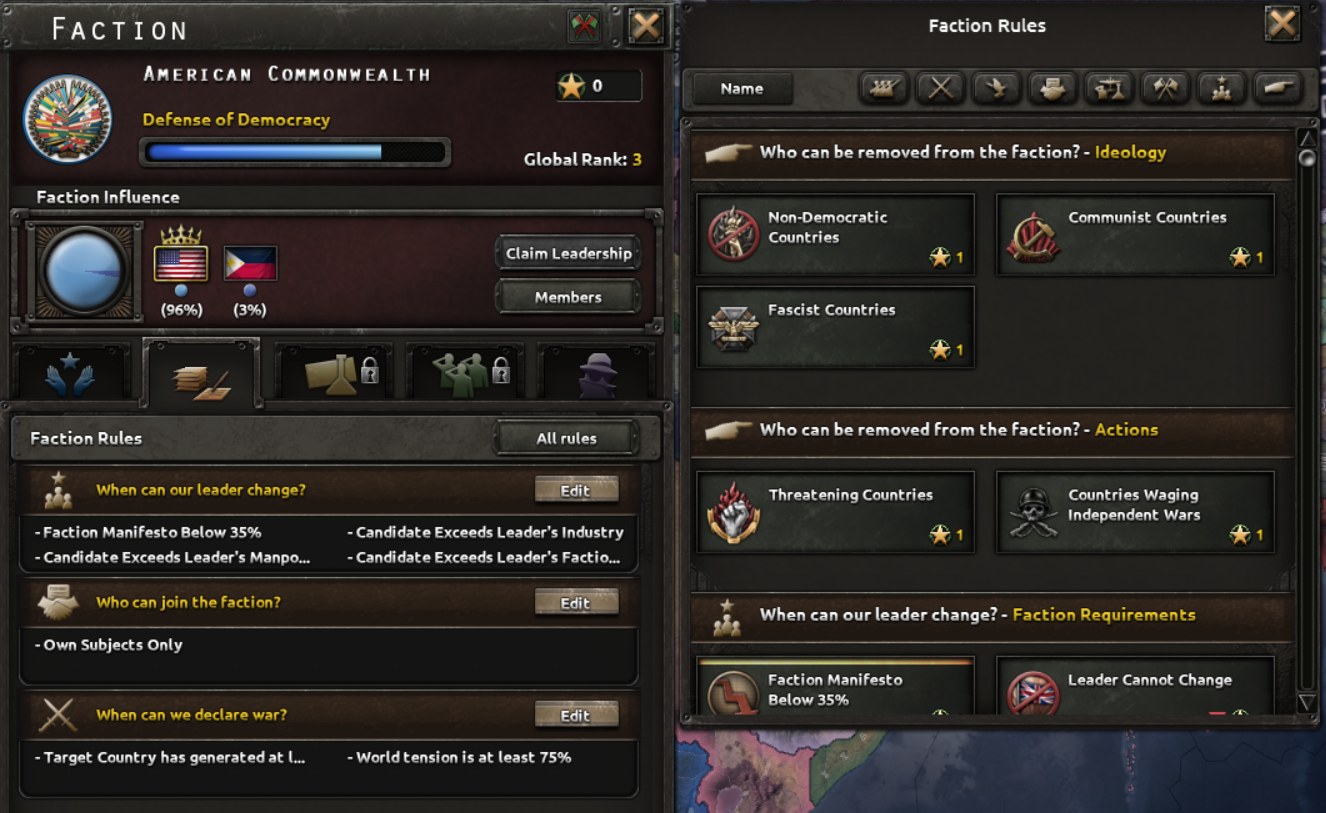 The Rules tab lists rule groups with filters so you can quickly find what matters. Labels are now more descriptive (e.g., “Who can be removed from the faction?”) to improve readability at a glance.
Formerly called “Ideology Rules” or “Joining Rules,” these entries are now presented more clearly. Some rules carry modifiers that affect gameplay — for example, certain rules can change the Peace Cost for specific actions during peace conferences, making it cheaper for groups like the Comintern to puppet nations.
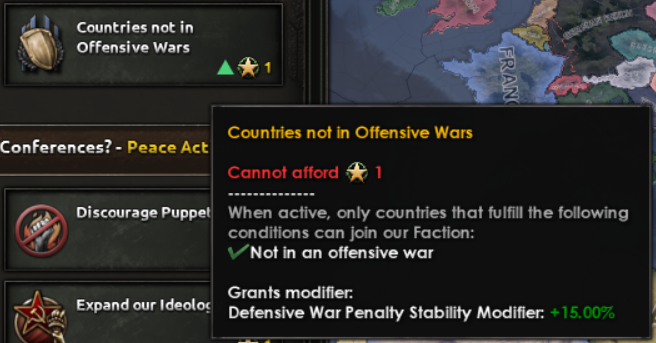 Example of a faction rule with an attached gameplay modifier.
Faction Research is a new layer of collaboration. It remains locked until the faction completes a specific goal — Develop Joint Research Practices™ — which represents building the infrastructure for shared technological development.
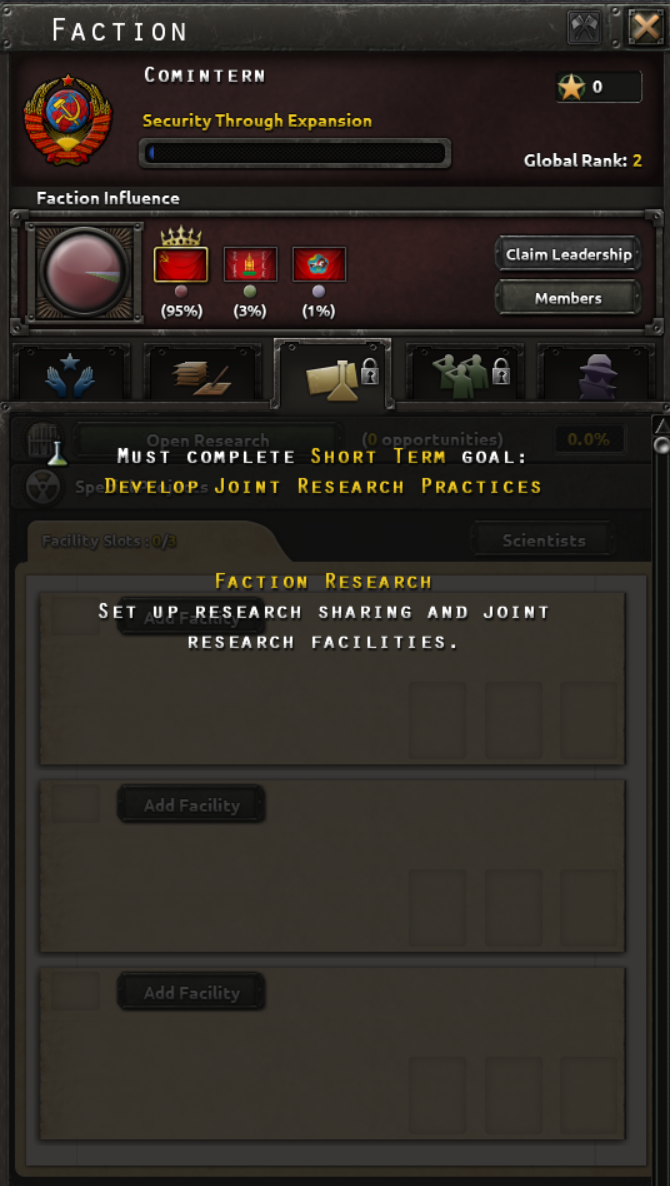 This tab stays locked until the faction completes the required goal to establish joint research efforts.
Once unlocked, members can spend Initiative to convert an experimental facility into a Joint Research Facility. Other faction members can assign scientists to contribute, increasing the faction research bonus and accelerating any special project underway at that site.
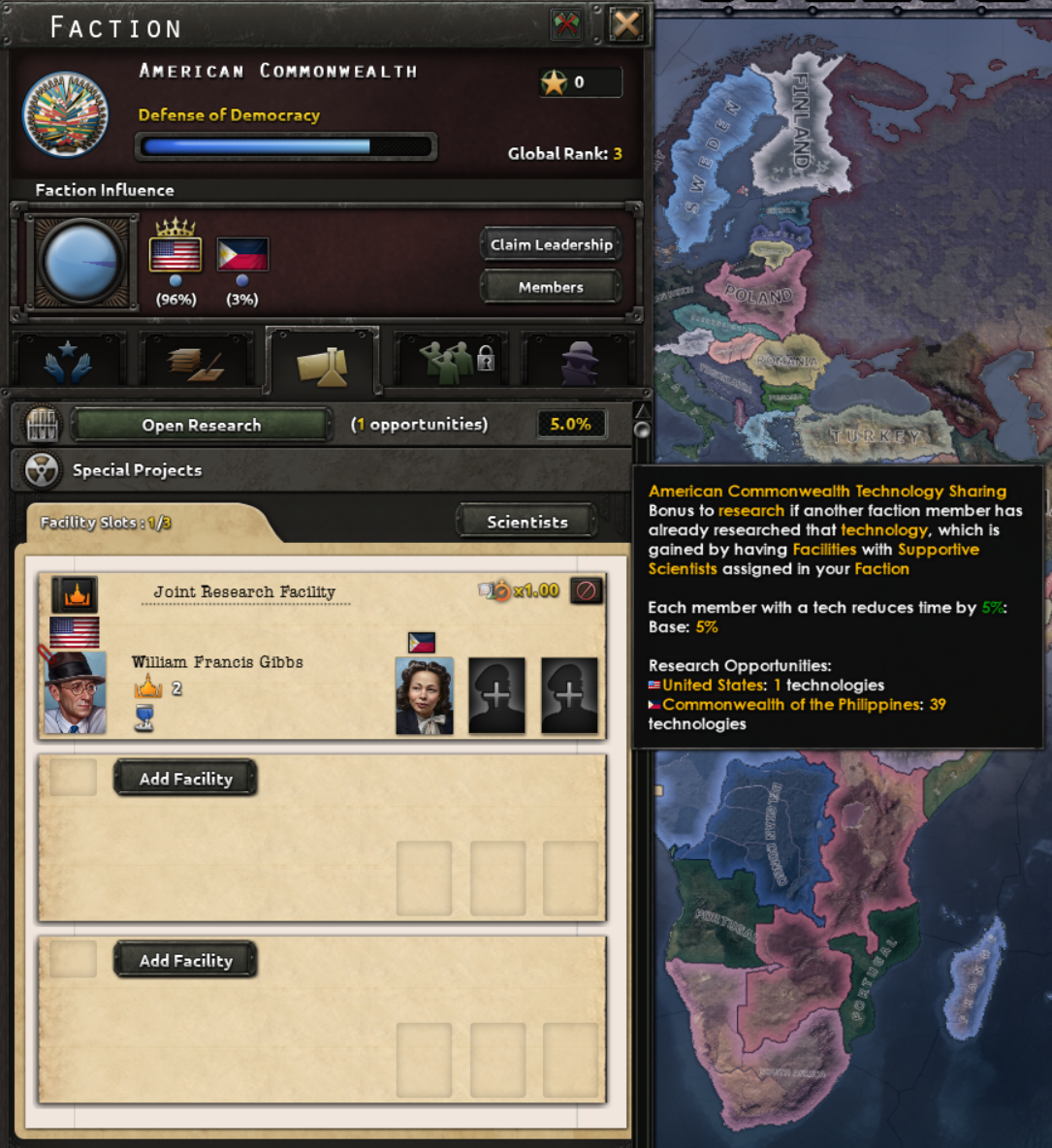 Example: the USA converts a naval experimental facility into a Joint Research Facility and the Philippines assigns a scientist. The faction gains a 5% research-sharing bonus and shared progress on special projects.
The Faction Military Operations tab unlocks via the “Institute a Joint Command Structure” goal. This system formalizes allied command cooperation — imagine combined staff structures like SHAEF or a unified Chiefs of Staff.
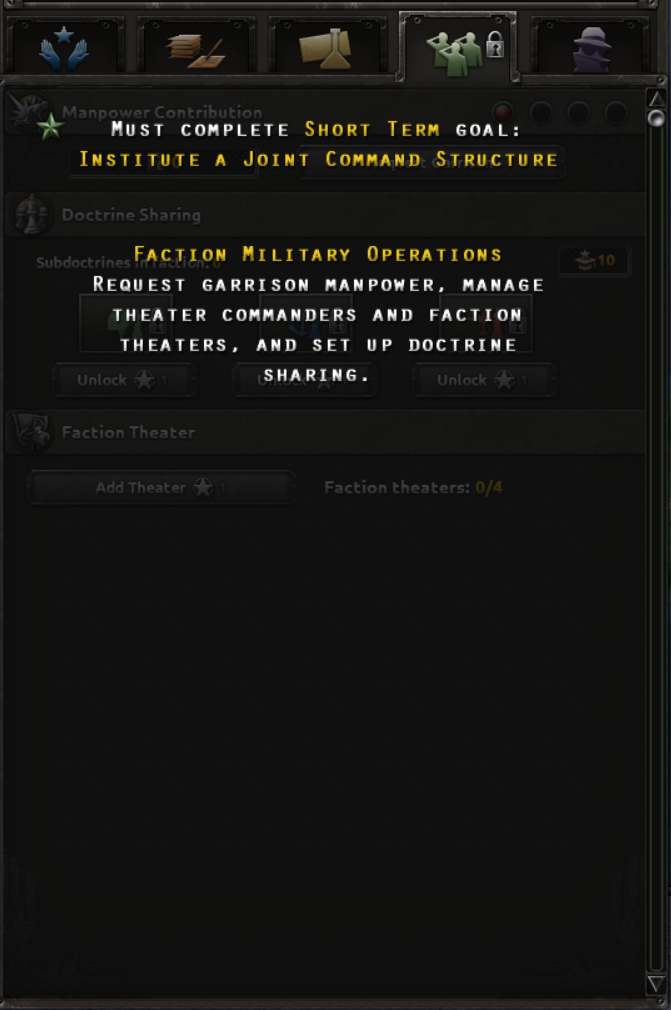 Military operations features remain inaccessible until the faction completes the Joint Command Structure goal.
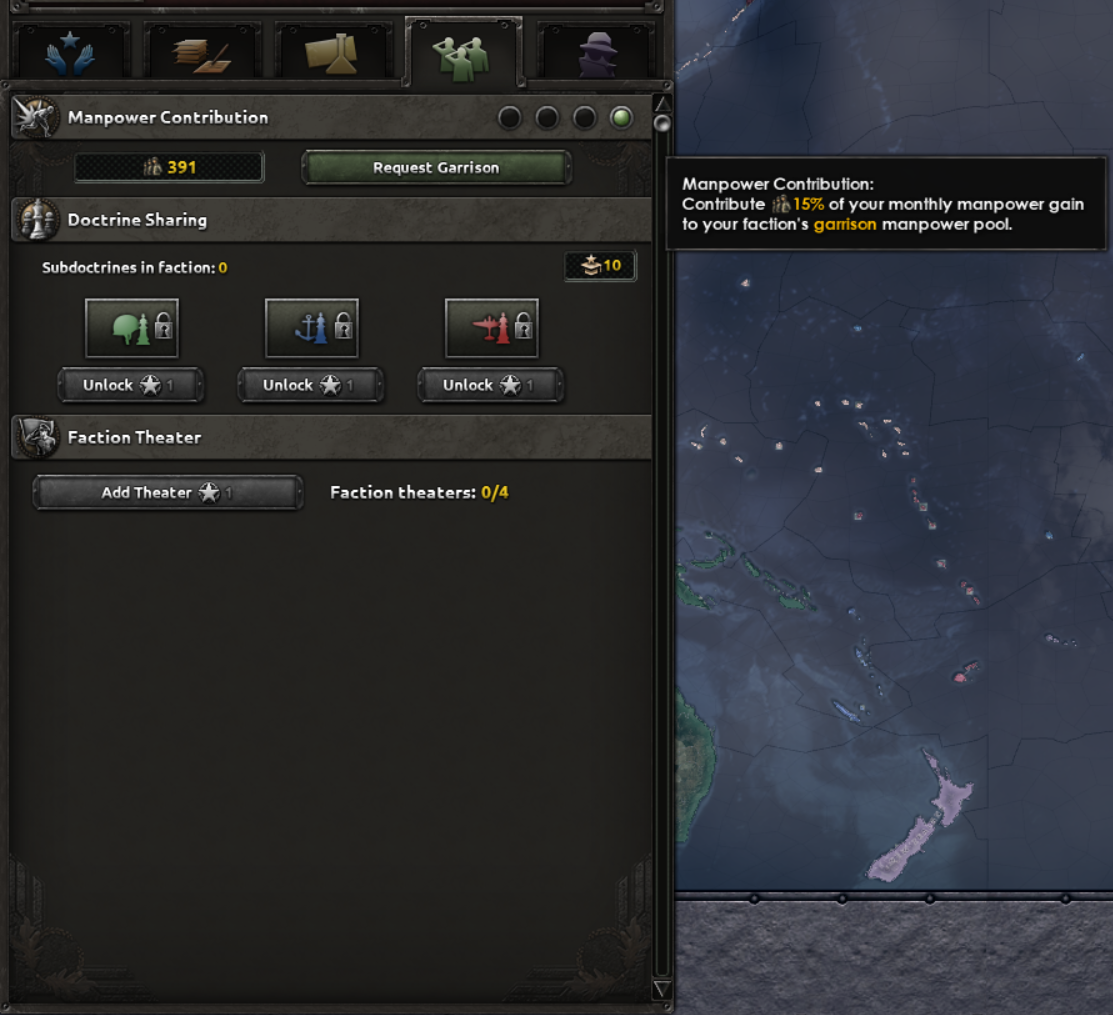 Example: the USA contributes 15% of its monthly manpower growth to the faction pool, while the Philippines adds 15 manpower. The stored manpower is available to faction members when needed.
Members can choose a monthly manpower contribution (0%–15%) to add to a shared Faction Garrison Manpower pool. Any member may draw from that shared reserve when the situation demands. Additionally, you can unlock Doctrine Sharing for a specific category (Land, Navy, Air) with Initiative; countries that advance faster will share subdoctrine benefits with slower members who have the same subdoctrine selected.
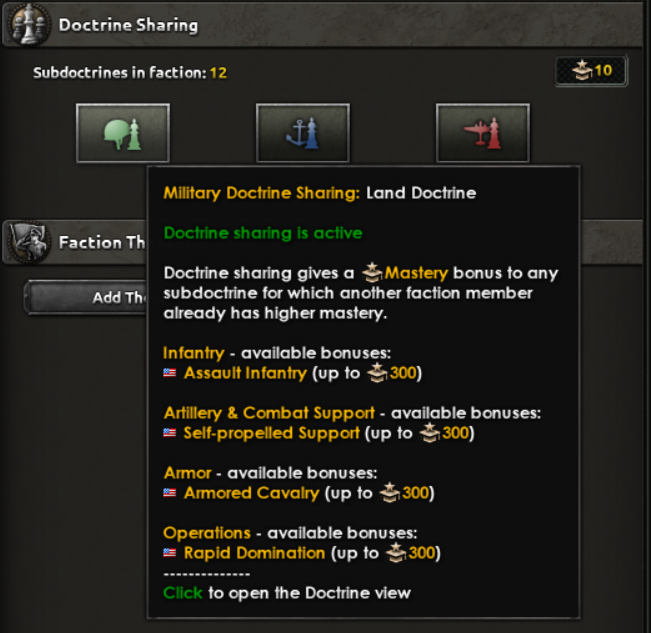 List of subdoctrines available for sharing and the highest achievable levels for each.
A new Faction Theaters system lets a faction establish up to four theaters (subject to future changes), each costing one Initiative to create. Each theater needs a Theater Commander (a Field Marshal or Admiral), an assigned country, and at least one strategic region.
Units from the theater’s assigned nation operating within the selected regions receive supply and performance bonuses derived from the Theater Commander’s attributes (Admirals favor naval bonuses, Field Marshals favor land). If the assigned nation is AI-controlled, the AI treats the theater as guidance and prioritizes it, helping the theater receive more committed forces. The theater’s commander also gains mastery when allied members fight in the theater. Created theaters can be edited, deleted, reassigned, and reused without repaying the unlock cost.
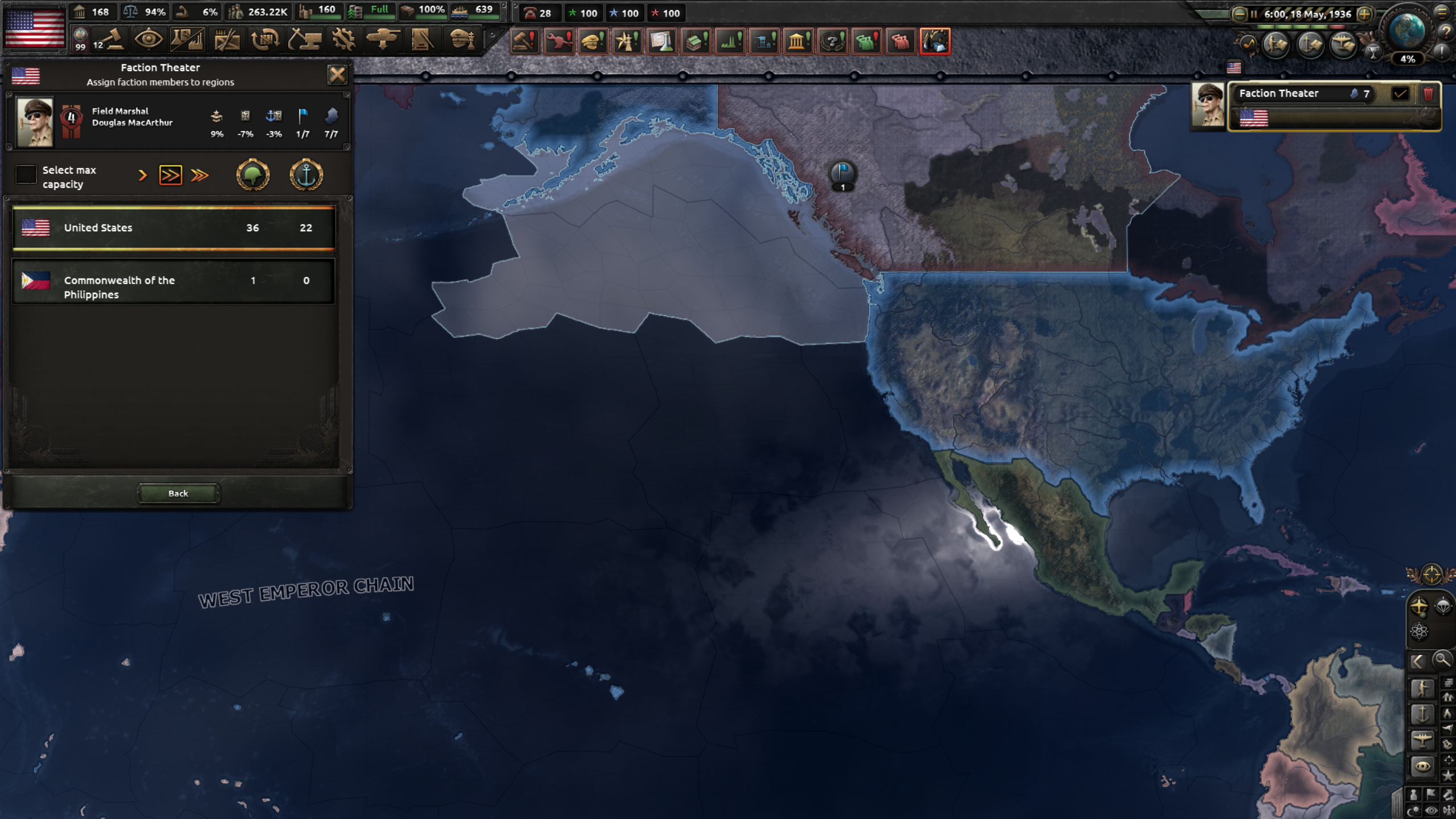 Example theater created by the USA (Douglas MacArthur assigned, USA is the only participating country).
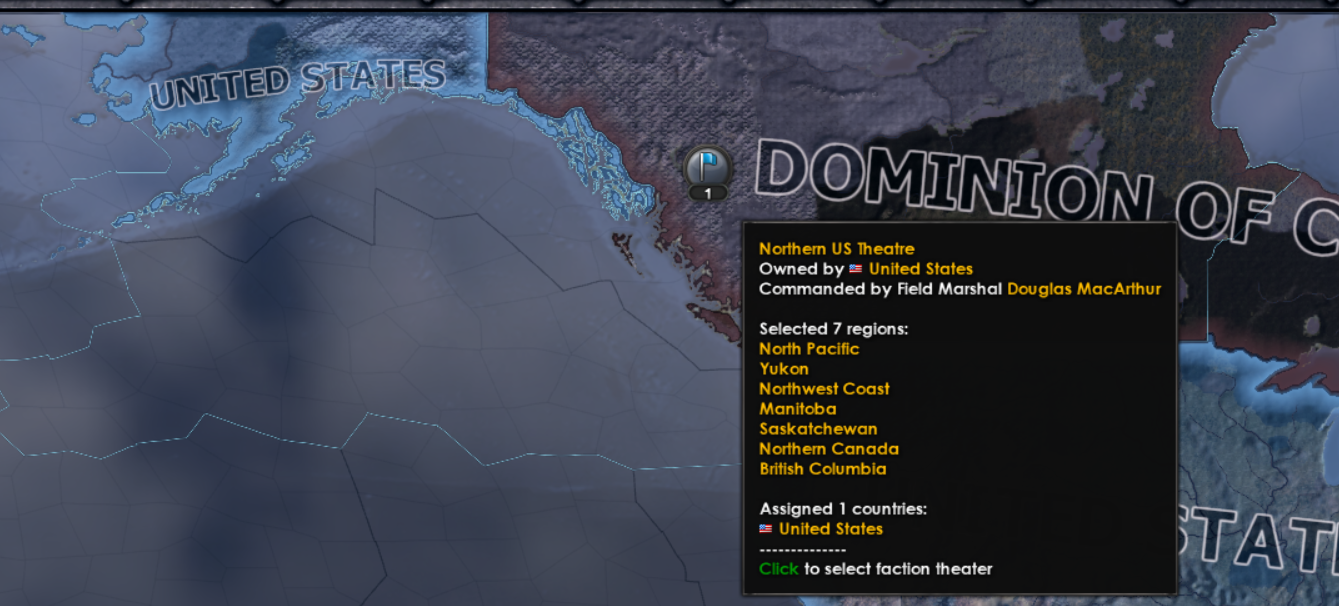 Theater display options allow the flag pin to appear on Default, Navy, or Air map modes. Hovering reveals assigned regions and participating countries.
The intelligence tab expands faction-level espionage cooperation. Beyond the Spymaster, the faction can now include roles for Head of Cryptology, Counter-Intelligence, and Operations. Appointing advisors to these positions grants benefits to both the holder’s nation and allied members; unlocking each role requires Faction Initiative.
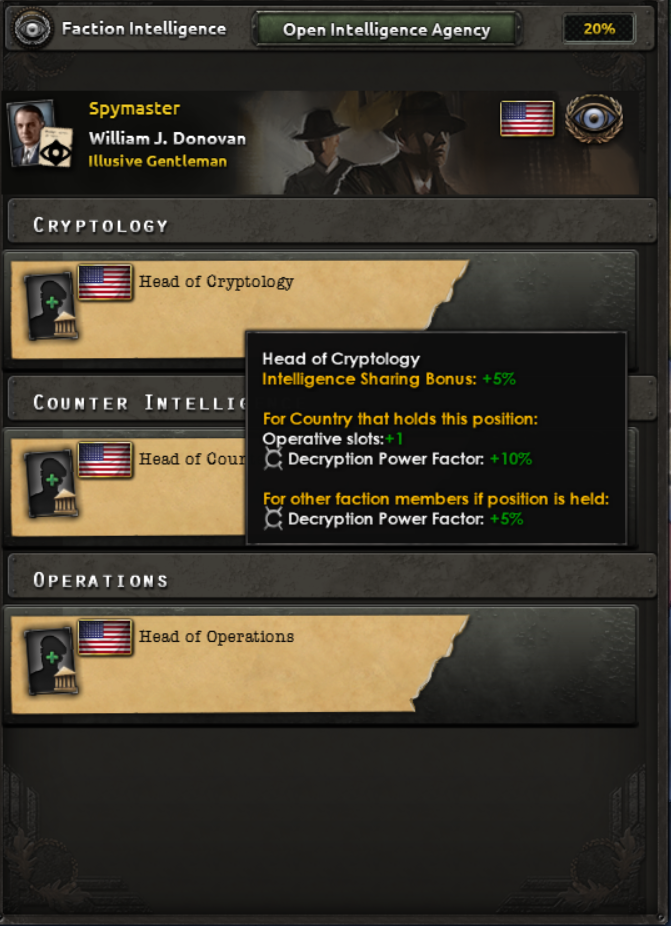 The Intelligence Sharing Bonus (20% in this example) reduces the time required for an agency to adopt upgrades that another faction member has already researched (e.g., Radio Interception Group).
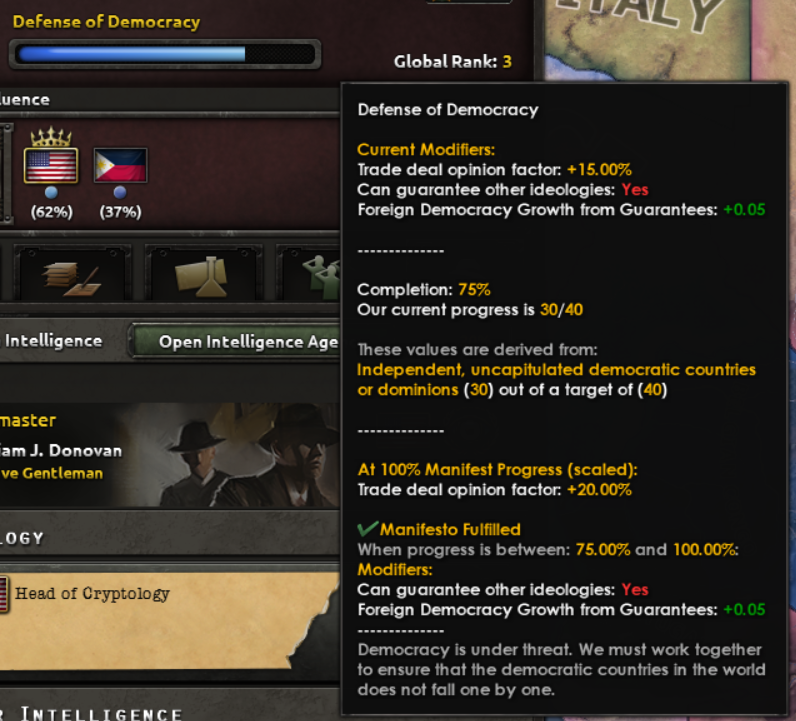
Faction Manifests now grant scaling benefits based on how fully the manifesto’s objectives are met. At higher fulfillment levels you gain additional effects — for example, guaranteeing another country may also apply Democracy Drift to the guaranteed nation. As a reminder: the Manifest is the faction’s guiding purpose and the primary measure of its success.
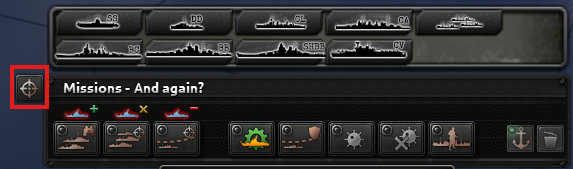
 The updated naval mission bar highlights Core Missions (Patrol, Strike Force, Convoy Raiding). Icons above each mission indicate how they affect regional Naval Dominance at a glance.
Convoy Escort has moved from the Core Mission set to an Auxiliary Mission. It no longer directly affects Naval Dominance, but it benefits from established dominance: Convoy Escort task forces operating in a secured zone gain increased positioning and improved convoy protection performance.
 Click the target icon to open the targeting menu and choose which classes of enemy ships your task force will engage or avoid.
Task forces can now be configured to target — or withdraw from — specific ship types. This lets you tailor behaviour so, for example, strike forces ignore lone submarines raiding convoys or light cruiser patrols disengage when an enemy capital ship appears.
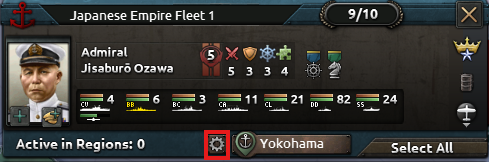 The gear icon toggles automated home base selection to reduce micromanagement for players who prefer less naval micro.
Based on community feedback about home base micromanagement, we added an automated selection option so fleets can choose appropriate home bases without manual reassignment, ensuring they have sufficient range to reach assigned targets.
Two new naval buildings expand the strategic value of high-level ports: Naval Supply Hubs and Naval Headquarters. Both require a Level 8 naval base in the province before construction, which increases the importance and rarity of these installations.
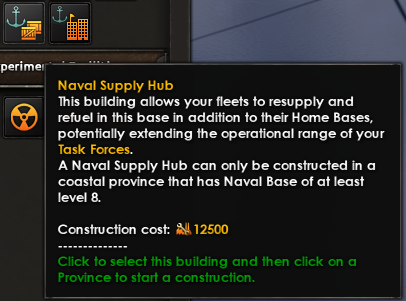 Naval Supply Hub icon and description. Regular supply transfer to naval bases remains unchanged.
Fleets now draw operational range from their Home Base rather than from any friendly port. Naval Supply Hubs extend a fleet’s effective range: a task force can operate both within its home base range and in any port that contains a Naval Supply Hub, representing enhanced refueling and resupply capacity. Some hubs are pre-placed at the campaign start, raising the strategic value of locations like Singapore.
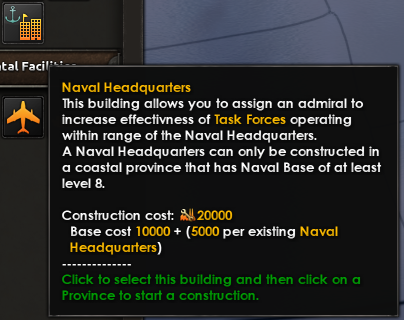
Naval Headquarters let you assign an Admiral to a fixed location; any task force operating within the headquarters’ range receives bonuses tied to the admiral’s skills. Ships operating under the HQ’s umbrella also grant experience to the assigned admiral. Several Naval Headquarters exist at game start in historically important ports such as Norfolk or Pearl Harbor.
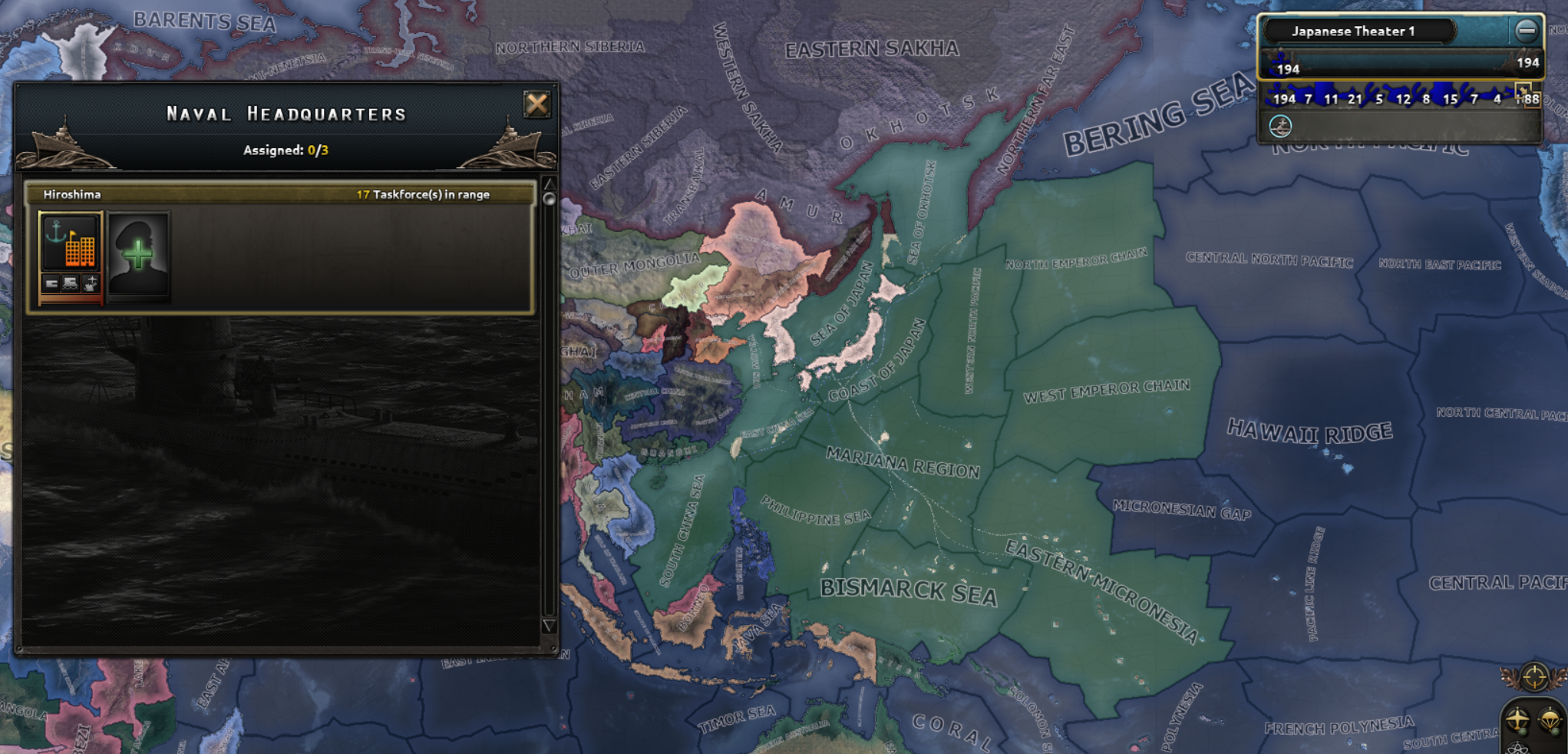 Visualization of a Naval Headquarters’ operational range (Hiroshima example).
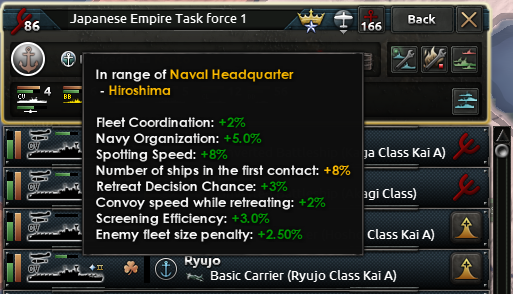 You can quickly verify whether a task force operates within a Naval Headquarters’ range and review the bonuses it receives.
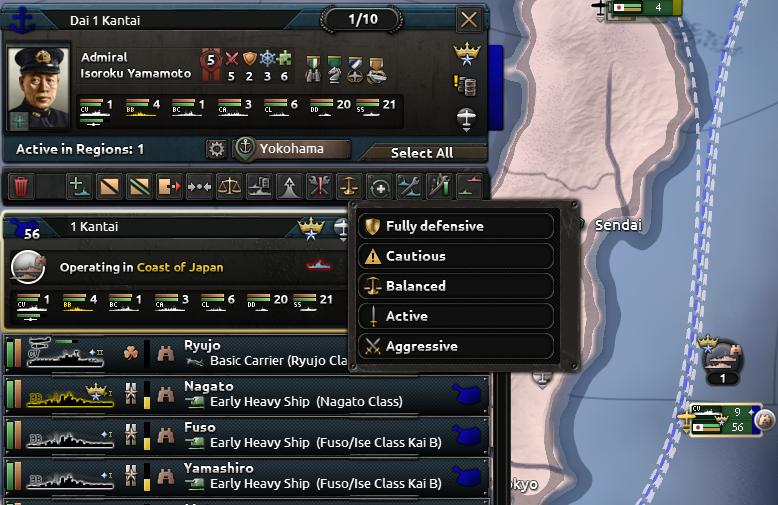 Carrier stance options range from Fully Defensive (100% Defensive Sortie Efficiency / 0% Offensive) through Cautious, Balanced, Active to Aggressive (0% Defensive / 100% Offensive). Each step adjusts values by roughly 25%.
Carrier stances let you control how many aircraft are held in reserve to defend the task force versus how many are allocated to offensive air missions. Aggressive stances favor striking the enemy at the risk of leaving fewer planes to protect the fleet, while Defensive stances keep more fighters on hand to repel incoming air or naval attacks.
The update introduces three naval special projects: Support Ships, Escort Carriers, and Submarine Carriers.
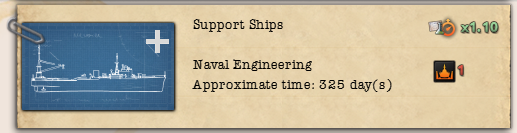 Support Ships art, listed under Naval Special Projects. Requires the Transport Ship technology to start.
The Support Ships project unlocks Repair Ships and General Support Ships that can join task forces and provide fleet-wide benefits, including a Ship Recovery Chance mechanic that can save damaged vessels from destruction.
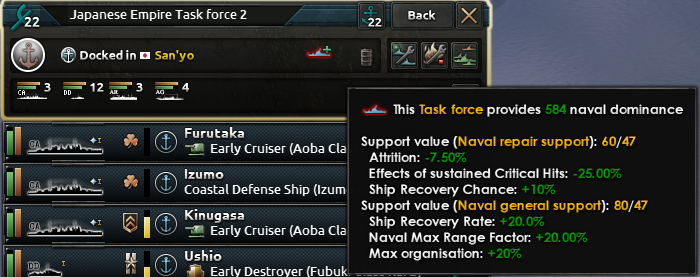 Task force panel showing naval dominance contribution and current Repair/Support values provided by attached support ships (values subject to change).
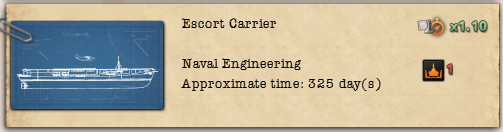 Escort Carriers require Basic Carriers technology (formerly the 1936 Carrier).
Escort Carriers are smaller, cheaper carriers designed for auxiliary roles like convoy escort. They trade raw power for economy and are intended to be cost-effective solutions where a full fleet carrier would be overkill.
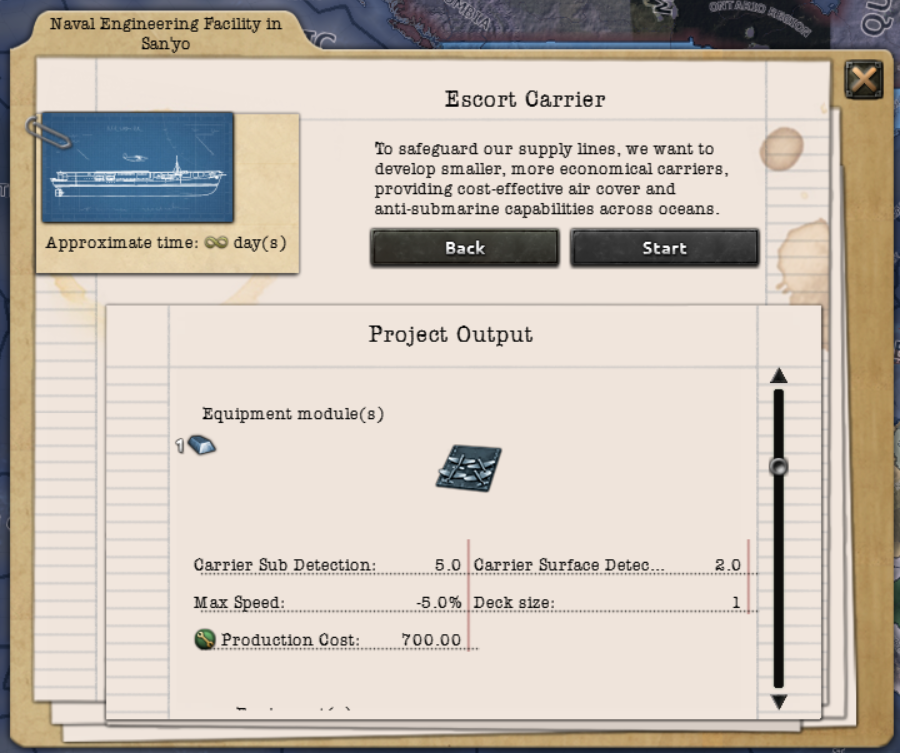 Escort Carriers’ hangar decks boost submarine detection relative to regular carriers while offering reduced deck space — fewer aircraft are needed to achieve detection benefits, reinforcing their economical role.
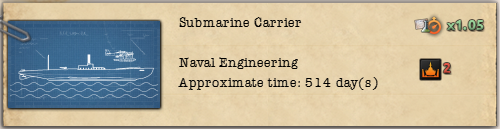 Submarine Carriers require Basic Carriers and Improved Submarines (historically indicated as 1936 Carrier and 1940 Submarine; technologies consolidated into 1939-era progression).
Submarine Carriers behave differently: their aircraft participate in Carrier Air Missions but do not engage directly during naval combat — the submarine carrier itself functions like a submarine during engagements.
 Ship hulls now follow the Early → Basic → Improved → Advanced naming convention. Hull technology dates were shifted (e.g., 1940 → 1939, 1944 → 1943) to help players field higher-tier ships before wars conclude.
We trimmed and consolidated the naval tech tree to reduce bloat and make naval research more approachable. Some branches were merged to simplify progression and help smaller navies catch up more easily. For example, naval gunnery now splits by attack type (Light Attack, Dual-Purpose, Heavy Attack) rather than separate medium batteries.
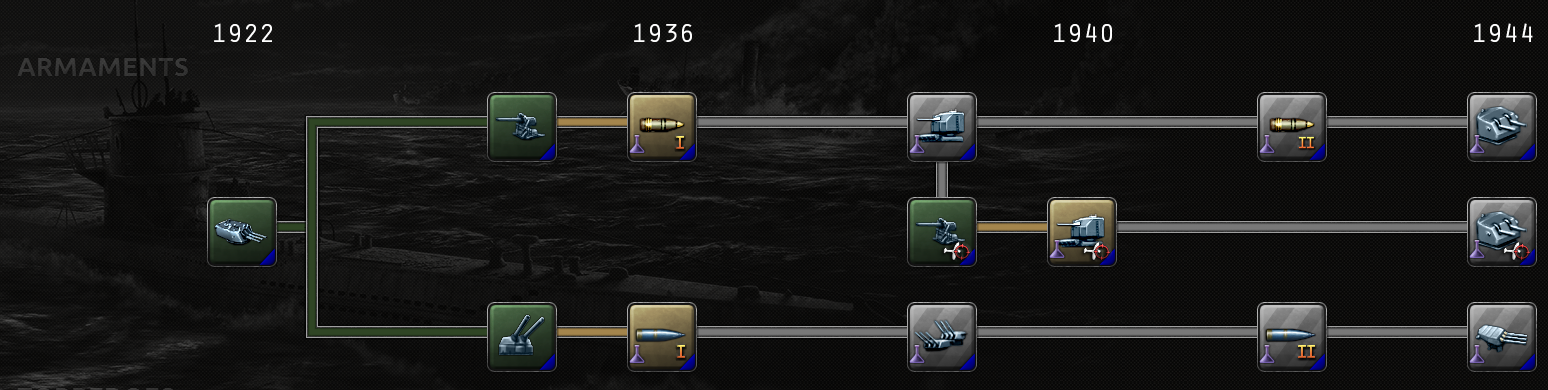 Naval gunnery has been consolidated: the branch splits into Light Attack (top), Dual-Purpose (middle), and Heavy Attack (bottom).
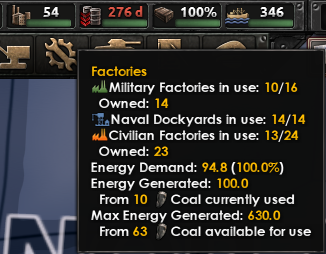 Updated factories tooltip shows energy demand, percent satisfied, current energy production and the resource mix, plus theoretical maximum production based on your stockpiles.
Coal and energy mechanics remain foundational, but we improved information clarity — better tooltips and new alerts make shortages easier to track. Energy shortages still reduce base industrial output, but scaling of Factory Output/Construction Speed/Dockyard modifiers is now applied proportionally to the sum of positive modifiers, providing a more balanced penalty system.
In short: countries already struggling with negative modifiers will see a moderated reduction from energy shortages, whereas highly optimized nations will be more sensitive to coal deficits. This ensures coal and energy remain strategically relevant across the campaign rather than only in a single phase.
Dams now reduce local factory energy consumption by a more substantial amount (−65%), making states with dams valuable industrial locations. A new alert also summarizes your coal requirements and associated penalties when demand isn’t met.
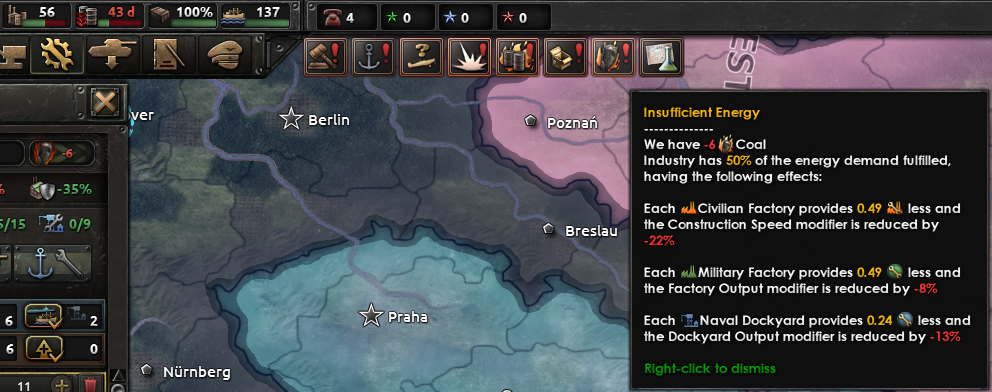 An alert now displays how much coal is needed to satisfy industrial demand and the resulting negative effects when supply is insufficient.
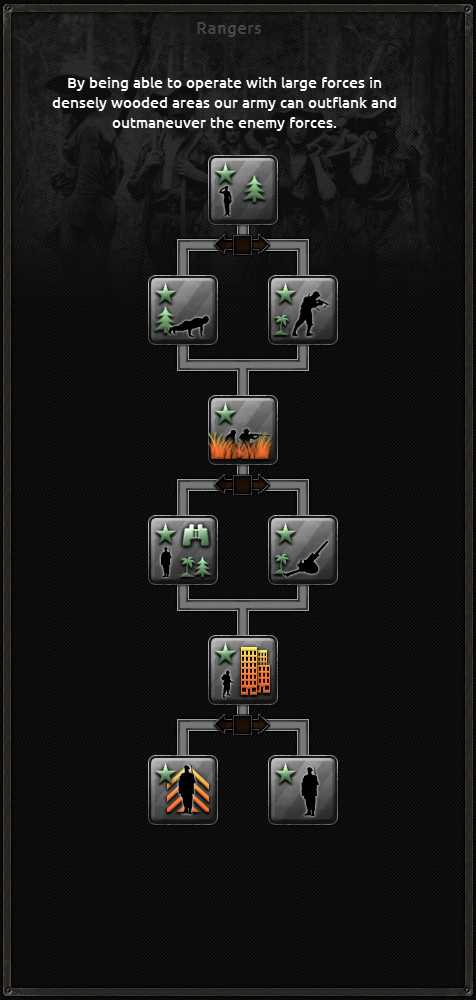 Finalized art for the Rangers doctrine tree replaces the placeholder artwork.
No major mechanical changes to the Rangers since the last preview — this is primarily an art update to reflect the completed doctrine tree.
 A new diplomatic action allows you to offer or request airbase access so you can basing your air forces on allied territory.
 Naval blockade is a diplomatic declaration that must be backed by naval effort: you’ll need sufficient Naval Dominance in the relevant sea zones to restrict another country’s maritime trade.
A successful blockade requires establishing and maintaining Naval Dominance against the target nation. Geography and trade links matter: some nations are easier to blockade than others (for example, Sweden may be vulnerable if control over the Eastern North Sea is secured), while blockading a large maritime power like the USA is considerably more challenging and typically requires contesting multiple zones or ports.
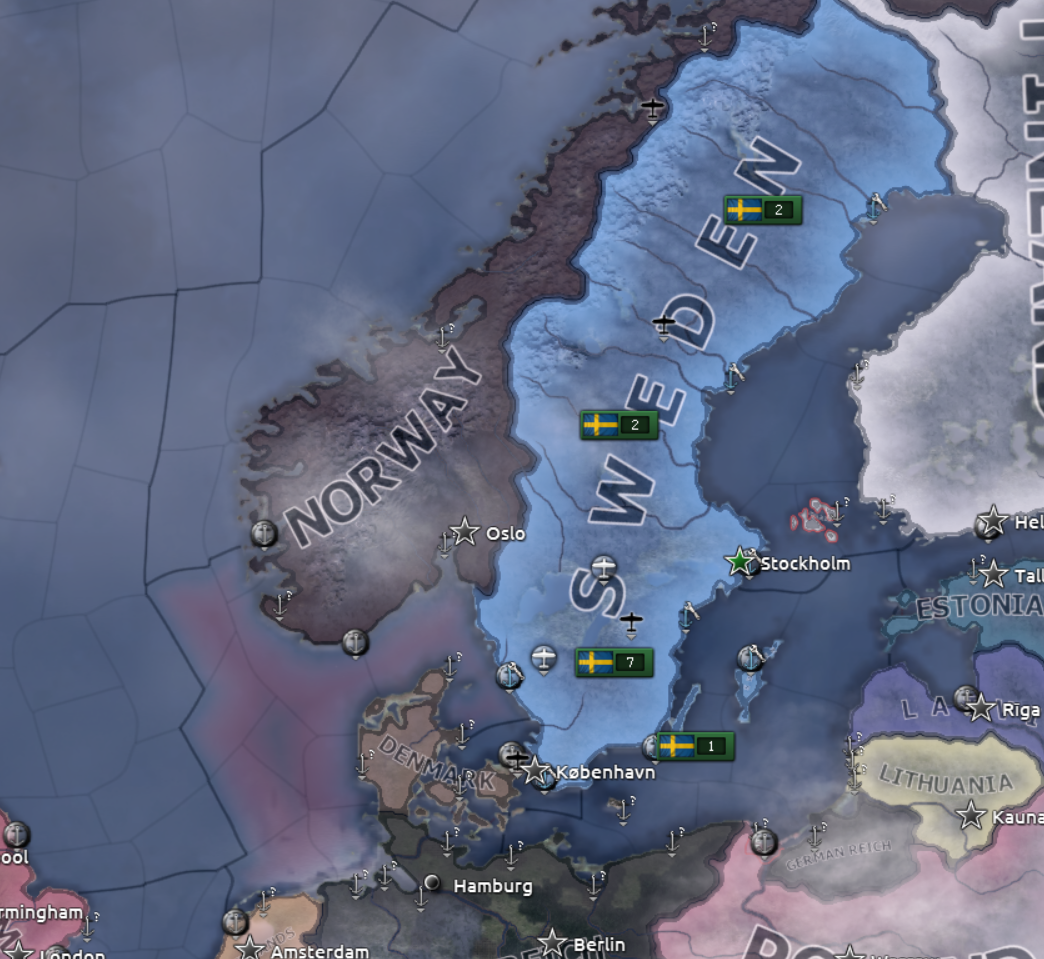 Example: Sweden is being blockaded by Germany; the red shading shows where Germany has accumulated Naval Dominance. Breaking a blockade requires contesting control of the affected sea zone(s) to restore trade.
That wraps up this development diary. We hope these systems enhance strategic depth and make faction and naval gameplay more engaging. Thanks for reading — until next time, farewell.
/ Zwirbaum
Before we close: we greatly appreciate the feedback submitted during the Dev Corners. Even when we can’t implement every suggestion, reading community input helps us refine design direction. We plan to continue the Dev Corners for Thunder at our Gates in January — you won’t have to wait long. Enjoy the release tomorrow!
/ Niels Uiterwijk, Studio Manager, PDS Gold
Related articles
 HOI IV Developer Diary | Romania: A Flawed Democracy
 Developer Corner & Open Beta: Energy #2
 Hearts of Iron IV Dev Corner | Strikes!
 Hearts of Iron IV Dev Corner: Old Canada Questions Before New Canada
 Hearts of Iron IV Dev Corner | Energy
 Steam Autumn Sale 2026
 HOI IV Dev Corner | The Great Depression
 Hearts of Iron IV | Patch 1.19.3