
Building for Bicycles
Greetings, mayors — we’re thrilled to introduce bicycles to Cities: Skylines II. This developer diary explains who will ride, what motivates them to choose a bike, and how you can shape cycling behavior through infrastructure and policies.
Cycling is a cornerstone of sustainable urban design, offering an emission-free, speedier alternative to walking. With the Urban Cycling Initiative policy, your citizens can also receive health benefits from opting to bike.
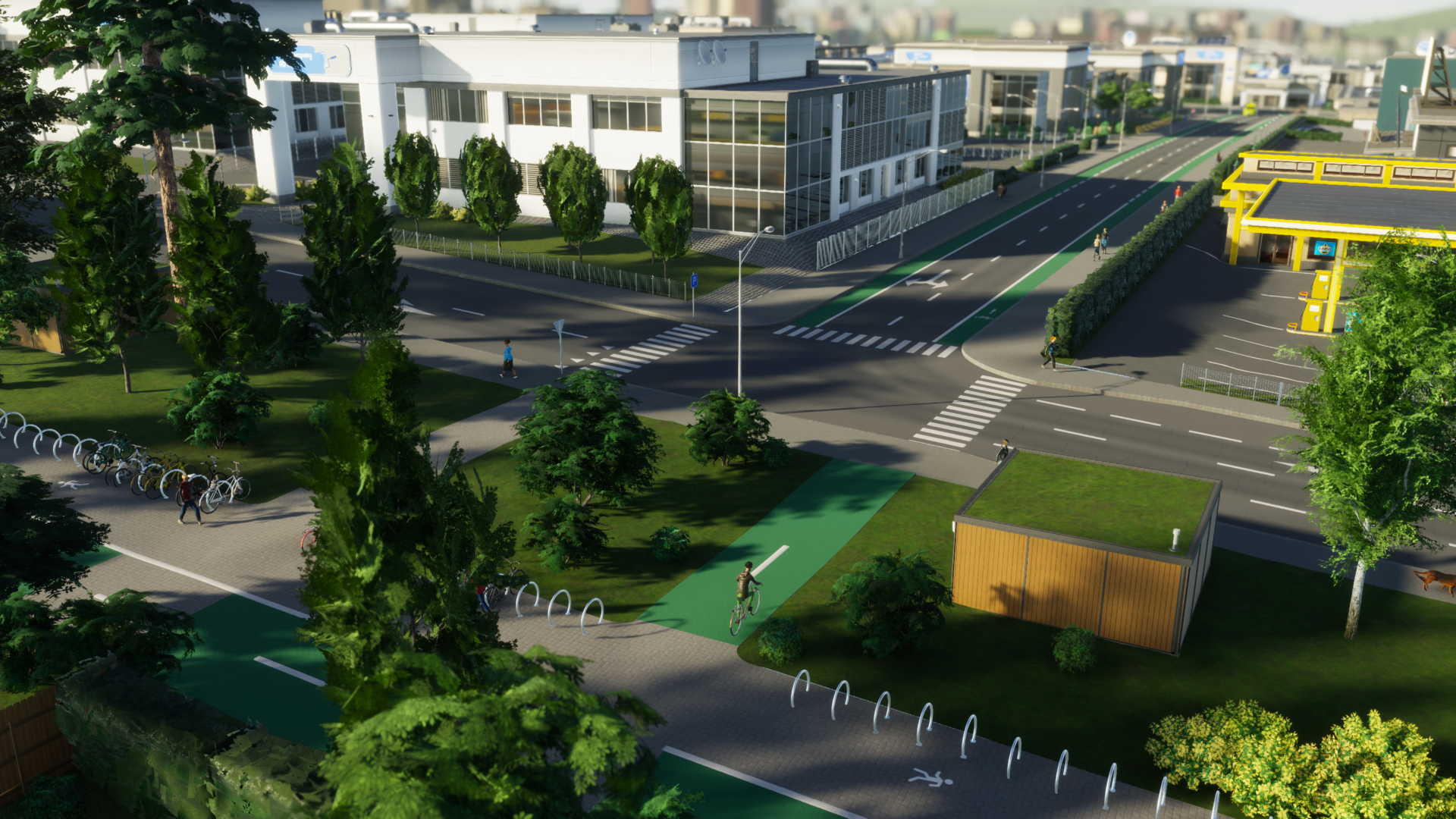
Real-world bike infrastructure varies widely, so rather than attempt every possible option at launch, we focused on a robust foundation that can grow over time. For now you’ll find painted on-road bike lanes and standalone bicycle paths, both colored green for quick recognition. These come with bike parking options and a dedicated Info View so you can monitor cycling activity across your city.
Who Can Ride
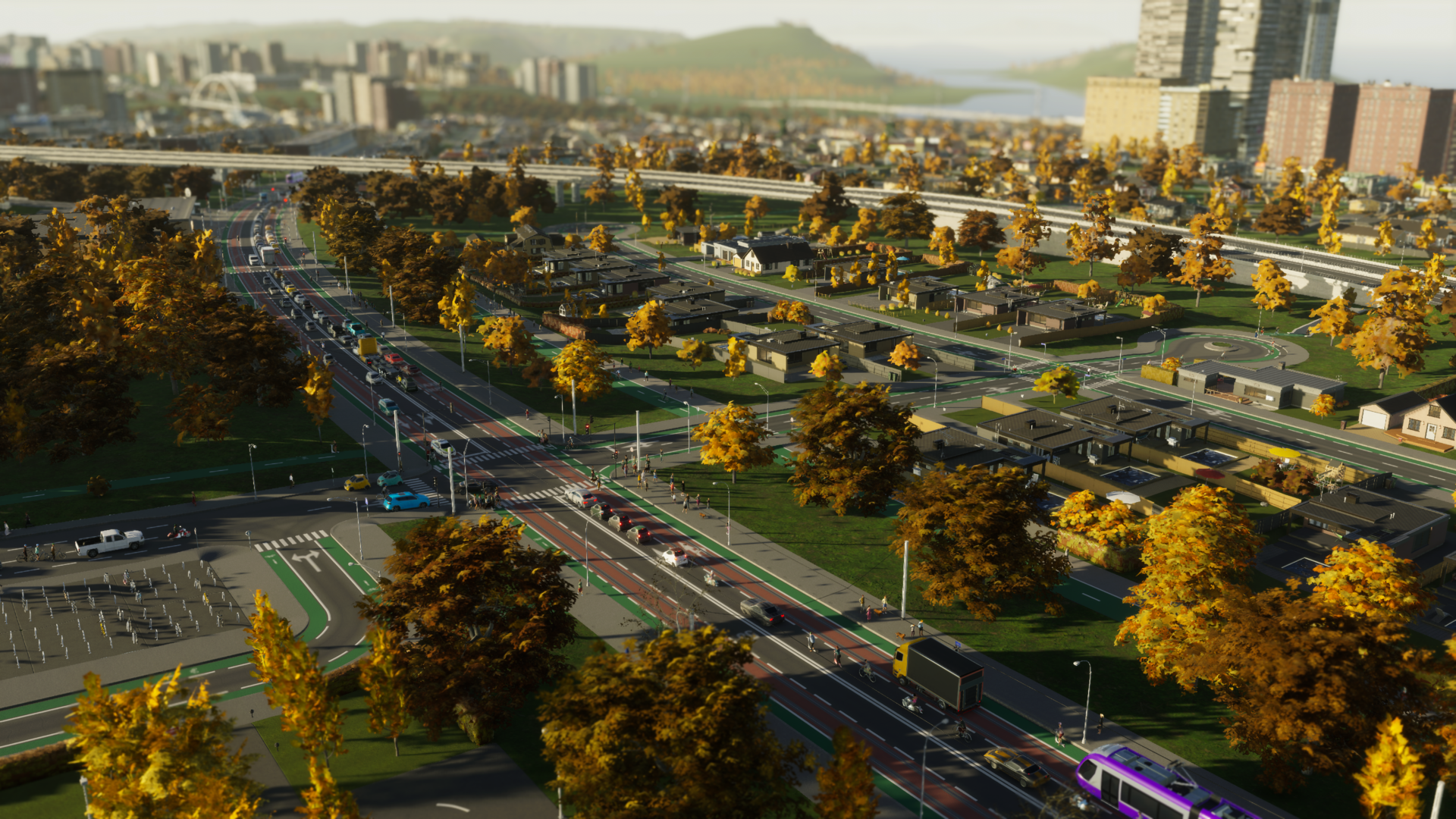
Thanks to shared animations across character models, teens, adults, and seniors can all use bicycles; children are not supported at launch. Most citizens are therefore eligible to bike, but whether they do depends on several variables: household vehicle availability, the presence of bicycle parking, and pathfinding costs — which still factor in time, comfort, behavior, and money. The presence and type of bicycle lanes influences those comfort scores.
Adding bikes presented a performance challenge: the game already compares three travel modes when choosing routes. Instead of turning that into a four-way comparison, we introduced an extra household-level check for car availability. If a household owns a car that’s free, citizens compare walking, driving, and public transit (as before). Choosing to drive reserves that car for the trip. If a car isn’t available — either because the household doesn’t own one or it’s already reserved — the options become walking, cycling, and public transit, or combinations thereof when that’s optimal.
Unlike cars, bicycles are assumed to be available to all household members in sufficient numbers. When a citizen selects a bike, they take it from storage for the duration of their trip. Because bikes can’t be carried in pockets, riders need places to leave them while they visit other locations, continue a trip by public transport, work, or shop. After returning home, bikes go back into storage or a rack and are available to be used again on future trips.
Bicycle Parking
Accessible bicycle parking is essential if you want cycling to be a viable option for many citizens. While some buildings include racks by default, large-scale uptake requires additional parking near transit hubs, commercial districts, offices, and industrial areas to encourage commuting by bike.
Bike parking is compact and flexible, and you’ll find several options in the Parking Spaces menu under Roads. Three on-network items — the Bicycle Stand, Bicycle Stands, and Bicycle Shelter — attach to roads or divided pedestrian-bicycle paths (similar to bus stops) and occupy only a sliver of sidewalk space. Their storage capacities are modest: 2, 8, and 10 spots respectively.
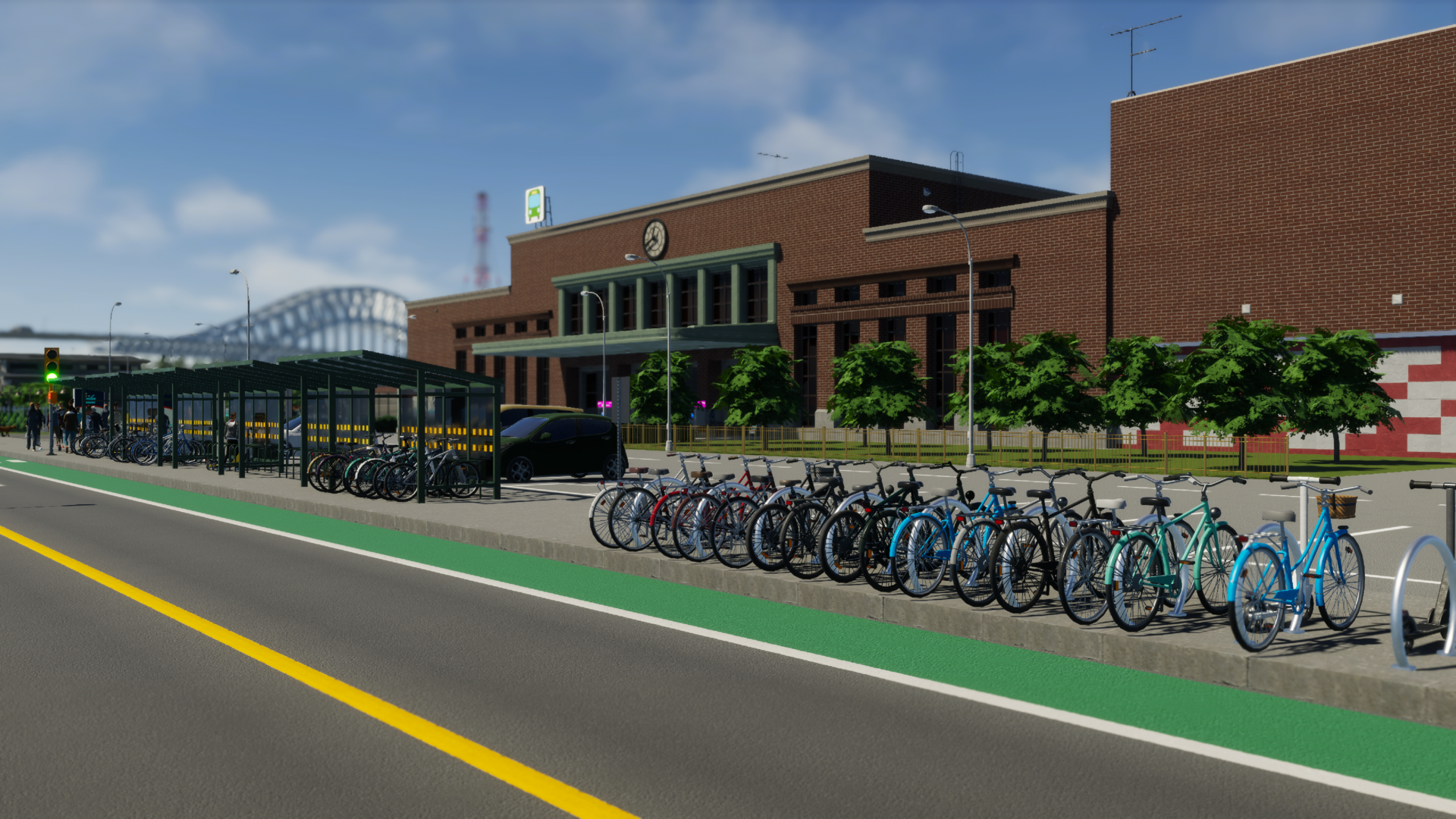
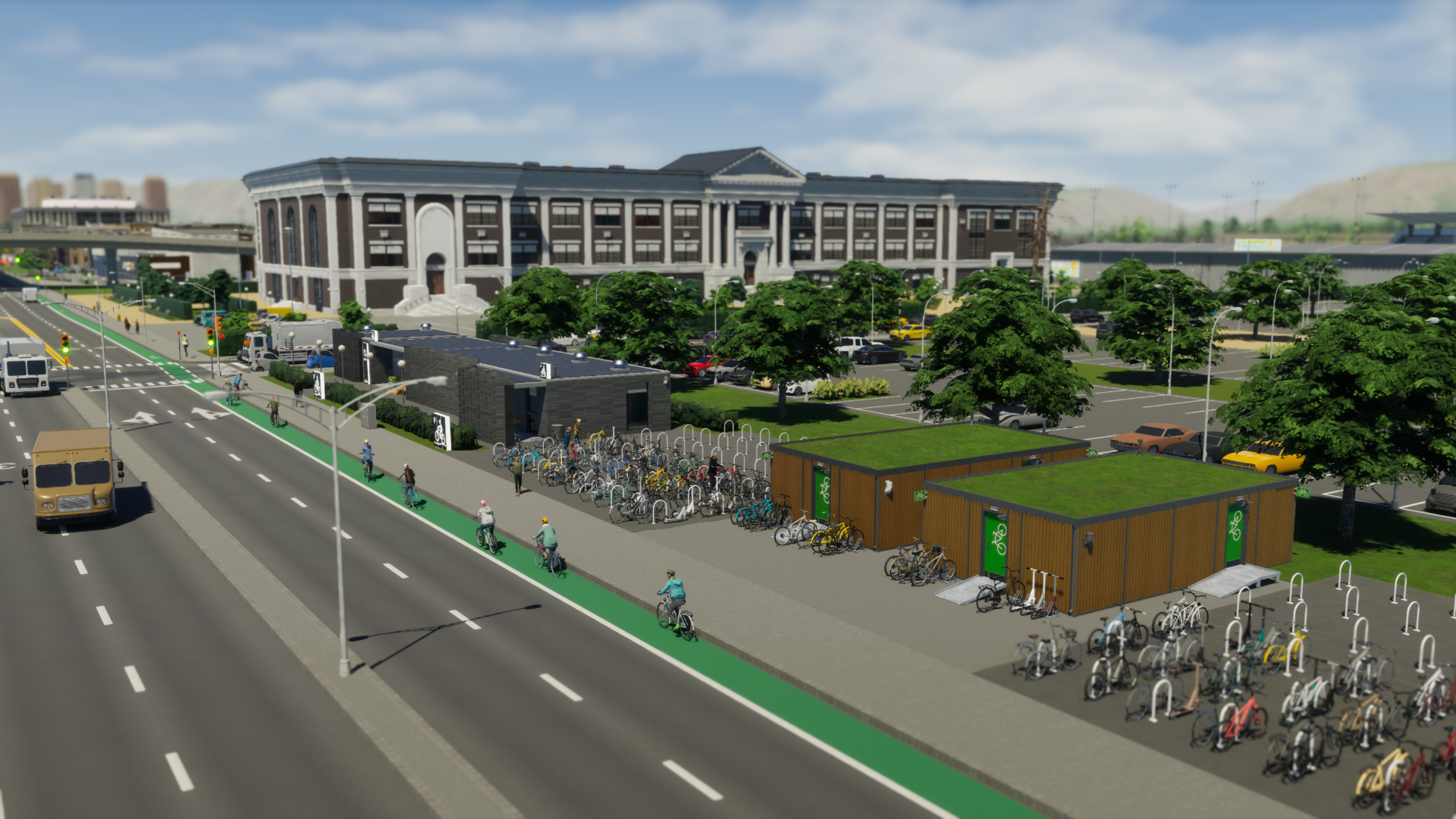
For higher capacity, choose from nine bicycle parking buildings. The Small Bicycle Storage fits in a single zoning tile and holds 16 bikes, while the Underground Bicycle Hall starts with 452 spots and can be upgraded with subbuildings that add 50 spots each, provided you have the space.
Dedicated Bicycle Infrastructure
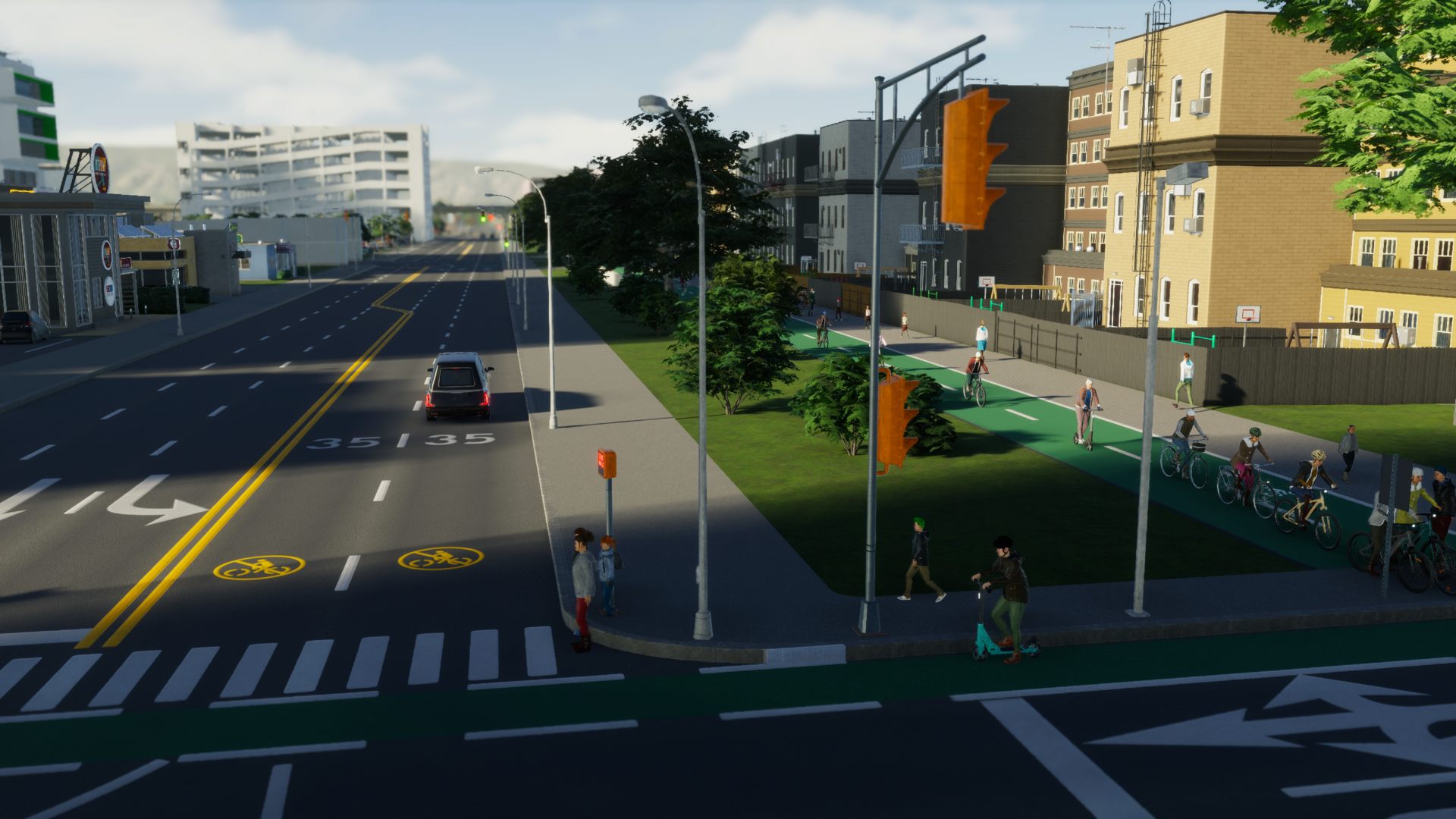
While parking is necessary, the kinds of lanes you provide shape cyclists’ route choices. Bicycles may travel on vehicle carriageways, but most riders prefer dedicated space. Standalone bicycle paths offer the highest comfort, followed by painted on-road lanes. Even if riding on the carriageway is sometimes faster, cyclists will often favor dedicated lanes for a smoother, safer trip.
Find bicycle lanes in the Road Services menu; they upgrade roads with one- or two-sided bike lanes. A single-lane upgrade adds a protected lane to one side; the double upgrade applies lanes to both sides in one action. These upgrades replace parallel roadside parking and are compatible with road-based public transport such as bus lanes and tram tracks.
Standalone bicycle paths live in the Landscaping menu under “Bicycle Paths & Quays.” You can place one-way or two-way paths to create shortcuts, connect separated bike lanes, elevate routes over busy roads, or tunnel under obstacles. There are three bridge styles for the two-way path designed to span wide arteries with fewer supports.
If you want to support both pedestrians and cyclists without duplicating infrastructure, use the Divided Wide Pedestrian–Bicycle Path. It provides separated lanes for each user type and includes two wide quays for waterfront cycling routes.
On-road lanes and standalone paths interconnect the same way pedestrian paths meet sidewalks: cyclists slow slightly when crossing sidewalks but otherwise transition between network types. This lets you combine lane and path types wherever they best serve your city.
Encouraging Cycling (and Controlling It)
With abundant parking and dedicated lanes, more citizens will incorporate cycling into their journeys. The Urban Cycling Initiative district policy nudges even more people to choose bikes by lowering the likelihood they reserve a household car, and it grants a modest health boost to affected citizens. Because the policy applies to all residents of the district, it can influence household travel decisions citywide.
High bicycle usage can sometimes conflict with motor traffic, slowing vehicles or causing congestion where cyclists share carriageways. To manage this, there are two restriction tools: the Bicycle Restriction tool (applied to individual road segments via Road Services) and the district-wide Bicycle Traffic Restriction policy. Both can prevent bicycles from using the carriageway, force them onto bike lanes, or encourage alternate routes. If you restrict carriageway cycling, make sure bicycle parking is located on roads with bike lanes so riders still have access to parking.
Tracking Your Network
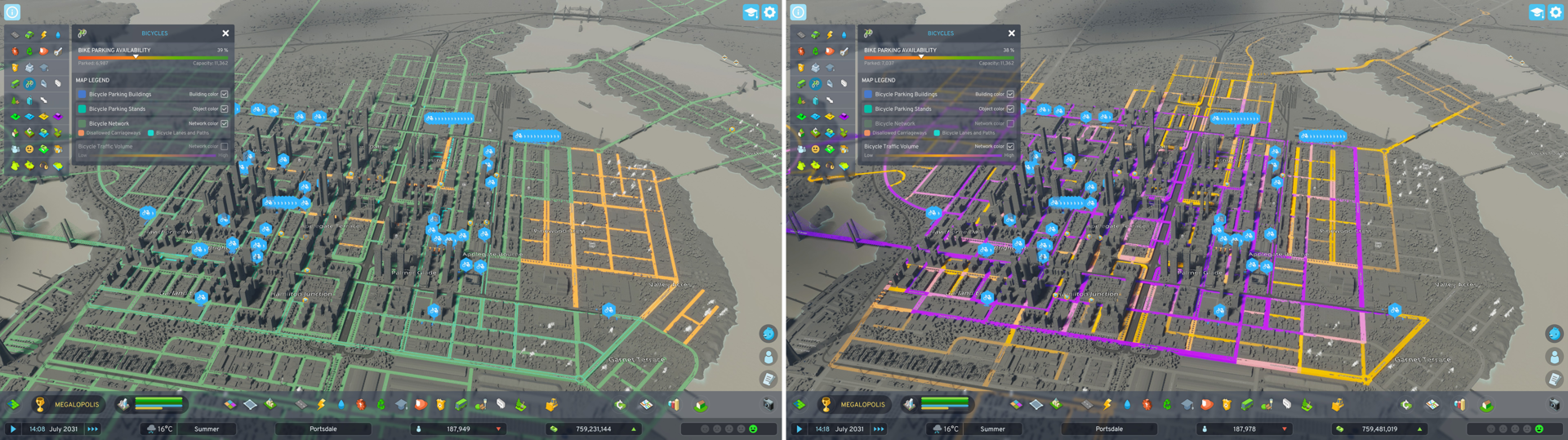
Meet the new Bicycles Info View. It reports bike parking occupancy so you can see how many bikes are parked and how many free slots remain, and it highlights parking buildings so you can identify neighborhoods that need more capacity. You can also switch to complementary Info Views — for example, Education or Public Transportation — to find good locations for additional racks.
The default overlay displays your bicycle network, showing areas accessible to cyclists, dedicated lanes and paths, and roads where the carriageway is closed to bikes. Switch to the Bicycle Traffic Volume overlay to identify heavily used paths and roads so you can strengthen the network with added lanes or strategic shortcuts.
 Official Q&A Thread | 2026
 City Corner #12: Collected Questions
 City Corner No. 11: Autumn Breeze
 City Corner #10 – Expanding the Modding Tools
 City Corner #9 – Happy Six-Month Anniversary!
 Patch 1.6.0f1 – Summer Solstice
 City Corner #8 – Reshaping the Landscape
 Hotfix: Patch 1.5.10f1