
Bridges & Ports: Dev Diary #2
Welcome to the second Bridges & Ports development diary. In the first entry, “Bridges,” we explained the expansion’s theme and showcased the new bridge types; you can read that post here: https://steamcommunity.com/games/949230/announcements/detail/533237797060870767.
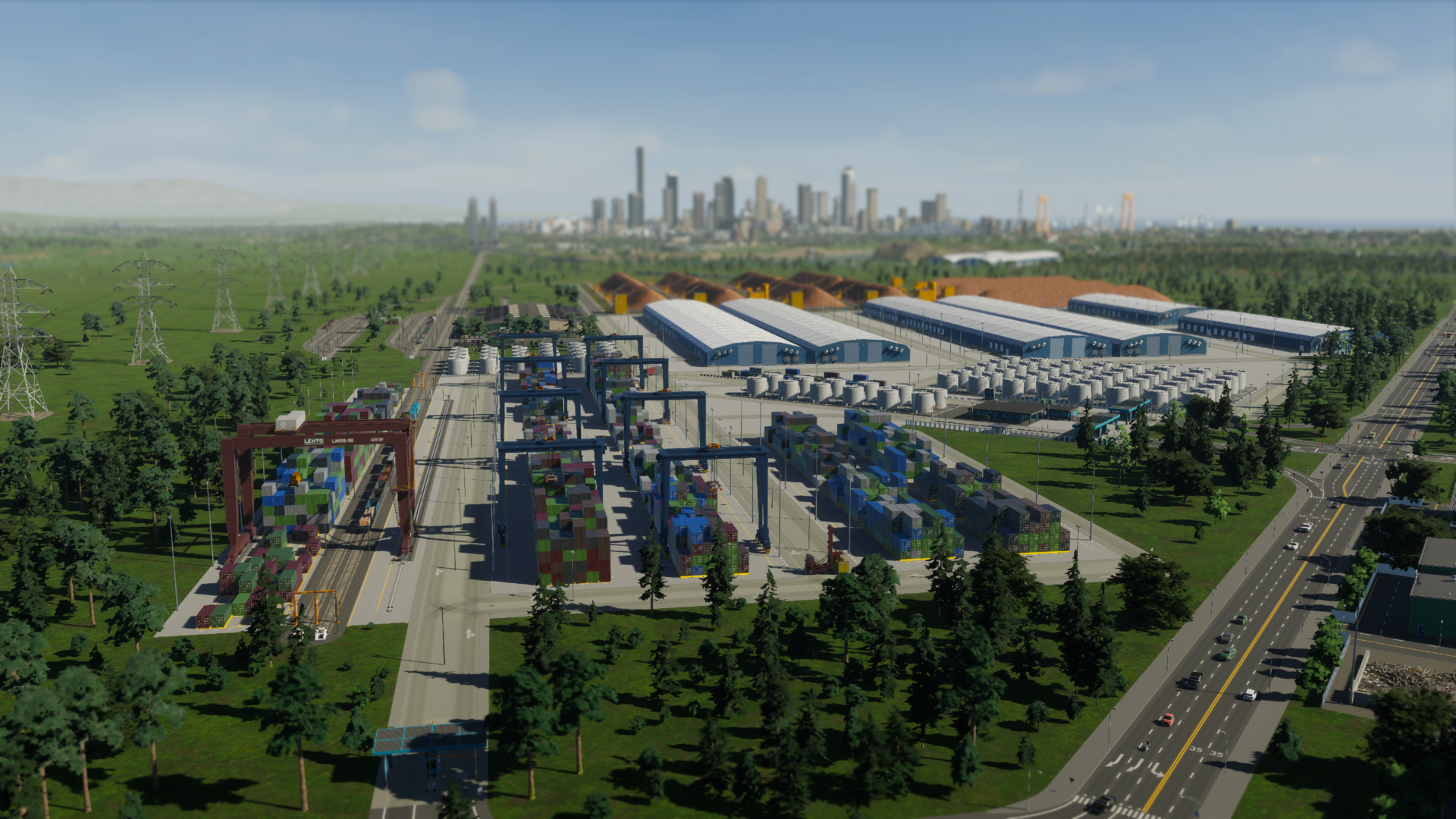
Today we’re focusing on the Port — its systems, upgrades, and the many ways you can tailor harbors to fit your city’s character. Whether you envision container yards and towering cranes, a compact fishing quay, an offshore oil hub, a mountain dryport serving mines, or a lively tourist waterfront with ferries and seaside businesses, the Port gives you the tools to realize that vision.
This guide walks through the Port’s components, how they unlock, where to find them, and practical uses so you can customize your coasts when Bridges & Ports launches on October 29, 2025. ([store.steampowered.com](https://store.steampowered.com/app/2427743/Cities_Skylines_II__Bridges__Ports?utm_source=openai))
Cities: Skylines II — Bridges & Ports on Steam
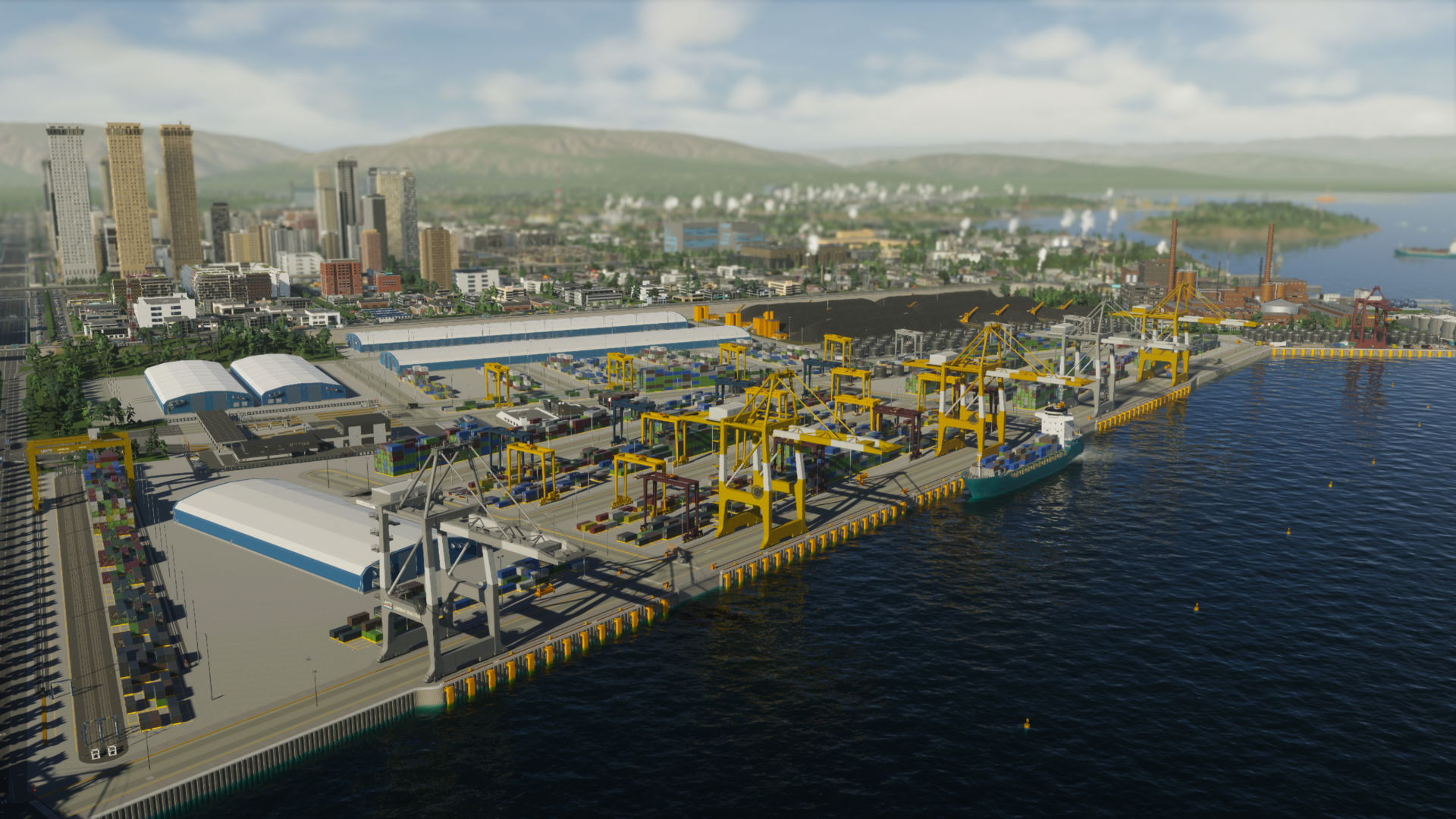
The gate is just the beginning
Every Port starts with a main gate. After unlocking the Water Transportation menu you can place a Small, Medium, or Large Port gate — each size has distinct costs, footprints, traffic capacities, and extension options. You may add Auxiliary Gates later to split traffic across multiple entry points, but the Port’s main gate type is fixed once construction begins, so pick with care.
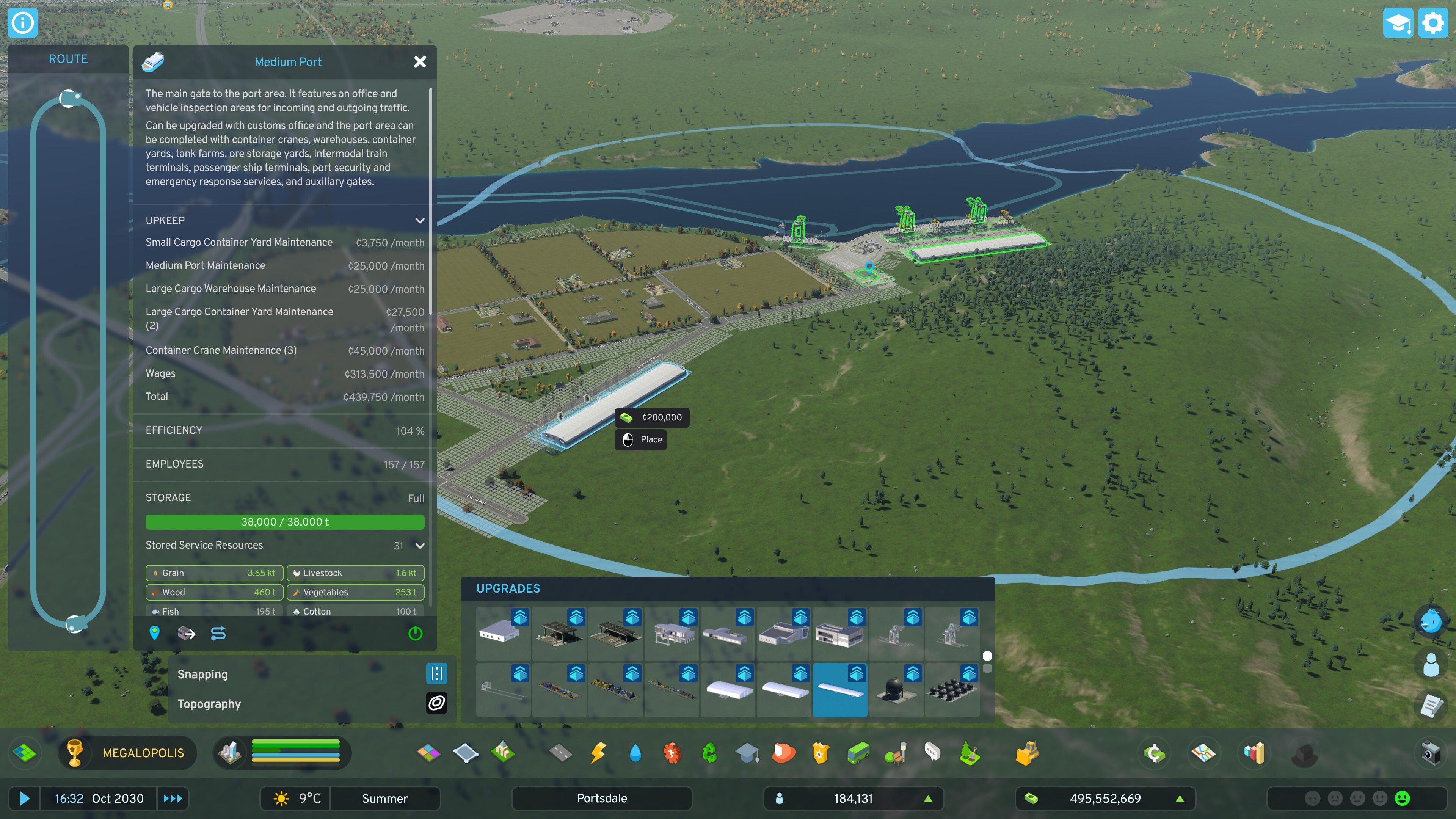
Once placed, select the gate to open the Upgrades Menu. Many upgrades remain locked until you move a certain volume of cargo (unless you use Unlock All). To begin shipping immediately you’ll have the basics: four compact storage facilities, a Cargo Crane, a Port Quay for crane placement, a Seaway to the outside world, and a Cargo Ship Route to bring cargo vessels into your harbor.
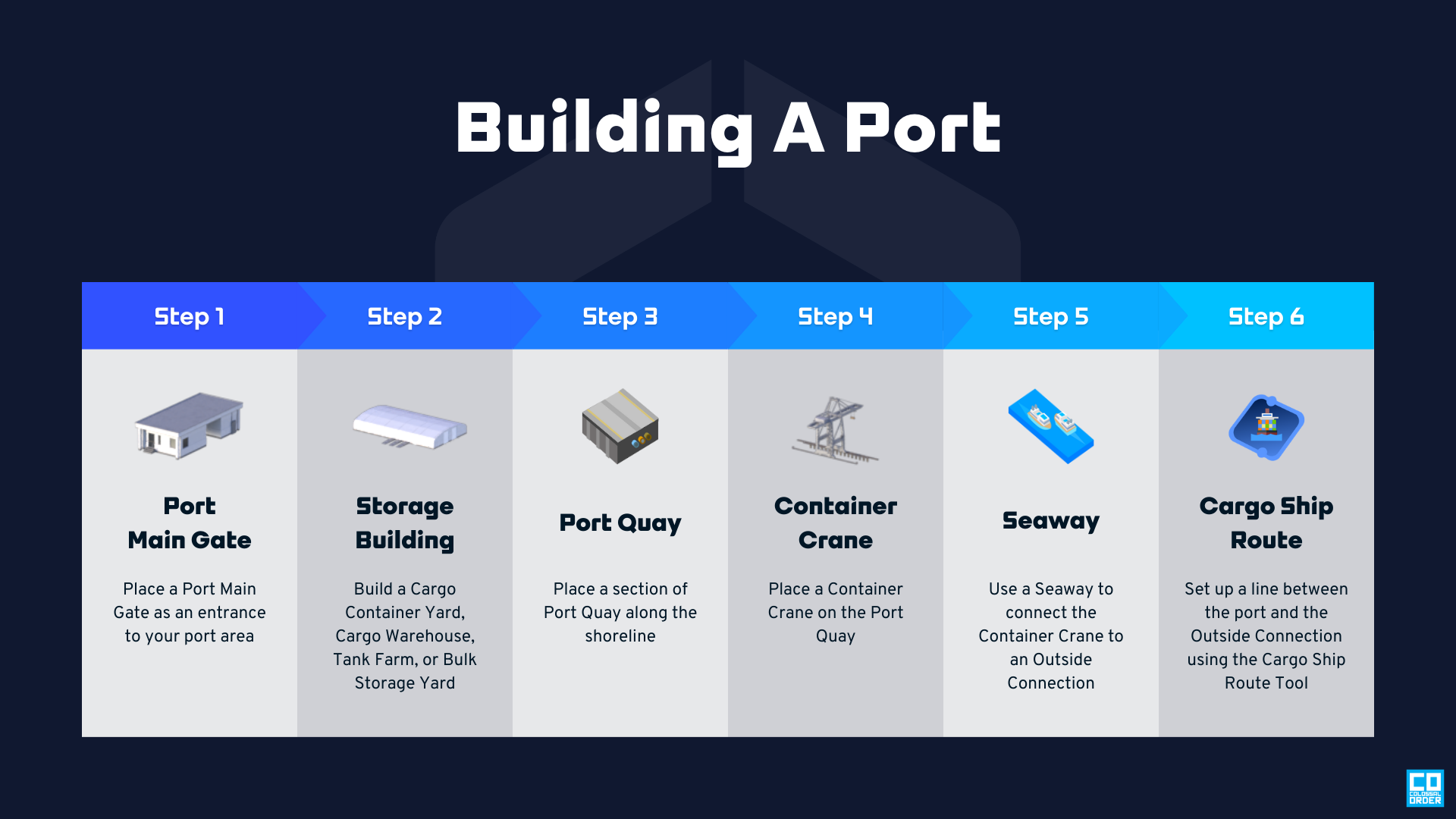
You don’t have to follow a single order: some players prefer to lay out quays first to define the harbor shape, then add cranes or storage. Keep in mind all upgrades must be placed within a 1 km radius of the Port main gate.
Running a tight ship
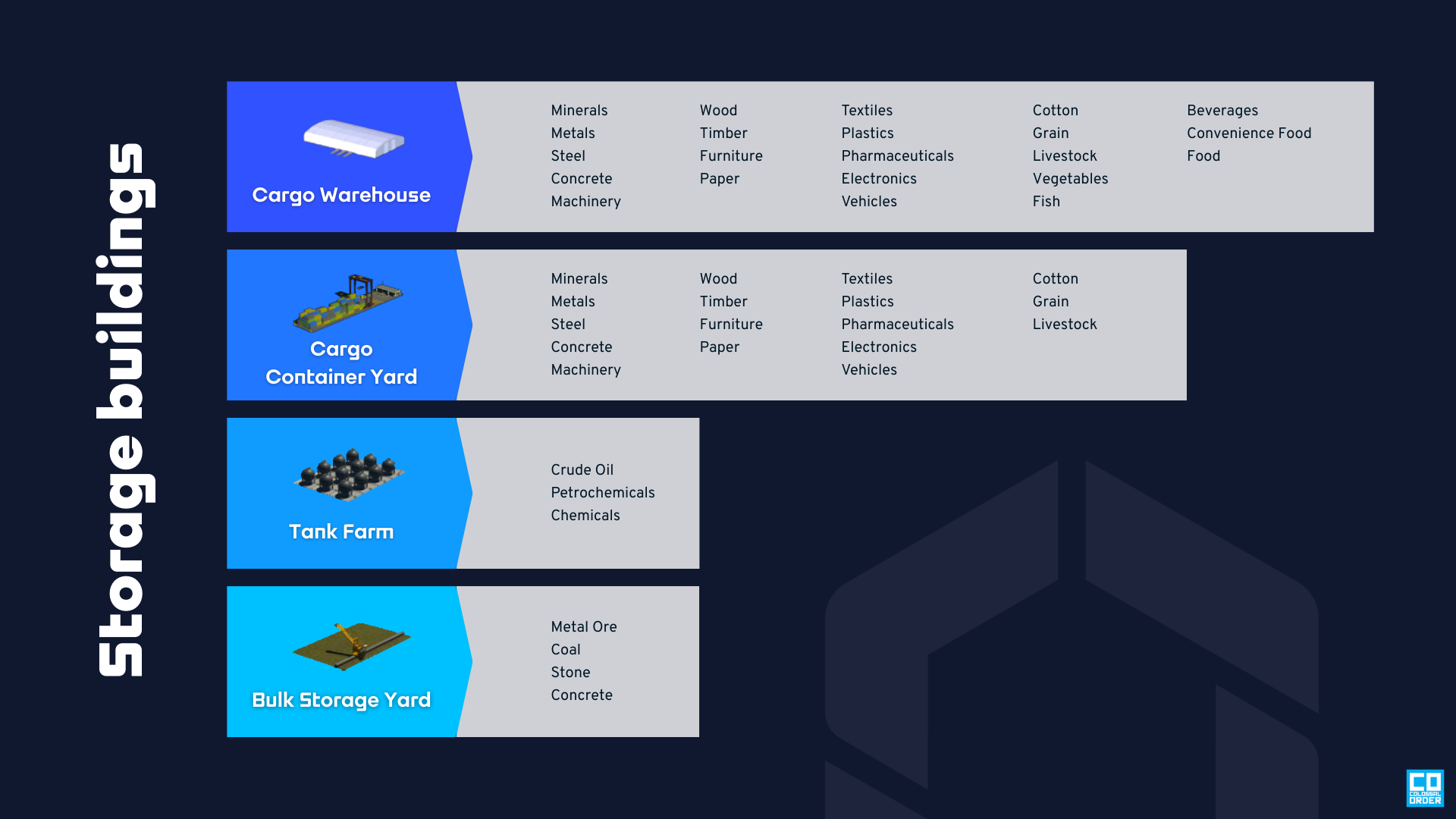
Storage is central to a working port. Each facility contributes to the Port’s total capacity but specializes in particular cargo types. This allows you to create focused terminals — for instance, Tank Farms for oil and chemicals — or diversified harbors that handle containers, bulk goods, and liquids. Storage comes in four categories (Cargo Warehouses, Container Yards, Tank Farms, and Bulk Storage Yards) and in three sizes: Small, Medium, and Large.
With storage in place, trucks will begin delivering and collecting cargo. While trucks can reach storage via any available road based on pathfinding, the most efficient flow is through gated access. If vehicles bypass gates by using a non-gated road, the Port suffers a 50% Efficiency penalty. You start with a single main gate; as your throughput increases, Auxiliary Gates unlock so you can add more entrances and restore full Efficiency.
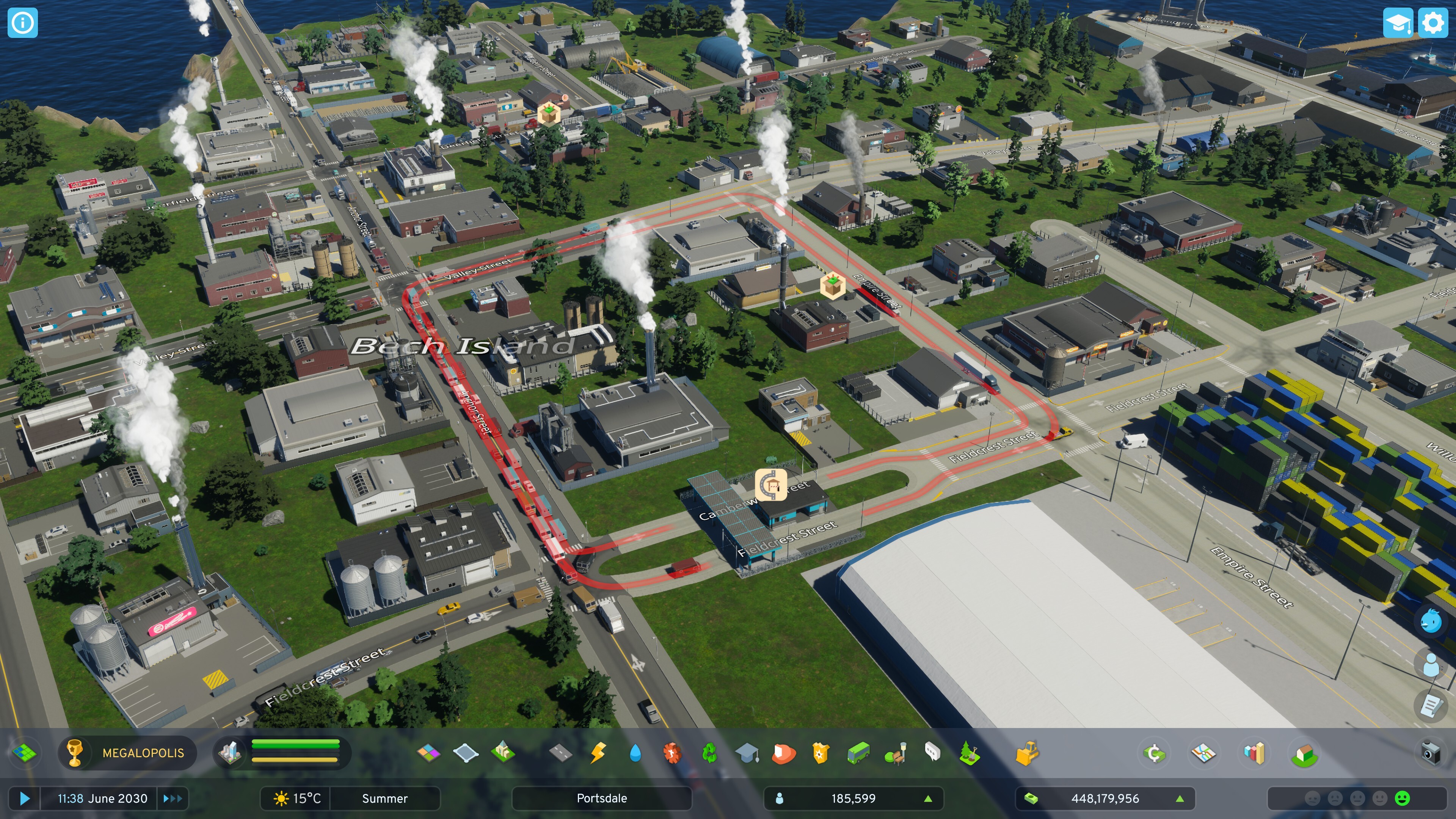
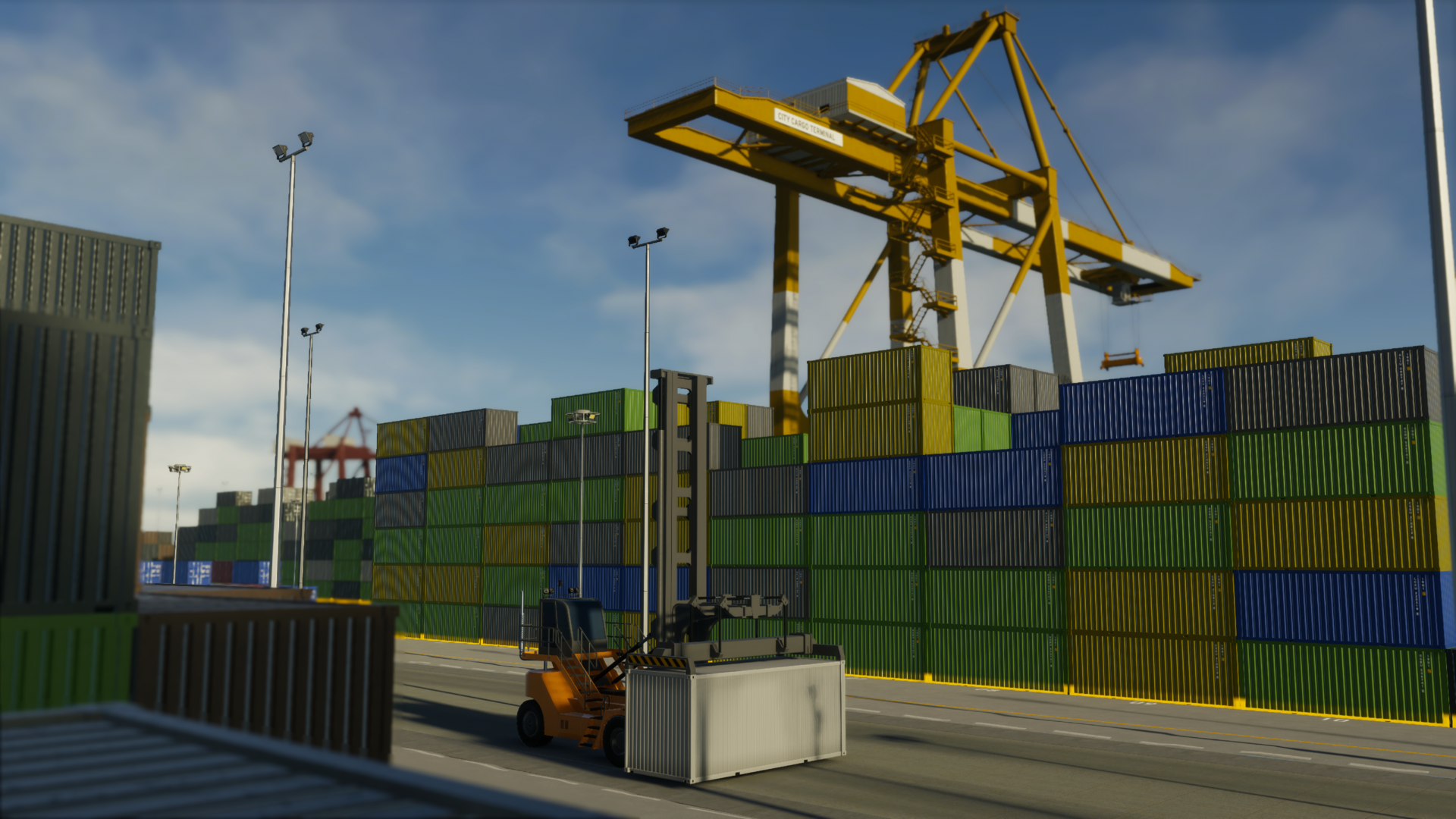
To unlock the full upgrade tree you must move substantial cargo by sea. One Cargo Crane and a single Ship Route will get things started, but you can place multiple cranes along piers to allow several ships to dock simultaneously, increasing throughput.
You’ll also encounter new port vehicles: Reach Stackers. These wide machines haul containers within the terminal and are restricted to Port Roads, which you’ll find both in the Port Upgrade Menu and the Water Transportation Menu. You can still use standard roads in parts of your port if you prefer — containers will move, but Reach Stackers won’t access those zones.
Upping your shipping game
Now for extensions and sub-buildings — the upgrades that shape how your Port performs and interacts with the city. Extensions attach to the Port main gate and are available only for Medium and Large Ports. The Medium Port can add a Customs Office to lower crime risk in and around the Port (at the cost of reduced company profits). The Large Port includes the Customs Office plus a Reach Stacker Garage Extension, which provides a garage at the gate and speeds up cargo handling.
Sub-buildings can be placed anywhere within the Port’s 1 km radius. All port sizes unlock a set of 21 sub-buildings as you ship cargo; among these are 12 storage facilities, two cargo cranes, two Auxiliary Gates, and five unique support buildings: Employee Canteen, Port Security, Emergency Response, Intermodal Train Station, and Passenger Terminal.
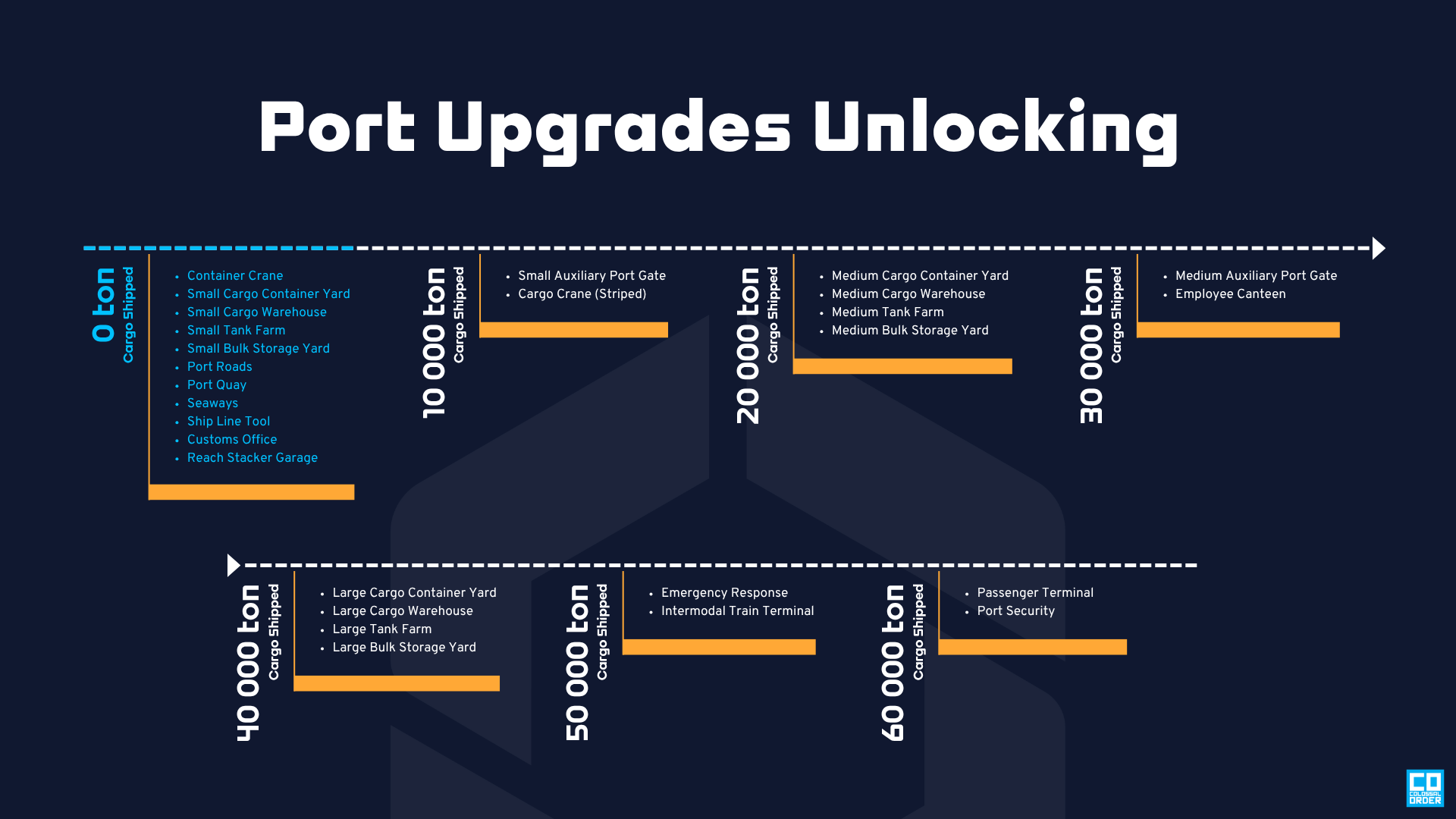
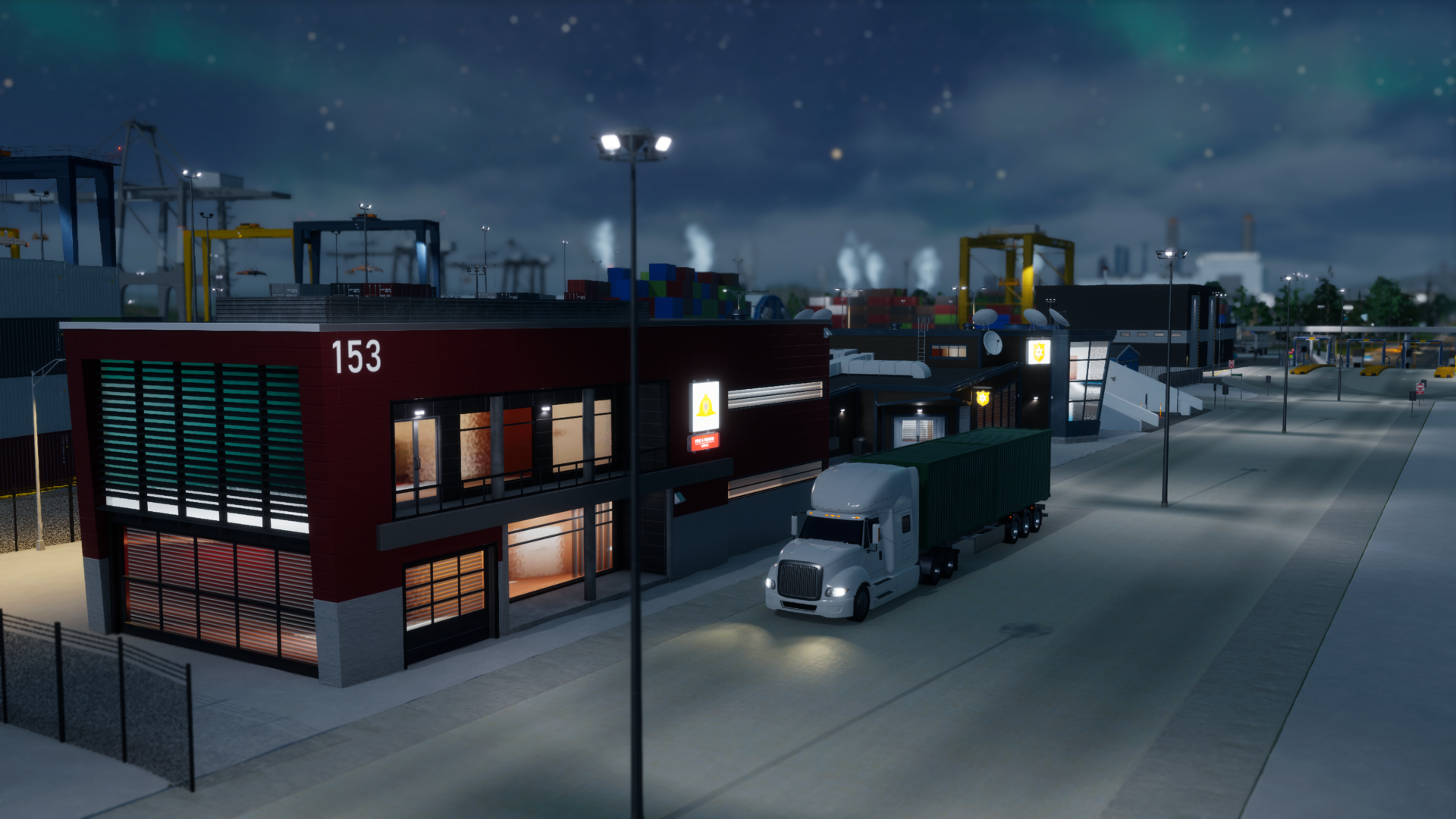
The Employee Canteen raises worker satisfaction, which indirectly improves operational Efficiency by increasing the number of vehicles available for cargo distribution. Port Security reduces nearby Crime Accumulation, and Emergency Response lowers local Fire Hazard — both help protect infrastructure and goods. Note that these three are Unique sub-buildings and can be placed only once per Port.
Pick your port
The Intermodal Train Station adds rail connectivity by providing two tracks for Cargo Train Routes, letting you move goods directly to other city districts or an Outside Connection. The Passenger Terminal opens berths for passenger ships and tourists, offering an alternate arrival point for citizens and visitors. You can add these sub-buildings to an existing Port or create separate specialized ports — for example, a dry port with a storage facility and an Intermodal Train Station to support inland freight transfer.
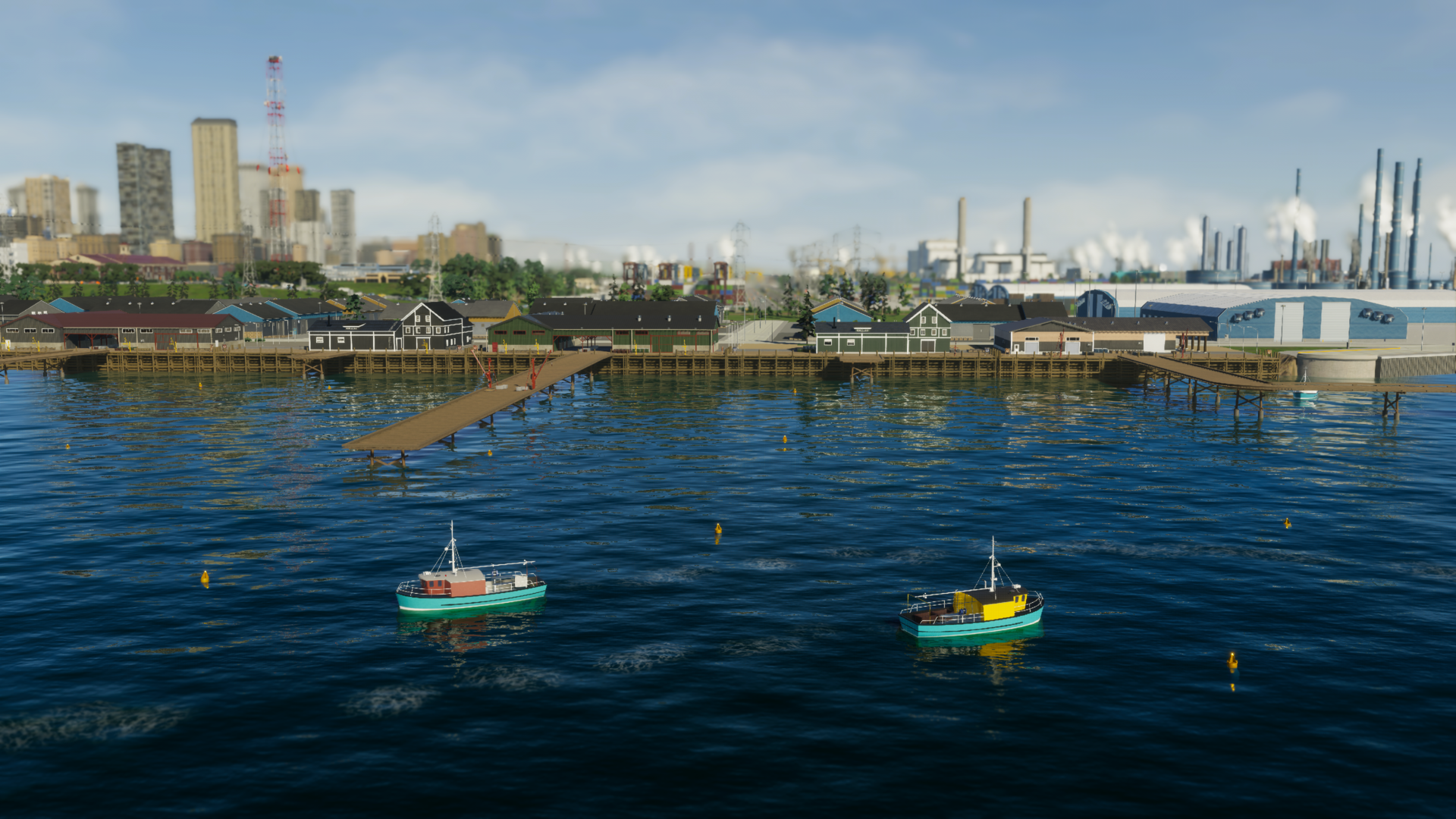
Bridges & Ports also adds two maritime industries in the Specialized Industry Menu: Fishing and Offshore Oil. Each has a main building and its own set of piers, storage, and extraction structures. Use Pipelines, Boatways, and Routes to link extraction areas and main buildings, then watch fishing vessels and tankers animate your coastline.
All aboard
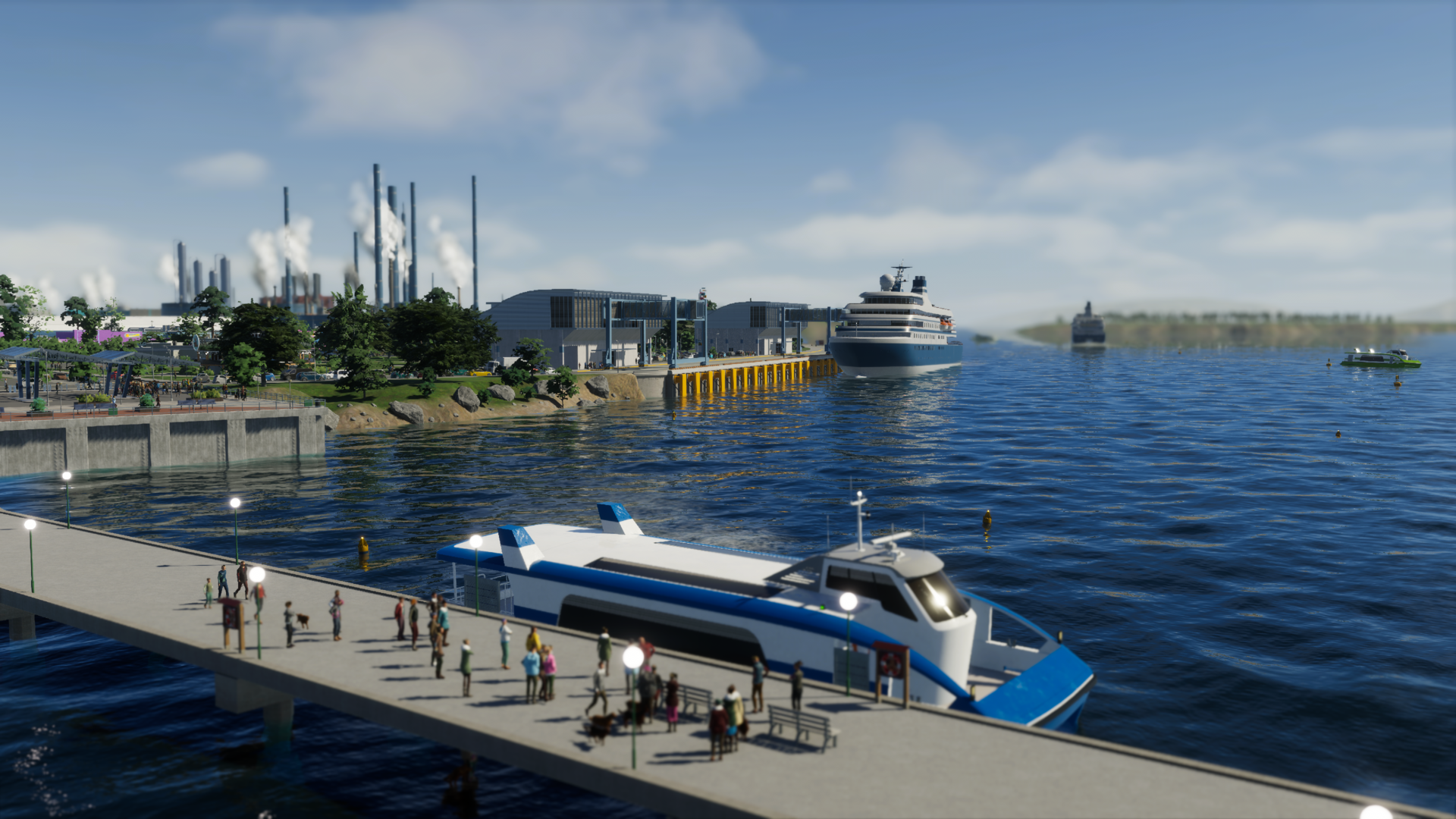
Beyond industry, the Port can be a tourism hub. Use one or more Passenger Terminals along with waterfront parks, lighthouses, and the new leisure assets to craft a bustling harbourfront. Start small and expand terminals as demand grows.
Ferries connect your passenger port to the rest of the city, acting like waterborne buses that bypass road congestion. Bridges & Ports includes a small Ferry Stop for quays, a larger shoreline building, and the expandable Ferry Terminal, which can gain extra pier stops or integrate a bus terminal for multimodal transfers.
That wraps up this development diary. Has this sparked ideas for your next city build? Do you already have a plan for how to use the new content? Share your thoughts in the comments — we can’t wait to see your ports, ferries, and waterfronts come to life on October 29, 2025. ([store.steampowered.com](https://store.steampowered.com/app/2427743/Cities_Skylines_II__Bridges__Ports?utm_source=openai))
 Official Q&A Thread | 2026
 City Corner #12: Collected Questions
 City Corner No. 11: Autumn Breeze
 City Corner #10 – Expanding the Modding Tools
 City Corner #9 – Happy Six-Month Anniversary!
 Patch 1.6.0f1 – Summer Solstice
 City Corner #8 – Reshaping the Landscape
 Hotfix: Patch 1.5.10f1