On October 1, 2025, Microsoft unveiled a package of updates to Xbox Game Pass that will affect all three subscription tiers. The announcement — published on Xbox Wire — brings Windows PC game access into every tier and adjusts pricing for one of the plans. The post leaves a few operational questions unanswered, such as whether existing subscribers will be grandfathered at previous rates.
Below is a concise breakdown of the changes, what they mean for different subscribers, and how to check or modify your subscription.
Xbox Game Pass changes, explained
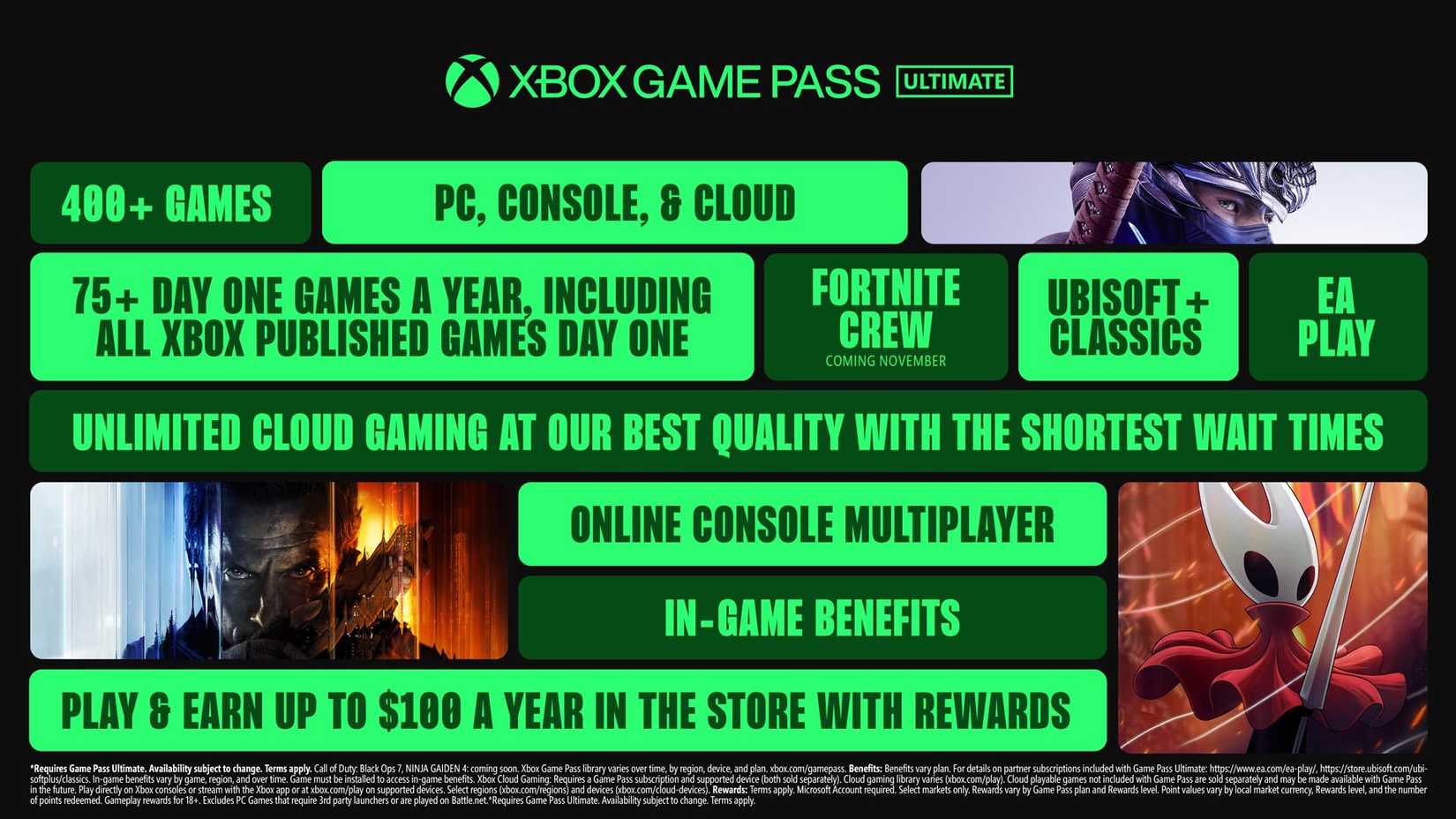
Xbox Game Pass will continue to be offered in three tiers, now named Xbox Game Pass Ultimate, Xbox Game Pass Premium, and Xbox Game Pass Essential. The latter two replace the previous Standard and Core tiers respectively. Below is a tier-by-tier summary.
Most of the headline updates apply to Game Pass Ultimate, which is also the only tier receiving a price change. Ultimate previously cost $19.99 per month and will increase to $29.99 per month. For that price, Microsoft lists the following inclusions:
- Day-one release access for Xbox-published titles
- Included subscriptions such as Ubisoft+ Classics and EA Play — and beginning in November, Fortnite Crew
Ubisoft+ Classics gives access to parts of Ubisoft’s back catalog, including titles like The Prince of Persia and Assassin’s Creed IV: Black Flag. Microsoft values Ubisoft+ Classics at $15.98 per month; Ubisoft also offers it independently (and on PlayStation) for $7.99 per month. Fortnite Crew, Fortnite’s paid monthly bundle priced at $11.99, provides 1,000 V-Bucks plus exclusive cosmetic items.
Microsoft additionally promises reduced wait times and improved experience for Xbox Cloud Gaming on Ultimate, though the announcement did not include concrete latency figures or quality guarantees. Ultimate subscribers can also earn up to $100 per year in store rewards. Aside from the additions and the price hike, Ultimate retains the same feature set as before. Microsoft’s post does not specify whether current subscribers will keep the prior rate or be migrated immediately to the new price.
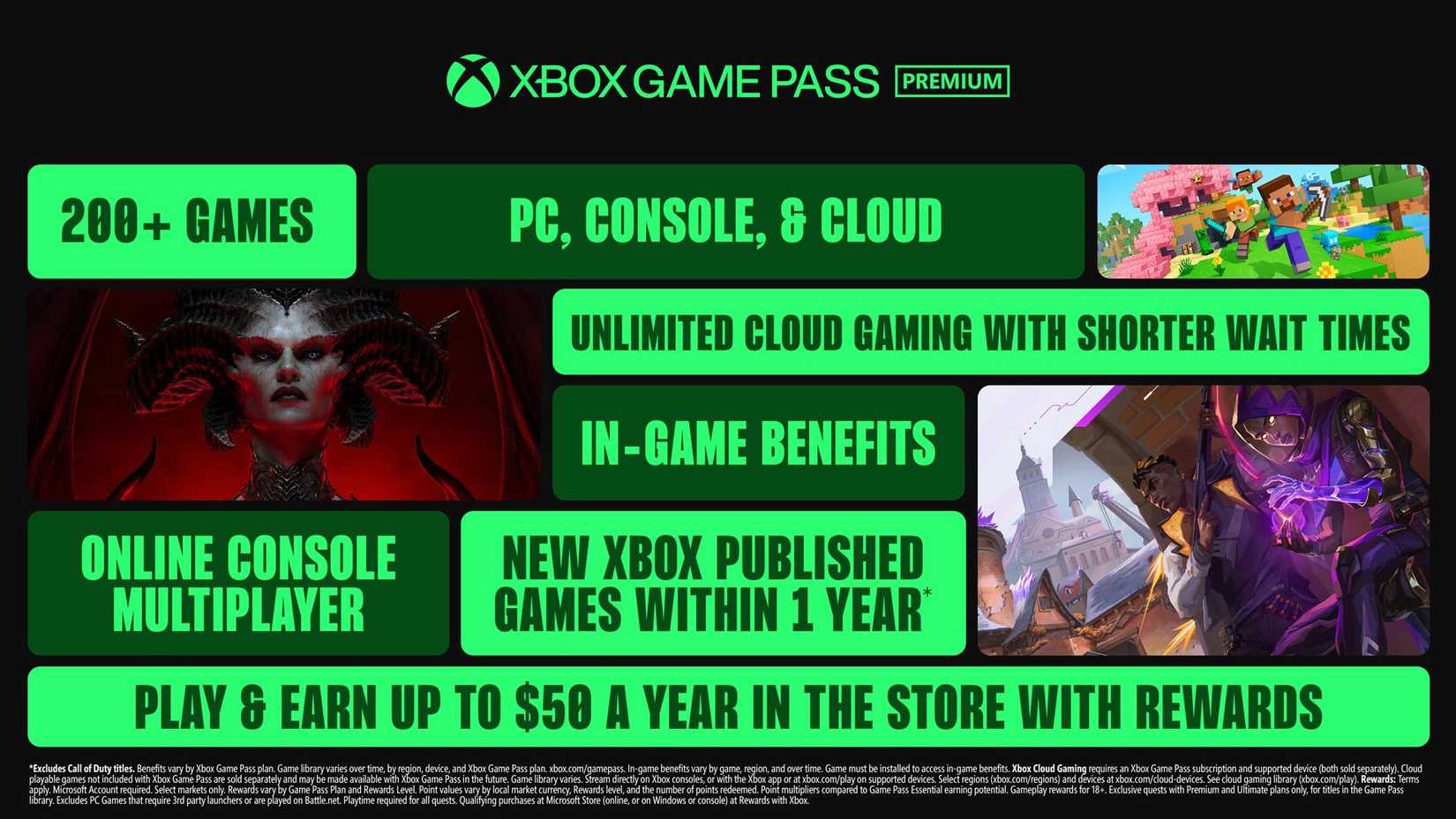
Game Pass Standard is now Game Pass Premium, and the monthly price remains $14.99 for the time being. The key difference is that Premium adds PC game access; the former Standard tier only covered console titles. Premium does not include day-one access to Xbox-published releases, but Microsoft reiterated that many Xbox titles will become available to Premium members within a year of launch.
Premium subscribers receive unlimited Xbox Cloud Gaming access (Microsoft did not supply specific quality levels or wait-time expectations) and can earn up to $50 per year in store rewards.
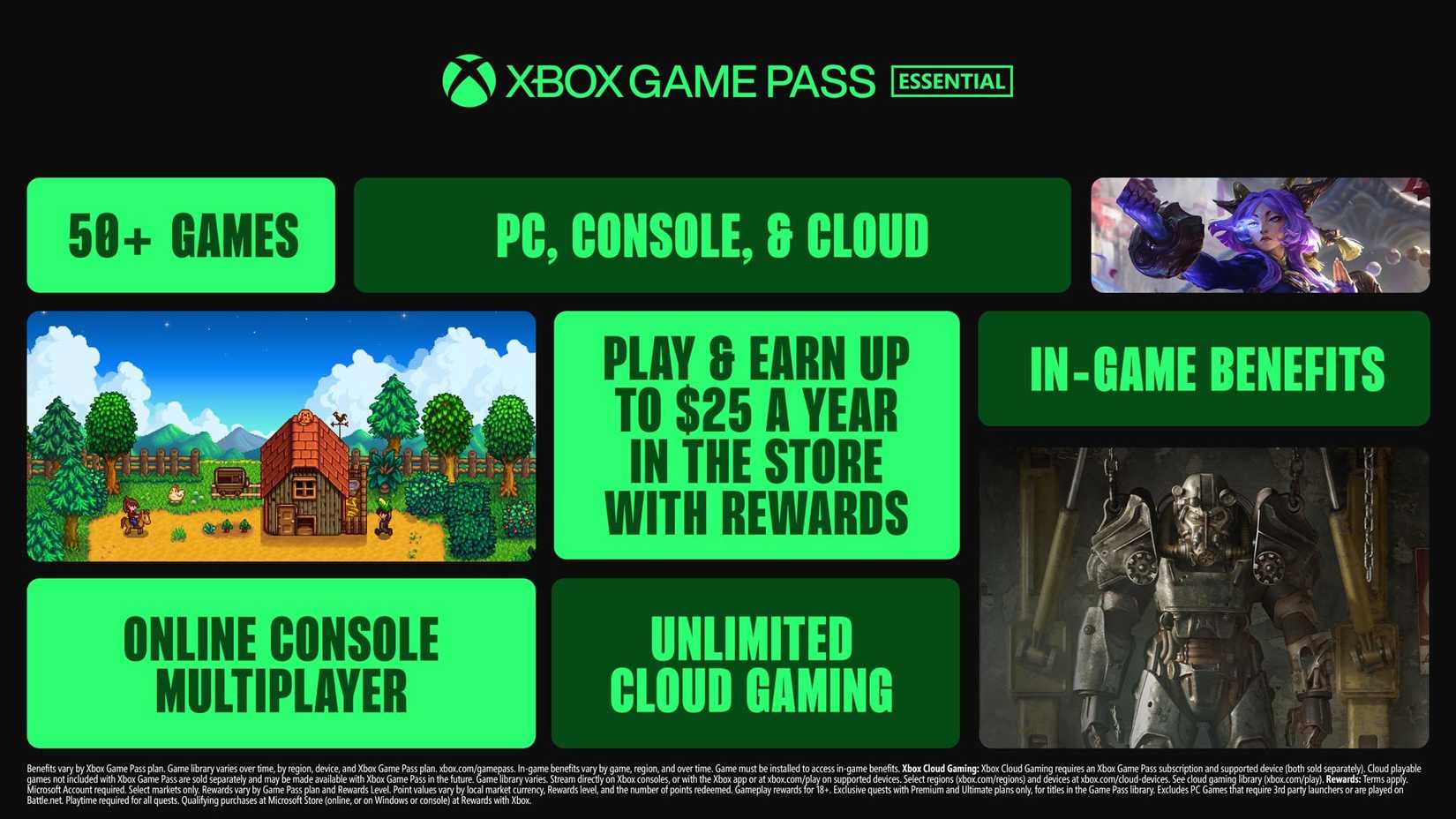
Game Pass Core is now Game Pass Essential, with the monthly fee remaining $9.99. Essential includes PC game access and unlimited Xbox Cloud Gaming, but does not provide free access to Xbox-published titles at any point. Members on this tier can earn up to $25 per year in store rewards.
All three tiers continue to offer in-game perks for supported live-service titles on Xbox, including Riot Games’ offerings, Overwatch 2, and Call of Duty: Warzone.
How to check your Xbox Game Pass tier
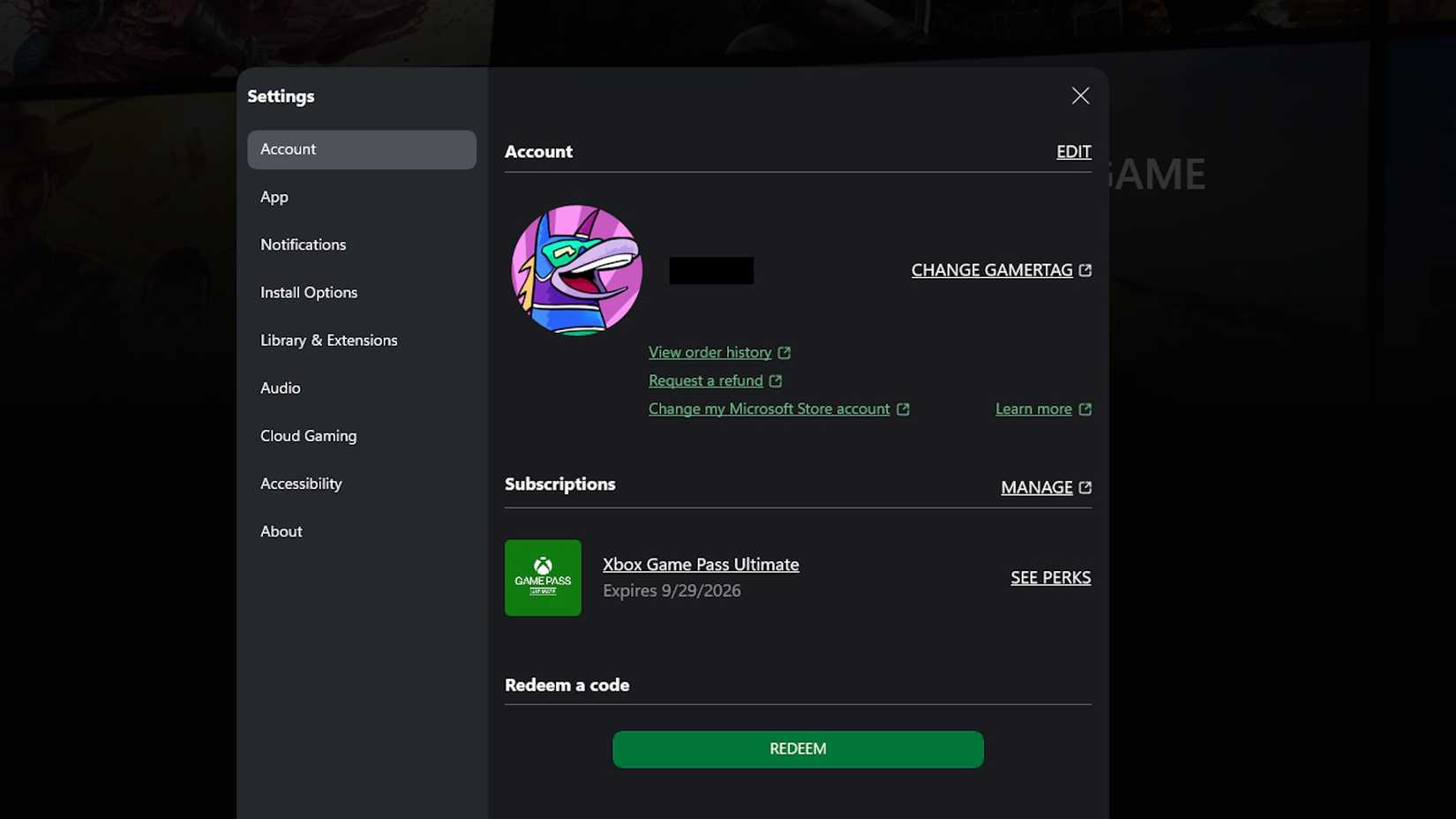
To view your active tier on console or in the Xbox app, open your profile and navigate to the Subscriptions section located under your account details on the main tab. The page will display any active Game Pass subscription and its specific tier.
Alternatively, sign in at account.microsoft.com, choose the Subscriptions tab in the left-hand menu, and you’ll see your Game Pass plan listed alongside any other Microsoft subscriptions.
If you do nothing, Microsoft will automatically map existing accounts to the new tier names as follows:
- Existing Game Pass Ultimate subscribers remain in Ultimate
- Game Pass Standard subscribers will be moved to Game Pass Premium
- Game Pass Core subscribers will be moved to Game Pass Essential
How to change Xbox Game Pass tiers
To alter your subscription tier, follow these steps.
On Xbox console or in the Xbox app:
- Open your profile and go to Settings
- Select Subscriptions
- Choose the Game Pass subscription you want to manage and click Change subscription
- Select the tier you want to switch to
On the web:
- Sign in at account.microsoft.com and open the Subscriptions tab
- Find your Game Pass subscription and click Manage
- Choose the tier you wish to upgrade or downgrade to
Upgrades take effect immediately and you will be charged the prorated difference between tiers at the time of change. Downgrades take effect at your next billing renewal — you keep the current tier through the remainder of the paid period and begin paying the lower rate on the next cycle.
How to cancel your Xbox Game Pass subscription
To cancel, open the subscription management page via the Xbox app, console, or account.microsoft.com and select the option to cancel. Cancelling stops future renewals but does not refund the current billing period; your subscription will remain active until the end of that period.
Source: Polygon