
Hotfix 34 Is Now Live!
Players, friends, and fellow adventurers
We’ve released Hotfix #34 to address multiple bugs and to resolve several Xbox crashes. Alongside stability fixes, this update includes an important improvement for Steam Deck users: a native Steam Deck build.
Steam Deck native build — what it brings
The new native Steam Deck build allows Baldur’s Gate 3 to run directly on SteamOS rather than through Proton. That produces steadier frame rates, faster load times, and generally smoother gameplay. The optimizations made for the native build also improve how models stream across all platforms, which should reduce frame-rate spikes in busy areas (for example, the Lower City in Act 3).
Find your best Steam Deck settings
After installing Hotfix #34, the game will launch on the Steam Deck using the native Steam Deck graphics profile by default. You can accept those settings or switch back to Proton and tweak options to suit your preferred balance of performance and fidelity.
Our Support team has a detailed guide on the Steam Deck native transition with full instructions and troubleshooting. Read it here: https://larian.com/support/faqs/steam-deck-native-version_121
Quick summary — Native vs Proton
Proton runs the Windows build through a compatibility layer, which increases CPU use and memory overhead. The native Steam Deck build runs directly on SteamOS, reducing CPU demand and memory usage for a more efficient experience.
Savegames
Where are my saves now (before switching to Steam Deck Native)?
While running under Proton, saves are stored inside the Steam compatdata folder:
/home/deck/.local/share/Steam/steamapps/compatdata/1086940/pfx/drive_c/users/steamuser/AppData/Local/Larian Studios/Baldur's Gate 3/PlayerProfiles/Public
Where will my saves be after switching to Steam Deck Native?
Once you run the native version, saves will live in the native SteamOS location:
/home/deck/.local/share/Larian Studios/Baldur's Gate 3/PlayerProfiles/Public
Why are saves stored in different folders?
Proton mirrors the Windows filesystem inside the compatdata folder, so saves placed there follow the Windows structure. The native build stores saves directly in the SteamOS filesystem.
Will Steam Cloud move my saves automatically?
If Steam Cloud sync is enabled, the latest save files will be synchronized to the Steam Deck native save folder automatically.
If I don’t use Cloud or want older saves — manual transfer
Your older saves remain on the Deck in the compatdata folder and can be moved manually. Steps to transfer via Desktop Mode:
-
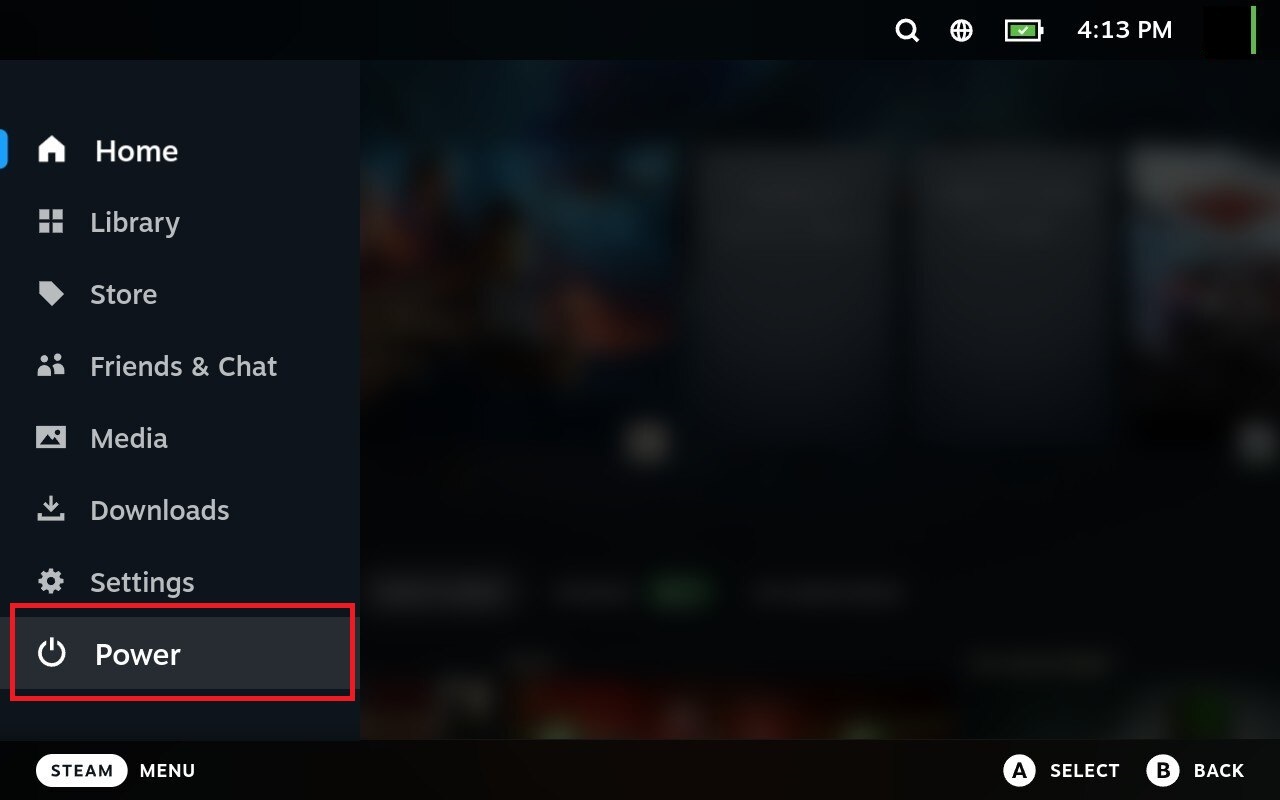
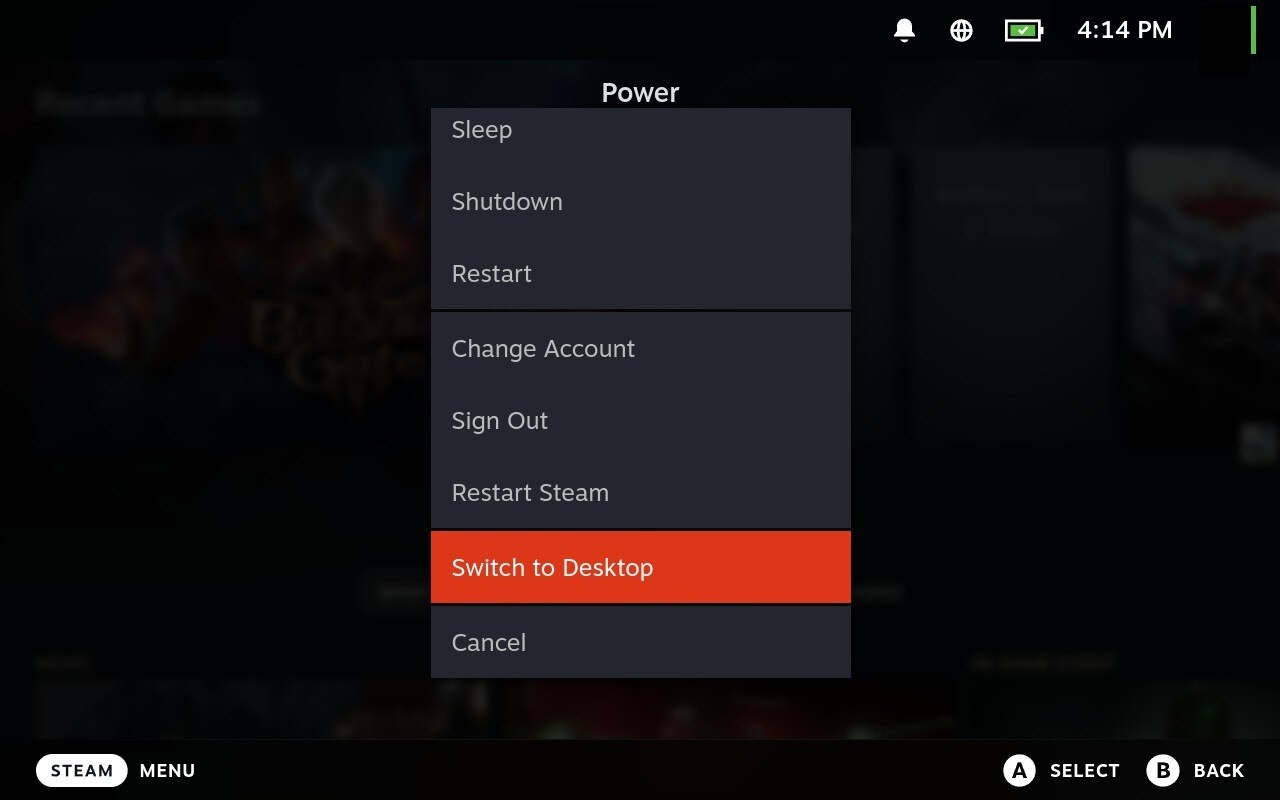
Switch to Desktop Mode: open the Steam menu, select Power, then choose Switch to Desktop.
-
Optional: connect a mouse and keyboard. Open the file manager by clicking the folder icon on the taskbar.

-
In the file manager, go to the Proton save location:
/home/deck/.local/share/Steam/steamapps/compatdata/1086940/pfx/drive_c/users/steamuser/AppData/Local/Larian Studios/Baldur's Gate 3/PlayerProfiles/Public -
Copy the Savegames folder (or the specific profiles you want to preserve).
-
Navigate to the native save path:
/home/deck/.local/share/Larian Studios/Baldur's Gate 3/PlayerProfiles/Public -
Paste the copied folder into the native location.
Mods on Steam Deck
Will my mods transfer automatically?
If you’re logged into your Larian Account and it’s linked to mod.io, subscribed mods should download when the native transition occurs.
If you aren’t connected to a Larian Account or mod.io
You can manually copy your mods from the Proton folder to the native folder. Steps:
-
Switch to Desktop Mode (Steam > Power > Switch to Desktop).
-
Open the file manager (folder icon).
-
Browse to the Proton mods folder:
/home/deck/.local/share/Steam/steamapps/compatdata/1086940/pfx/drive_c/users/steamuser/AppData/Local/Larian Studios/Baldur's Gate 3 -
Copy the Mods folder.
-
Go to the native location:
/home/deck/.local/share/Larian Studios/Baldur's Gate 3/ -
Paste the copied Mods folder there.
More details are available in the Support guide: https://larian.com/support/faqs/steam-deck-native-version_121
HOTFIX #34 — Patch notes
Summary: This hotfix delivers multiple crash and performance fixes, Xbox-specific stability updates, game and audio corrections, and several cinematic and UI polish items.
Fixes — Crashes & performance
- Resolved a potential crash triggered by the Slow condition during combat.
- Fixed a crash that could occur when casting Find Familiar on Scratch and Boo in combat.
Fixes — Xbox
- Fixed a crash that could happen when suspending the console during a cinematic and resuming play.
- Addressed a crash when loading saves in Honour Mode.
- Fixed an issue where exiting to the Main Menu from an Honour Mode session could cause the game to hang.
- Selecting “View Xbox Live Profile” from the Larian Friends list now displays the correct gamercard.
- Fixed cross-play behavior: players blocked from cross-network play on Xbox will now receive a clear notification when invited to multiplayer explaining why they cannot join the lobby.
- Resolved a loading hang (stuck at 33% or 83%) when creating a new Honour Mode game after loading a prior save.
Fixes — Gameplay
- Corrected health scaling so the Hound of Ill Omen and the Accursed Spectre no longer have their HP improperly influenced by enemy difficulty modifiers.
- Fixed an issue where the Apostle of Myrkul regained HP whenever a mid-combat save was loaded in Tactician and Honour modes.
Fixes — Audio
- Stopped looping metallic sounds produced by djinn summons when they follow the player.
- Corrected occlusion so explosions on upper floors (for example, in Felogyr’s Fireworks) sound correctly distant when you’re below them.
- Restored missing rat SFX in the Lower City so the creature’s sound plays as intended.
- Reinstated missing SFX for Wind Walk preparation.
- Fixed SFX duration when preparing subclass-specific actions for the Way of the Drunken Master so sounds do not play longer than intended.
- Restored missing SFX for Booming Blade preparations.
- Fixed Starry Form preparation SFX from continuing to play if the spell is cast immediately after selection.
- Restored missing SFX when Astarion taps Woe on the ground during a cinematic.
- Fixed missing overhead dialogue SFX between Minthara and questioners in Moonrise Towers Prison.
- Fixed a Photo Mode sound resource generation issue.
- Stopped the Moonlantern’s rattling SFX from continuing after unequipping it.
- Recovered missing SFX when casting Speak with Dead on the mind flayer in the Shattered Sanctum.
- Fixed Halsin’s Rage audio so he vocalizes correctly when entering barbarian Rage.
- Fixed truncated SFX during Vlaakith’s camp appearance.
Fixes — Cinematics & visual polish
- Corrected an imp’s gaze on the nautiloid so it faces the proper direction.
- Fixed an overly close camera shot during the dialogue with Raphael at Last Light.
- Removed a floating blood decal in the gnoll cinematic on the Risen Road when playing as a short Dark Urge character.
- Fixed a cut-off line from Karlach about Gale being a hero.
- Addressed an issue where party members appeared as floating torsos or disembodied hair while speaking to Ketheric’s dog, Squire.
 Hotfix #36 is Now Available!
 Community Update #36: A Very Moddy Christmas
 Hotfix 35 Now Available
 Quays & Piers
 Free Update and New Plans
 RoboCop: Rogue City – Unfinished Business Story Trailer
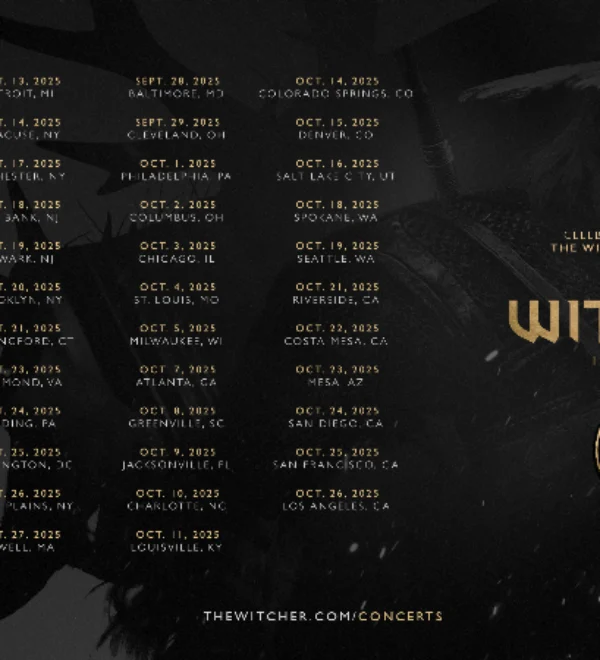 The Witcher in Concert Arrives in the US!
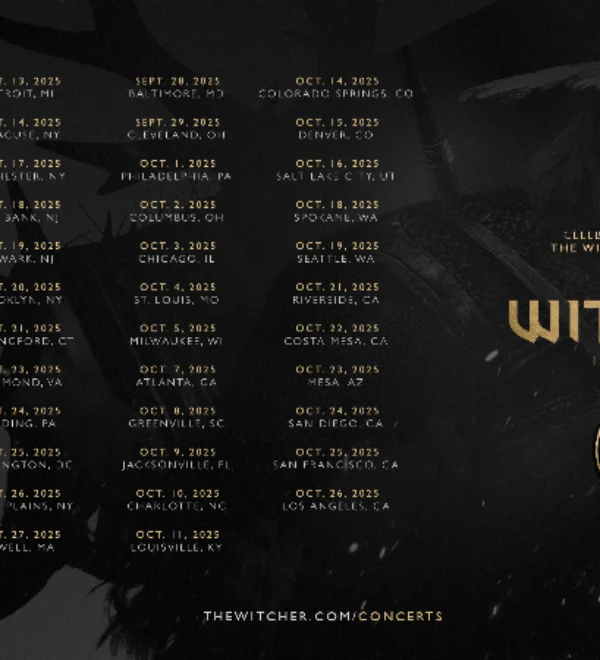 The Witcher in Concert Arrives in the US!