Update 26.08.05
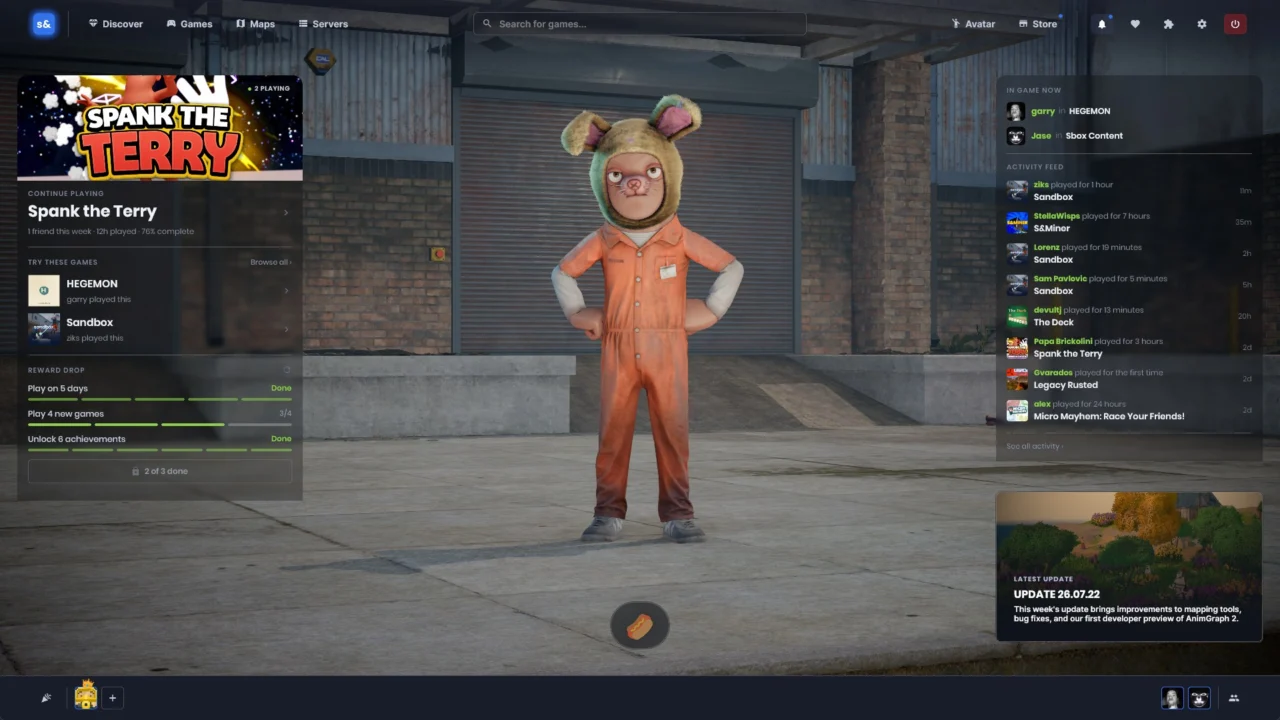
Main Menu Overhaul
The primary goal of the main menu is to bridge the gap between players and the experiences they want to dive into with minimal friction. We have implemented several foundational updates this week, and we will continue iterating on the design until it delivers maximum utility.
Refined Friends List
The friends list has received a comprehensive visual and functional modernization. Party members are now clearly organized into distinct groups, and you can seamlessly invite users directly to your game or party straight from their respective row.
Streamer Mode
We are introducing a native Streamer Mode to the platform. When activated, all participants—including yourself—are assigned a randomized, anonymous moniker paired with a procedurally generated avatar.
Please note that this feature requires explicit integration from developers. Creators can evaluate Preferences.StreamerMode to ensure player strings and profile pictures are never transmitted across the network while a client operates in Streamer Mode.

Mounted Map Thumbnails
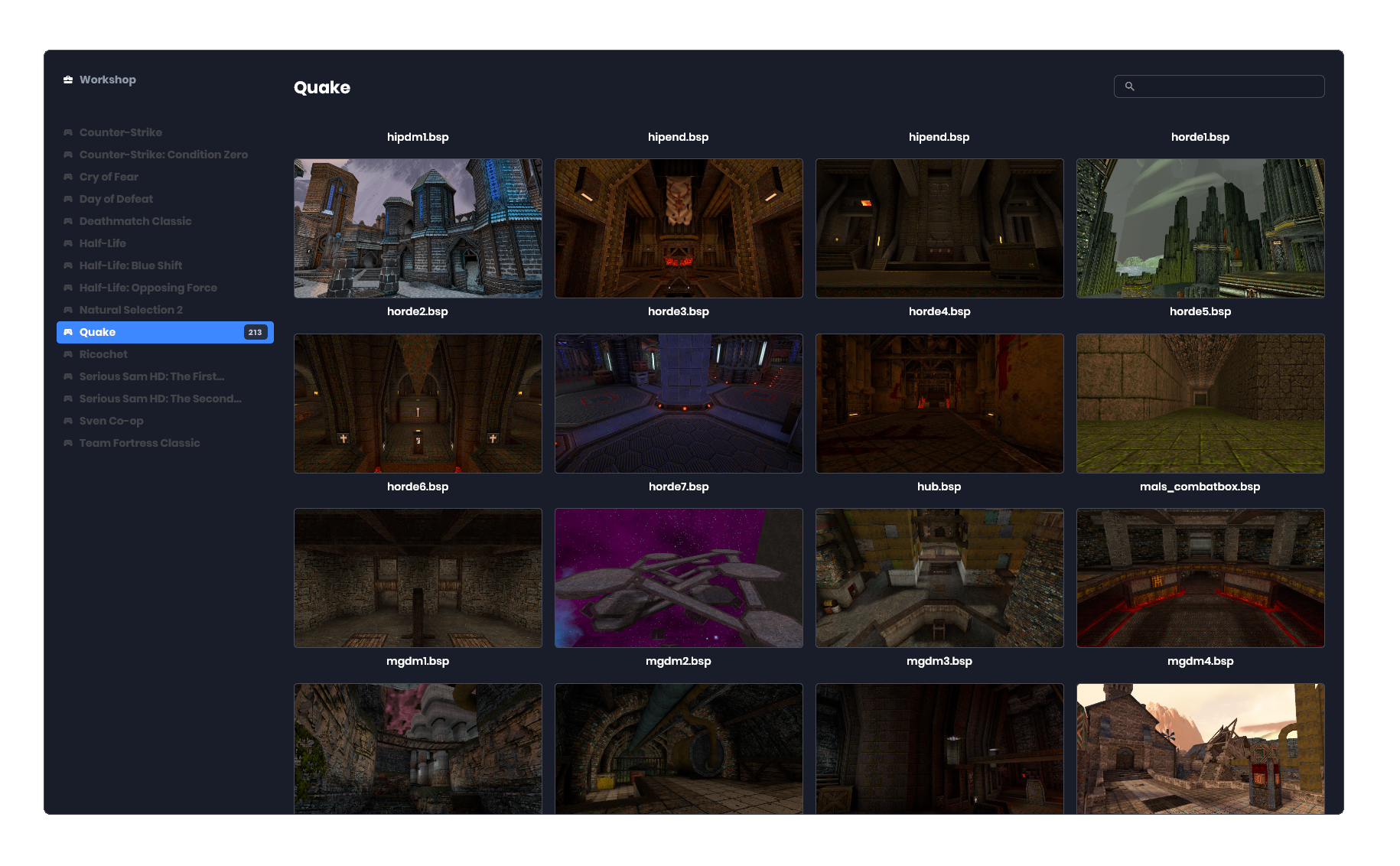
Players can access maps from supported mounted titles, and these selections now ship with dedicated thumbnails to streamline map selection. Enjoy 😎
For developers building custom mounts, SceneLoader now supports IThumbnailProvider, loading previews dynamically from /thumbs/{Host.Ident}/{RelativePath.WithExtension( ".png" )}. You can batch-generate these assets utilizing the mount_generatethumbs console command, which captures a screenshot from any GameObject tagged with map_preview, defaulting to a player spawnpoint if none is found.
Accelerated Package Downloads
Previous asset and game downloads severely underutilized available bandwidth, particularly on high-speed network connections.
We have increased the parallel download ceiling from 16 to 64 and transitioned to HTTP/2. This allows downloads to share a consolidated pool of connections rather than provisioning 64 distinct sockets, roughly doubling download speeds for smaller files.
Additionally, data is now streamed directly to the disk instead of buffering heavily in memory. A 610MB package that previously caused heap allocations to spike to 739MB now maintains a stable footprint of just 3MB.
Input Glyphs & Controller Enhancements
We have added robust support for the modern Steam Controller, complete with a bespoke glyph library covering both the Steam Deck and the controller itself. Alongside this update, we have also integrated native support for Nintendo Switch Joy-Cons.
Furthermore, generic gamepads—including the Steam Controller—previously failed to report their proper device names. This has been resolved, making it significantly easier to distinguish between multiple connected controllers.
Vulkan 1.3 Transition
We are raising our baseline Vulkan requirement from version 1.2 to 1.3. While this sounds like a substantial shift, we do not anticipate it impacting the vast majority of players or altering our hardware prerequisites in any meaningful way.
In practice, this aligns us with Minecraft’s updated minimum specifications, which we consider a sensible industry standard.
Moving to Vulkan 1.3 establishes a cleaner, more predictable rendering architecture, allowing us to leverage features that are already ubiquitous across modern hardware. For nearly everyone, the experience remains unchanged: there are no new visual configuration toggles, no anticipated performance regressions, and no hardware upgrades required.
Vulkan Modernization
We have initiated a thorough modernization of our Vulkan API implementation.
While largely invisible to end-users, this overhaul purges extensive legacy codebases and provides the graphics driver with optimized contextual data.
VK_KHR_synchronization2 is now universally integrated. Synchronization scopes are defined per barrier instead of relying on a single bitmask per call, enabling the driver to recognize genuine dependencies and overlap unrelated operations rather than over-synchronizing.
VK_KHR_dynamic_rendering is now mandatory, allowing us to deprecate and completely remove legacy render pass and framebuffer pathways.
Because these specifications have been supported across the three major hardware vendors for years, this update is primarily focused on reducing technical debt and establishing a solid foundation for future rendering upgrades.
Slang Shader Compiler

We have transitioned our shader compiler from DXC to Slang—the identical compiler utilized in upstream Source 2.
This should introduce zero breaking changes to your existing shaders, as Slang is fully backwards compatible with HLSL while offering notable advantages:
- Shader compilation speeds improved by up to 25% using identical HLSL code, with further gains achievable via modules, generics, and interfaces.
- IntelliSense support natively integrated via Visual Studio and VS Code extensions.
- Generics and interfaces, which minimize redundant shader variations and help scale large codebases through modular design.
Our commitment remains steadfast: keeping pace with cutting-edge technologies, whether in rendering pipelines, .NET updates, or beyond.
DLSS Integration
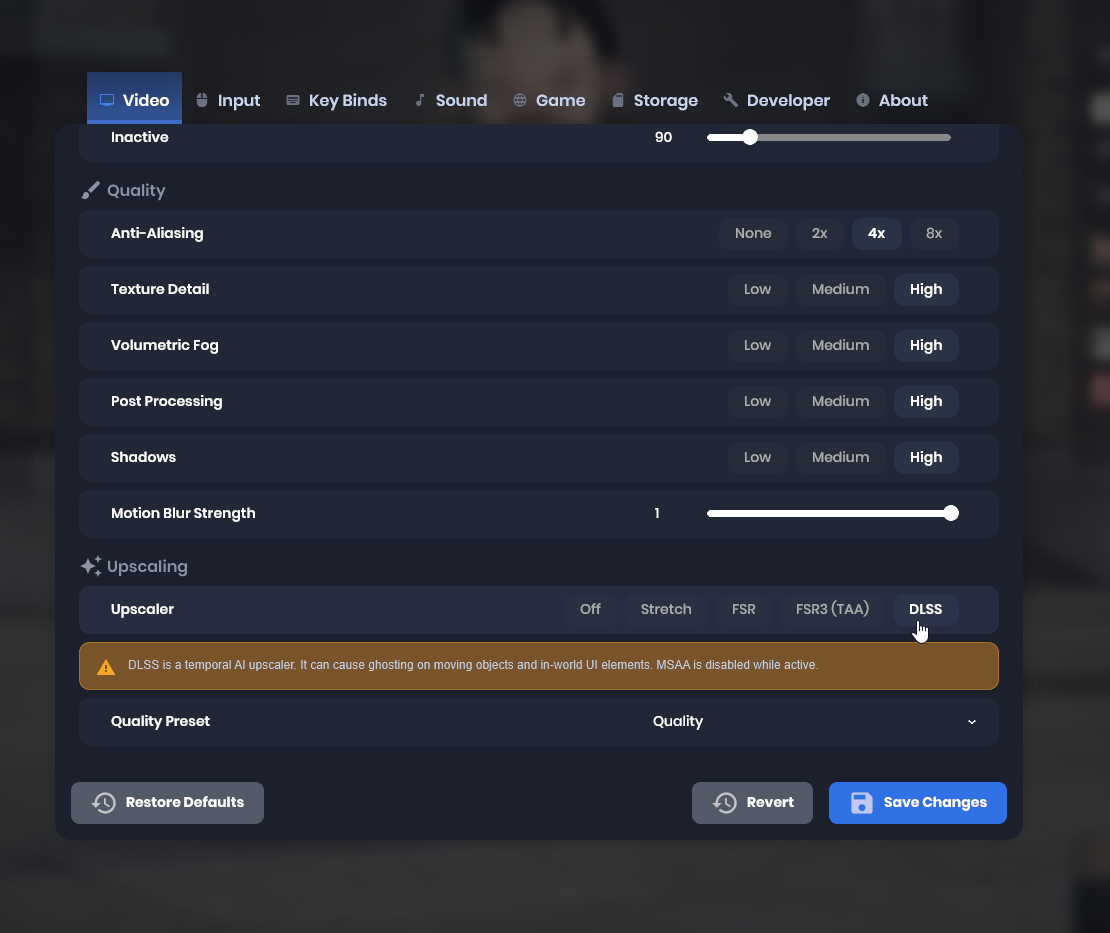
We have integrated a new DLSS upscaler alongside FSR3. These optional temporal upscaling techniques may occasionally introduce minor ghosting or artifacts. Please note that frame generation is not included, nor are there any current plans to implement it.
Upscaler Visual Fixes
GPUs inherently select smoother, lower-resolution mipmaps when adjacent texture pixels sit closer together during lower-resolution rendering. Because upscalers render the underlying game at a reduced resolution, the compounding effect historically caused textures to appear overly softened when utilizing DLSS or FSR.
By applying a calculated bias to texture sampling, we have restored surface crispness so that upscaled textures match the visual fidelity of native resolutions.
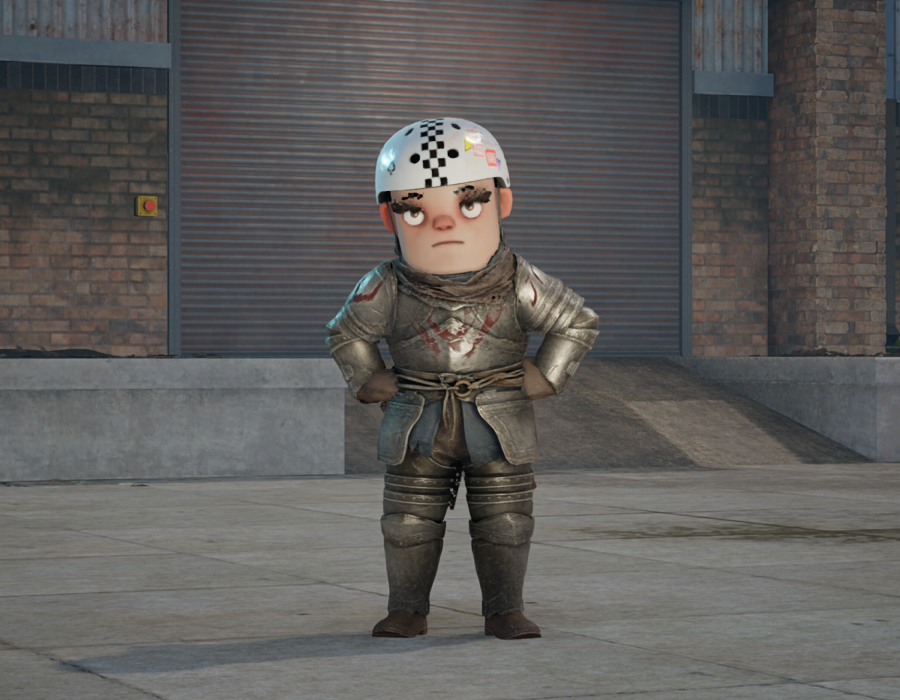
Specular Enabled by Default in Complex Shaders
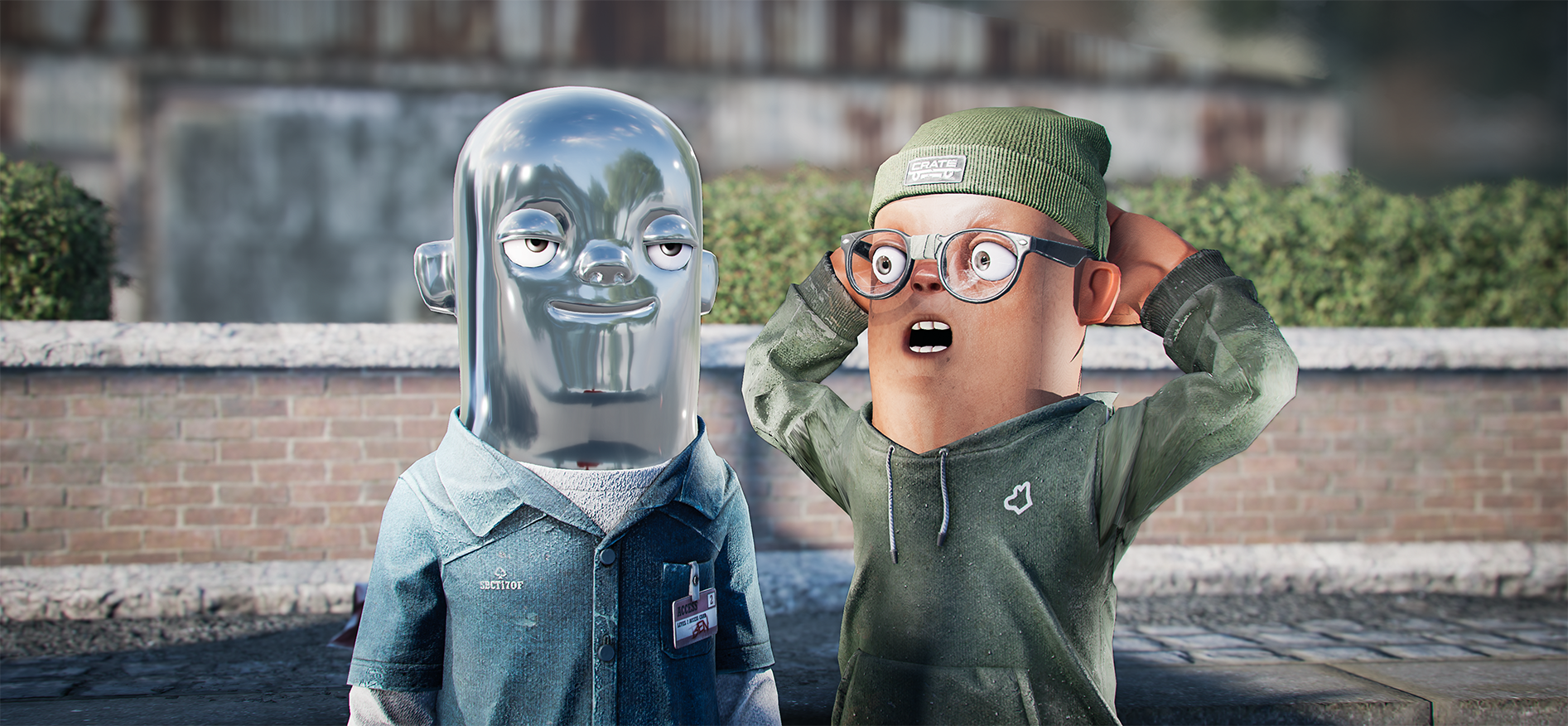
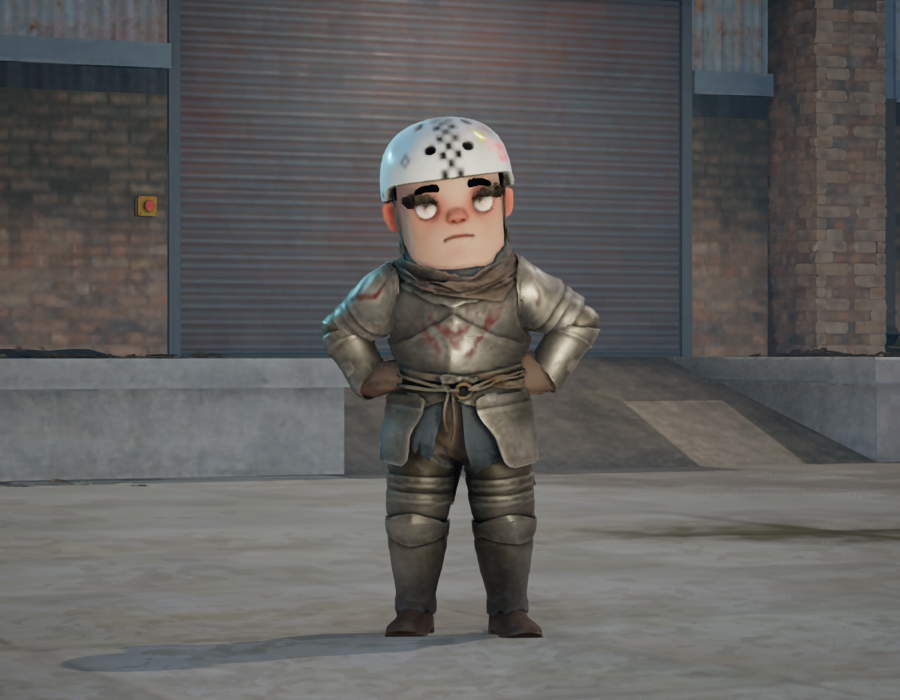
Specular highlights are now enabled by default across all materials utilizing complex shaders. Developers who have authored materials with complex shaders will recall that specular reflections previously required manual opt-in for every newly created asset.
Specular lighting is fundamental to achieving realistic surface finishes—after all, everything is shiny. Treating such a vital component of shading as an optional toggle defied logic and frequently proved confusing for novice artists. Furthermore, nearly all other material types, including custom shaders, enforce specular by default.
Will this impact existing assets? In the vast majority of cases, your materials will remain entirely unaffected. However, edge cases may arise where visual appearances shift, strictly adhering to these criteria:
- The material previously had the Specular feature disabled.
- No explicit roughness texture was assigned, falling back to the default roughness value of 0.5.
Under these specific conditions, models may exhibit an unexpected flat, plastic sheen. This can be swiftly corrected by adjusting the roughness value to 1.0 within your material settings or by assigning a proper roughness map.
Tint Support for Fur Shaders

The fur shader now natively supports tinting directly from the model renderer component. This capability was previously unavailable, but following a comprehensive refactoring of the fur shader into readable code, we are able to introduce new feature sets. This addition should prove exceptionally useful for cosmetic asset creators.
Static Shadow Caching
Building upon our recent capability to flag objects as static, we have implemented targeted performance optimizations.
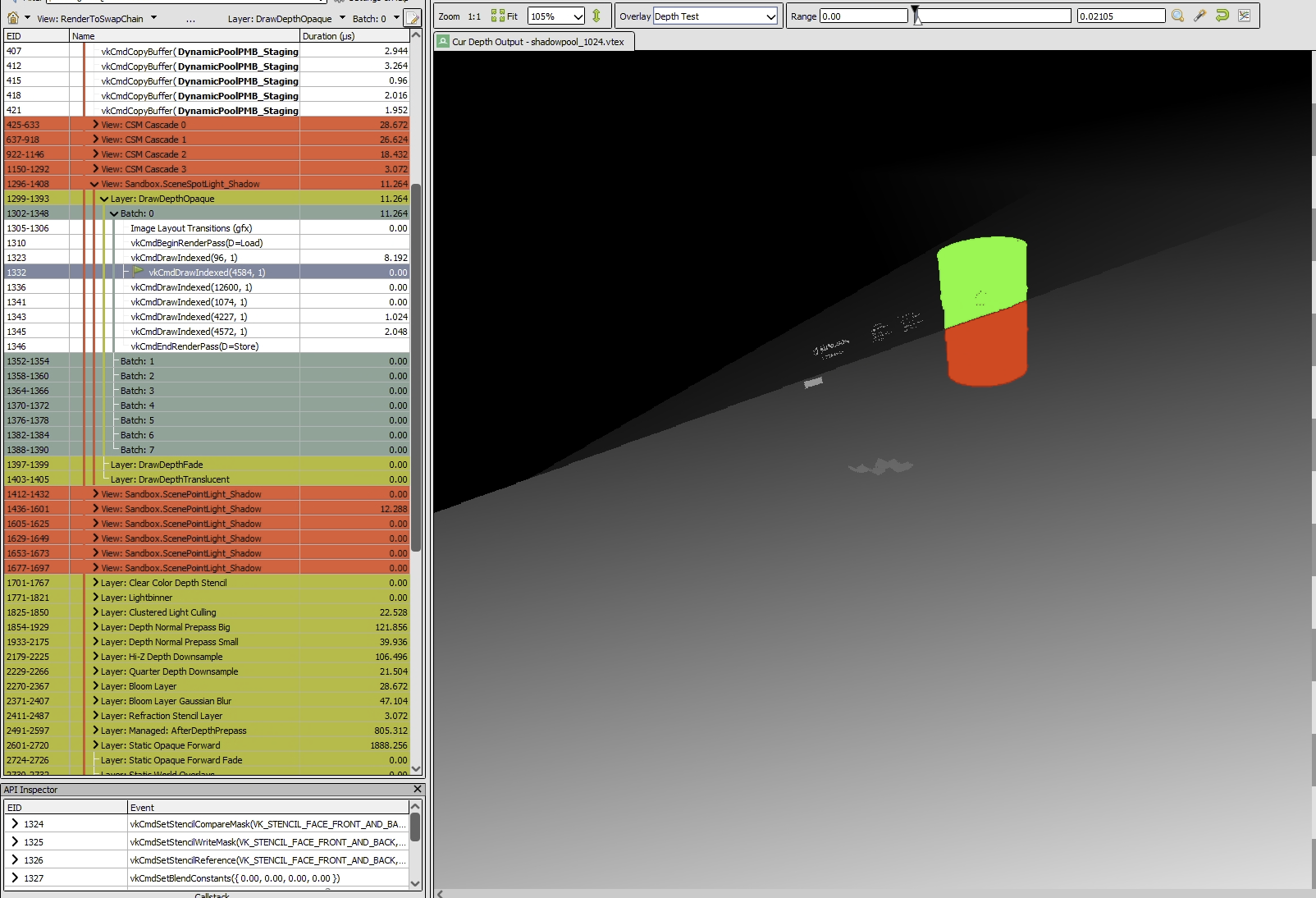
Shadow maps for static geometry are now rendered precisely once and subsequently cached. Consequently, shadow rendering overhead is restricted to dynamic objects within the scene, eliminating the need for complex configuration or manual light baking.
Hair Transparency Refinements
We rely on alpha-to-coverage for order-independent transparency, a technique that exclusively functions when MSAA is active. With MSAA disabled, the renderer fell back to a screen-door transparency method, yielding undesirable stippling artifacts.
Going forward, disabling MSAA will trigger alpha clipping instead. While this means hair strands are no longer semi-opaque, it effectively eradicates the distracting stippling patterns.
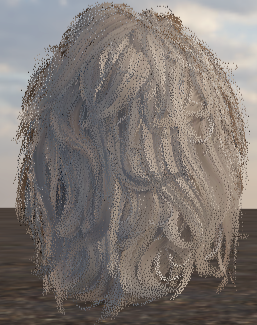
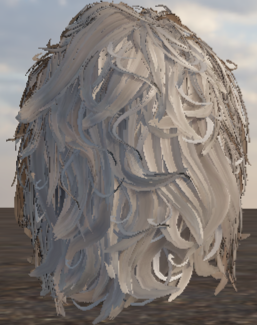
While we may explore alternative order-independent transparency methods that operate independently of MSAA in the future, the settings menu will now display a warning if MSAA is turned off.

Bloom 3 Implementation
Our previous bloom iteration served us well—outperforming engine defaults and acting as a strong reference for our post-processing pipeline—yet it proved rigid to configure and lost visual punch following recent engine updates.
Bloom 3 delivers superior visual fidelity alongside simplified configuration parameters, aligning our post-processing approach more closely with modern gaming standards.
Additionally, minute, high-intensity highlights that previously failed to register bloom effects now display proper luminance scattering:
Watch Bright Detail Bloom Demonstration
Benchmarks confirm this implementation operates approximately 25% faster.
Shadow Architecture Updates
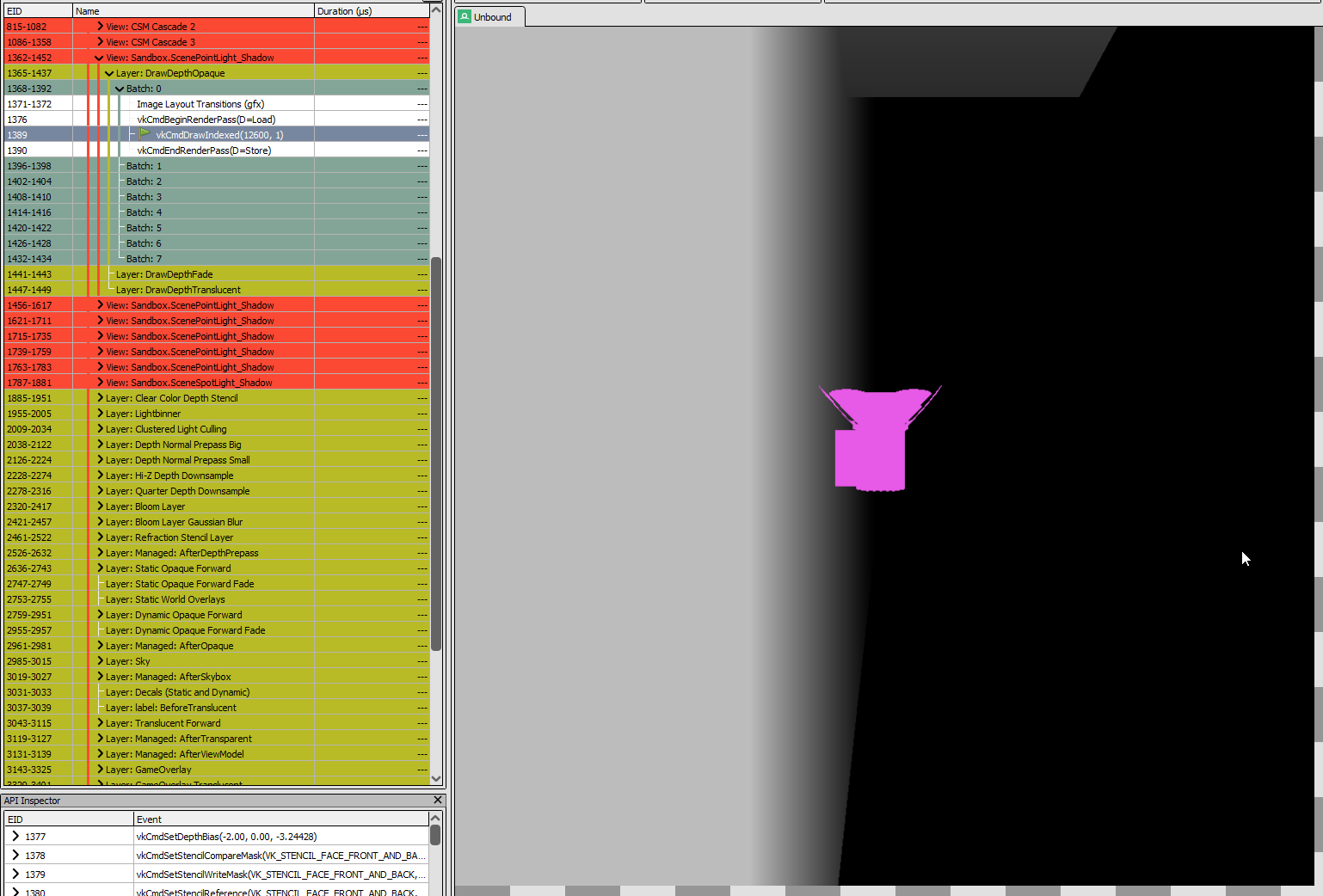
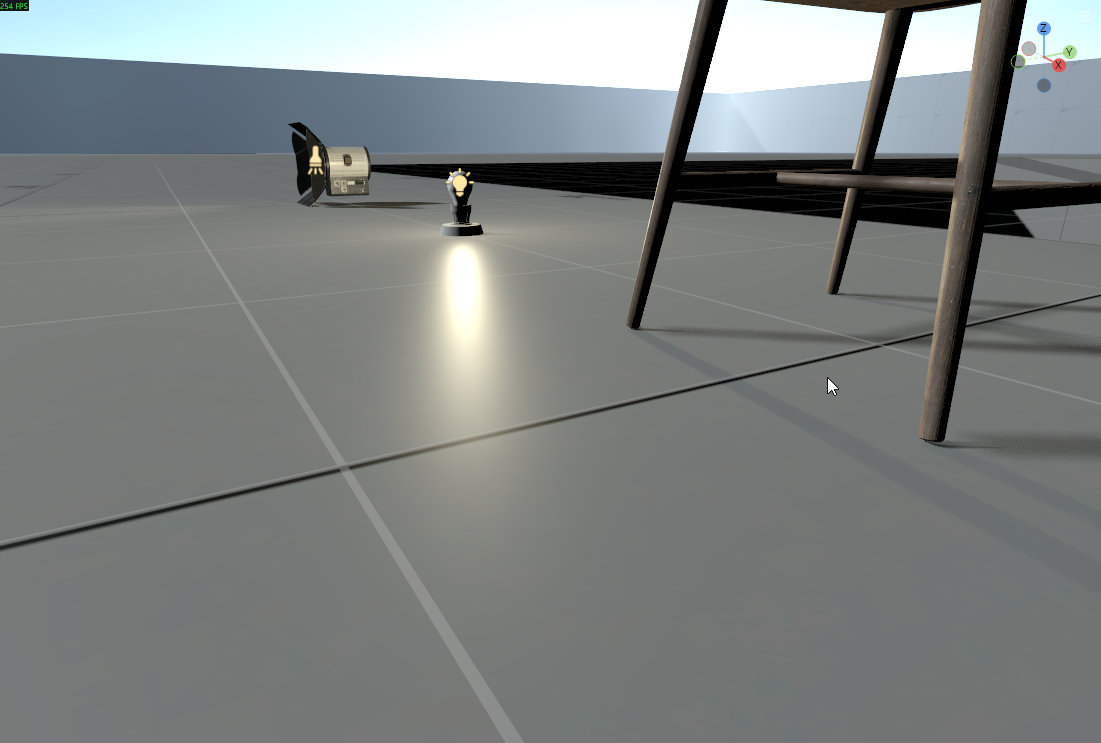
Following the introduction of Screen-Space Shadows in prior updates, we are gradually expanding access to Shadow Masks—a method for offloading portions of shadow calculations to compute shaders via screen-space textures for efficient culling and precise compositing.
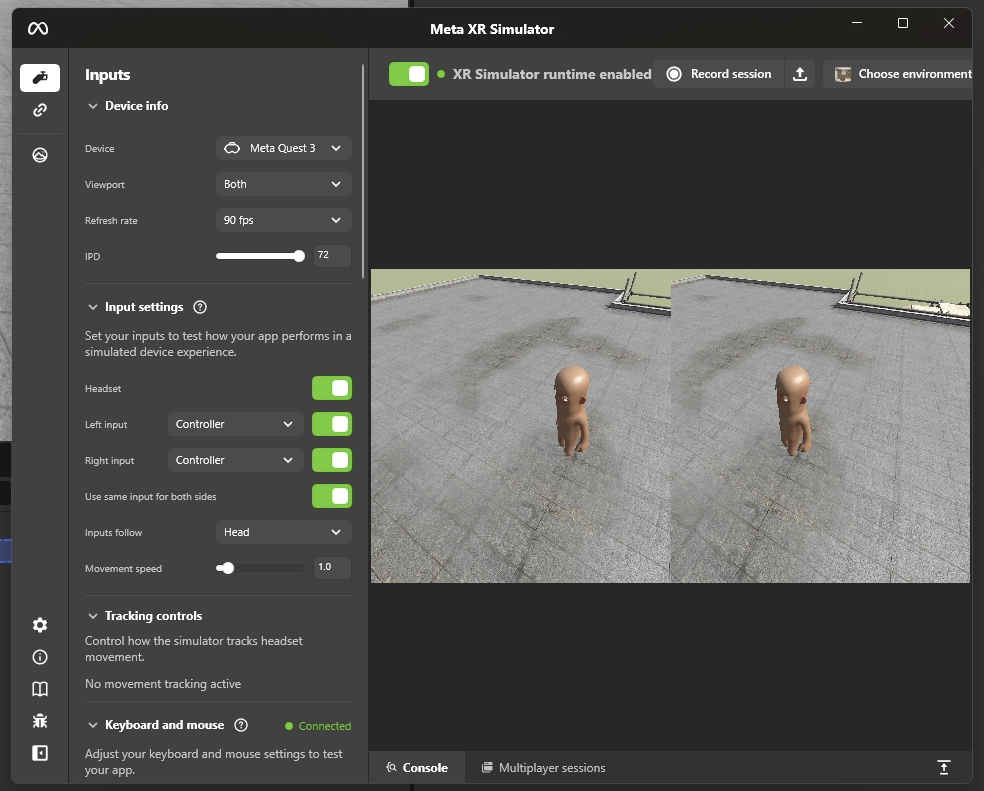
We have entirely overhauled our internal shadow mask pipeline. This refactoring resolves a single-frame delay that previously caused features like VR Screen-Space Shadows to render in reverse order. The pipeline is now fully stabilized, bringing the API closer to a public release.
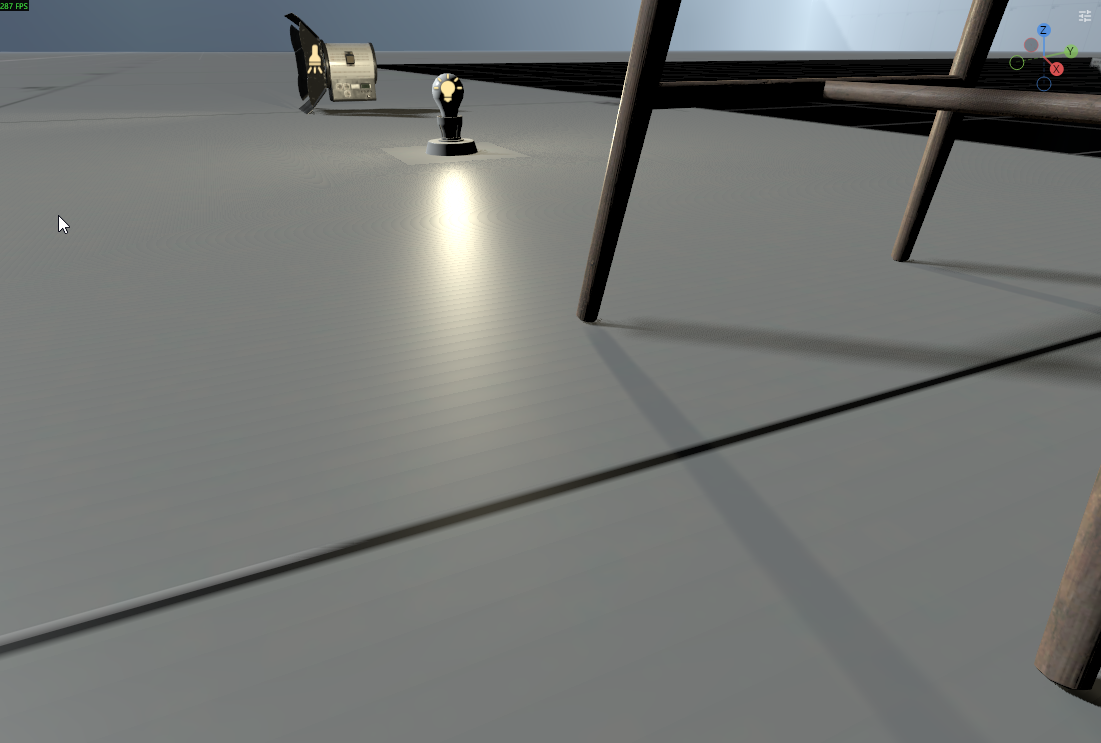
Furthermore, we have resolved visual artifacts caused by quad divergences in shadows. We previously employed Receiver Plane Depth Bias, which evaluates depth deltas between neighboring shadow map texels in a quad to adjust bias dynamically. However, quad topology divergences frequently introduced corrupt data despite aggressive mitigation efforts.
We have streamlined this system by adopting a technique akin to Unity and Godot, offsetting shadow positioning based on PCF filter size and surface normals. This successfully eradicates both shadow acne and quad divergence anomalies.
Hammer Aggregate Meshes
Hammer maps will now dynamically compile aggregate scene objects from individual meshes and props. Aggregates bundle multiple meshes and props sharing a common material into a specialized scene object, allowing the runtime to submit a single batched draw call rather than processing each mesh independently.
This significantly reduces draw calls and optimizes the rendering path for static geometry.
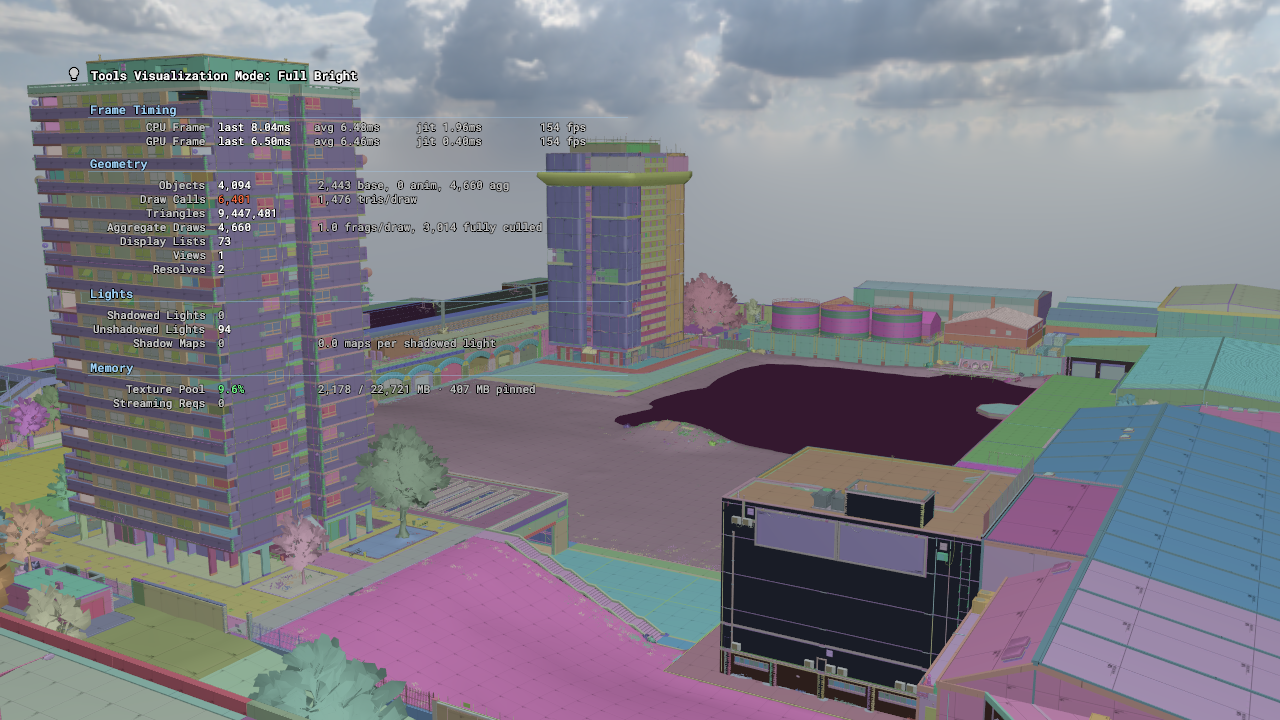
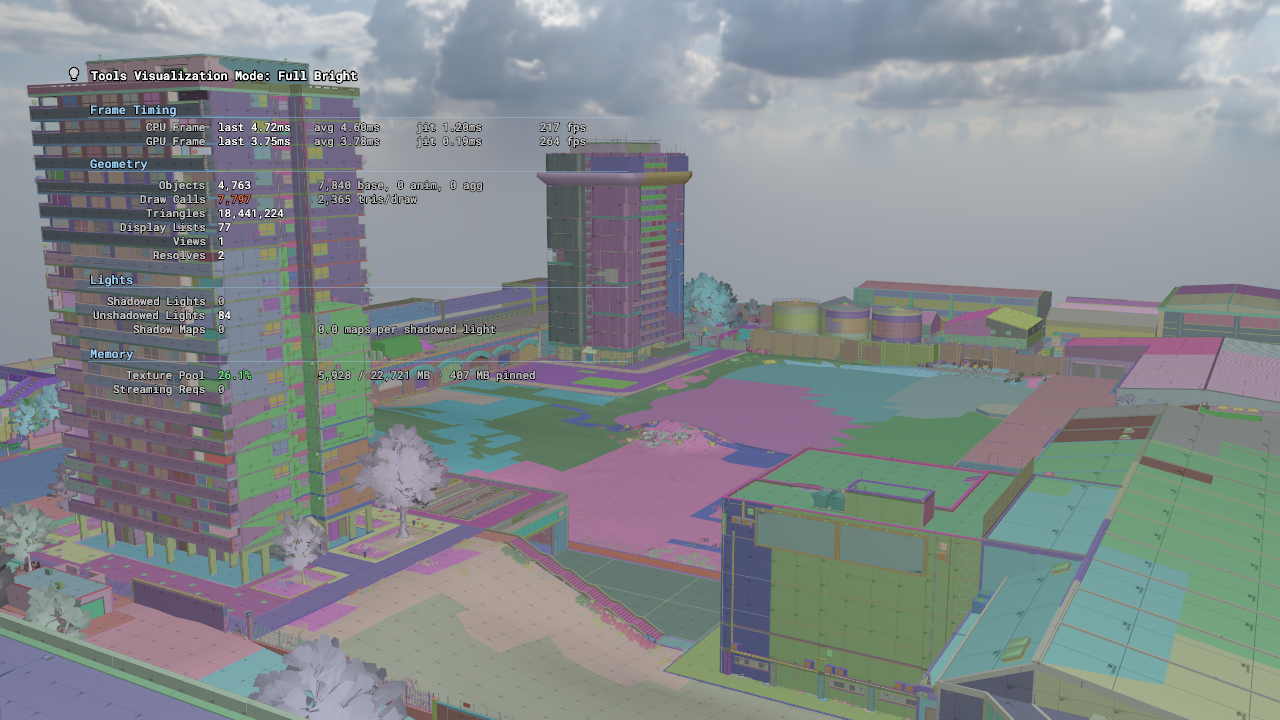
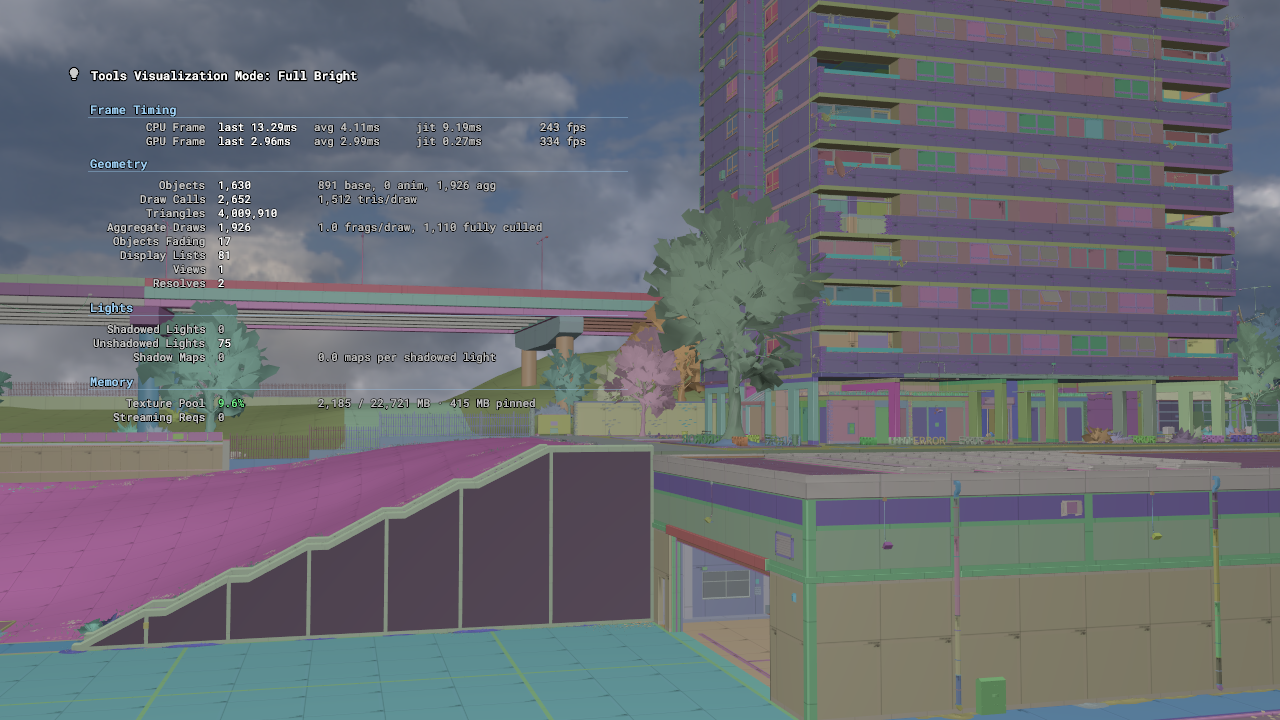
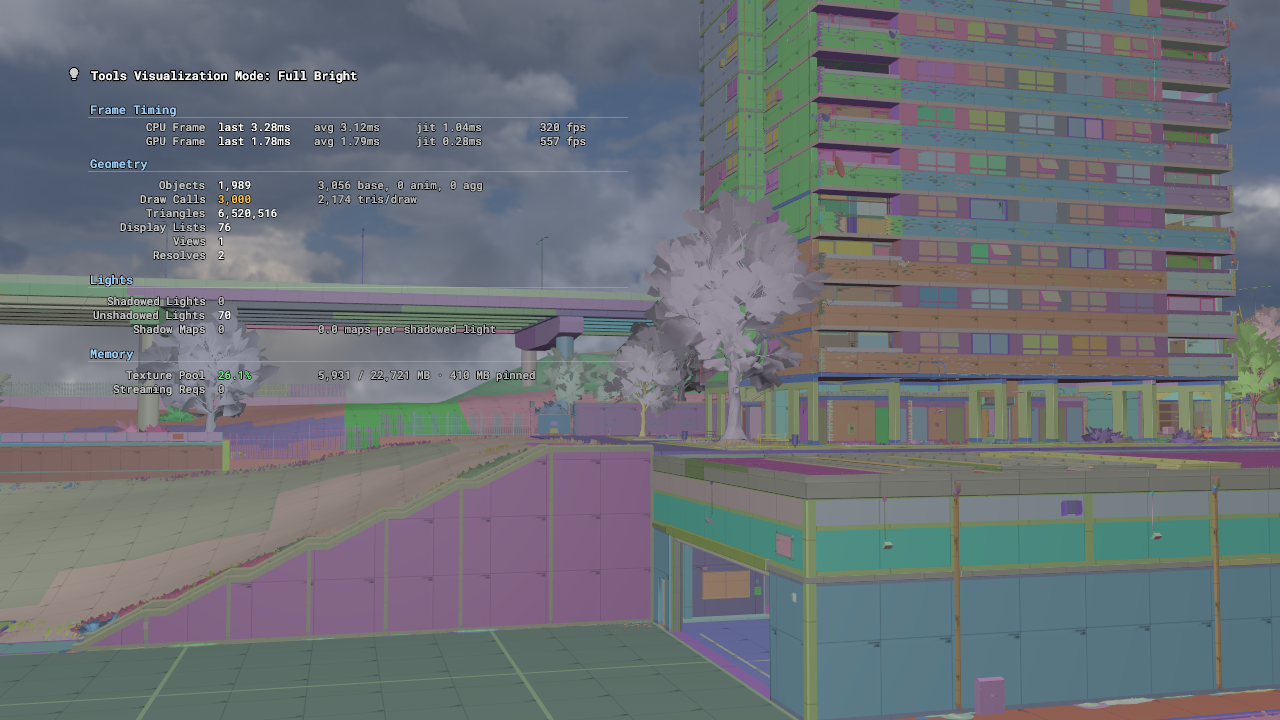
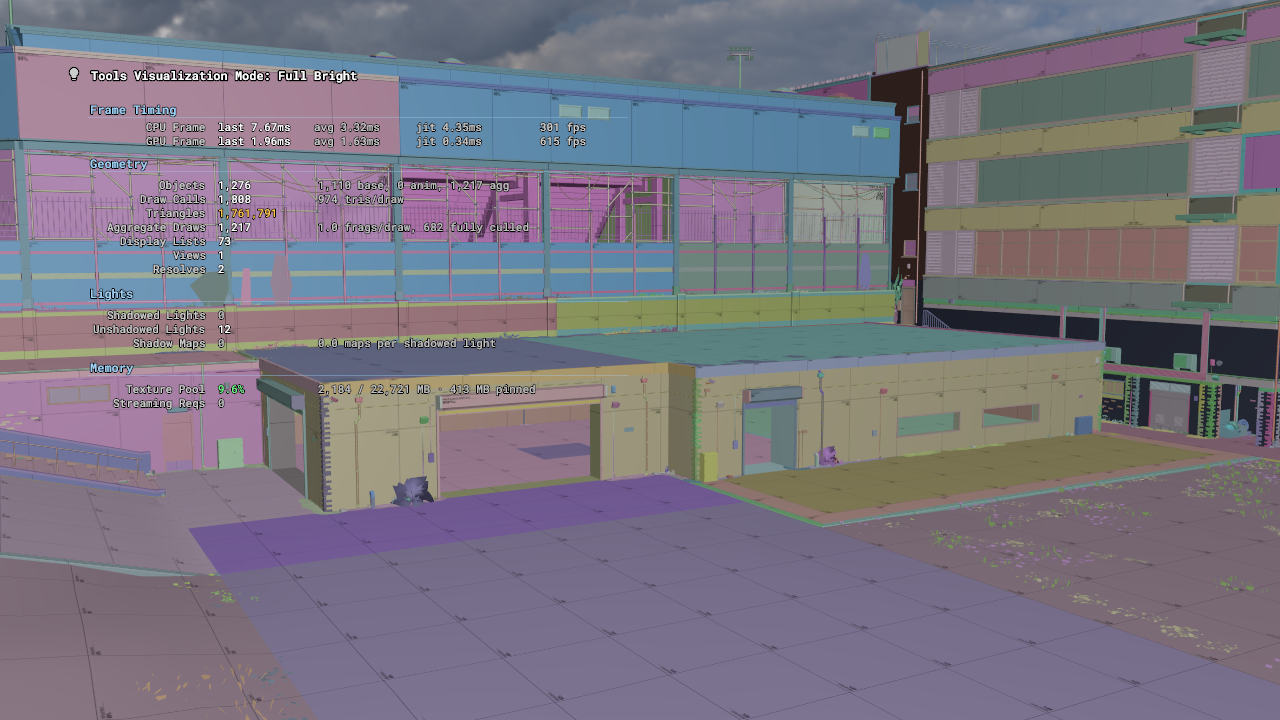
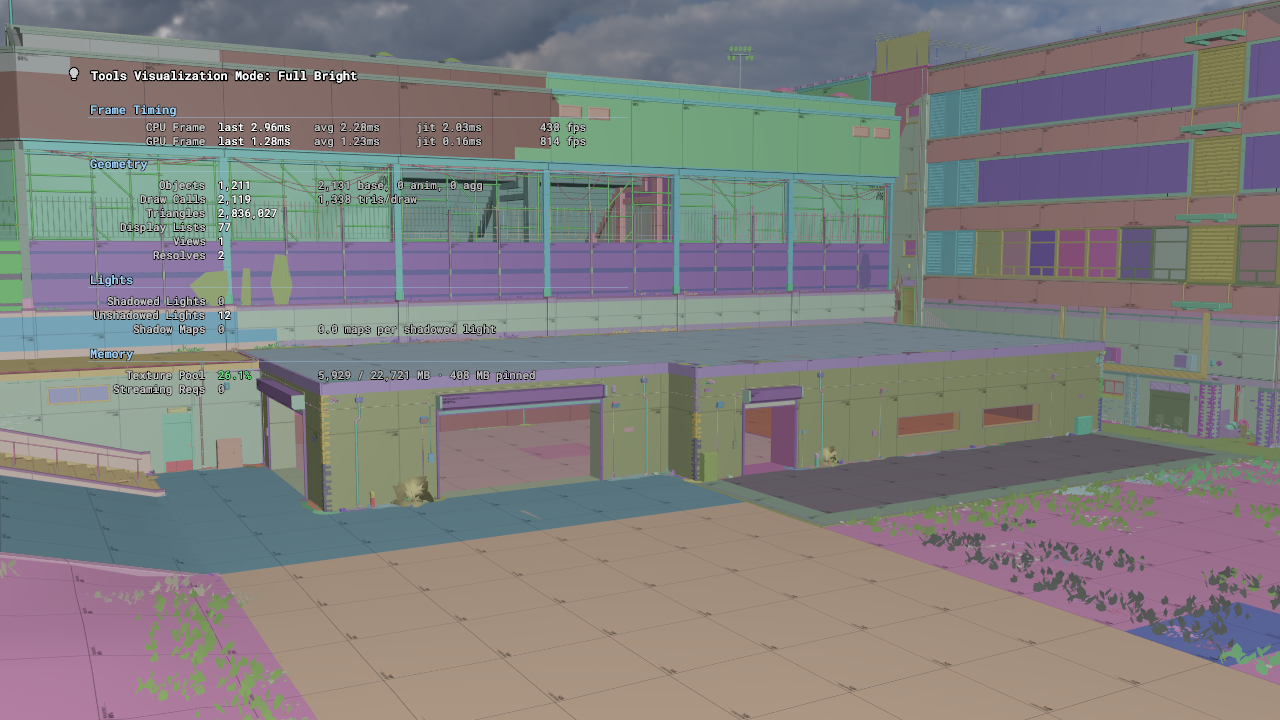
This feature is semi-backported from upstream Source 2, omitting meshlets and GPU culling for this initial release.
Hammer Open-World Vis Optimization
We have updated the visibility cluster merging process during map compilation, incorporating proven optimization settings utilized in Deadlock.
Open-world maps historically generated excessive, granular neighboring visibility clusters, even when open areas possessed direct lines of sight. New pre-merge passes now combine suitable open spaces and micro-regions prior to visibility sampling.
This yields the following improvements:
- Reduction in redundant visibility clusters.
- Enhanced visibility calculations across sprawling open environments.
- Cleaner visibility datasets generated during map compilation.
Maps must be recompiled to benefit from these enhancements. Because this adjustment influences visibility calculations globally across all maps, we will be systematically validating outcomes through rigorous map builds and visual sanity checks.
Why Update Hammer?
Our scenes will soon incorporate a compilation step designed to leverage aggregate meshes and props.
Backporting these systems from upstream Source 2 into Hammer provided an ideal testing ground against our most demanding static geometry scenarios.
Malformed Face Highlighting
Hammer has always highlighted malformed faces to help developers isolate geometry issues; we have brought this diagnostic capability over to our tools as well.
Temporary Mesh Face Hiding
Beyond hiding entire GameObjects, you can now temporarily conceal individual mesh faces during editing workflows.
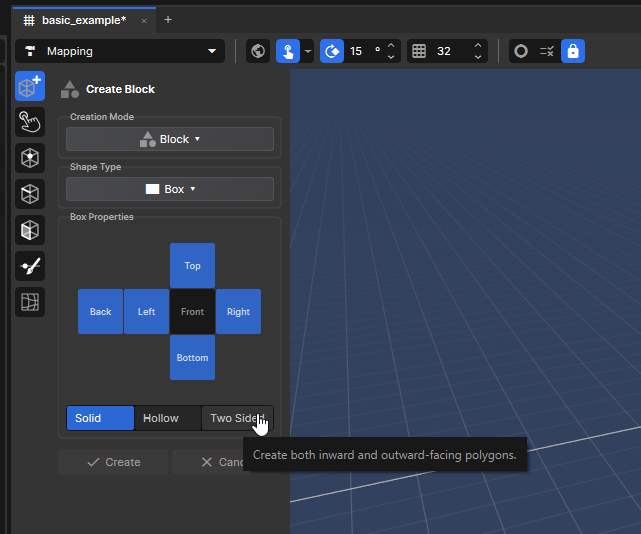
Primitive Tool UX Improvements
The UX workflow for our mapping tool’s primitive tool required refinement, prompting a collaboration with the community to establish a more intuitive design.
Import Scale Unit Presets
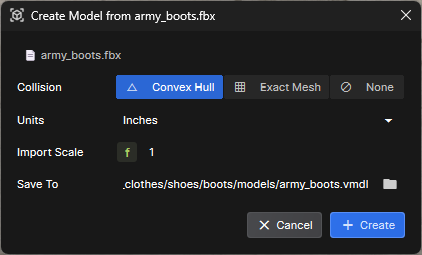
Addressing community feedback, import scaling options with convenient unit presets have been integrated directly into the model creation wizard.
ModelDoc: Auto-Fill Material Textures by Name
Watch ModelDoc Auto-Fill Demonstration
We have updated the behavior of the DefaultMaterialGroup node to automatically assign materials based on matching nomenclature. If your model’s material slots align with asset names in your project, they will auto-populate.
Previously, this auto-fill functionality required material slots to contain absolute content paths—a cumbersome requirement for artists. It now supports bare material names natively.
This helper functions seamlessly provided two conditions are met: 1) the material slot has not already been populated by another automated function (such as content path matching), and 2) the material name is unambiguous, meaning only a single material with that identifier exists within your s&box project.
Context Menu Decal Creation
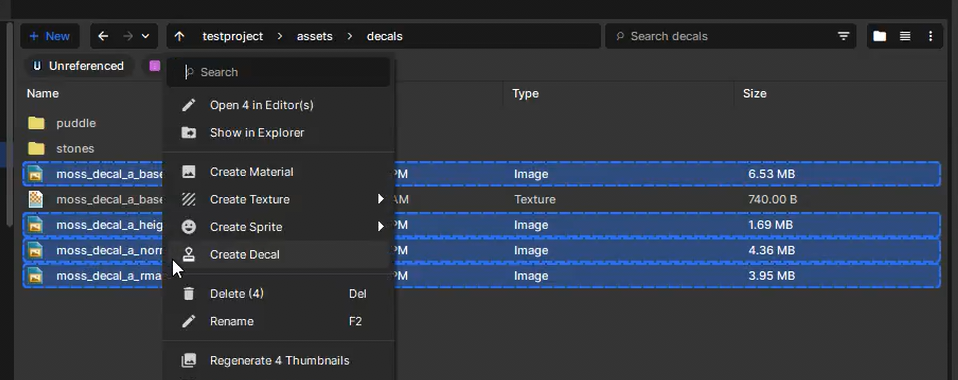
We have added a context menu shortcut enabling rapid creation of new decal definitions directly from selected textures. Simply select one or more images within the asset browser, right-click, and choose “Create Decal”.
The engine will automatically route textures to their corresponding decal slots based on standardized filename suffixes, including _color, _normal, _rma, _emissive, and _height. For example, my_custom_decal_color.png will automatically populate the color slot.
If discrepancies occur—typically due to missing or incorrectly formatted suffixes—a pop-up notification will alert you. This utility streamlines decal creation into an efficient two-click procedure, removing unnecessary tedium.
Physics Event Callback Optimization
Collision events now execute significantly faster, yielding dramatic performance gains when rigidbodies enter a sleeping state.
Historically, every collision event incurred its own managed callback alongside four native transition calls. All events are now batched into a singular invocation per physics step.
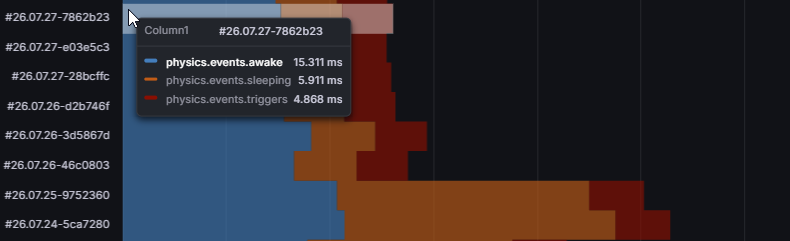
This introduces a minor behavioral adjustment: collision update events are no longer dispatched for sleeping contacts, aligning with Unity’s handling of OnCollisionStay.
If your project relies on legacy behavior, setting PhysicsBody.AutoSleep = false restores the original functionality.
Clutter on Published Maps
Previously, painted foliage and clutter failed to load correctly on published maps because associated data was stored at the scene level rather than embedded within the map itself.
Map instances can now apply temporary GameObject System overrides. These overrides automatically revert upon map unloading, preventing map-specific data from polluting the primary scene hierarchy.
Special thanks to @Pol for this contribution!
 Rethinking
 Neck and Neck
 Update 26.09.15
 Update 26.09.08
 Update 26.09.01
 Update: August 26, 2019
 Update July 26, 2022