This Is My Jam
Game Jam Progress
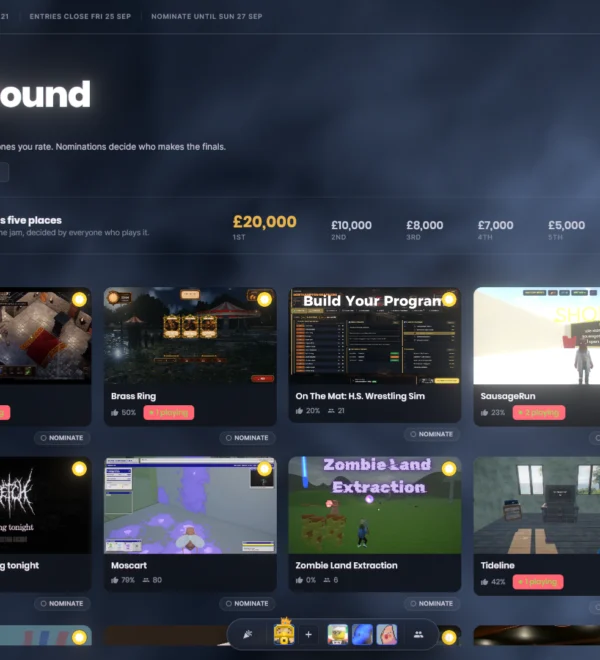
Nineteen days into our latest Game Jam, we have already received over 200 submissions. The overall caliber of these entries has completely blown us away, making it abundantly clear that we should have hosted an event like this six months ago. Moving forward, we are officially making Game Jams a regular fixture.
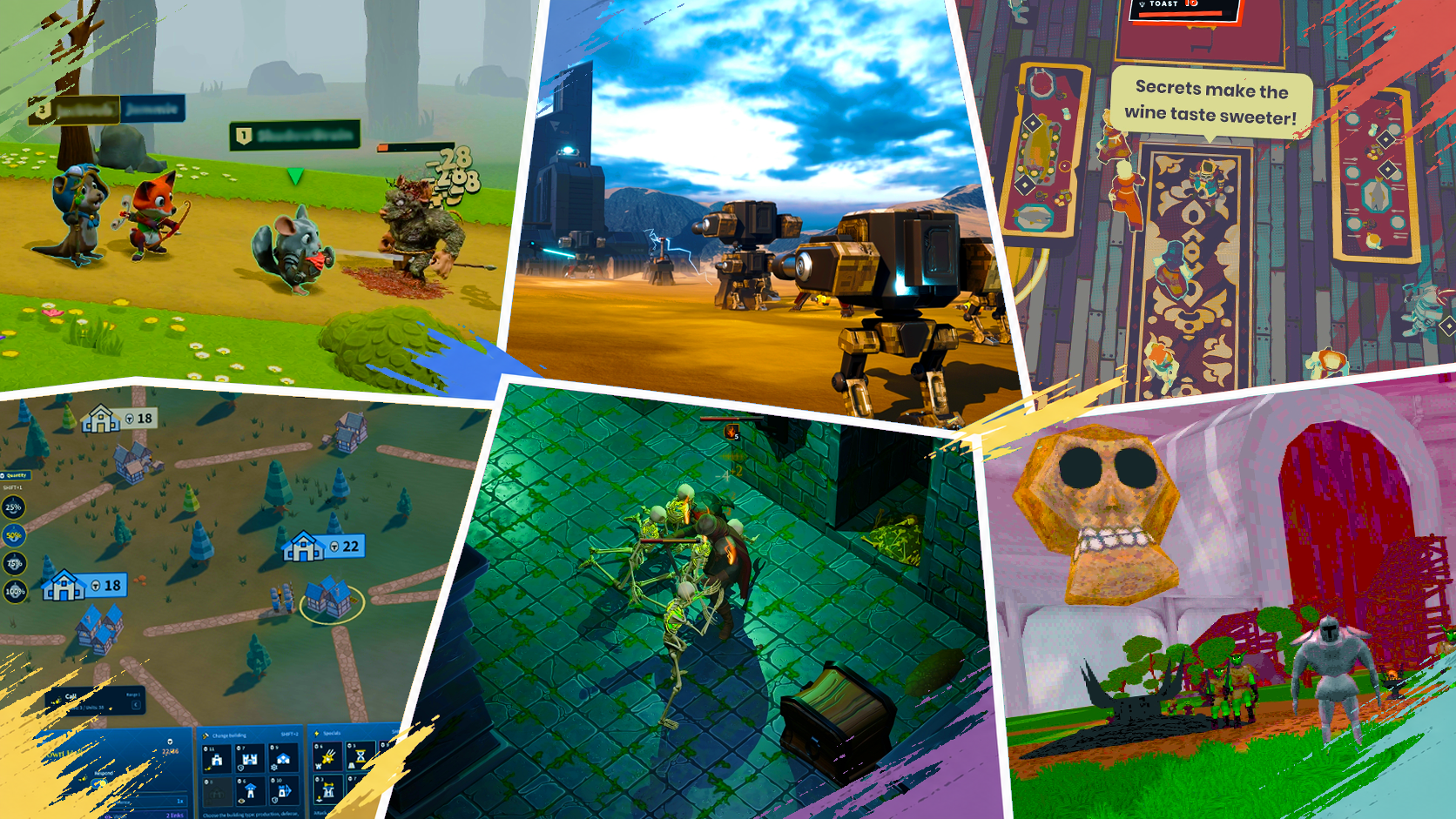
Because this is our inaugural run utilizing the new nomination and voting architecture, we are actively troubleshooting and refining things on the fly. Minor hiccups are bound to happen, but we are responding to issues as quickly as humanly possible.
Nominations officially wrap up this coming Sunday, after which the top-nominated titles will advance to the voting stage. From that point onward, we transition into a daily elimination format. The community will cast their votes for each game, and the entry with the lowest tally will be eliminated. Votes will then reset for the remaining lineup, repeating the cycle until only one champion remains.
While this format could potentially unravel into absolute chaos, I am genuinely excited to watch how it all plays out.
Main Menu Enhancements
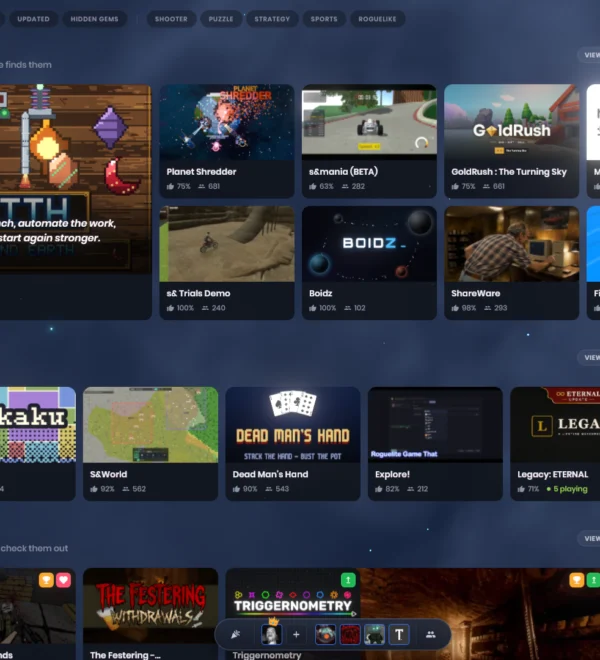
We have introduced a handful of quality-of-life adjustments to the main menu this week. Rewards now trigger in a streamlined, compact popup rather than dominating an entire page, game previews feel significantly more responsive, and we have resolved an annoying bug where the menu appeared far too small on higher-resolution displays (1440p and above). Furthermore, numerous minor styling polishes have been applied across the majority of our pages.
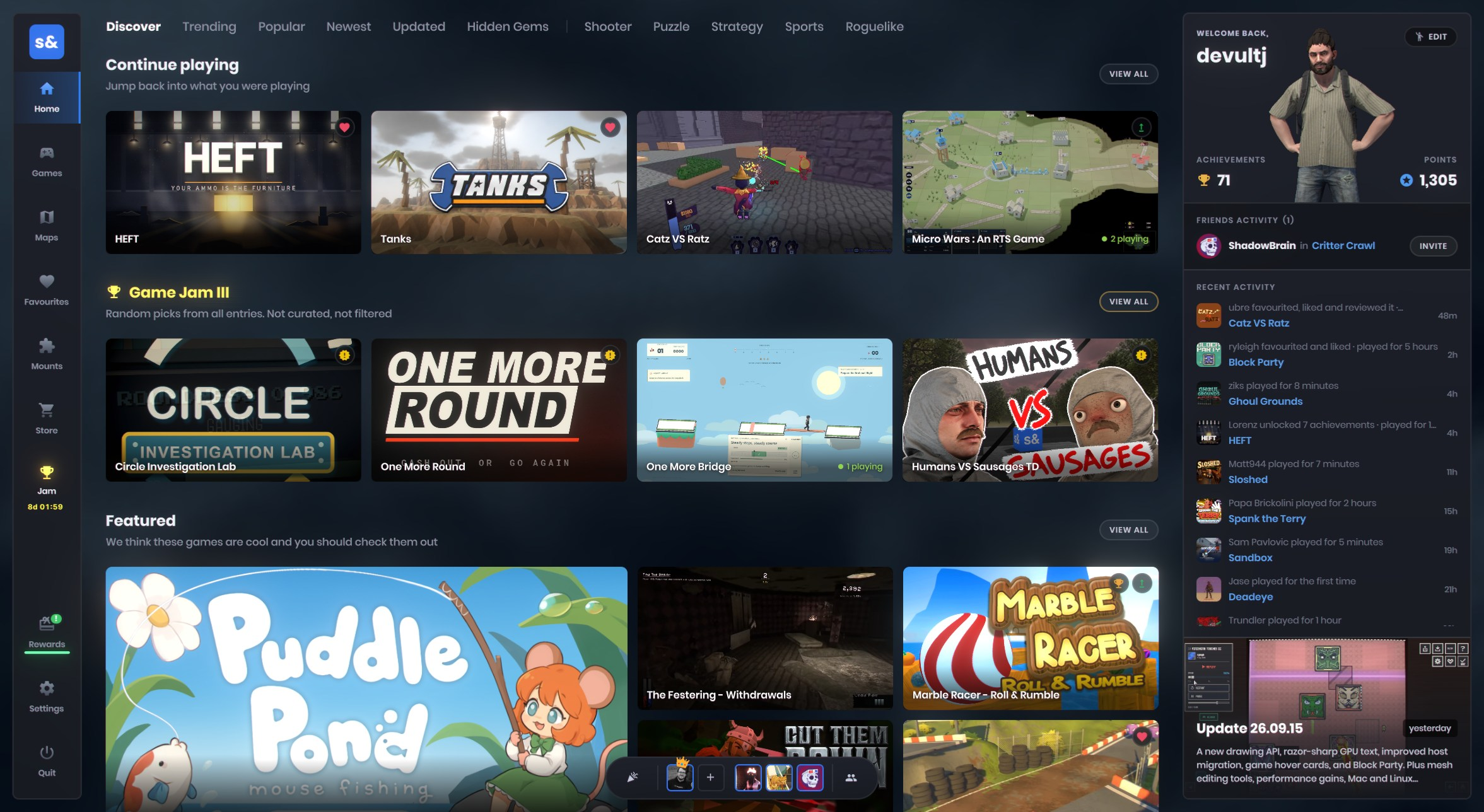
We also stamped out a lingering bug on the loading screen that occasionally caused two separate loading screens to stack on top of one another.
Party System Upgrades
Party capacity has officially doubled, allowing you to team up with up to 16 players instead of the previous limit of 8. We have also overhauled visibility states, providing much clearer feedback when your party leader is in the process of joining a match.

You can now cancel a matchmaking queue without having to disband your entire party, or seamlessly retry if a connection hits a snag. Additionally, we have squashed multiple bugs related to following the party leader between games, duplicate invites, and Steam connection cleanups—accompanied by much more descriptive error messages when a connection drops.
Resource GUIDs
We are rolling out a stable identification system for assets, meaning you can now freely relocate or rename files without accidentally breaking any references.
Moving forward, every asset will feature a corresponding GUID stored within an adjacent .meta file. Any references to that resource will record this unique ID alongside its file path. When loading, the engine will prioritize resolving resources via this ID, falling back to the last known directory path only if necessary.
It is crucial that you include these .meta files in your version control repository. Neglecting to do so will result in everyone on your team generating mismatched IDs for the exact same assets, which is definitely something you want to avoid.
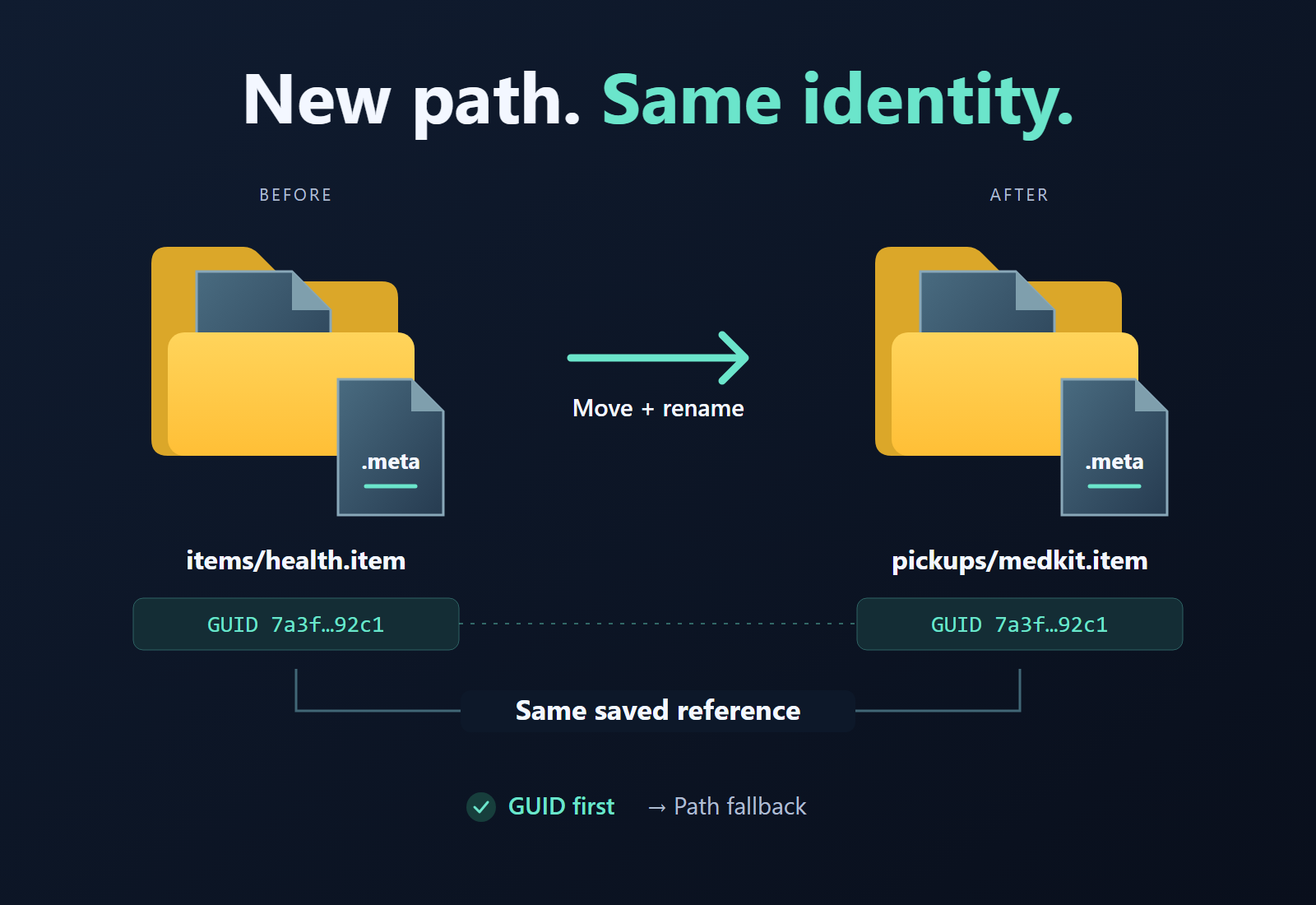
This rollout represents the foundational phase of the update, covering core infrastructure and references originating from GameResource types—including the vast majority of the Scene system and Prefabs. References originating from native Valve formats (such as materials nested inside a model file) are still on the horizon.
We will steadily expand support until this new framework governs everything, but please exercise caution for the time being and avoid wholesale structural reorganizations of your projects just yet. We will get there soon.
TL;DR: Assets now possess permanent unique IDs, ensuring that moving or renaming files won’t break external links. Just verify that your .meta files travel alongside your assets into source control.
Scripting v0.1
I have integrated an experimental scripting system—essentially a C# equivalent to Lua. It is currently in a preliminary, iterative state, so feel free to experiment with it. While it isn’t set in stone, it ships with a syntax-highlighted ScriptControl utility designed for live editing directly inside an in-game panel.
The overarching goal is to introduce a seamless way to execute in-place scripts. This will eventually integrate into Doo, smoothing the learning curve for users transitioning away from ActionGraphs. I also plan to embed it into the material editor to enable dynamic property expressions.
TL;DR: Scripting has arrived! You can write code within the built-in editor and view live execution results instantly as you type, bypassing the tedious build and rebuild cycle. It serves as a powerful text-based alternative to the visual node graphs (ActionGraphs) familiar to many users.
Panel Docking
The UI Panel framework now features a native docking architecture. You can easily incorporate this functionality into your own custom games to perform standard layout operations: resizing panels or dragging sections from one dock to another, operating identically to every modern docking system developed over the past decade.
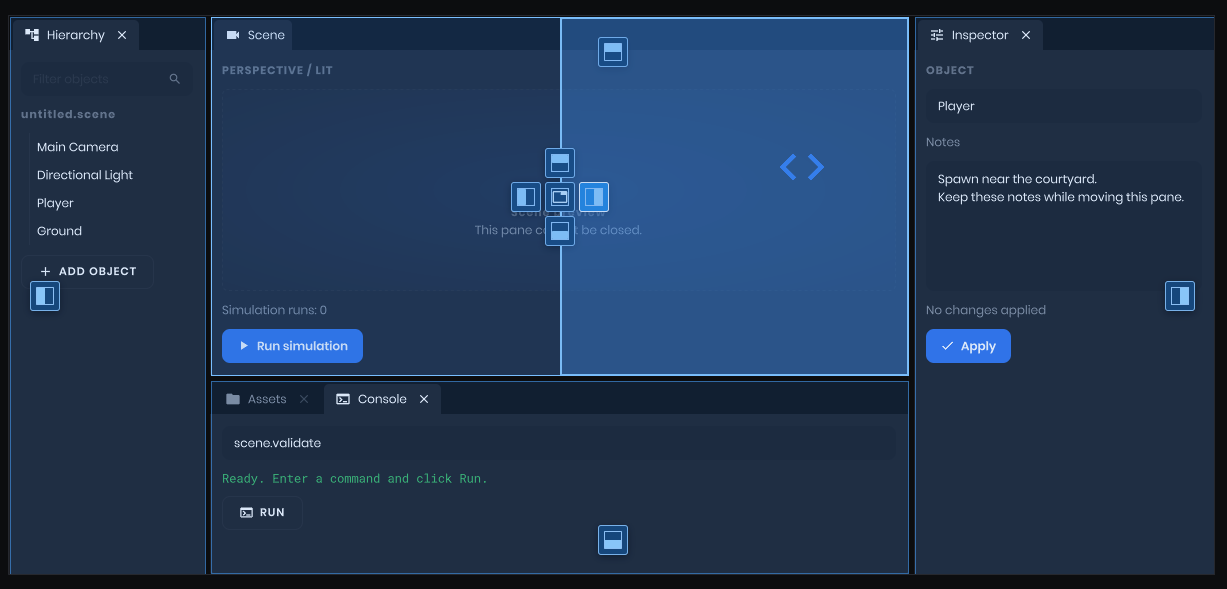
We will be leveraging this exact system when the editor officially transitions from Qt over to Panels.
Panel Curve Editor
A brand-new, panel-driven CurveEditor has been introduced, allowing you to manipulate curves just like the traditional editor counterpart. Well, honestly, that’s an understatement—it’s actually superior to the legacy version.
C# Window Management
Ownership of game and panel windows has been fully migrated into C#. Window initialization, resizing, and rendering now operate alongside the managed PanelWindow codebase, alongside integrated SDL event routing, cursor management, and controller peripherals.
Key bindings, console configuration scripts, and configuration execution paths have made the transition as well. This brings a much larger portion of the application layer directly into the same codebase powering the panel-based editor, successfully stripping out a massive accumulation of redundant native window and input handling logic.
TL;DR: Window and input management have been decoupled from legacy native code, eliminating swathes of duplicate logic and consolidating core engine systems into a unified codebase.
Camera Piloting
You can now pilot cameras directly from within the scene view. Simply select a camera object, click the “Pilot” prompt inside its preview window, and navigate using standard viewport controls. The viewport adopts the target camera’s precise parameters, complete with a 16:9 framing boundary and rule-of-thirds alignment guides to help frame your shots perfectly.
This functionality is exceptionally useful for capturing fluid camera choreography in Movie Maker. Press Alt+F8 to toggle recording on and off while actively flying, then utilize the Smoothing tool to iron out any erratic camera jerks. Press Escape whenever you are finished piloting.
Demo Recording Refinements
In-game demo capture (invoked via the movie command) now yields much more faithful scene recordings. We have added native support for fog and skybox-related components alongside fixes for various visual glitches affecting first-person viewmodels.
Video export pipelines have also been optimized for when you finalize your edited demos inside Movie Maker. The encoder should now prevent any dropped frames, delivering flawlessly smooth motion sequences.
Sprites in Painter
The Painter tool is now fully equipped to render animated sprites. A dedicated SpriteInstance tracks playback cycles independently of the base sprite asset itself, allowing you to effortlessly draw animated sprites across your UI panels and HUD elements without workaround scripts.
Rapid Model and Material Setup
When generating a model instance from the context menu inside the asset browser, you can now toggle Try generating materials to automatically construct matching materials for your asset.
The editor will automatically scan the model’s directory (and underlying subfolders) for compatible texture packages, dynamically instantiate a new material corresponding to your chosen shader, and map all discovered textures to their appropriate slots.
Your texture naming conventions must adhere to a specific structural pattern:
- Filenames must terminate with designated suffixes such as
_color,_normal,_rough, etc. These suffixes must strictly correspond to the expectations of the target shader, which can be verified inside the Material Editor. - Texture names must begin with a prefix matching the material slot identifier assigned to the model. For instance, if you designated a material slot in Blender named
my_cool_material, the corresponding texture set must also open with that exact prefix—for example,my_cool_material_color. The editor accommodates an unlimited number of material slots, generating a distinct material for each as long as the requisite texture sets are provided.
This feature is compatible with all shaders, including custom configurations, provided your shader correctly declares the anticipated suffix identifiers within its texture input slots (consult the shader attributes documentation for details).
This addition doesn’t deprecate existing workflows; it simply offers an alternative pipeline designed to accelerate model and material prototyping.
Expanded UV Channels
Custom shaders can now seamlessly access a model’s third and fourth UV channels via the LowPrecisionUv2 and LowPrecisionUv3 vertex-input semantics.
These channels are not exposed in your shaders natively; you must explicitly declare them within your shader’s VertexInput struct first. Here is an example demonstrating how to integrate UV2 and UV3 alongside standard vertex inputs:
VS
{
    // Adding fields for UV2/UV3 channels on top of standard vertex input
    #include "common/vertexinput.hlsl"

    float2 vTexCoord3 : TEXCOORD4 < Semantic( LowPrecisionUv2 ); >;
    float2 vTexCoord4 : TEXCOORD5 < Semantic( LowPrecisionUv3 ); >;
}
There is also an exhaustive documentation page outlining all vertex input semantics (along with deeper explanations of their underlying mechanics).
Streamlined Shaders
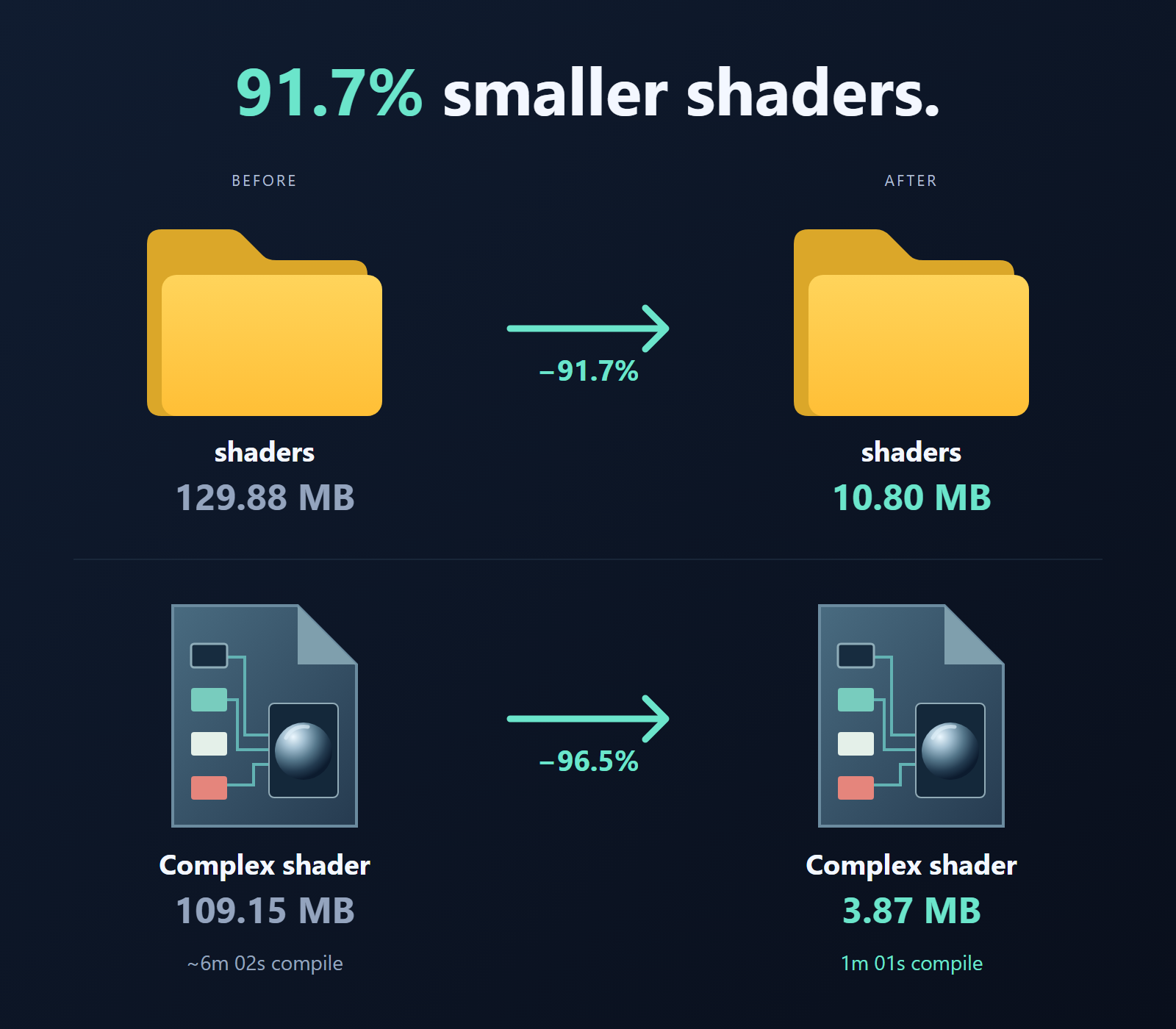
I have dramatically trimmed down the file sizes and compilation times of shaders by adopting Vulkan Specialization Constants and converting various static combos (shader variants) to utilize them. This eliminates redundant processing loops and extraneous shader variant bytecode during compilation, while preserving the exact same runtime pipeline count.
When applied to complex shaders, the total pixel shader (PS) compile jobs plummet from 5,728 down to 856, while skin shaders drop from 512 to 128.
This translates to a massive reduction in compile overhead, slashing compile times from 6 minutes down to a mere 1 minute—a far cry from the days when complex shaders routinely required 20 hours to compile.
Alongside combo reductions, compiled shaders now store shared modules once per shader program rather than duplicating identical bytecode across combinations. Modules and reflection data are compressed into unified groups, allowing each combination to reference the shared code dynamically.
Combined, these optimizations yield an extraordinary drop in shipped shader size, plunging from 129.88MB down to just 10.80MB.
TL;DR: Shader features that alter execution behavior without modifying inputs can now share compiled code blocks rather than forcing every permutation to build independently. This trims complex shader workloads from 5,728 compile tasks down to 856, drastically reducing build times.
Bindless Rendering Artifact Fixes
We have successfully resolved the blocky, speckled visual artifacts that some users—particularly those running AMD RX 6000-series hardware—were encountering around environment probes, shadows, and other elements. The GPU was previously permitted to evaluate texture indices as uniform variables when adjacent pixels were actually requesting distinct textures.
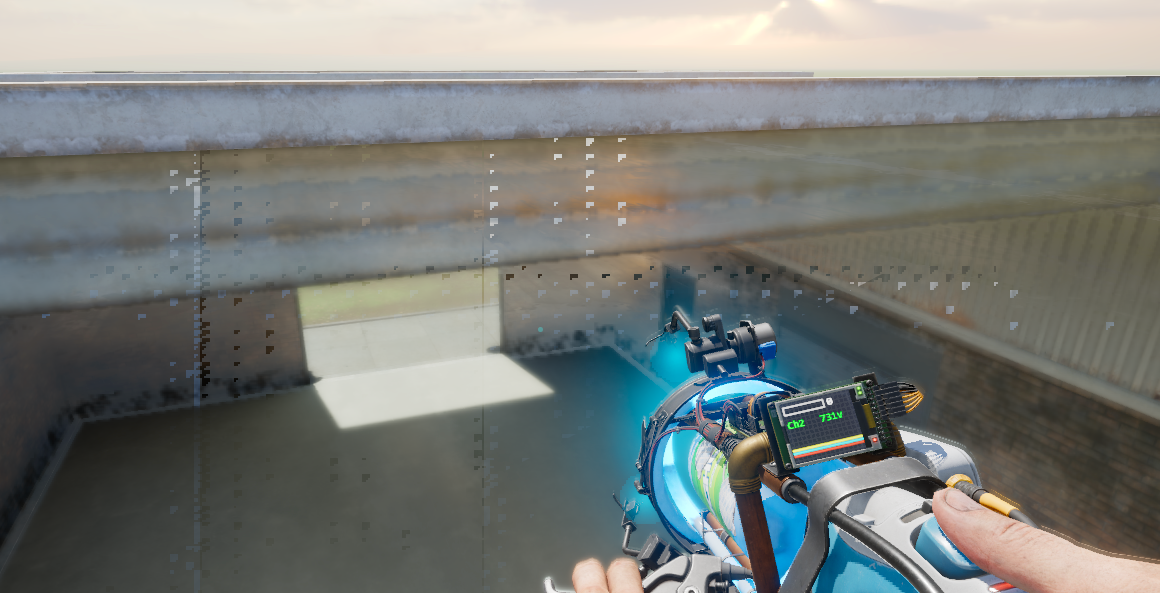
Bindless rendering allows shaders to select textures via their designated index within a massive array. GPUs execute shader instructions in parallel batches known as wavefronts. If a given index fluctuates across a wavefront, the lookup call must be explicitly flagged as NonUniformResourceIndex. Omitting this annotation causes the GPU to sample incorrect textures—producing rendering corruptions that might look completely fine on your local machine while breaking entirely on someone else’s system.
Our Bindless API now enforces these safety annotations automatically across all shader stages.
Texture2D texture = Bindless::GetTexture2D( textureIndex );
Safety remains our default priority. However, if you are certain that an index remains constant across the entire wavefront, you can opt into a faster uniform evaluation path (though performance gains are not guaranteed).
cbuffer DrawConstants
{
    uint g_nTextureIndex;
};

// This index is shared by the draw call, so utilize the uniform path.
Texture2D texture = Bindless::GetTexture2D( UniformIndex( g_nTextureIndex ) );
Terrain Material Sampling
For the longest time, virtually all terrain splat sampling logic was hardcoded directly into the standard terrain shader. We have now extracted this functionality into the broader terrain API, making it accessible across almost any custom shader, rather than being restricted strictly to terrain meshes.
To utilize it within your custom shaders, simply include terrain/TerrainCommon.hlsl inside your pixel shader (PS) block and invoke Terrain::Sample( float3 WorldPosition, bool bUseGeometricNormals ). This returns a comprehensive Material struct containing fully blended terrain materials complete with all texture channels—albedo, roughness, normal maps, ambient occlusion, and more.
The secondary argument dictates whether the function should inherit the terrain’s baked geometric normals (defaulting to false). This outputs a terrain splat visually indistinguishable from what renders natively on the terrain mesh itself, faithfully mirroring all active terrain and material properties. This is precisely what the core terrain shader relies on now as well!
I have also penned an extensive documentation guide detailing our terrain backend architecture. Please note that this API is still subject to change, but it provides everything you need to start authoring custom terrain shaders or experimenting with more complex setups.
Standalone Export Fixes
Standalone builds received some much-needed attention this week. We fixed a bug preventing exported games featuring custom icons from launching properly. Additionally, we now embed s&box project files and associated metadata directly inside the executable, keeping the assets directory clean and uncluttered.

Exports now bundle compiled game assemblies without packing unnecessary CLL source archives or XML documentation files.
Standalone game environments now access the data root directly, eliminating an extra per-game nested subfolder. Special thanks to boxrocket6803 for contributing the data-folder fix.
Shadow Improvements
We received several fantastic shadow-related contributions from the community this week, addressing both the visual fidelity of directional shadows and persistent rendering bugs.
Soft Shadows That Retain Their Softness
Previously, the Shadow Hardness setting would occasionally cease having any discernible effect across distant directional-shadow cascades. Even with hardness dialed down to absolute zero, the rendered output looked nearly identical to maximum hardness settings. PolEpie successfully corrected the clamping logic to ensure softness parameters function accurately over long distances.
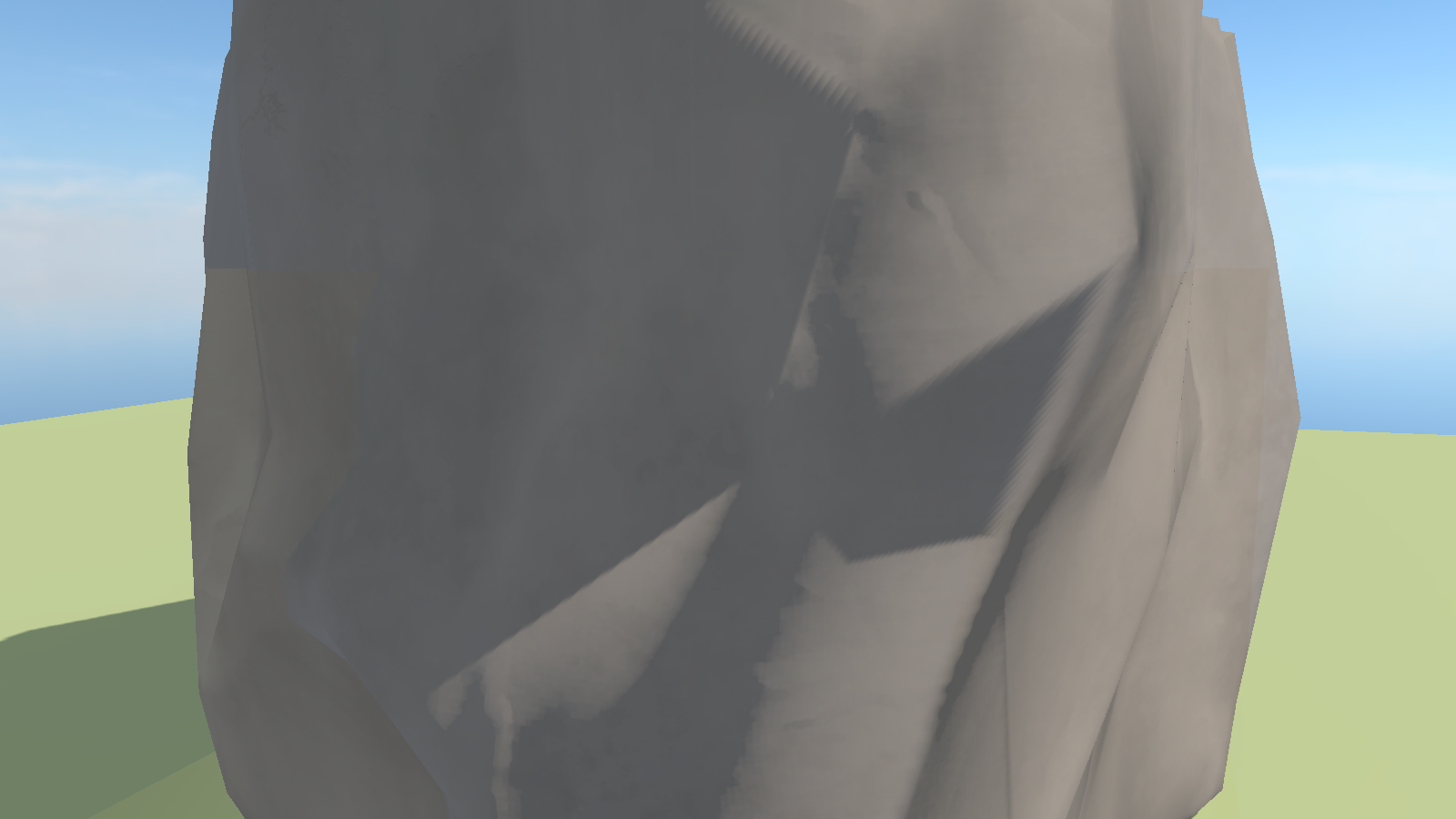
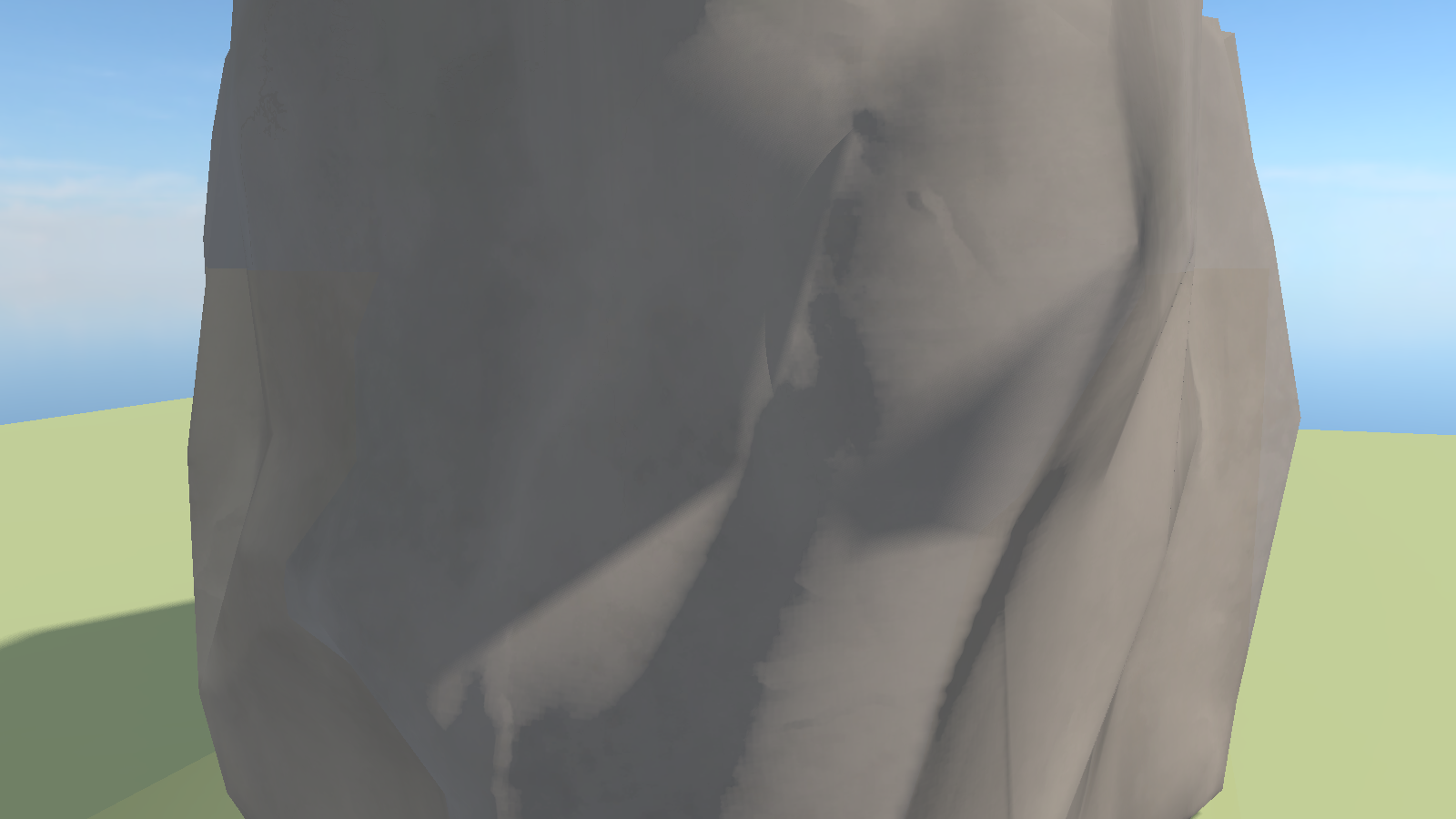
Drag the divider above to compare identical scenes at Shadow Hardness 0, before and after the fix.
Smoother Hard-Shadow Edges
Another contribution from PolEpie minimizes the distracting, repeating artifacts along hard directional-shadow boundaries under maximum shadow-filter quality settings. The filter transitions smoothly as hardness increases, preserving the original soft aesthetic at zero hardness while utilizing the established maximum of 16 comparison samples.
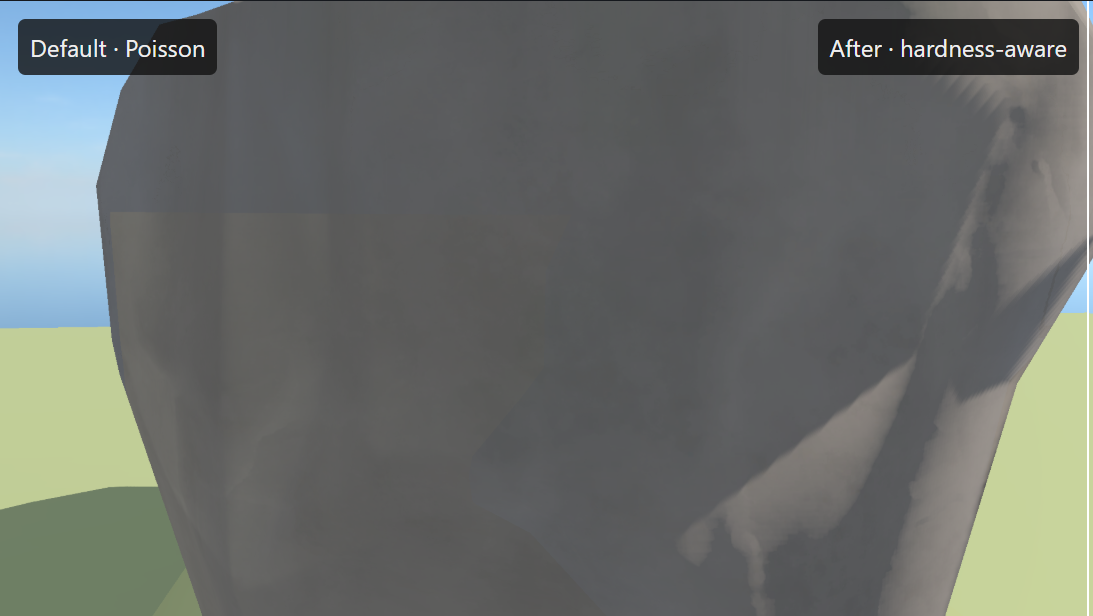
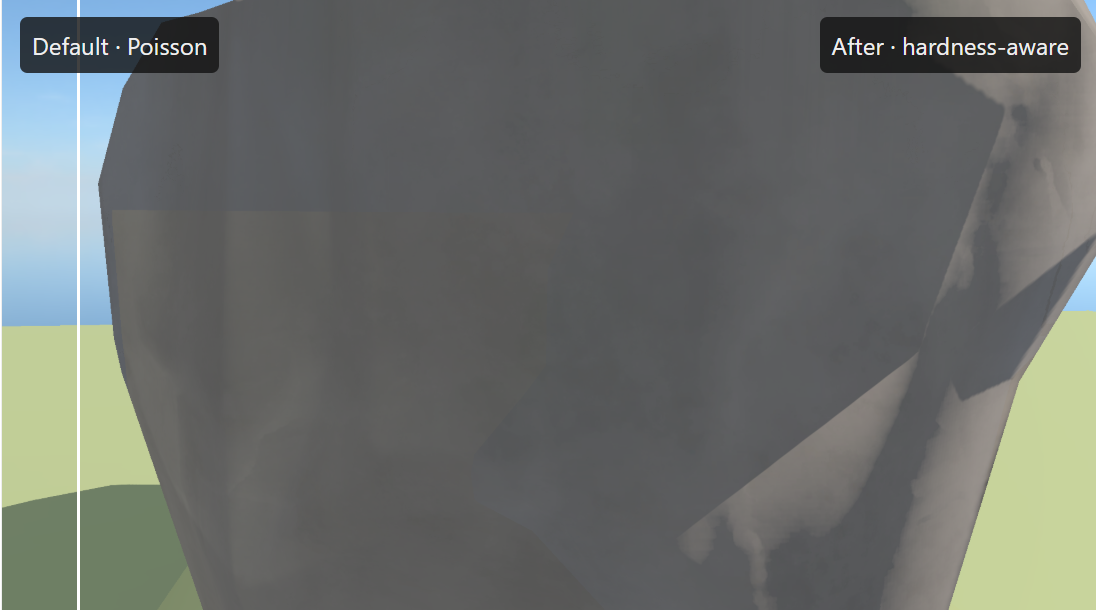
Both before and after captures incorporate the cascade-hardness fix mentioned previously, highlighting the supplementary filtering improvements. Lower shadow-filter tiers and local light sources maintain their standard filtering behaviors.
Elimination of Crawling Dark Lines
Scenes populated by multiple shadow-casting local light sources occasionally exhibited crawling dark seams across surfaces as the camera moved. CorentArts tracked down the root cause: shadow receiver normals were being computed inside an active light loop where adjacent pixels could inadvertently diverge down different execution paths.
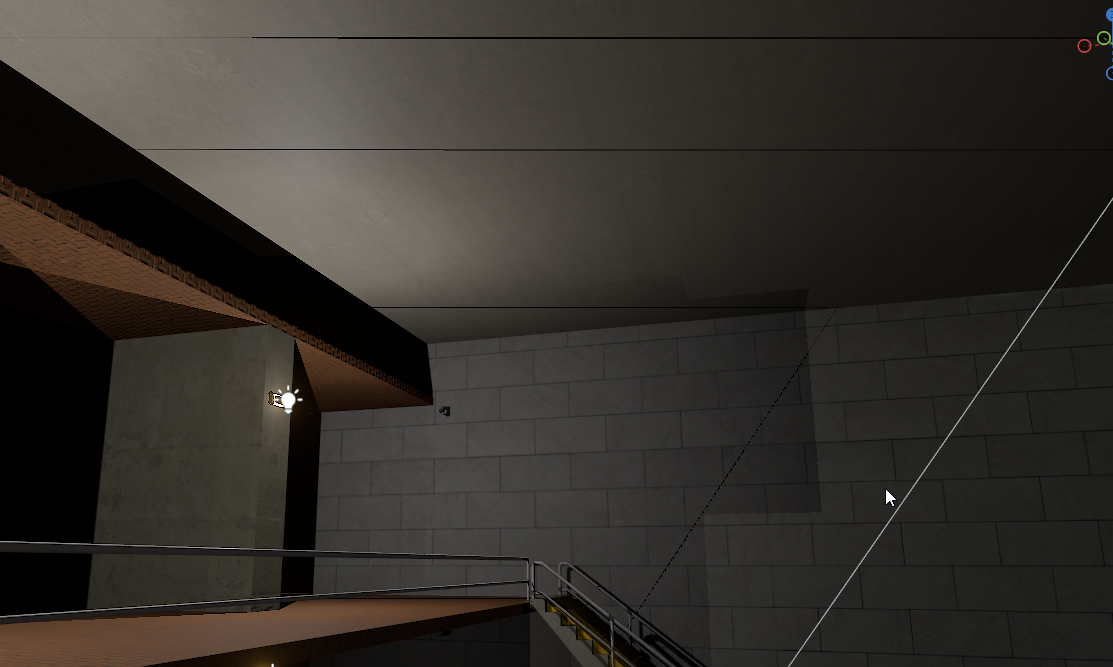
We now compute these normals prior to entering the loop and pass them cleanly into the shadow evaluation logic. Custom shaders can achieve identical results using the newly added explicit-normal overloads on Light::From, Light::Init, and Light::Shadows. Huge thanks to CorentArts for implementing the fix and to everyone who provided reproduction assets in the original bug report.
Orthographic View Fixes
Sam also resolved an issue causing screen-space shadows to render skewed when using orthographic perspectives. Because that rendering technique inherently assumes a perspective camera model, we now bypass the shadow mask calculation entirely for orthographic cameras.
 Rethinking
 Neck and Neck
 Update 26.09.15
 Update 26.09.08
 Update 26.09.01
 Update: August 26, 2019
 Update 26.08.05
 Update July 26, 2022