Update 26.09.08
2D Physics
s&box now features built-in 2D physics driven by Box2D. By switching the physics mode directly within your scene settings, rigidbodies will accurately simulate across the XY plane. This implementation leverages the exact same physics components and APIs you are already familiar with, eliminating the old fragmentation between separate 2D and 3D interfaces.
Game Jam
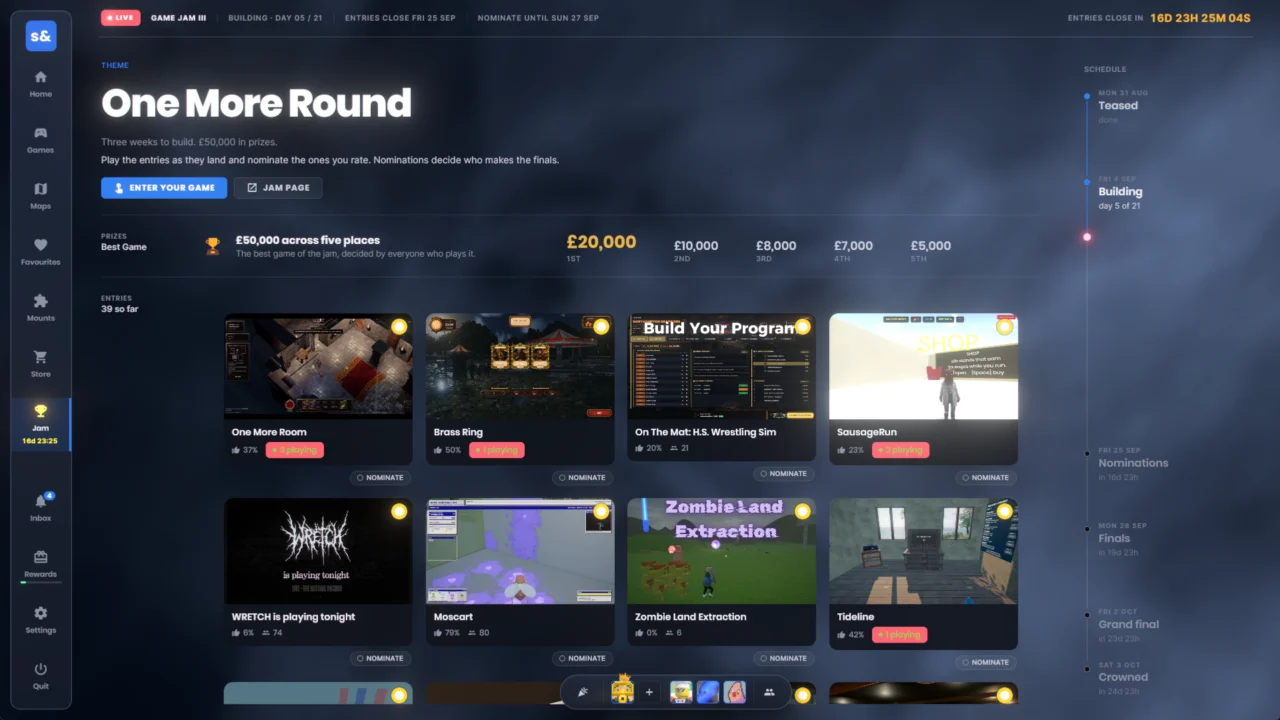
The latest Game Jam III is officially underway, boasting a substantial prize pool of £50,000. Operating under the theme “ONE MORE ROUND,” submissions remain open until Friday, September 25th.
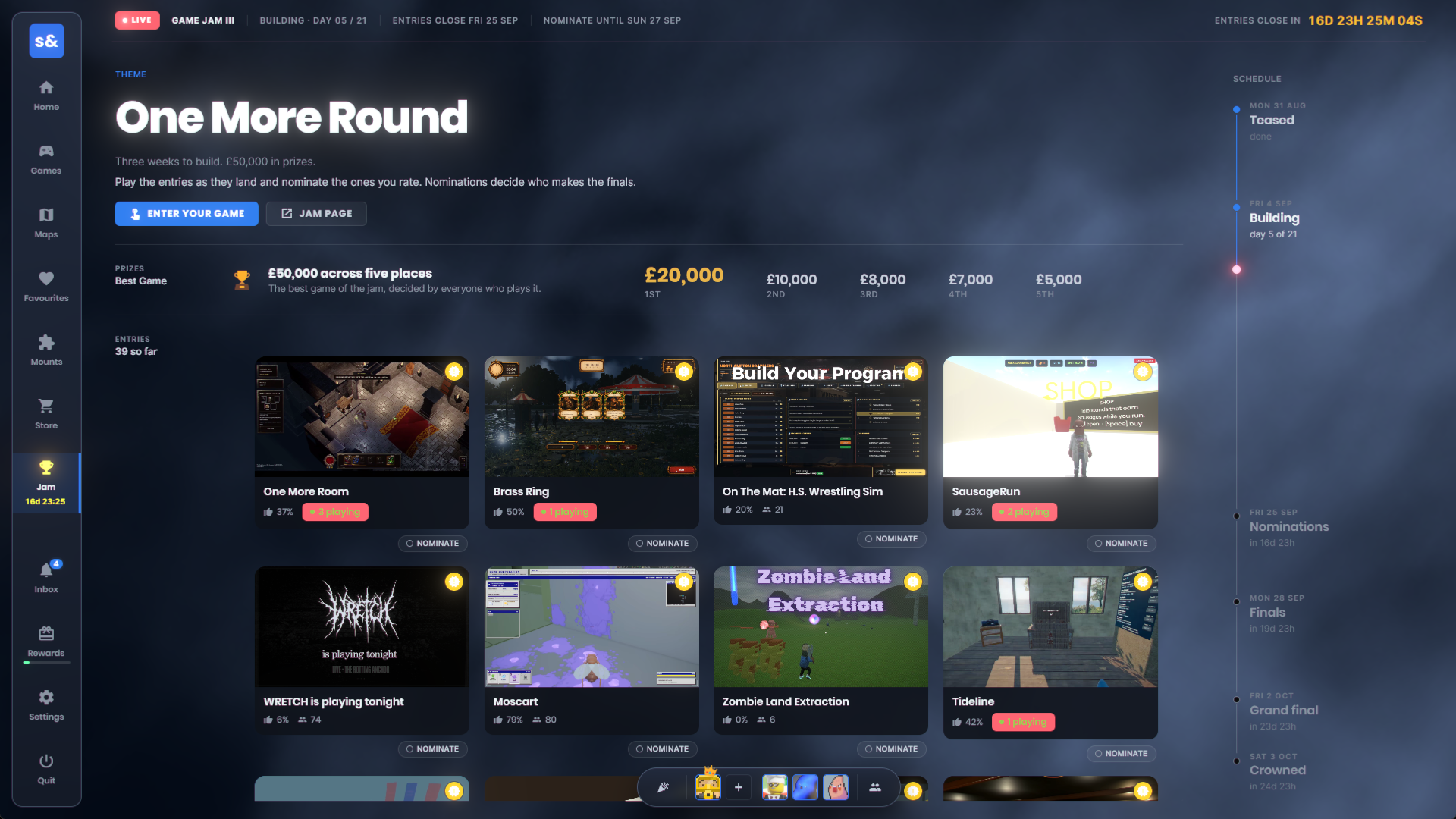
We have seamlessly integrated the jam directly into the platform menu, allowing community members to launch, play, and vote on entries instantly. This foundational architecture paves the way for future community-run jams, automated reward distributions, and much more.
Goodbye Yoga
From day one, we relied on Yoga as our primary UI layout engine. Yoga served to parse your HTML and CSS and orchestrate element placement on screen, mirroring browser-based rendering.
However, Yoga was strictly limited to Flexbox layouts. To unlock greater design flexibility, we have transitioned away from it in favor of our proprietary, open-source C# layout engine: Sandbox.Layout.
This powerful upgrade introduces native support for diverse layout models, including display: block, display: grid, and display: inline.
Existing layouts will render identically, while overall performance sees a noticeable boost resulting from the architectural shift from C++ to C#.
| Layout Workload | Yoga | Sandbox.Layout |
|---|---|---|
| 10,001-node flat flex tree: first layout | 5.40 ms | 2.22 ms |
| 10,001-node flat flex tree: changed leaf | 3.68 ms | 1.37 ms |
| 10,101-node nested flex tree: first layout | 4.99 ms | 3.54 ms |
| 10,101-node nested flex tree: root resize | 1.92 ms | 2.22 ms |
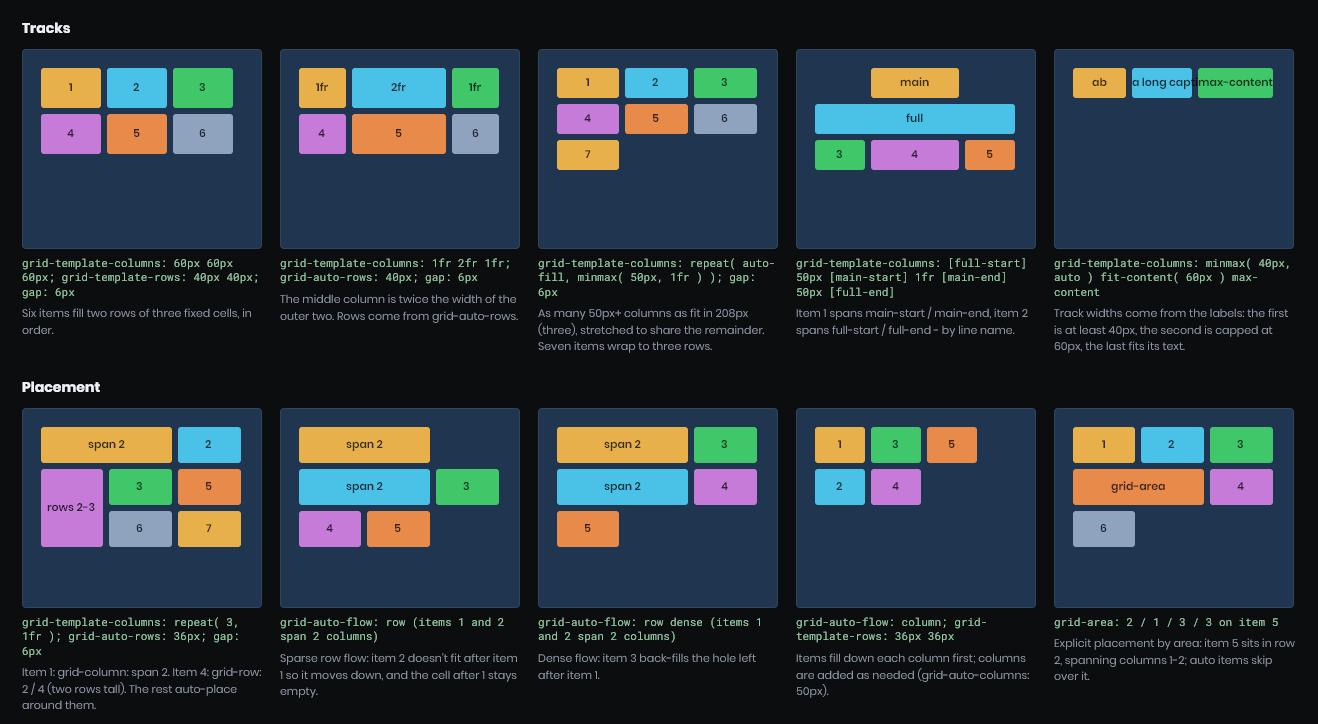
CSS Grid Layout
We now fully support CSS grid layout. While functionally similar to Flexbox, Grid streamlines the process of arranging complex content into precise, multi-dimensional structures.
Inline Text
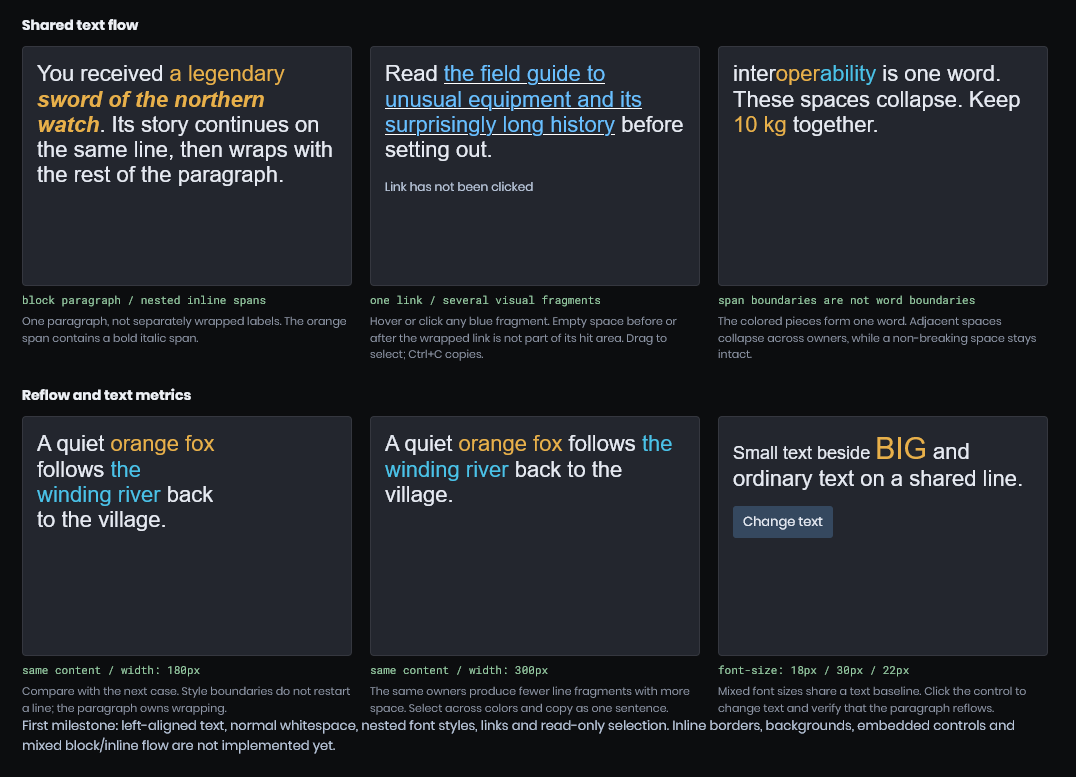
Historically, crafting robust rich text presented continuous challenges—simple requirements like styled text wrapping smoothly across multiple lines were unsupported, forcing everything into rigid content blocks.
You can now utilize display: inline for content elements, allowing them to behave identically to standard web components. This grants you the freedom to style arbitrary text fragments without disrupting surrounding layout structures.
Position Fixed
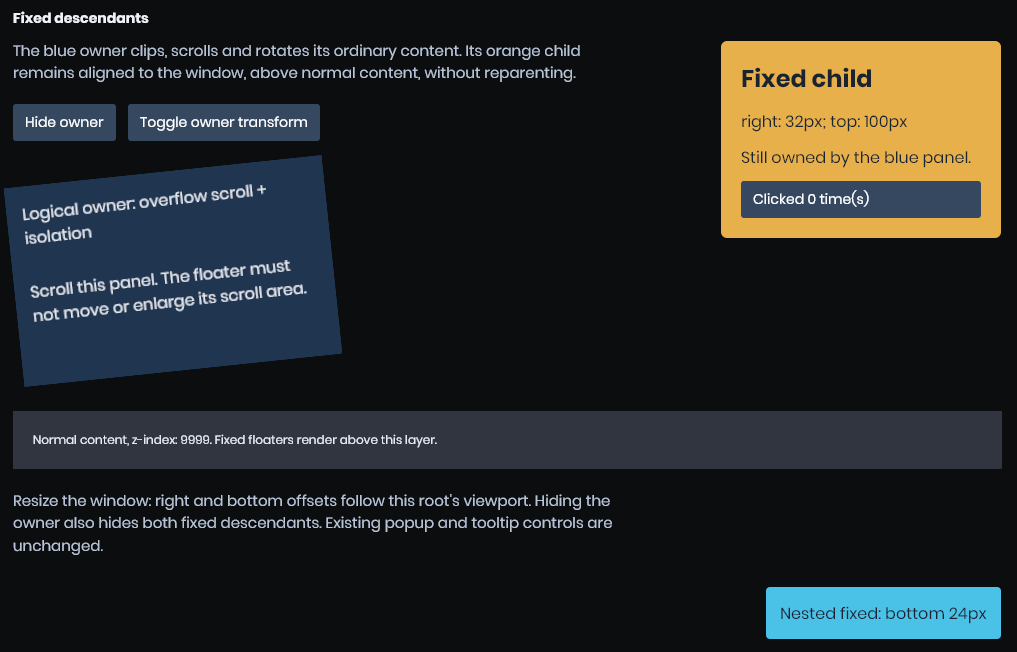
We have introduced support for position: fixed. Operating similarly to absolute positioning, its anchor point remains permanently locked to the viewport screen boundaries—making it exceptionally useful for user interface elements such as dropdown menus and overlays.
Menus
A brand-new Sandbox.UI.Menu system is now available for designing sophisticated menu bars and contextual dropdowns. It delivers complete feature parity with editor-grade equivalents, ready for deployment directly inside your custom games.
var file = new Menu( "File" );
file.AddOption( "New", "note_add", New ).Shortcut = "Ctrl+N";
file.AddOption( "Open...", "folder_open", Open );
file.AddSeparator();
file.AddOption( "Save", "save", Save ).Enabled = false;
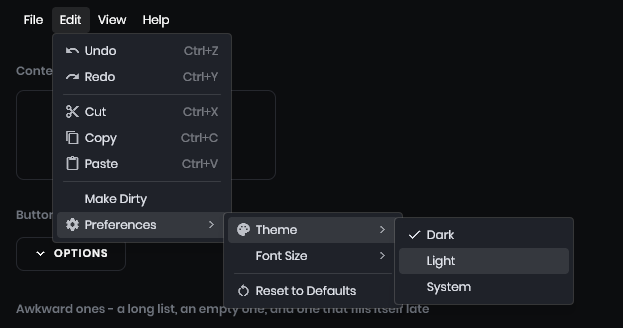
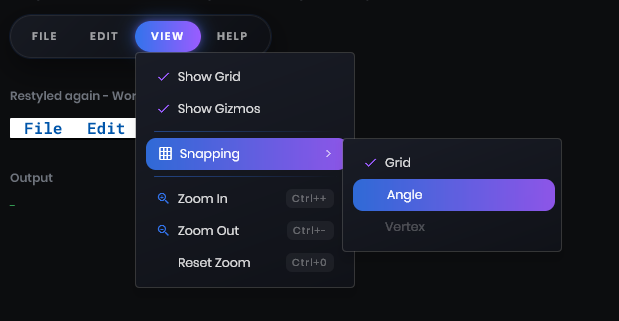
Our primary goal was to ensure these menus feel entirely native—and they certainly do. Naturally, you can completely restyle them using standard CSS rules to match your aesthetic.
Scrollbars
Scrollbars have finally arrived! Integrated natively into the panel system, they can be toggled effortlessly using the scrollbar-width property. We recommend setting scrollbar-width: auto if you want them rendered visibly.
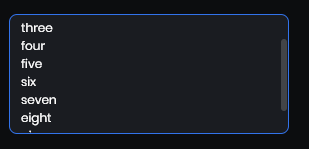
True to our commitment against inventing proprietary web standards, these utilize standard CSS styling properties, including:
scrollbar-width— Defines the track thicknessscrollbar-color— Defines the track background and thumb colorsscrollbar-gutter— Controls overlay versus inline placement
Tree View
The panel UI architecture now includes a dedicated TreeView control, mirroring the editor environment. Operating just like a native desktop control, it features full virtualization, multi-item selection, keyboard navigation, hover states, row styling, renaming capabilities, context menus, and automated scrolling to target items.
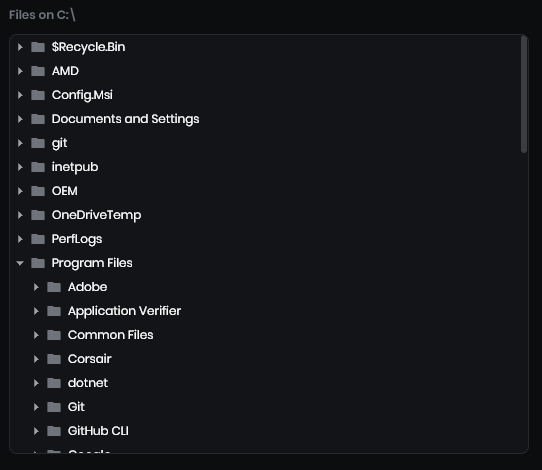
Tooltips Everywhere
Tooltips have received a comprehensive overhaul, bringing full functionality to PanelWindows (utilized by the new launcher interface).
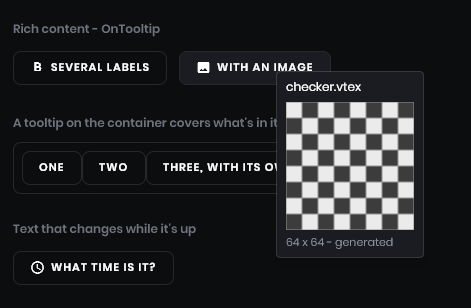
By introducing Panel.OnTooltip, developers can programmatically construct custom tooltip panels. This moves beyond restrictive single-line text constraints, enabling rich, dynamic layout designs.
Color Picker
The color picker interface has been completely redesigned, now supporting a variety of versatile layouts including square, hue ring, hue disc, HSV, and RGB spectrum modes.
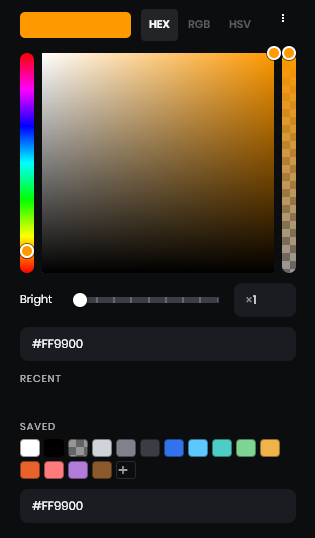
Movie Maker Keyframes
Movie Maker now supports streamlined timeline manipulation. Utilizing a simple Shift+click-and-drag gesture allows you to paint keyframe blocks across a specific temporal range or delete them entirely, significantly reducing friction during animation timing passes.
Additionally, export previews now consume fewer resources, preserving vital performance overhead for real-time scene rendering and editor responsiveness.
A Doorway Primitive
Mapping tools have been expanded with a dedicated doorway primitive. This feature generates a fully functional doorway in a single streamlined editing action, bypassing the tedious process of manually cutting and reconstructing basic geometry.
New Mesh Normals Compression Format
Model normals and tangents now leverage signed-octahedral and diamond encoding algorithms, resulting in noticeably superior visual fidelity.
In short, our legacy encoding format suffered from precision errors reaching 1–2 degrees, producing distracting visual artifacts that artists previously had to mitigate by enabling expensive high-precision tangents within ModelDoc (which negatively impacted memory footprints).
Replacing this with the signed-octahedral and diamond tangent format yields drastically improved precision (reducing errors to roughly ~0.2 degrees) while maintaining the exact same memory budget.
Required Actions for Artists and Developers:
- Recompile all existing models. Assets compiled prior to this update will continue relying on the legacy compression format until refreshed.
- Custom shaders should automatically recompile upon launching the editor, though verifying their currency is strongly advised.
- Legacy cloud assets containing outdated models and shaders will remain operational, albeit at the cost of increased memory bandwidth. If you maintain assets hosted on the cloud, please recompile and re-upload them when possible.
While this represents a significant structural shift, it should not disrupt existing asset functionality under normal circumstances. Should you encounter any broken assets, please report them alongside relevant logs, assets, or reproduction projects.
Better Frame Pacing
Certain users experienced noticeable stuttering even when displaying high, stable framerates—an issue predominantly observed by those with Windows Hardware-Accelerated GPU Scheduling (HAGS) disabled. We have thoroughly revamped frame pacing logic to ensure frames are delivered to the display much more evenly, vastly improving perceived movement fluidity.
If you continue experiencing pacing irregularities, please reach out with your hardware specifications so we can investigate edge cases.
Furthermore, exclusive fullscreen mode has been corrected and is now correctly requested from graphics drivers.
Navigation
We have completely replaced the remaining DotRecast pathfinding and crowd simulation subsystems with our own custom-engineered implementation.
In benchmark evaluations, updating the pathfinding queue executed 8.4× faster, whereas generating and computing paths for 100 concurrent agents consumed 63% less memory on the calling thread. Furthermore, agent updates can now execute across multiple CPU cores.
A new CalculatePathAsync API is now available, accompanied by targeted fixes addressing stuck agents, link traversal behaviors, and navmesh generation stability.
Prefab Editing Improvements
Minor adjustments made to massive prefabs previously serialized significantly more data than necessary. We have dramatically accelerated override calculations and undo state recording, making property and component undo logging roughly 4–5× faster alongside approximately 75% fewer allocations in stress tests.
For a complex prefab containing 500 objects and 1,500 components, recording a component modification for undo tracking plummeted from 383 ms down to 78 ms.
Additionally, we resolved bugs causing scene meshes to vanish when applying or saving prefabs, alongside addressing edge cases related to nested instances and object hierarchy ordering.
Docs
Finally, our documentation has undergone a much-needed visual refresh to maximize information discoverability and reading comfort. The sidebar now incorporates a quick-filtering mechanism, document pages feature structured tables of contents, and typography has been standardized for improved font scaling and contrast ratios.
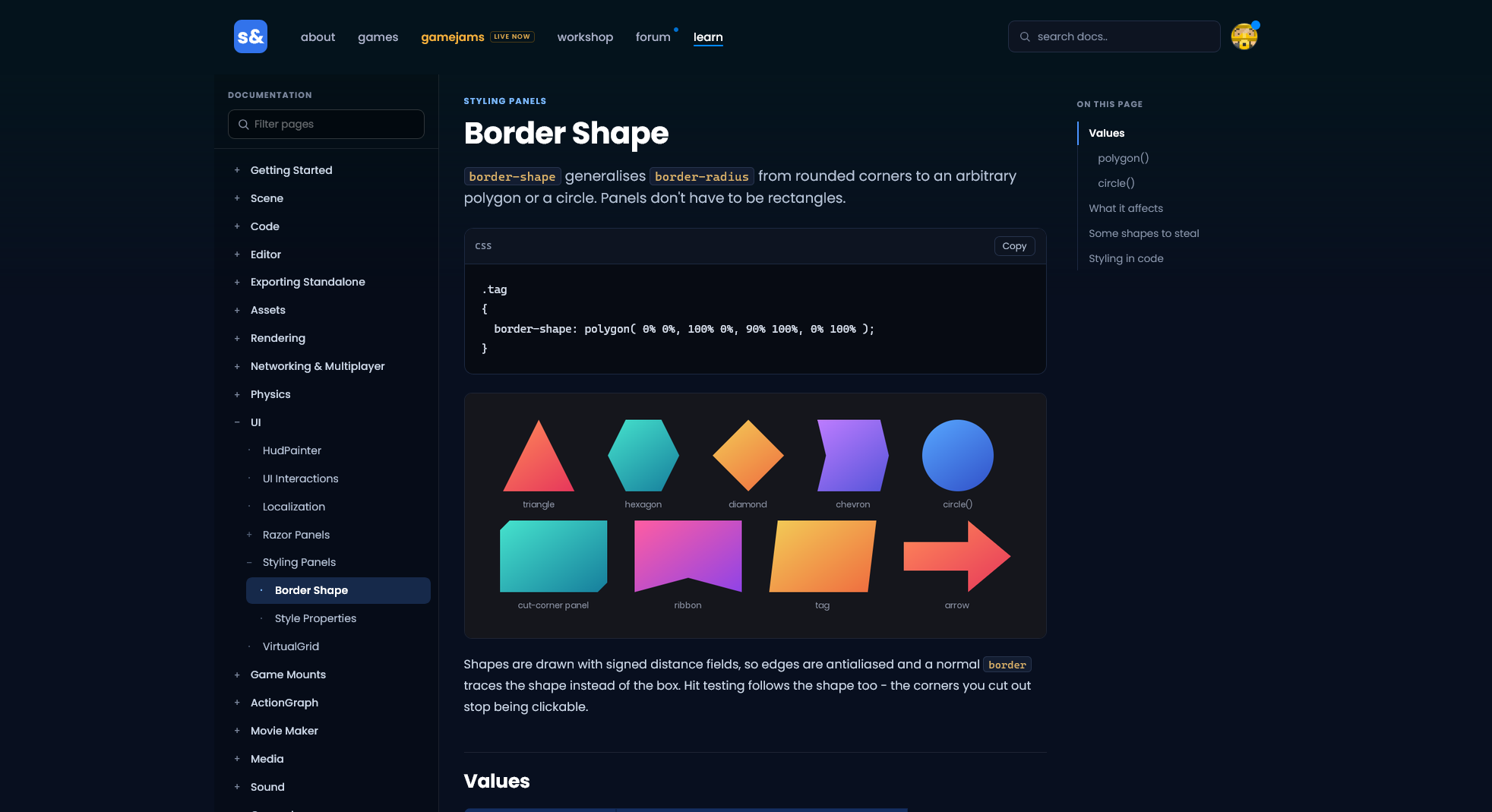
 Rethinking
 Neck and Neck
 Update 26.09.15
 Update 26.09.01
 Update: August 26, 2019
 Update 26.08.05
 Update July 26, 2022