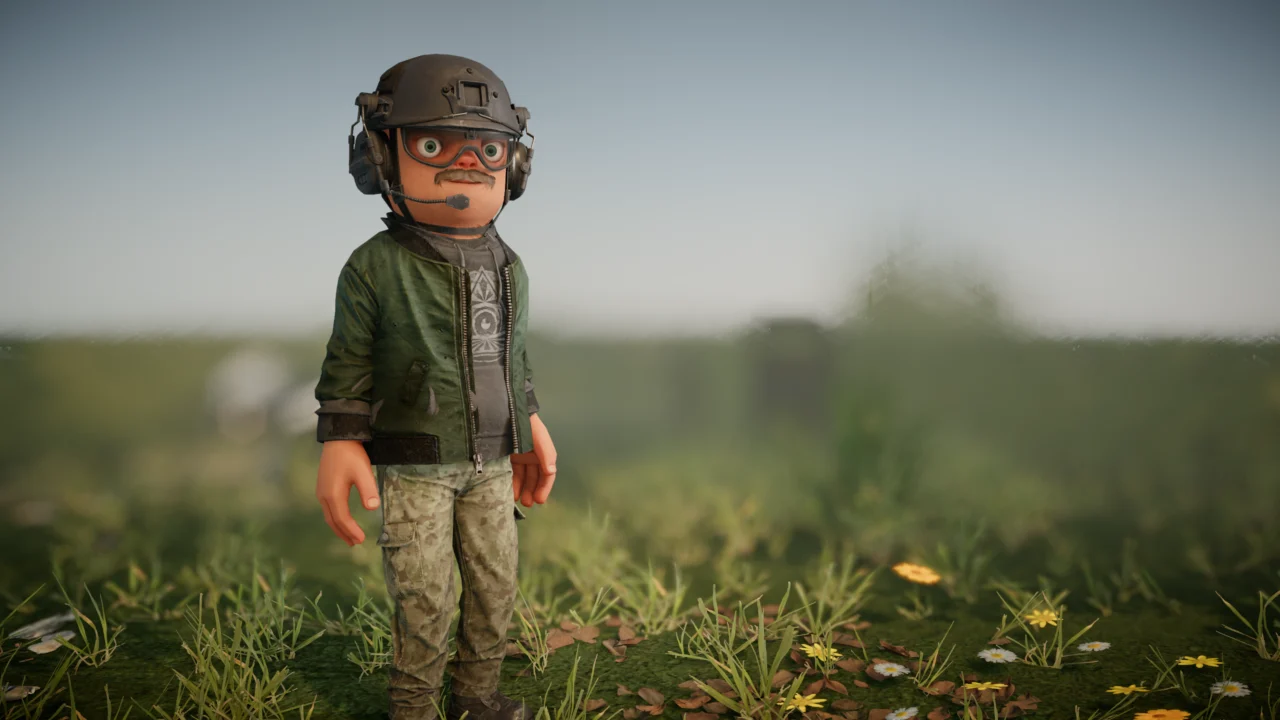
Neck and Neck
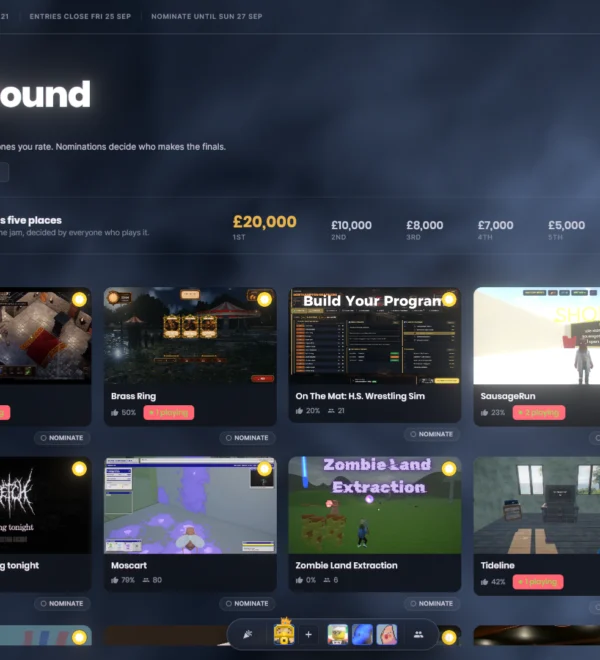
Game Jam: Final Four
Roundabout has been eliminated, securing 5th place and a £5,000 prize.
The remaining finalists competing for the top spot are:
- GAMMA TEAM
- RUN IT AGAIN
- Catz VS Ratz
- Keg Quest
The next round of community voting is officially open!
Citizen 2.0 Redesign
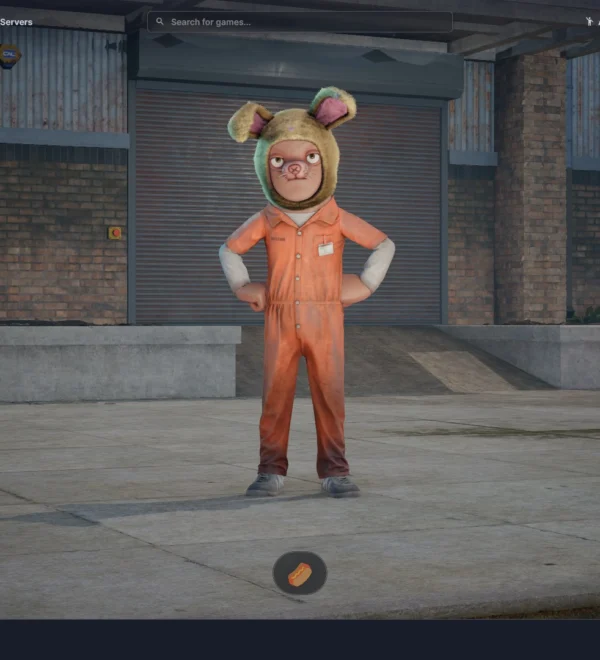
We’ve implemented several updates to the default Citizen model, introducing a more neutral facial expression and optional neck support.
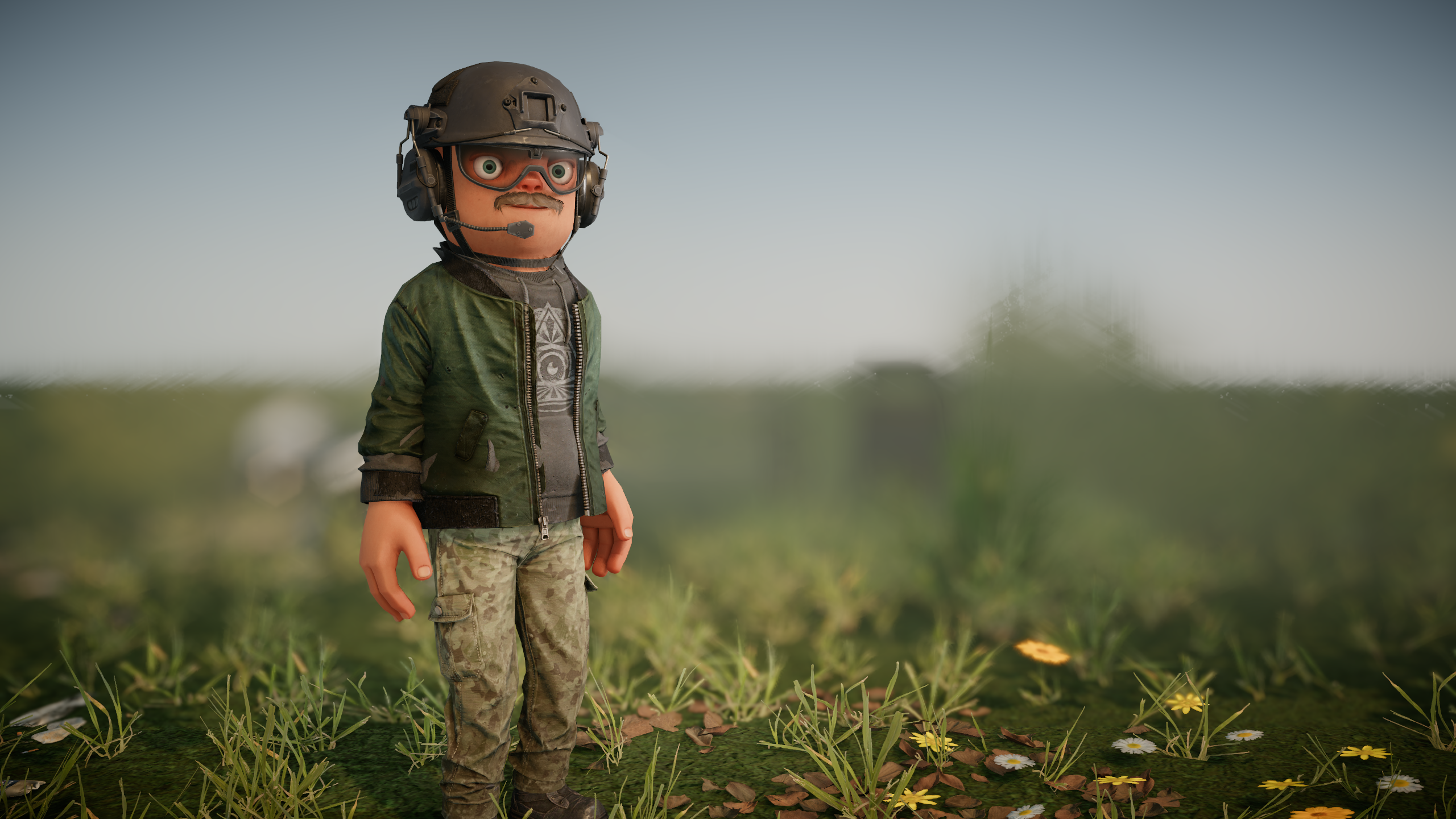
New customization sliders allow you to dynamically adjust anatomical features such as the chest, waist, neck, and nose dimensions, alongside eye color selection. For those who preferred the classic neckless aesthetic, you can easily dial it back in using the sliders.
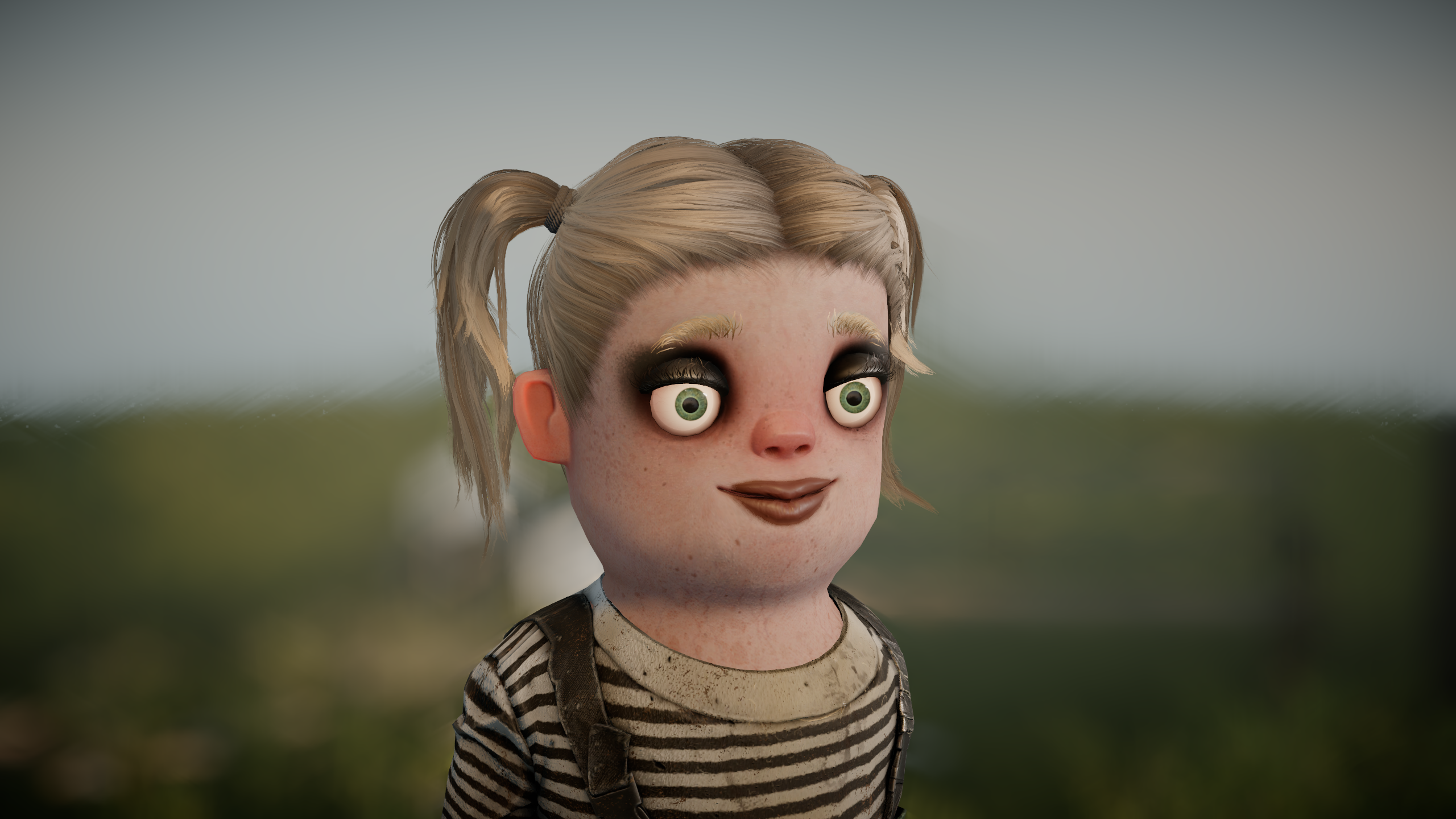
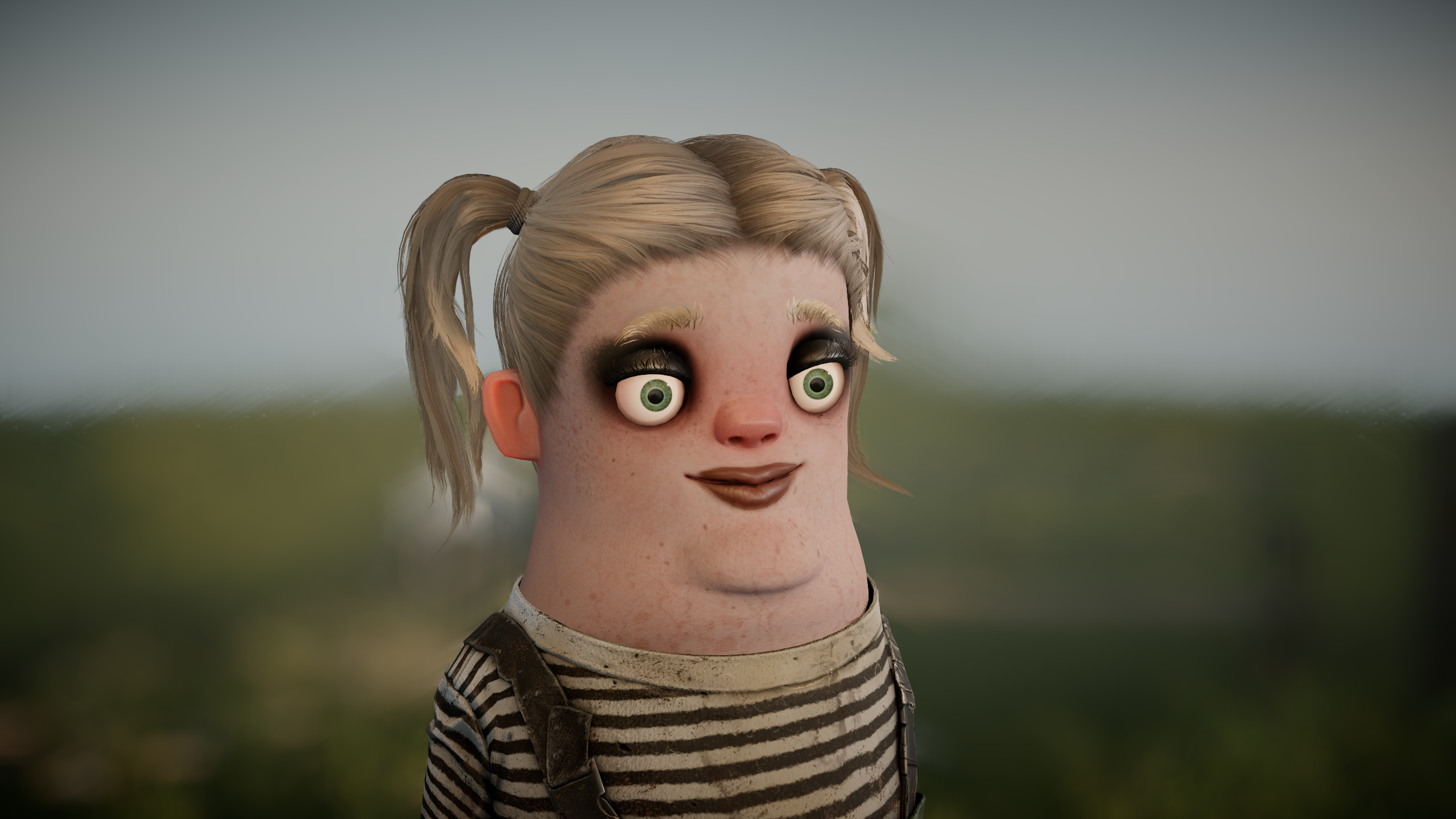
To be completely transparent: while we have a soft spot for the original quirky, neckless design, player feedback has been overwhelmingly critical. In response, we are actively iterating on the proportions to make the model more universally appealing.
We will continue refining these characters for the time being. However, if the design ultimately proves too divisive, we are prepared to retire it in favor of a more conventional humanoid alternative.
While this alone won’t solve every piece of critique surrounding s&box, addressing this frequent pain point remains a key priority alongside our broader updates.
Model Deform Component
You can now organically reshape any 3D model using the new ModelDeformer component. Simply add it as a child object, define the affected volume, and proceed to inflate, squash, stretch, transform, pull, or project sections of the mesh. Multiple deformers can be stacked using explicit priorities to dictate execution order.
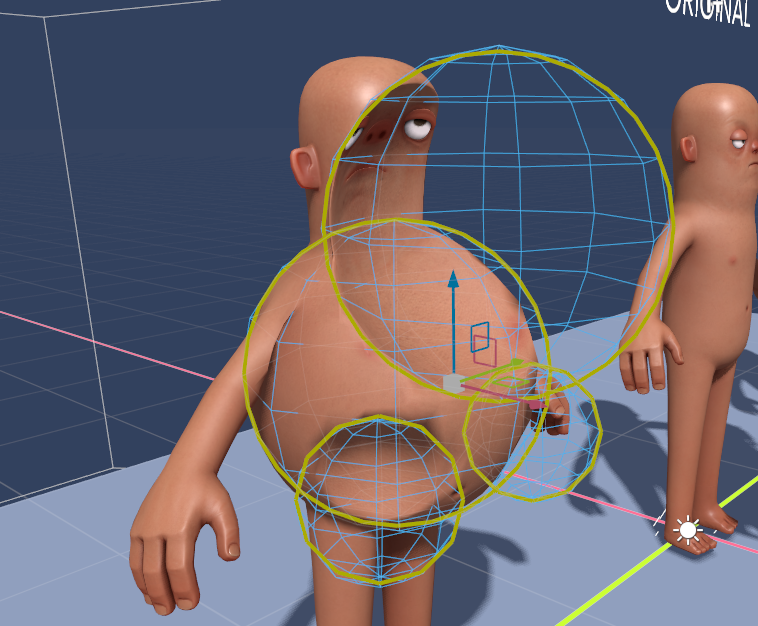
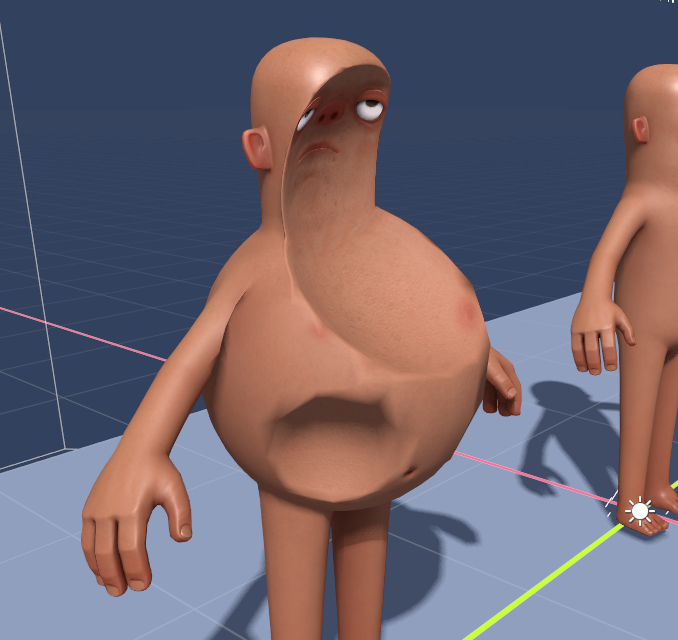
Powered entirely by the GPU, these deformers operate with exceptional speed and apply seamlessly to any model. Note that these modifications are purely visual and do not alter underlying skeletal rigging, hitboxes, or collision physics.
Watch Model Deformer in Action
This powerful system is what powers the new Citizen 2.0 proportions, but it is fully accessible for custom character creation and dynamic visual effects.
Friends and Party System Revamp
We’ve restructured the interface to make social interaction more prominent. The friends list has been relocated to the right-hand side of the main menu, ensuring quick access to see what your connections are up to and sending out invites.
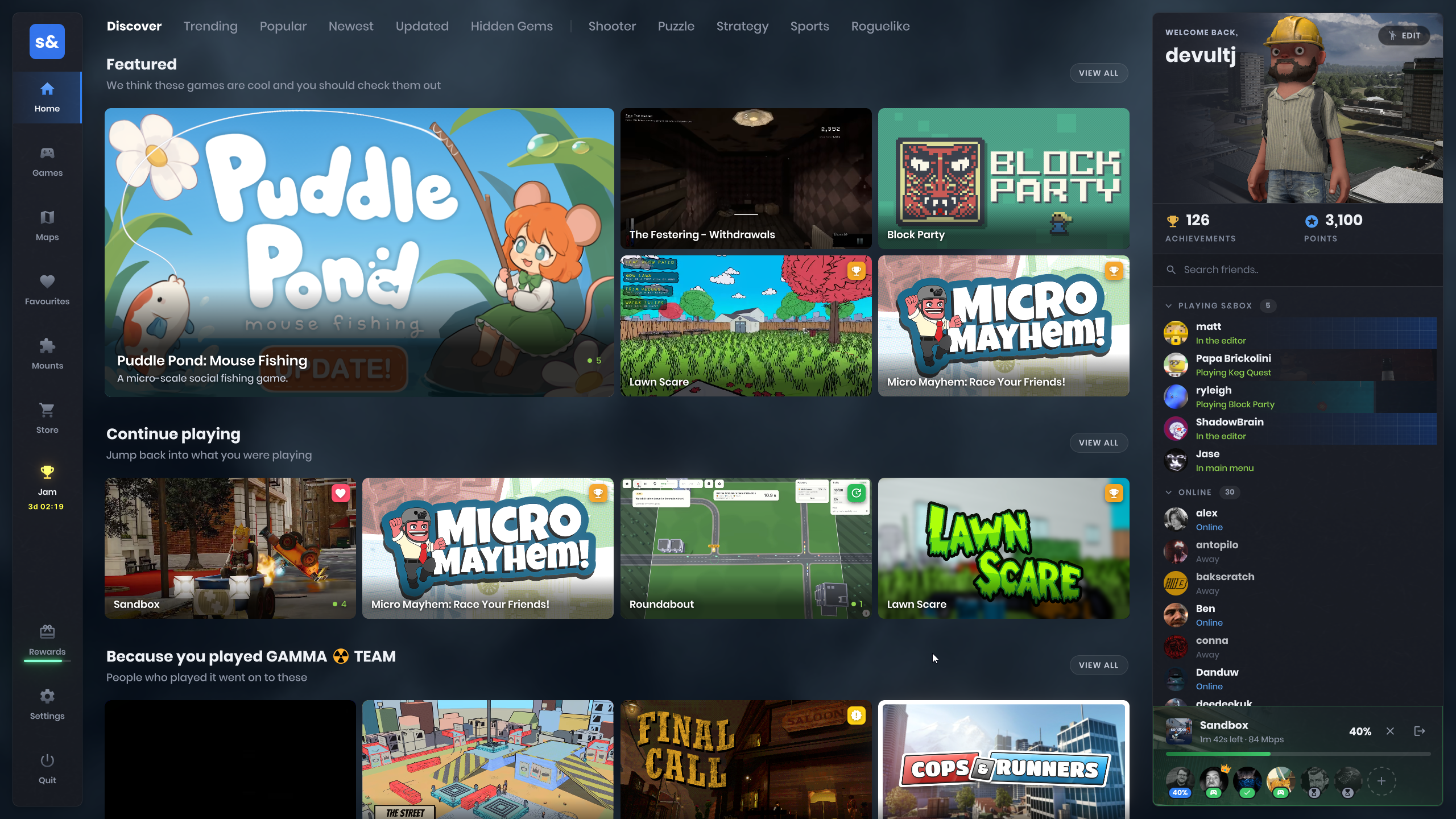
All party management controls now reside cleanly in the bottom-right corner of your screen. It is now much easier to verify download statuses across your group or check if you are still waiting on the host. Crucially, these party controls persist across different pages and overlay menus.
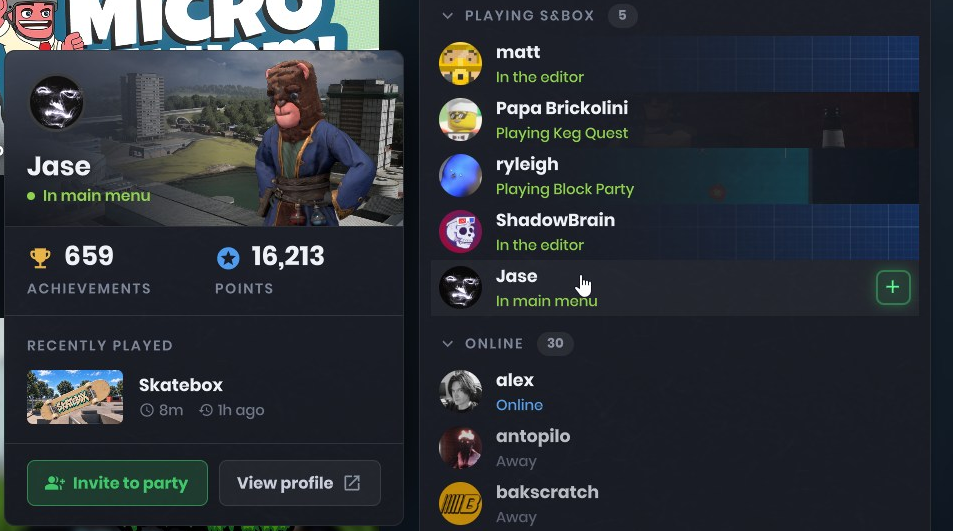
Additionally, clicking on any friend will now open a newly designed player card complete with their custom avatar.
Game Overview Refresh
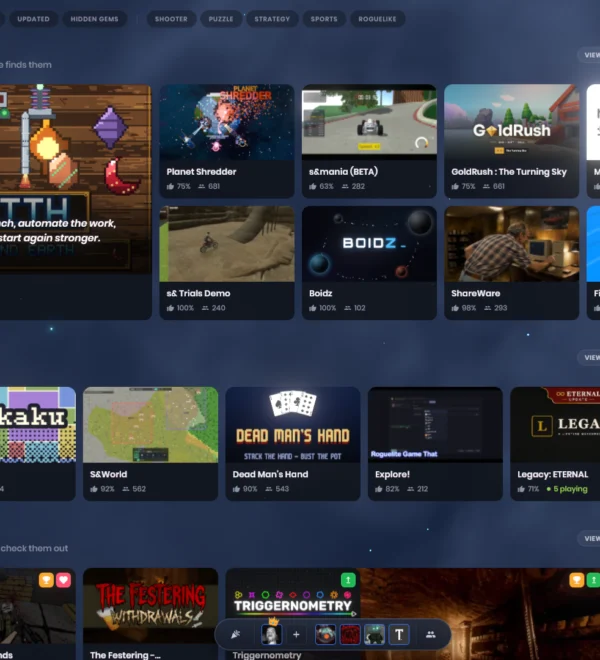
The game overview screen has been completely overhauled. Cluttered and unnecessary information has been stripped away, replaced with streamlined metrics designed to help you quickly find titles that fit your party’s preferences.
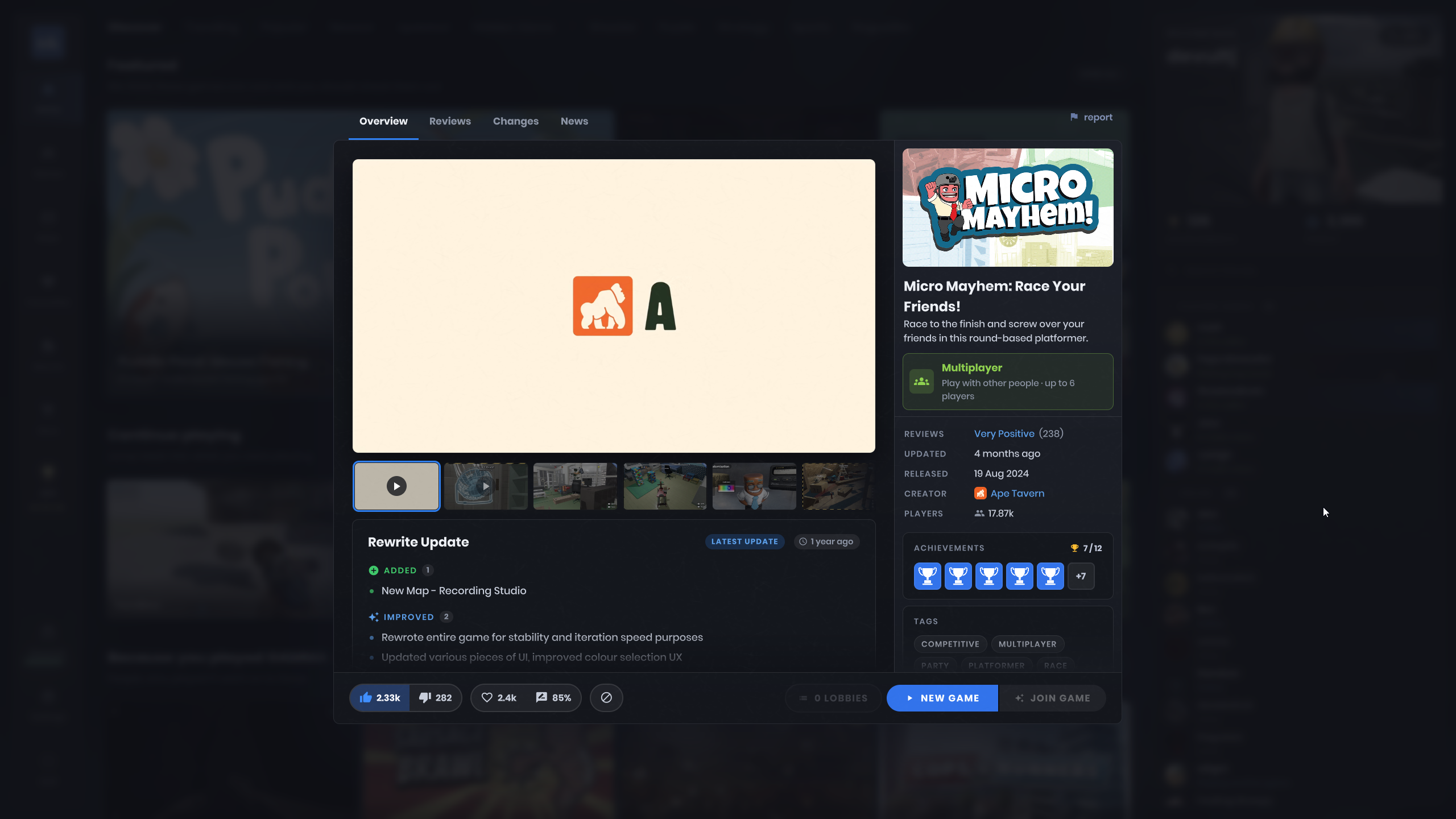
Game changelogs and recent updates are now visible at a glance. We strongly encourage platform creators to utilize this feature to keep their communities informed about new content.
Loading Screen Modernization
To eliminate outdated visuals, we’ve modernized the loading screen. It now displays recent update blurbs alongside your currently unlocked achievements for the respective game.
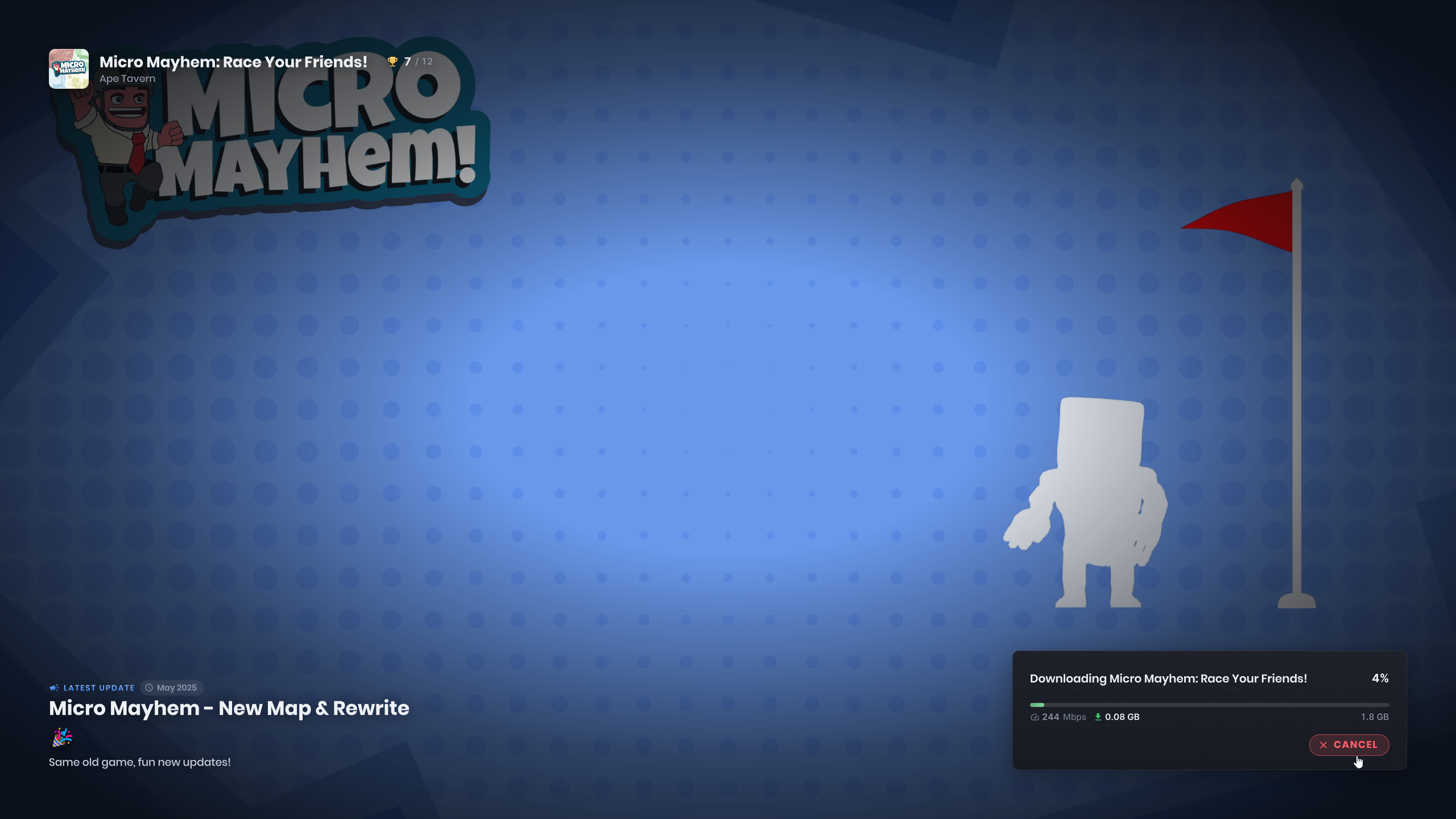
We’ve also resolved a hitching issue that caused elements to freeze on-screen during asset initialization, resulting in a much smoother transition into gameplay.
Main Menu Audio
Carson has provided a brand-new musical composition for the main menu. For those who prefer customized audio profiles, we’ve introduced a dedicated menu music volume slider allowing you to adjust or mute the track independently from other game audio channels.
Voice Chat Enhancements
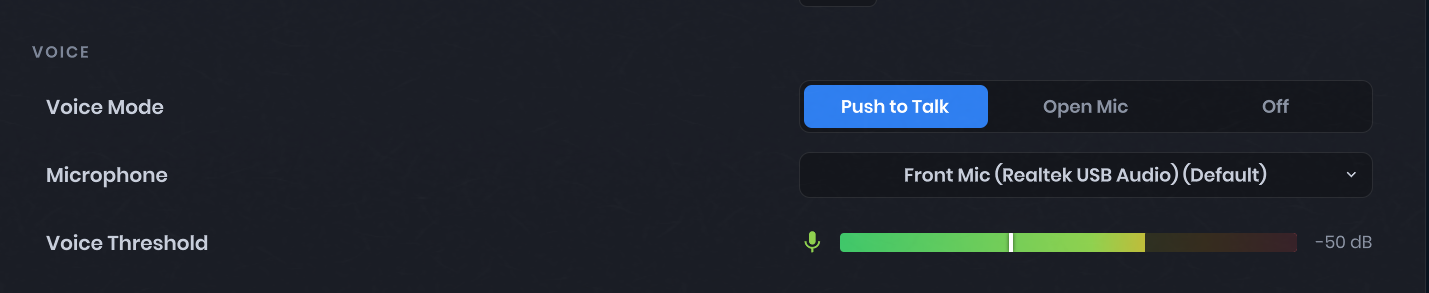
Voice communication has been upgraded to utilize SDL for microphone capture and Opus for advanced audio compression. You can now select your input device directly via the in-game audio settings, aided by a live meter to fine-tune your voice activation threshold.
This update also resolves audio distortion issues when running multiple instances of the application simultaneously. Each playback stream now operates its own dedicated decoder, and custom voice playback can be handled via SoundStream.WriteVoiceData.
New Startup Experience
The application launch sequence has been updated with a streamlined startup screen featuring a built-in progress indicator.

GPU Profiling Scopes for Command Lists

Developers can now inject custom profiling scopes directly into command lists. These will be visible within the in-game GPU profiler (accessible via overlay_gpu 1) as well as external diagnostic tools, offering precise measurement of rendering performance bottlenecks.
Implementation example:
static readonly ProfilingSampler MyProfilingScope = new( "My Profiling Scope" );

// inside the command list execution code:
using ( _commandList.ProfileScope( MyProfilingScope ) )
{
    // execution logic...
}
Nested scopes are fully supported, as demonstrated above:
using ( _commandList.ProfileScope( ParentScope ) )
{
	using ( _commandList.ProfileScope( NestedScopeA ) )
	{
		// logic A...
	}

	using ( _commandList.ProfileScope( NestedScopeB ) )
	{
		// logic B....
	}
}
For more details, consult the official s&box documentation.
Clutter Optimization
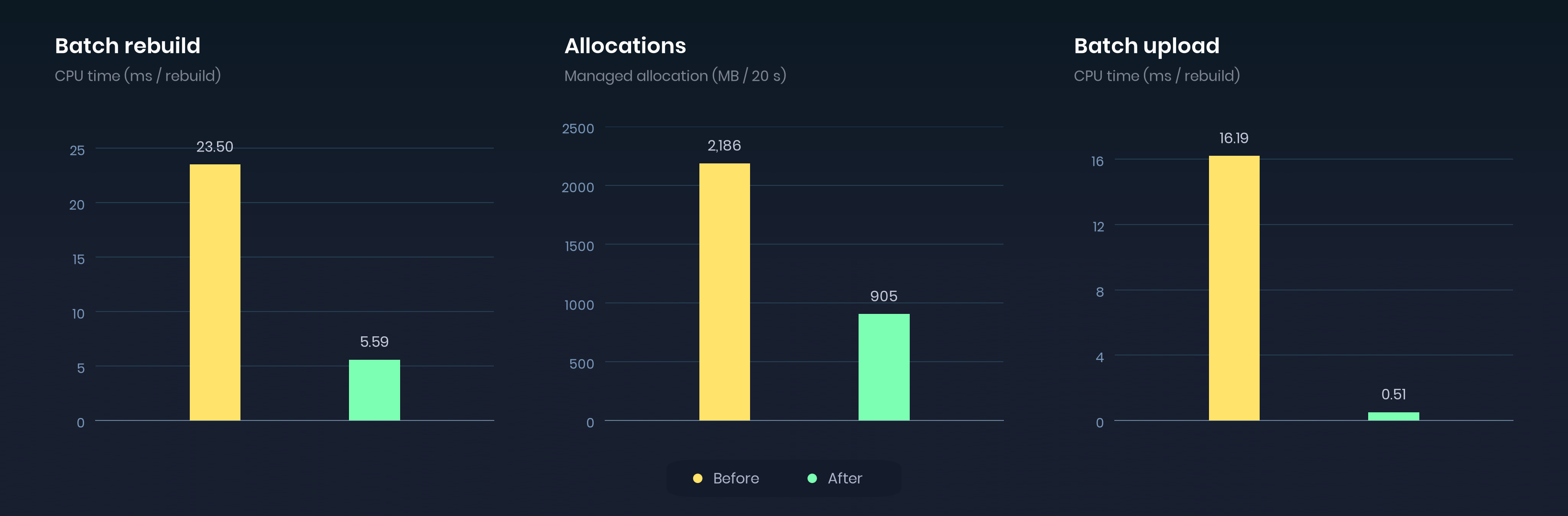
We’ve heavily optimized the clutter scatterer system to reduce memory footprints, minimize micro-stutters, and boost overall rendering performance.
In our benchmark testing environments, memory allocations dropped by 58%, accompanied by an impressive 97% reduction in batch upload times.
Scene Compilation
You can now compile scene meshes and models into unified static geometry and collision data by navigating to Scene > Compile Scene. This mirrors traditional map compilation workflows in Hammer, marking another major step toward integrating full map editing capabilities directly into the scene editor.
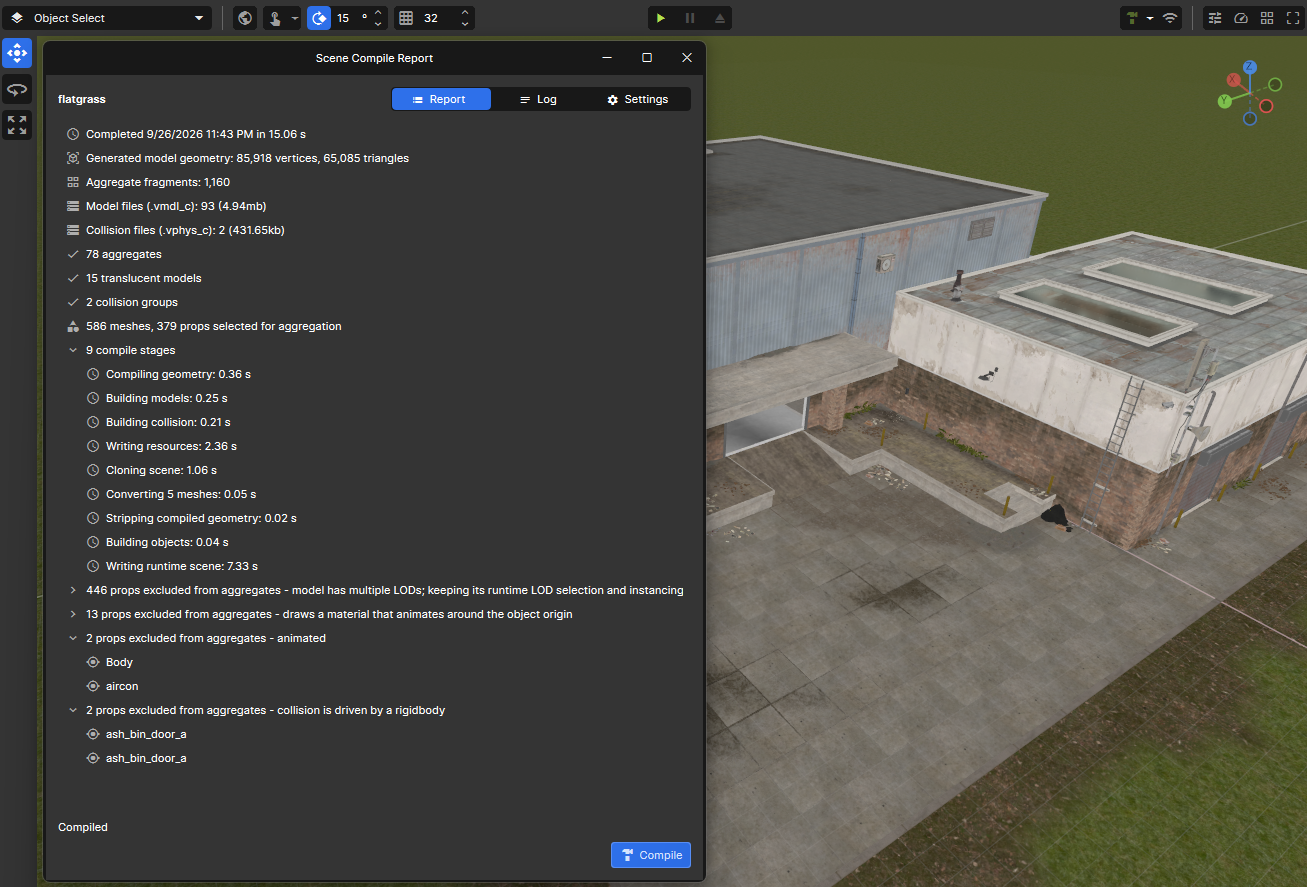
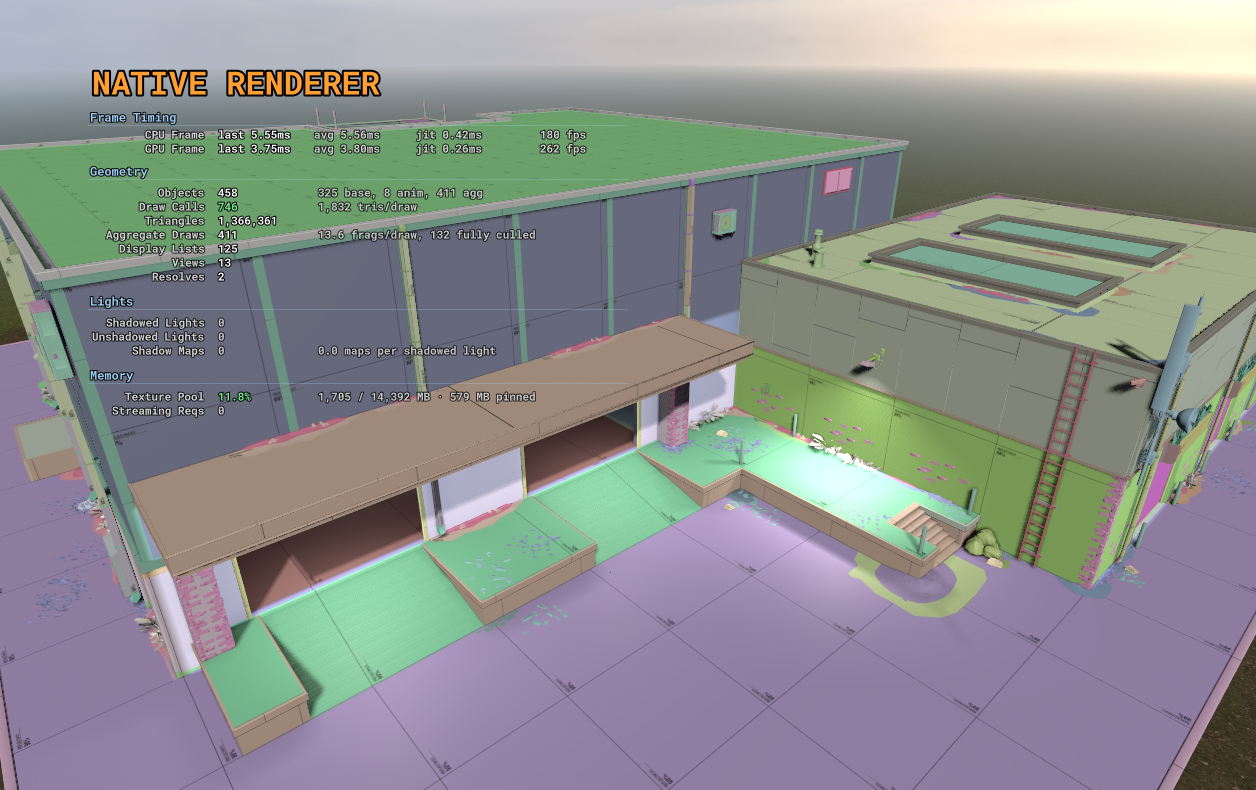
Scenes featuring high mesh counts will see a noticeable decrease in draw calls.
Depth of Field Improvements
Depth of field now features an intuitive focus picker: simply click on any object within the scene to lock focus instantly, eliminating the need to guess distances manually. Focal-distance and range parameters have also been expanded to better accommodate large-scale environments.
Blur radius now scales relative to a standard 1080p render target, ensuring visual consistency across varying resolutions. Furthermore, we’ve fixed an issue where bright HDR pixels were improperly leaking through rejected depth-of-field samples.
Accelerated Game Loading
Minimizing friction during startup is vital to player retention, so we’ve dedicated significant effort to speeding up entry times.
Download Improvements
Previously, asset downloads were processed sequentially on the main thread, capping speeds on high-end connections based on frame rates. Downloads have now been migrated to the thread pool, allowing dependencies to download in parallel rather than one after another.
Benchmark highlights:
- On standard hardware with a 200 Mbit/s connection, games packed with numerous small files download roughly 50% faster.
- Projects with extensive package dependencies see the most dramatic gains; one test case dropped download times from 19.4s down to 6.6s.
- Faster internet connections yield the greatest improvements, whereas slower connections were already bound primarily by network limits.
Load Time Optimizations
A substantial portion of previous load times was lost to operational overhead rather than raw file reading:
- Files were mounted individually.
- Package DLLs were redundantly downloaded on every launch.
- Backend requests executed sequentially instead of concurrently.
Loading the sandbox template on flatgrass yields the following improvements:
- Cold load (initial launch following startup): improved from ~20s to ~9s.
- Warm load (subsequent loads within the same session): improved from ~7s to ~5.5s.
Faster Painter Drawing
The internal Painter system has been optimized. Rendering polygons and polylines is now significantly faster while generating zero garbage collection overhead.
Rendering Stability
We have addressed multiple root causes of GPU crashes, including depth-normal handling on select AMD graphics cards, cubemap filtering routines, render input layouts, and proper cleanup procedures during map unloads or renderer shutdowns.
Additional fixes address DLSS upscaler replacements alongside the initialization and sharing of FSR3 upscalers. When VRAM budgets are exceeded, the texture pool now dynamically shrinks by the overage amount (including within developer tools). GPU crash diagnostics now supply richer telemetry regarding failing calls, shaders, and memory limitations to simplify debugging.
Database Service API
Our backend database service is now officially exposed to developers via Sandbox.Services.Database, opening up versatile new possibilities for persistence.
This utility enables packages to safely store persistent data directly on the backend. Information persists seamlessly across sessions and can be configured as public or private, with support for querying entries by specific groups.
var messages = Database.GetTable( "player-messages" );

// The message and its world position.
var data = Json.Serialize( new
{
    Text = "That chest has teeth.",
    Position = new Vector3( 120, 450, 32 )
} );

await messages.Create( Guid.NewGuid().ToString(), data, "dungeon-01", true );
var records = await messages.List( "dungeon-01" );Player Insights for Creators
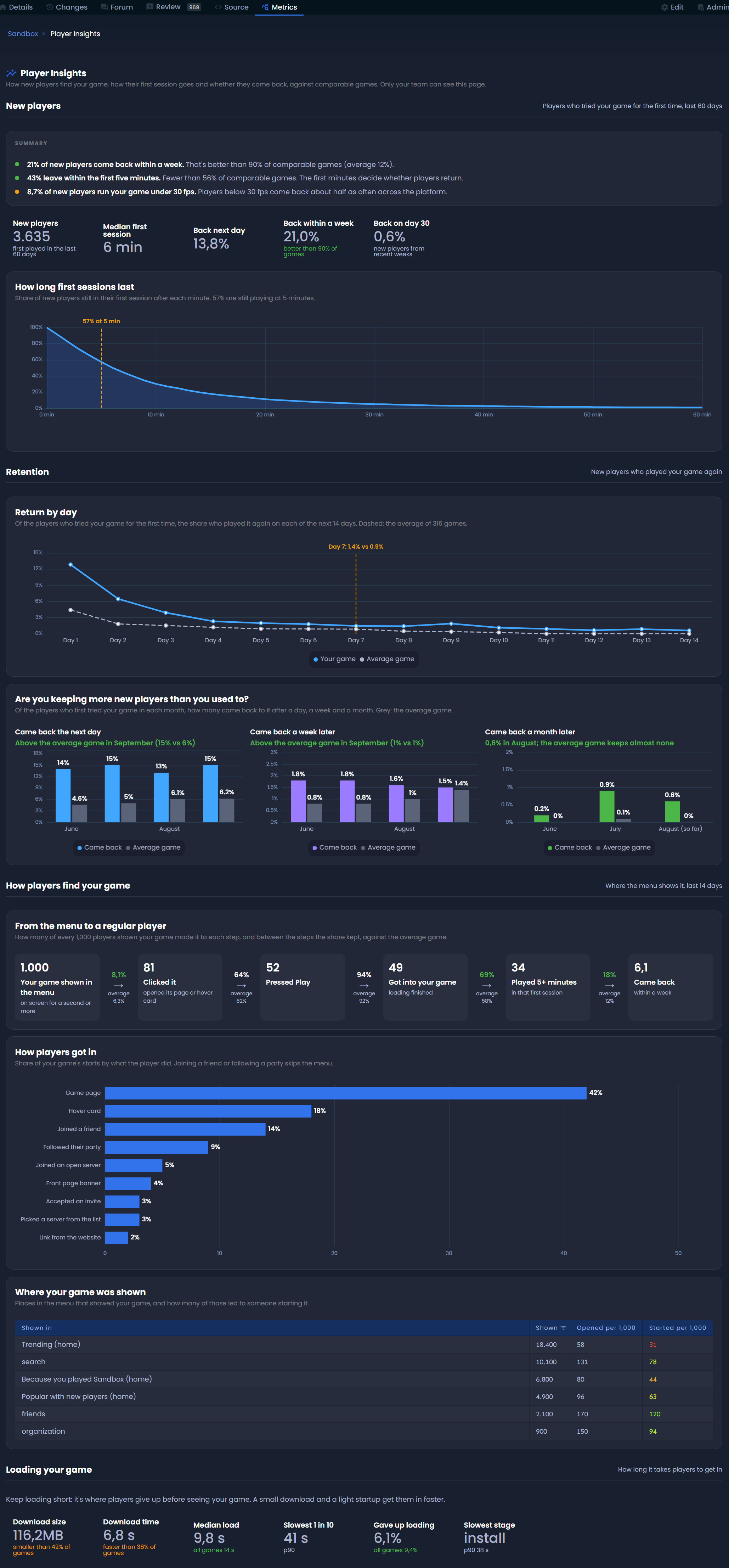
A dedicated player insights dashboard is now available within your game metrics at sbox.game/<your-org>/<your-game>/metrics/player-insights (accessible exclusively to members of the game’s organization).
The analytics focus on two core areas:
Player Retention
- Average session duration during a player’s first encounter.
- Return rates measured over the following day, week, and month.
- Long-term retention trends over time.
Discovery & Onboarding
- Menu placement visibility and traffic sources.
- Conversion effectiveness of thumbnails, descriptions, and media trailers.
- Early engagement metrics during the initial five minutes of gameplay.
An auxiliary section evaluates loading performance, helping pinpoint instances where long downloads or slow starts cause players to drop off early.
All metrics are benchmarked against comparative titles to help you accurately gauge your project’s performance.
Game Metadata Relocated to the Editor
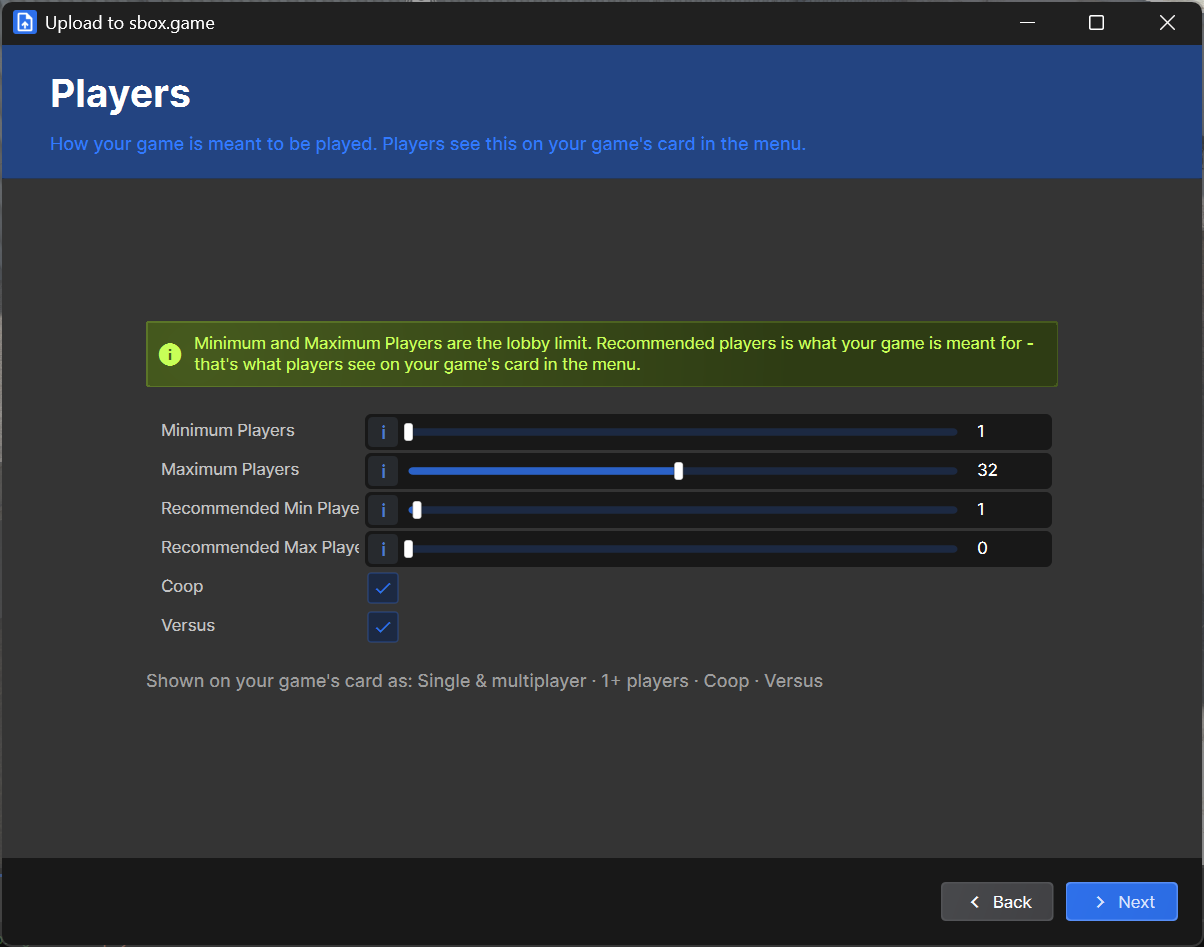
Configuration settings such as player counts, co-op/versus modes, and map parameters have been moved out of the website portal and directly into project settings and the publish wizard.
To help players easily identify titles suited for solo play or party sessions, accurate metadata is essential. Consequently, the publish wizard now requires this information prior to release.
Terrain Rendering Fixes
Terrain holes and outer perimeters are now clipped prior to pixel shading. This restores early depth rejection, allows MSAA to properly smooth cut edges, and bypasses unnecessary shader calculations on discarded terrain data.
We also resolved a bug where the terrain depth prepass outputted incorrect surface data. It now correctly generates proper surface normals and roughness values, restoring ambient occlusion mapping on terrain.
 Update 26.09.15
 Update 26.09.08
 Update 26.09.01
 Update: August 26, 2019
 Update 26.08.05
 Update July 26, 2022
 Update July 26, 2015