How to Sell Cars in Forza Horizon 6
If you are scratching your head over how to sell cars in Forza Horizon 6, you are certainly not alone. Unlike some racing titles that allow you to simply trade vehicles back to the game for a fixed sum, Forza Horizon 6 utilizes a player-driven economy. This means the only way to offload your unwanted rides is by listing them for other players to purchase. While earning credits isn’t necessarily difficult, successfully selling your cars requires a strategic approach to pricing to ensure your listings actually find a buyer.
Here is a breakdown of how the auction system functions and the best ways to sell your vehicles.
Mastering the Auction House in Forza Horizon 6
Because there is no “quick sell” button, you must utilize the Auction House to offload your collection. When you list a car, it becomes available for other players to bid on. If the auction concludes successfully with a winning bid, the car is sold. Keep in mind that if no one shows interest in your specific listing, the car will simply return to your garage once the timer expires.
To begin the process, head to the “Buy & Sell” tab located in the main menu, select “Auction House,” and then choose “Start Auction.” From there, you can pick any vehicle currently sitting in your garage to put on the market.
When you hover over a vehicle, the game will display its estimated value in the bottom-left corner of the screen. While this provides a baseline, savvy sellers often list their cars at a more competitive starting price to attract bidders. You are also required to set a “buyout price”—a fixed amount a player can pay to instantly purchase the car, bypassing the bidding process entirely. While general pricing follows the car’s base value, keep in mind that rare, limited-time, or highly exclusive vehicles often command much higher premiums.
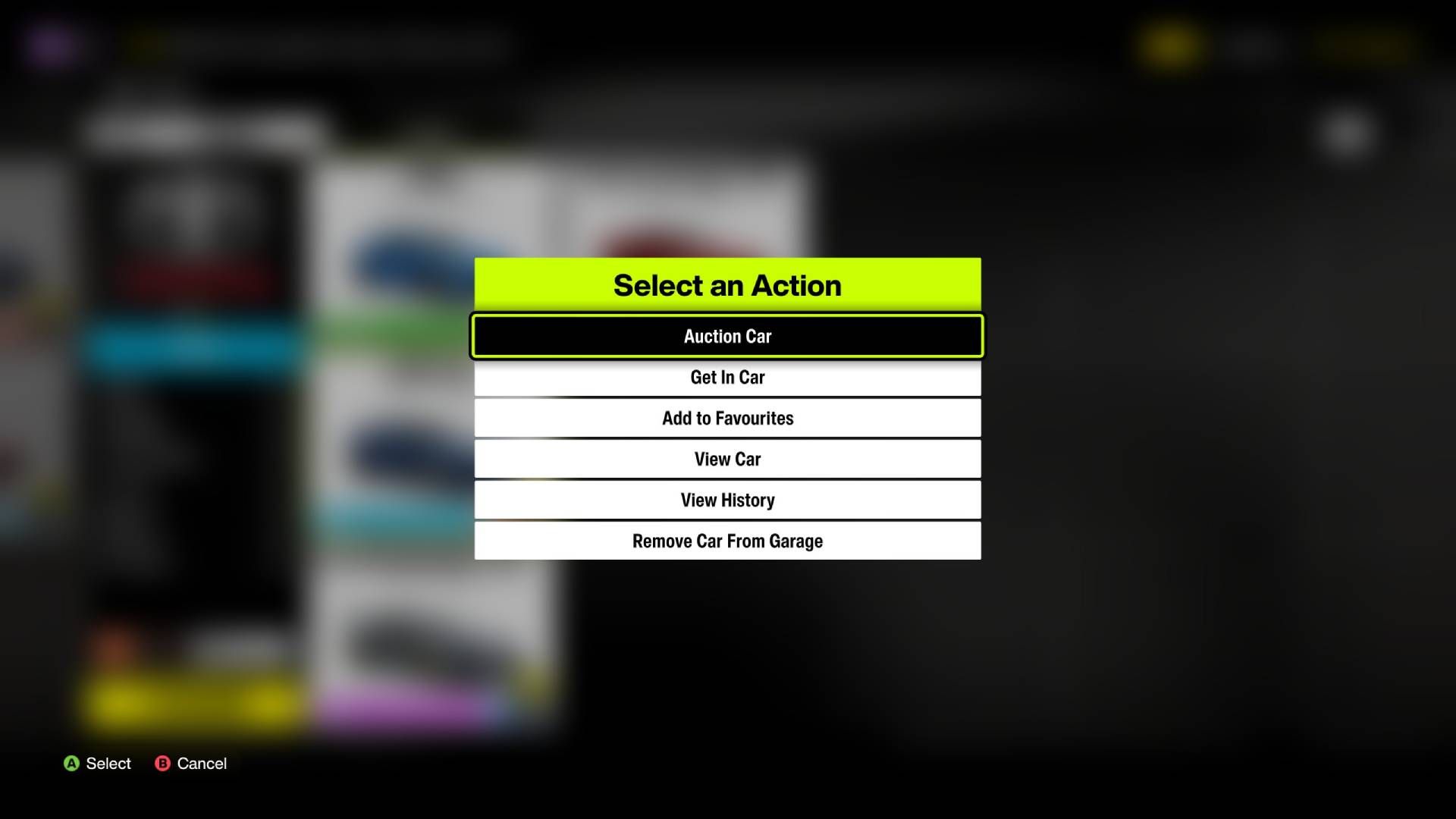
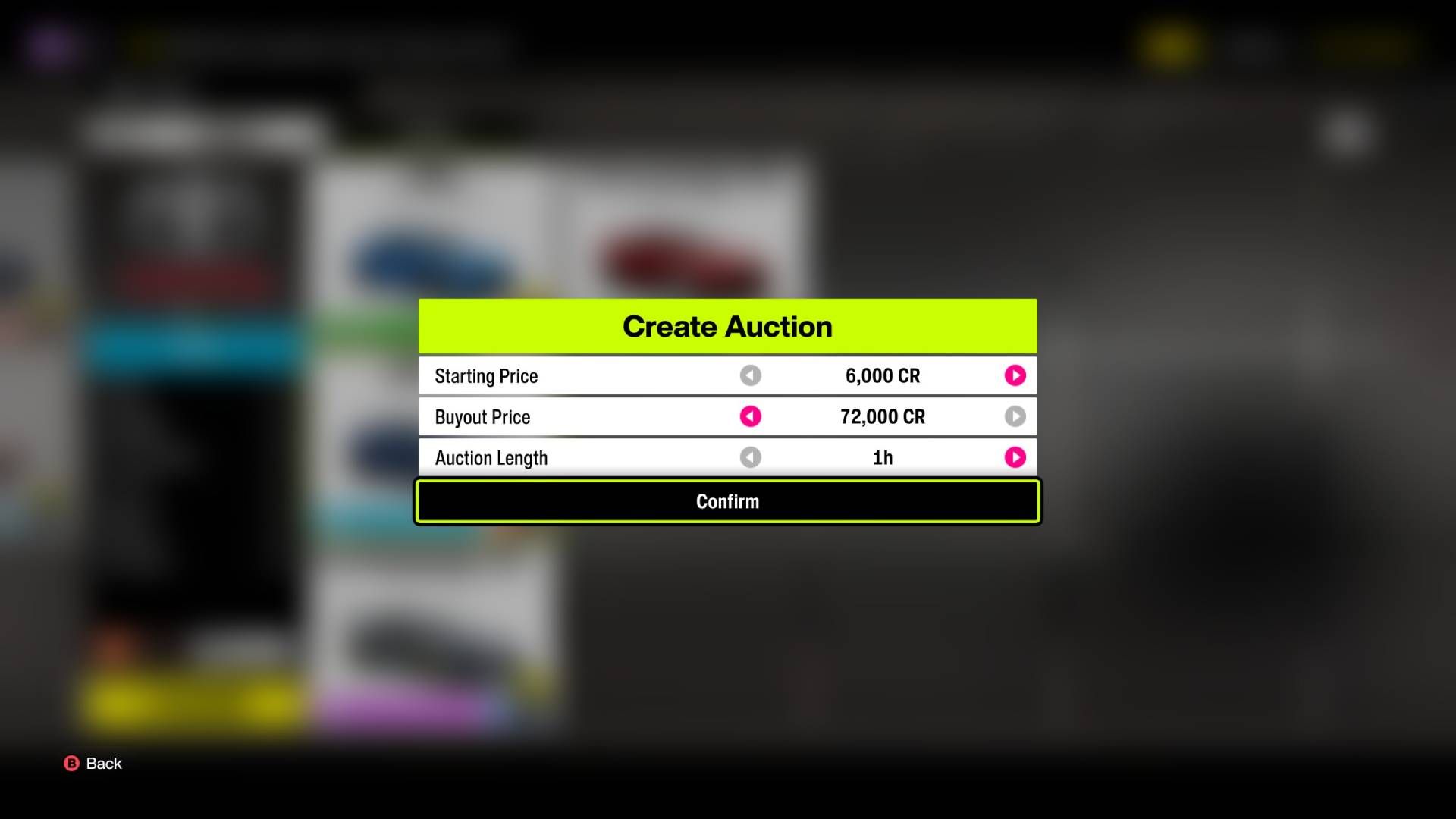
After clicking “Auction Car,” you will configure the auction length, starting bid, and buyout price. If you are unsure what to charge, take a moment to search for similar listings already active on the market; matching or slightly undercutting these prices is the most effective way to guarantee a sale.
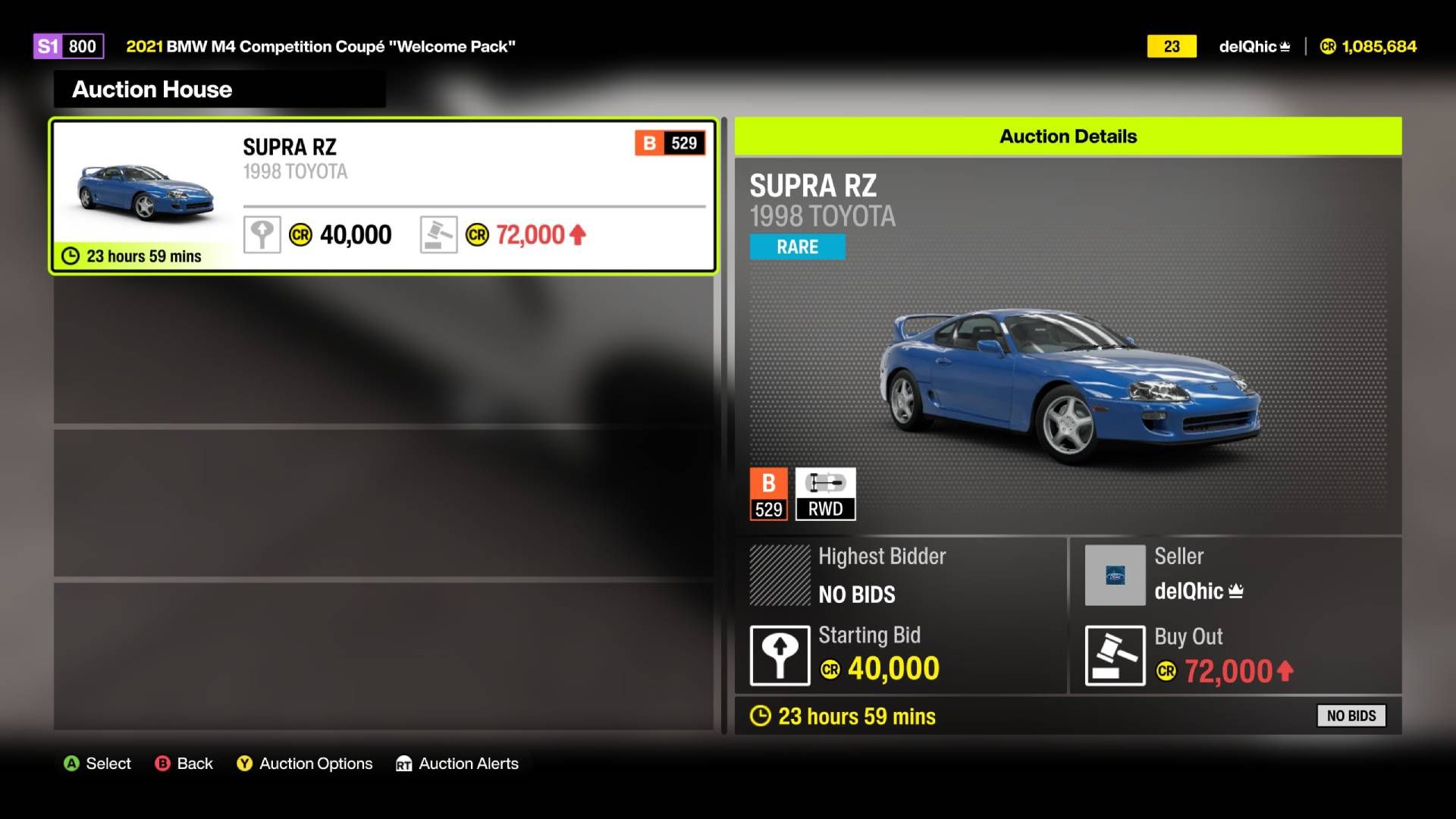
Once you confirm your settings, your car will appear in the global auction queue. You can monitor your active listings at any time by visiting the “My Auctions” section within the Auction House menu.
If your primary goal is simply to declutter your garage, you can opt to remove a car permanently or use the “Gift Drop” feature via the main menu to send it to another player. Note that these methods will not net you any credits, and should you regret your decision, you will have to re-acquire the vehicle later.
Source: Polygon
Related articles
 Gameplay footage of Xbox’s Perfect Dark surfaces online
 Insomniac Altered Marvel’s Wolverine Mechanic After Player Criticism
 Mafia III Receives Surprise 60 FPS Update for PS5 and Xbox Series X/S, Free for Current Owners
 Forza Horizon 6 On PS5 Delayed To 2027, Will Launch Alongside Game’s First Premium Expansion
 13 Years Later, One of Telltale’s Greatest Games Is Officially Making a Comeback
 Xbox Chief Promises to Restore Console Owners’ Trust and Alter Game Pass
 ‘Forza Horizon 6’ Officially Delayed to 2027 on PS5
 Remedy Begins Full Production on Max Payne 1 and 2 Remake as Actor is Revealed