Update 1.60: Job Details Widget
With the upcoming 1.60 update, we are continuing to polish the widget ecosystem in both Euro Truck Simulator 2 and American Truck Simulator, heavily influenced by the valuable feedback provided by our community. We are excited to unveil the new Job Details Widget—let’s take a closer look at these upcoming enhancements.
In response to input from our #BestCommunityEver and our evolving interface design philosophy, the 1.60 update introduces the Job Details Widget. This feature is engineered to provide a more streamlined, immediate, and intuitive way to monitor critical transit data while you are behind the wheel.
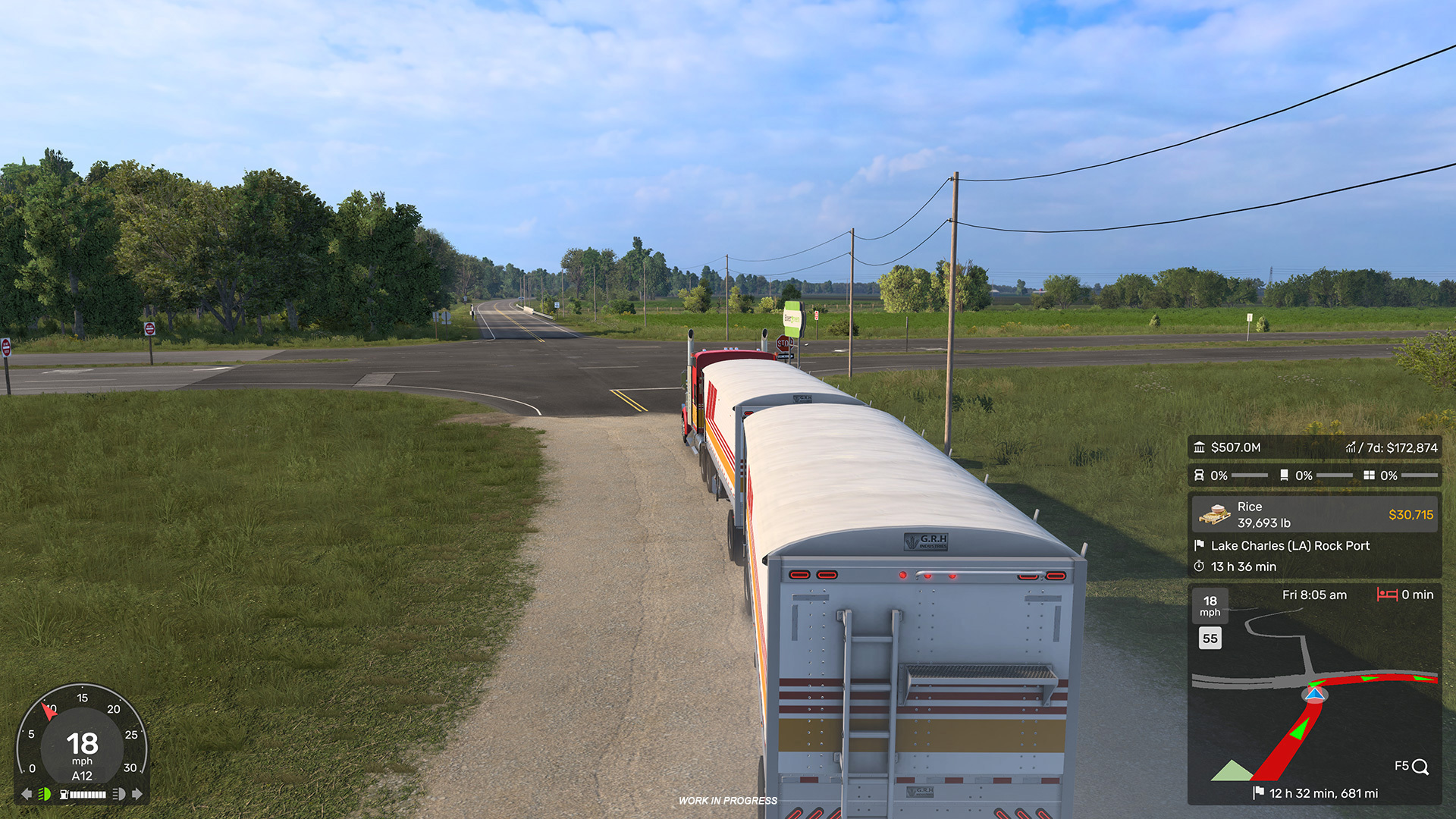
Currently, vital information is scattered across various screens. Much of it is buried within the “Quick Info” panel, which complicates the tracking of pickup and delivery points, cargo specifics, earnings, rest stops, and the countdown timer—the latter of which currently competes for space on your GPS display.
Once integrated, you will be able to toggle the Job Details Widget on via the Widget Options menu (accessible via F6). This compact interface will consolidate key metrics—cargo specifications, delivery location, earnings (now color-highlighted for better visibility), and the time remaining for your delivery—allowing you to stay informed without ever needing to pause the action.
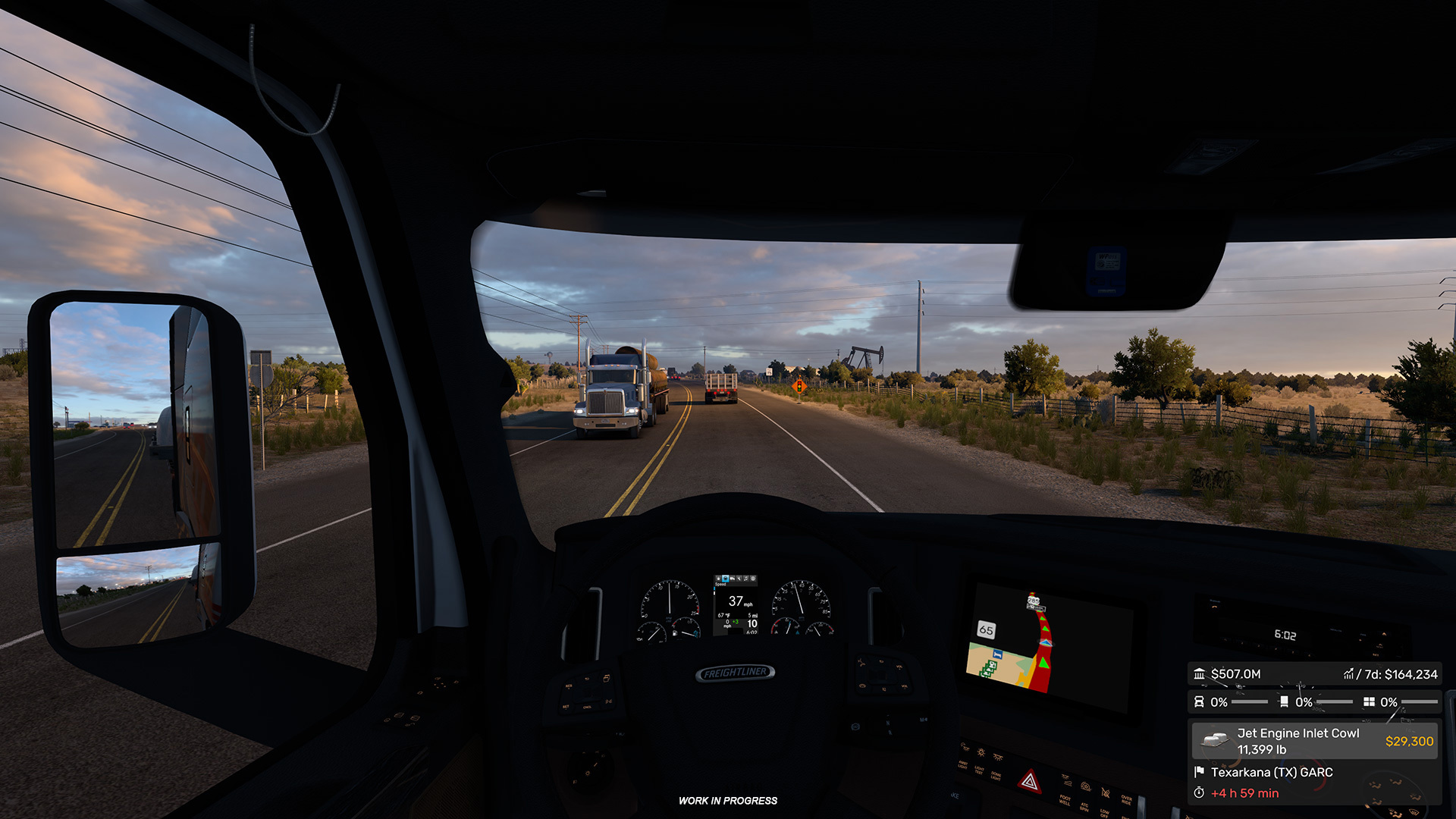
To further clean up the user experience, the delivery timer will be removed from the GPS and featured exclusively within this new widget. Similarly, rest stop notifications will be migrated away from the job details overlay and will now reside solely on your GPS.
We are committed to using your ongoing feedback to refine our interfaces and elevate the overall driving experience. We hope these changes make your time on the road more immersive and less cluttered.
Be sure to stay tuned for more details regarding the 1.60 update by following us on X/Twitter, Facebook, Instagram, Bluesky, and YouTube. If you haven’t already, please consider subscribing to our newsletter. Keep on truckin’!
Related articles
 Indiana Research Expedition
 Euro Truck Simulator 2: Version 1.61 Update Released
 SCS On The Road: Iceland Research Trip
 American Truck Simulator: Update 1.61 Released
 Freight Market & Quick Jobs Road Trip
 World of Trucks: Events Resume
 World of Trucks: Resuming Events
 Community Stories: Trucker Cassie