
The Evolution of the Route Advisor: Drivers and Development
For over a decade, the Route Advisor has been a steadfast companion on your journeys, witnessing thousands of hours of gameplay, countless long-haul deliveries, and those tense moments during tricky parking maneuvers. Altering a feature so deeply ingrained in the experience is a significant undertaking—one we approached with immense care and deliberation.

Before diving into the specifics of the transformation, it is vital to address the underlying motivation:
Why modernize the Route Advisor now?
As the simulation has matured, the core driving mechanics have become increasingly sophisticated. Modern trucks feature complex integrated systems, driving assists have evolved with greater nuance, and the hardware used to play—from massive monitors to handheld screens, and from keyboards to high-end racing wheels—has diversified significantly.
While the original Route Advisor served its purpose admirably, it reached a technical ceiling. It could no longer support new features without becoming an incoherent, cluttered mess. Expanding its functionality within the old framework required too many compromises, such as hidden data, lack of immediate feedback, and the constant need to toggle between tabs while navigating traffic.
Our objective with this redesign was not to fundamentally alter your enjoyment of the game, but to ensure that critical information remains:
- Legible
- Instantaneous
- Intuitive
- Versatile
What you see today represents the new cornerstone of our interface philosophy.
From a Static Panel to Modular Widgets
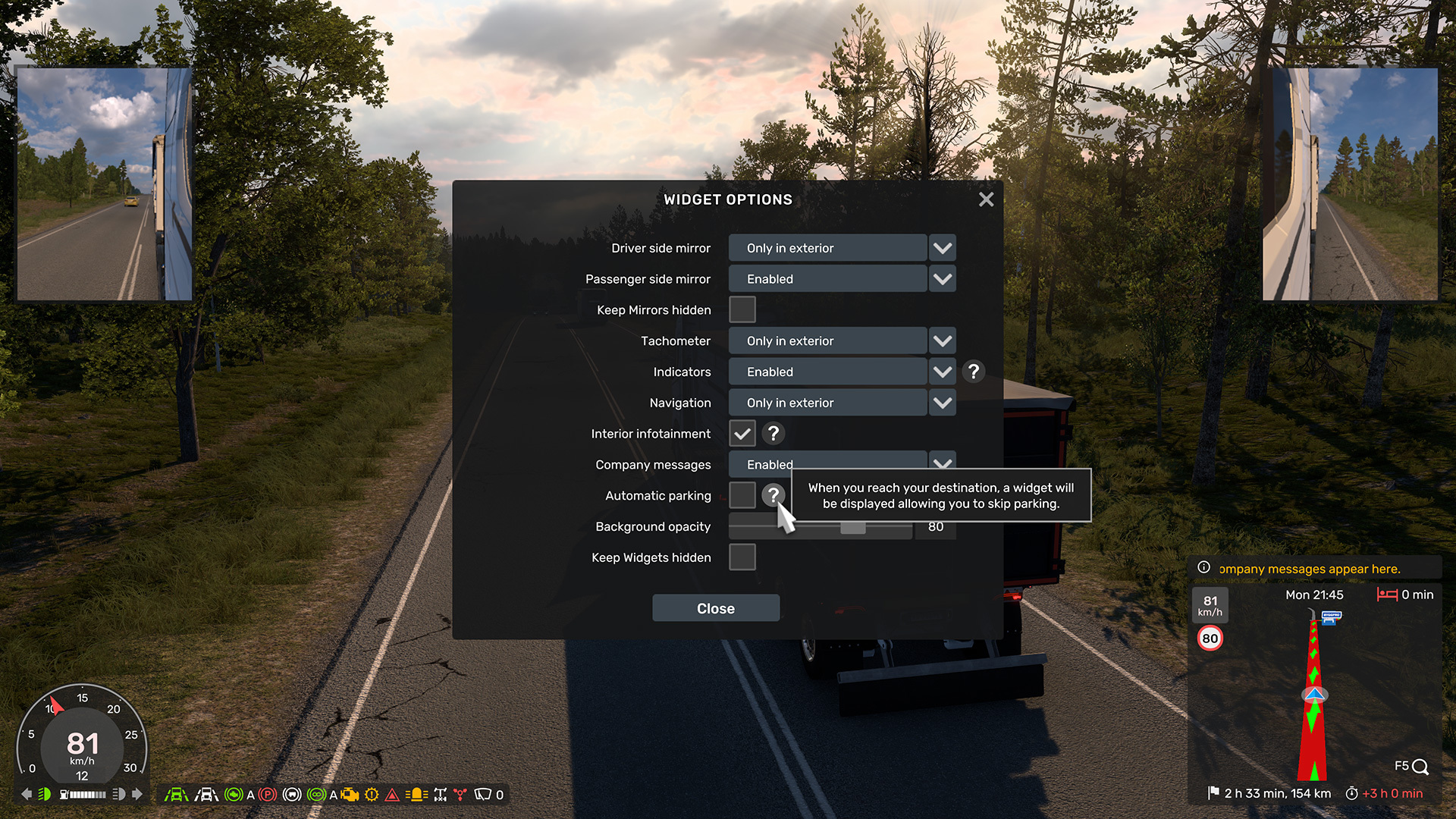
Moving away from a single, crowded box, the new Route Advisor is constructed from independent widgets, each designed for a specific purpose. This modularity offers three major advantages for drivers:
- Enhanced Data Density: Display more vital information without overwhelming the screen.
- Real-Time Feedback: Receive clear indicators of the vehicle’s current operational status.
- Complete Customization: You decide exactly what remains visible and what stays hidden.
Each component can be toggled individually, allowing you to define its visibility in the cabin view, external cameras, both, or neither. Whether you prefer a minimalist, immersive cockpit or a data-rich HUD, the choice is yours. Additionally, the F3 key retains its classic function, allowing you to instantly hide the UI while keeping critical notifications active.
Prioritizing Driving-Critical Data
A primary goal was to enhance feedback during active driving, specifically targeting information that was previously obscured, absent, or limited to specific views.
Refined for better readability:
- Current Velocity
- Active Gear Selection
- Fuel Levels
- Rest Requirements
Newly introduced data points:
- Engine RPM
- Precise countdown to the next rest stop
- Time remaining until delivery deadline
- Comprehensive truck system indicators
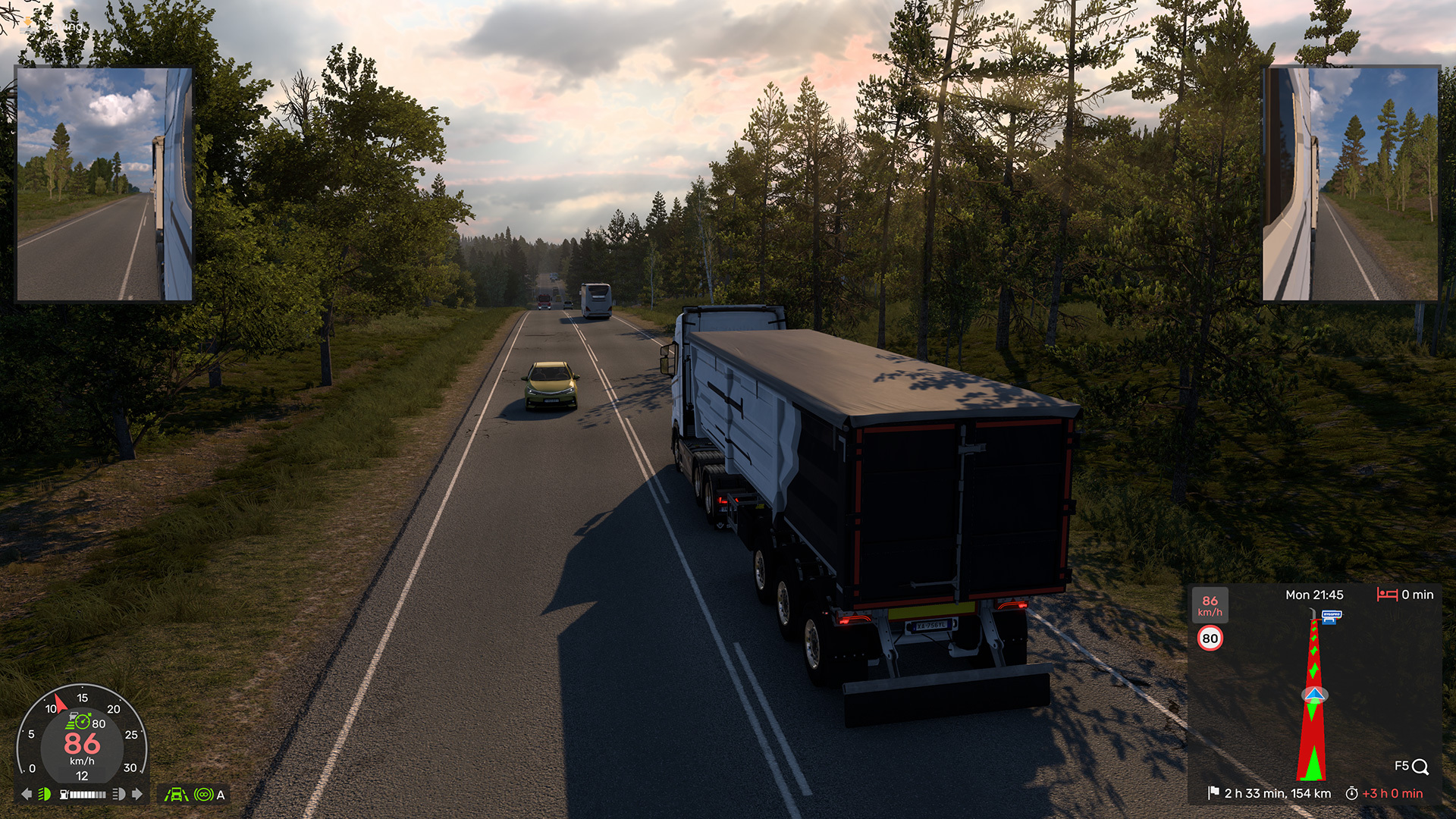
These insights are available across all camera modes, ensuring you are always fully aware of your vehicle’s performance.
Intelligent System Indicators
Modern trucks utilize a wide array of active safety and performance systems, but knowing exactly which ones were engaged wasn’t always straightforward. The new Indicators Widget provides immediate visual cues for:
- Cruise control (including precise target settings)
- Engine brake and retarder intensity
- Lane Assist and Departure Warning status
- Lighting, high beams, hazards, and beacons
- Parking brakes, trailer brakes, and differential locks
- Wiper activity and air pressure warnings
Icons only materialize when a system is active, maintaining a clean aesthetic while ensuring no vital warning goes unnoticed.
Functional Damage Assessment
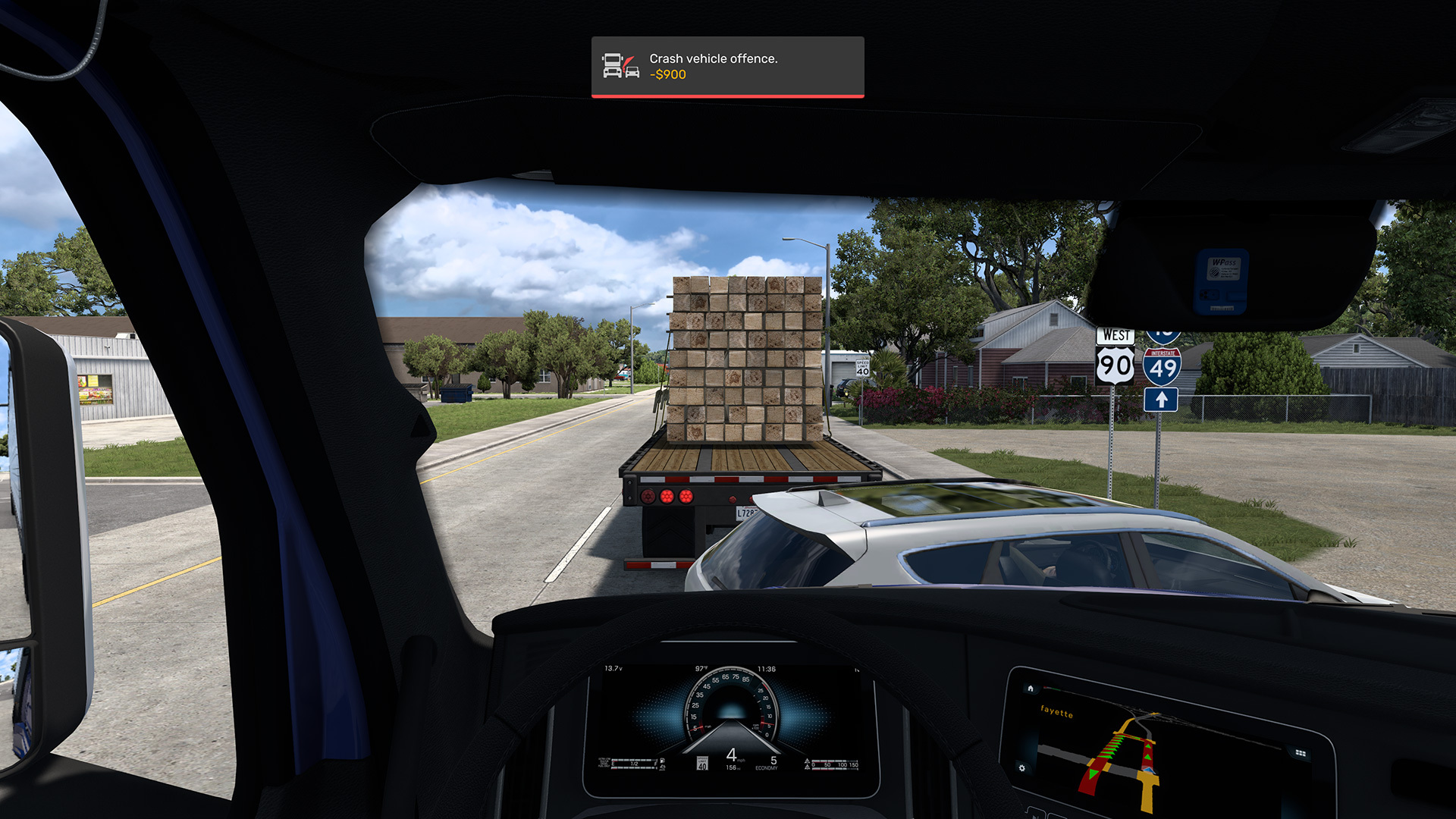
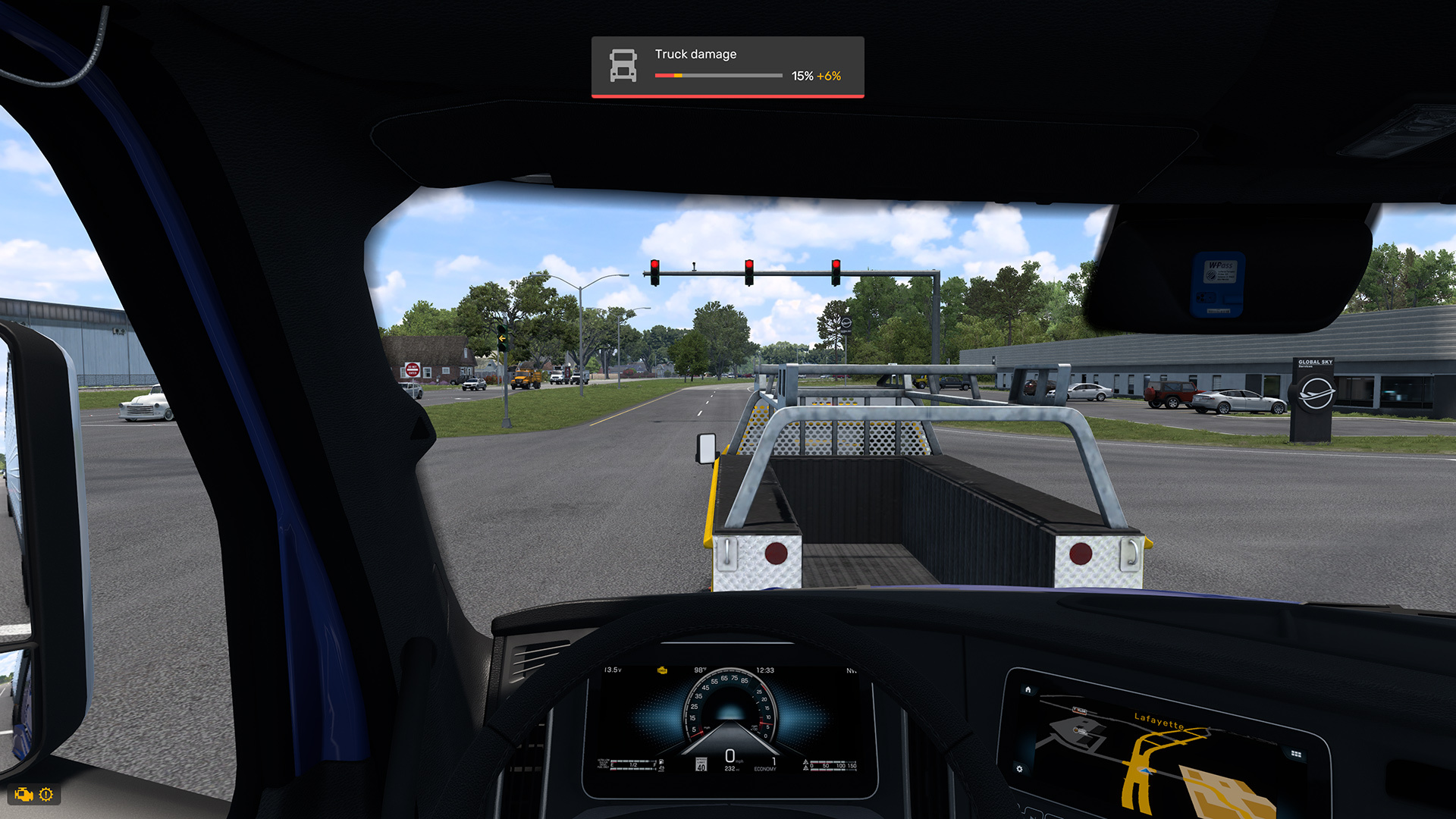
We have overhauled how vehicle wear and tear is communicated. In the past, damage was represented by abstract percentages that didn’t always reflect operational reality. Now, the UI focuses on functional impact.
- Instead of just a number, you’ll know exactly when a system is compromised enough to malfunction.
- New damage is clearly highlighted as it occurs.
- You will have a clear understanding of when mechanical issues will begin to affect truck behavior.
This creates a genuine sense of urgency and realistic feedback without unnecessary distractions.
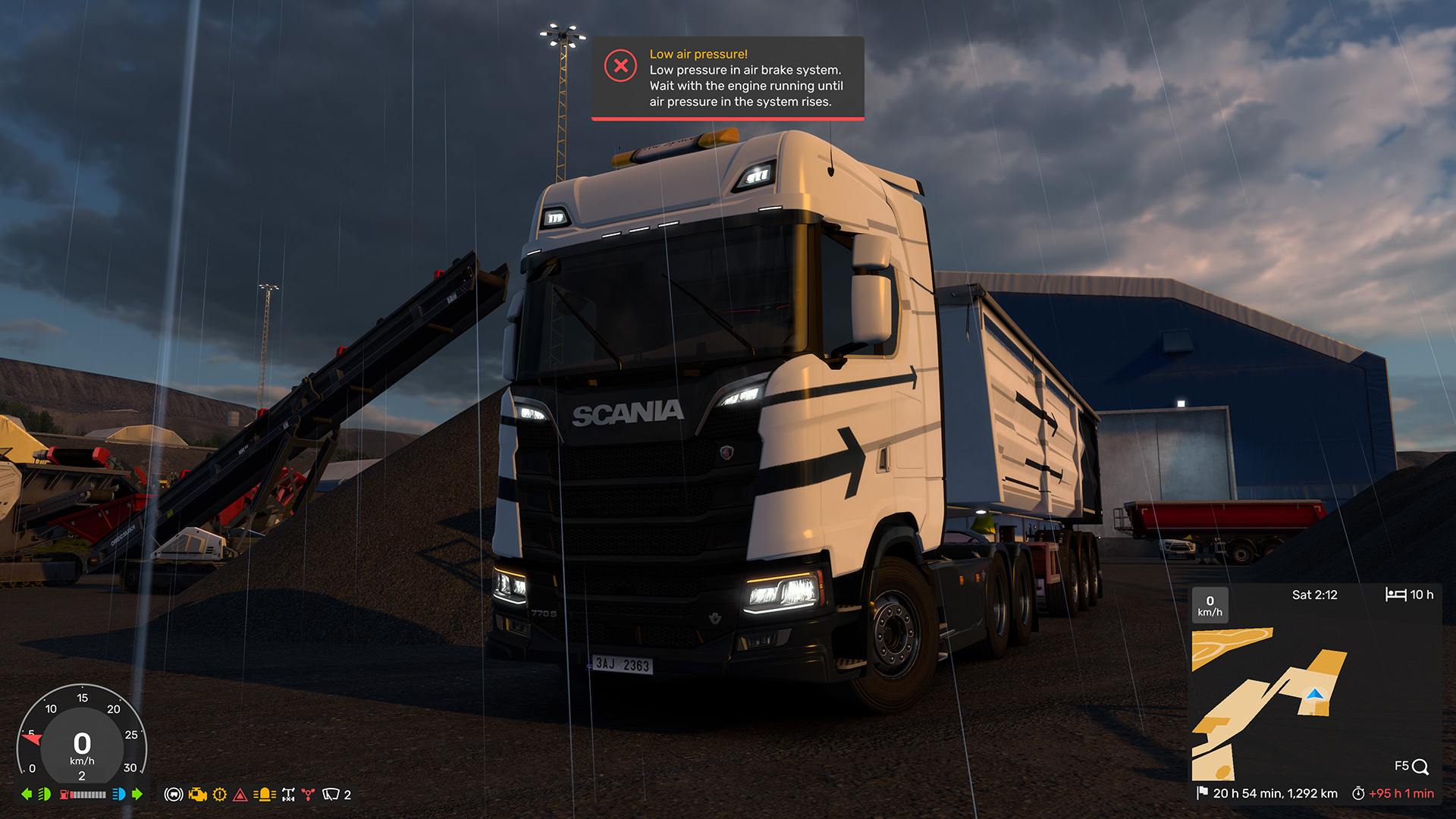
Categorized Notifications
Alerts have been moved to a dedicated screen area and are color-coded based on their severity:
- Critical Alerts
- General Warnings
- Routine Announcements
By displaying only one message at a time, we ensure you stay informed without being overwhelmed by a flood of text.
Unobtrusive Parking Assistance
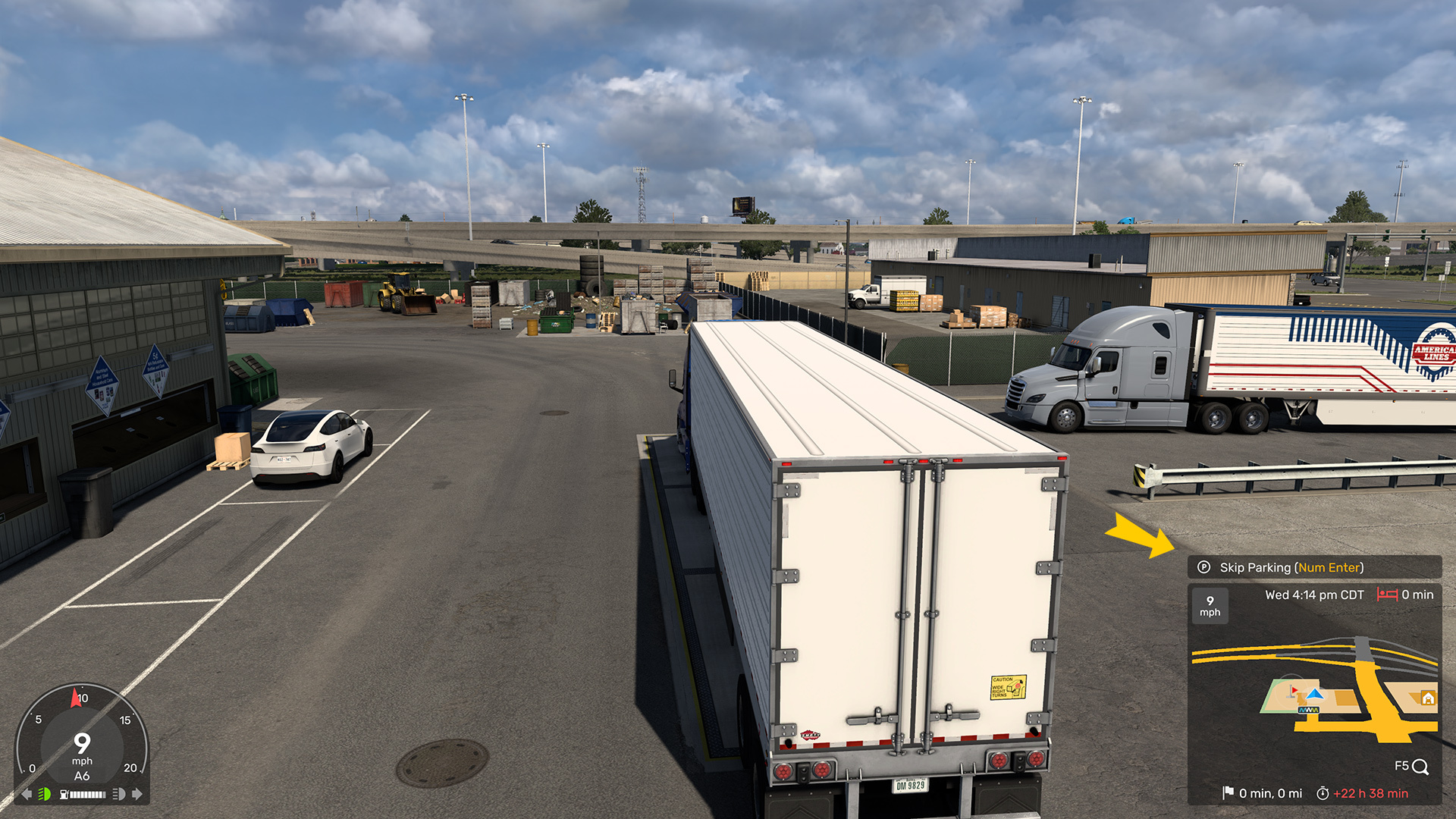
The automatic parking prompt has been redesigned to be far less intrusive. Rather than a recurring, distracting block of text, it now appears as a subtle, dedicated widget. Experienced drivers who prefer total manual control can now disable this feature entirely.
The Quick Info Menu: Context vs. Action
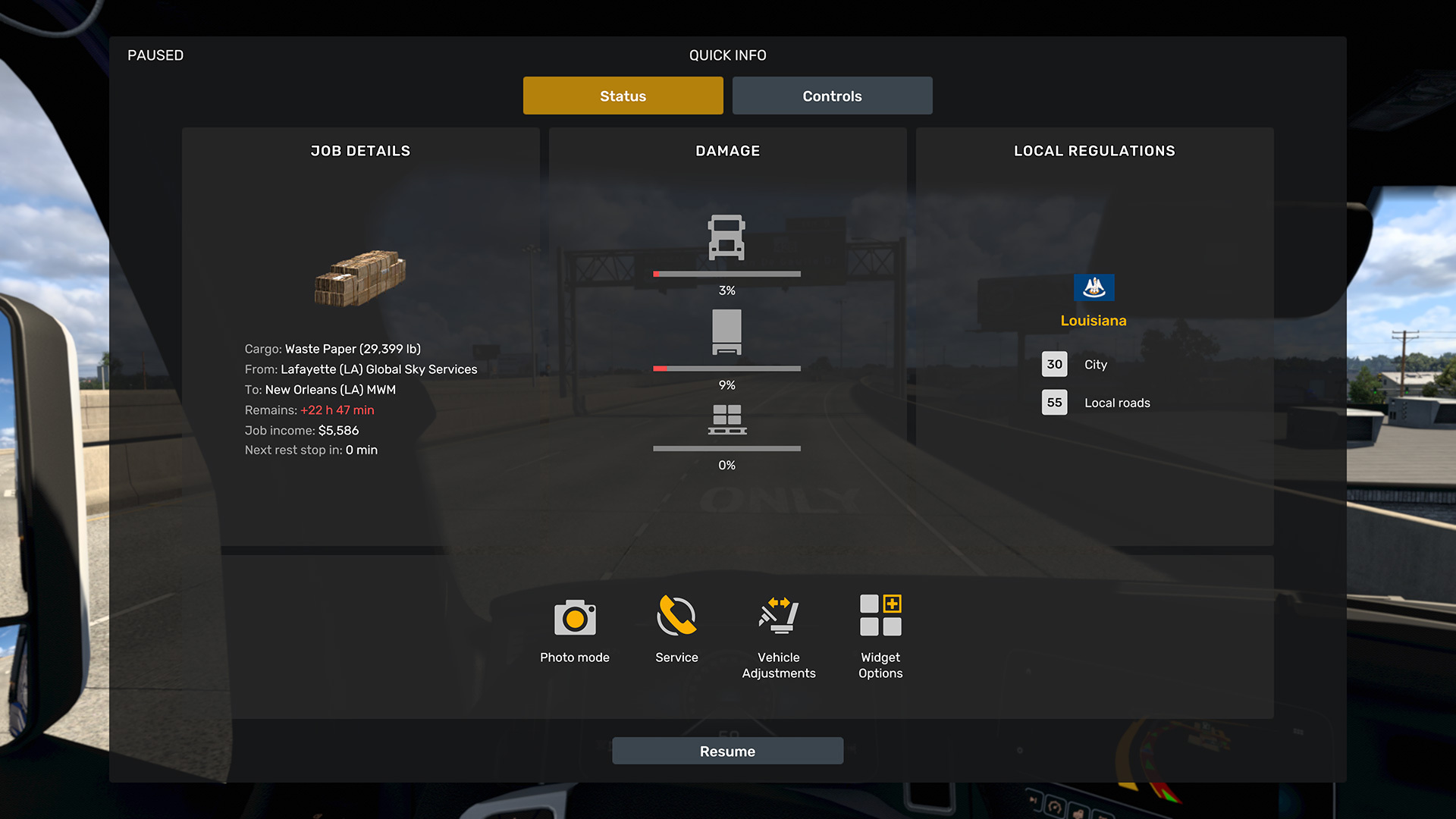
To reduce visual noise while driving, supplementary information has been moved to the new Quick Info menu:
- In-depth job specifications
- Detailed damage percentages
- Vehicle adjustments and maintenance logs
- Control references and settings
- Photo Mode and Widget configurations
- Local traffic regulations
This separation creates a logical flow: the Driving HUD provides what you need to operate the vehicle, while the Quick Info Menu offers deeper context and configuration.
A Foundation for the Future
We want to emphasize that this is not a final, static update. This new architecture allows for continuous improvement. Additional widgets, further refinements, and deeper customization options are all on the horizon. We are committed to perfecting this system for every type of player.
Change can be challenging, particularly when it affects a feature as iconic as the Route Advisor. We value the passion and feedback of our community. That dedication is why we strive to evolve while preserving the soul of the trucking experience. Our promise is simple: to improve clarity and immersion while continuing to build this world alongside you.
Thank you for being part of this journey. We’ll see you on the road.
Related articles
 Indiana Research Expedition
 Euro Truck Simulator 2: Version 1.61 Update Released
 SCS On The Road: Iceland Research Trip
 American Truck Simulator: Update 1.61 Released
 Freight Market & Quick Jobs Road Trip
 World of Trucks: Events Resume
 World of Trucks: Resuming Events
 Community Stories: Trucker Cassie