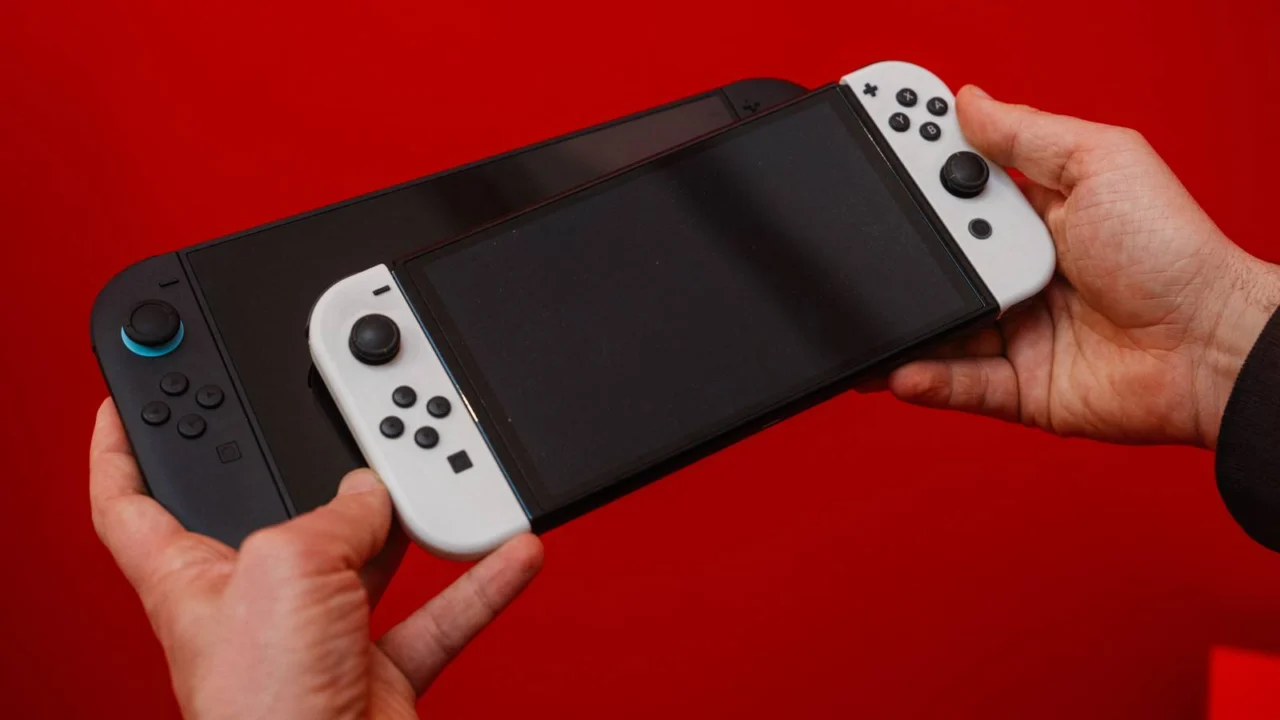
Switch 2 Update Introduces Boost Mode for Original Switch Games
Nintendo has officially released a major system update for the Switch 2, headlined by a fan-favorite request: Handheld Boost Mode. This innovative feature enables the Switch 2 to run legacy Nintendo Switch titles in portable mode with the same graphical fidelity and performance profiles usually reserved for docked TV play.
Historically, many Switch titles were capped at 720p in handheld mode to preserve battery and resources, only reaching 1080p when docked. By leveraging the Switch 2’s enhanced hardware and its native 1080p display, Handheld Boost Mode allows these older games to maintain peak resolution and higher frame rates while on the move.
When this mode is active, the system treats the Joy-Con 2 controllers as a Pro Controller, and because it mimics TV mode, the touchscreen functionality is typically disabled. This shift in input can cause minor discrepancies in on-screen button prompts. Due to these technical hurdles, certain titles—specifically those reliant on motion or touch controls—are currently unsupported. While Nintendo has not released an exhaustive list, early reports suggest that Super Mario Maker 2, Pokémon Let’s Go Eevee/Pikachu, and The Legend of Zelda: Skyward Sword HD are among the games excluded from this feature. Additionally, the impact of the boost varies depending on how the original software manages its TV mode settings.
Handheld Boost Mode is not enabled by default. Users must manually activate it within the settings menu by navigating to “System” and then “Nintendo Switch Software Handling.” Nintendo has cautioned that utilizing this extra power will likely result in faster battery consumption.
Beyond the graphics boost, the update introduces several quality-of-life refinements. Users can now attach private notes to entries on their Friends List and enjoy an overhauled GameChat experience with simplified invitation tools. Visual updates include new animations for loading virtual game cards, while accessibility has been expanded with Russian and Portuguese support for speech-to-text. Furthermore, the system now provides a detailed breakdown of storage usage, categorized by data type.
Ver. 22.0.0 (Released March 16, 2026)
- Updated the HOME Menu animations and text displayed when launching a virtual game card.
- Introduced a personal “Notes” feature for the Friend List. These notes are private and can also be viewed or edited via the Nintendo Switch App (version 3.3.0 or later).
- GameChat Enhancements:
- Added the functionality to invite friends directly into active GameChat rooms (subject to account supervision restrictions).
- Users can now invite friends who haven’t completed the GameChat setup, provided they have used a Switch 2 console.
- Improved visual clarity when expanding shared game screens within a chat session.
- Added 10-second rewind and fast-forward functionality using the ZL and ZR buttons for full-screen videos in the eShop and News sections.
- Expanded “Automatic Uploads” from the Album to include video clips, video-based screenshots, and annotated images.
- Expanded Accessibility options by adding Portuguese and Russian to the “Voice-to-Text” conversion engine.
- Enabled “Text-to-Speech” for the Album and the initial console setup process.
- Added a comprehensive storage breakdown for both internal system memory and microSD Express cards.
- Introduced an audio diagnostic test for users selecting “Linear PCM 5.1 Surround” in the TV Sound settings.
- Rebranded the “Hong Kong/Taiwan/South Korea” region to include “South East Asia” under Device settings.
- Handheld Mode Boost: New toggle added to the “Nintendo Switch Software Handling” section. This simulates TV Mode for compatible titles, which may alter certain software behaviors.
- Airplane Mode Updates:
- The system now remembers specific Bluetooth, Wi-Fi, and NFC preferences when toggling Airplane Mode.
- Added individual toggles for Bluetooth, Wi-Fi, and NFC directly within the Quick Settings overlay.
- Added a notification feature for the Parental Controls mobile app that alerts parents when the PIN is successfully entered on the console.
- Implemented general stability improvements to optimize the overall user experience.
Source: Polygon
Related articles
 Experts Identify Cause of The Witcher 3 Performance Problems Even an RTX 6090 Wouldn’t Fix
 The Wolf Among Us to Get October Remaster With Cut Scenes and Noir Mode
 Halo Composer Marty O’Donnell Says Gamers Are Tired of Agenda in Games While Running for Congress in Nevada
 Hideo Kojima Visits Sony Headquarters Amid Rumors of Rift
 Laura Bailey Names Her Favorite Critical Role Romance, Which Reshaped Campaign 3
 Blizzard Says Diablo V Is in Development
 Beloved 2022 Survival Adventure ‘Stranded Deep’ Is Free This Weekend
 Sony Closes PS5 Hacking Loopholes, Affecting Users on Older Firmware