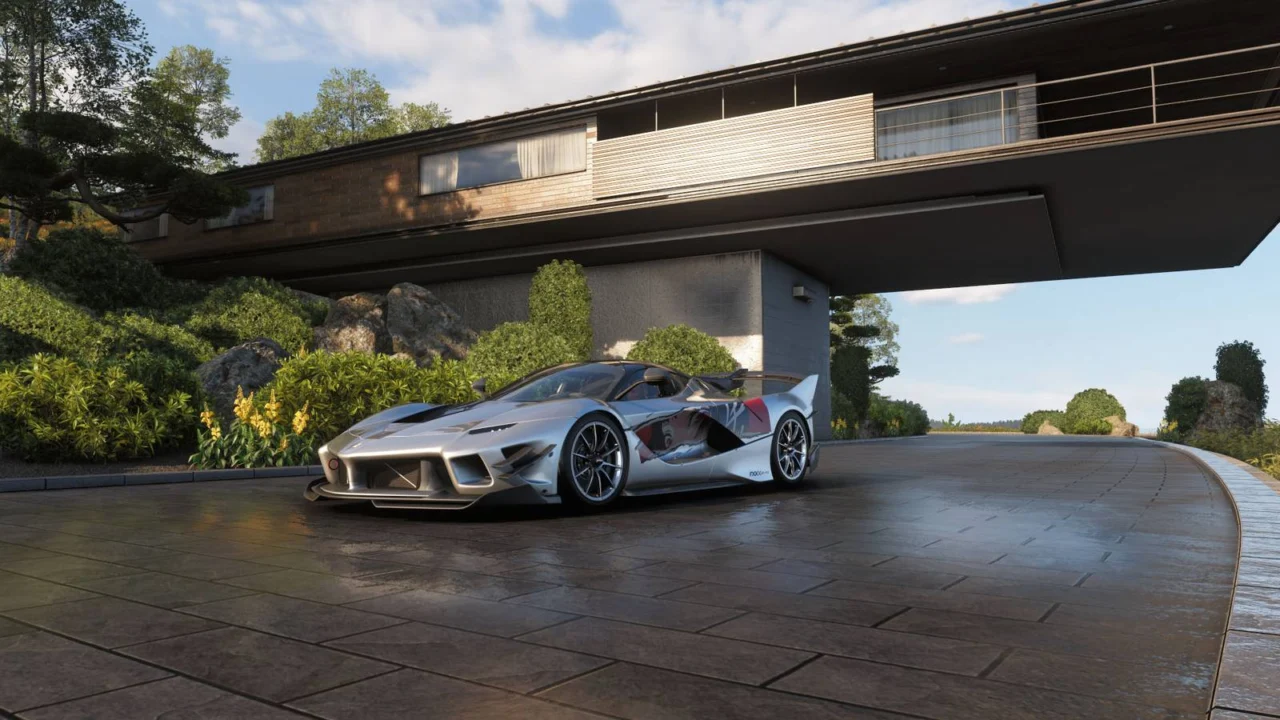
Forza Horizon 6: All Houses and How to Unlock Them
In Forza Horizon 6, securing a personal residence is essential for any serious racer looking to unwind after the intensity of the Horizon Festival. These retreats serve as your primary spawn point and home base, offering strategic perks that enhance your gameplay experience. Beyond their utility, these properties provide the perfect setting to build a dream garage and showcase your most prized vehicles.
To help you navigate your property portfolio, we have compiled a comprehensive guide to every available residence in Forza Horizon 6, along with everything you need to know about acquisition and benefits.
A Complete Guide to Forza Horizon 6 Properties
Investing in a property in Forza Horizon 6 grants you two distinct advantages. Every residence includes a customizable garage for displaying your car collection and a unique perk—a passive bonus designed to streamline your racing journey.
It is important to note that a house’s specific perk activates the moment you purchase the property. While you can designate a house as your primary spawn point or home base, doing so is not a requirement to enjoy the passive benefits.
To unlock the ability to purchase these estates, you must advance through the Discovery Japan chapter of your collection journal by earning new stamps. As your collection grows, more exclusive locations will become available for purchase.
Below is the full catalog of in-game properties, including their locations, costs, and associated perks:
- Mei’s House (Ohtani)
- Tokyo House (Tokyo City)
- The Estate (Hokubu)
- Minka House (Ito)
- Hakusan Mountain Lodge (Sotoyama)
- Funji Unkai House (Shimanoyama)
- Soko 78 (Tokyo City)
- Vision House (Ohtani)
Mei’s House

- Region: Ohtani
- Stamp: Yellow
- Price: Free
- Perk: Wheeler Dealer (Enables car trading at the Autoshow)
Tokyo House

- Region: Tokyo City
- Stamp: Yellow
- Price: 3,000,000 CR (Complimentary for VIP members or Premium Edition owners)
- Perk: Daily Wheelspin (Receive a free spin every day you visit Horizon Japan)
The Estate

- Region: Hokubu
- Stamp: Yellow
- Price: 10,000 CR
- Perk: Estate Builds (Unlock custom building capabilities at this location)
Minka House

- Region: Ito
- Stamp: Green
- Price: 450,000 CR
- Perk: Credit Stunts (Earn a 10% credit bonus during Horizon Stunt Party events)
Hakusan Mountain Lodge

- Region: Sotoyama
- Stamp: Blue
- Price: 635,000 CR
- Perk: Additional Garage Slot (+1 Display Car) and Cool Credits (10% bonus credits in Horizon Life events)
Funji Unkai House

- Region: Shimanoyama
- Stamp: Orange
- Price: 830,000 CR
- Perk: Career Driver (Earn a 10% credit bonus upon completing Horizon Jobs)
Soko 78

- Region: Tokyo City
- Stamp: Purple
- Price: 980,000 CR
- Perk: Import/Export (Receive a 5% discount on all Autoshow car purchases)
Vision House

- Region: Ohtani
- Stamp: Golden
- Price: 1,500,000 CR
- Perk: Driving With Friends (10% Skill Score boost when using LINK Skills) and an Additional Garage Slot (+1 Display Car)
Mastering Estate Customization
Of all the properties in Forza Horizon 6, the Estate stands out as the only location offering deep customization for both the exterior grounds and the garage itself.
To launch the build mode, simply navigate to your Estate and park your vehicle near the ramp. You will see an “Estate options” menu appear in the top-left corner, granting you full access to the creative suite.

The build tool allows you to clear existing terrain and add a wide variety of props. While there is a specific budget for objects, you have significant freedom to tailor the space to your aesthetic preferences. New items can be acquired via the prop library using in-game credits.
If you prefer to skip the design process, you can browse and download layouts created by the community. Simply open the “My Estates” menu and select “Browse Community Estates.” Keep in mind that while the layout is shared, you will still need enough credits to purchase the required props for the design.

Need a fresh start? You can easily reset your property at any time within the “My Estates” section of the “My Horizon” menu. For a total clean slate, use the “Empty My Estate” function to remove all items instantly.
Source: Polygon
Related articles
 Paramount Developing Cyberpunk 2077 Spinoff Produced by Transformers Producer
 HBO is counting Lanterns viewers but has not yet renewed the series for a second season
 GTA Developer Recreates Original Driving Model for Series’ 30th Anniversary
 Gameplay footage of Xbox’s Perfect Dark surfaces online
 Forgotten 2018 Magic: The Gathering Planeswalker Skyrockets 400% Due to New Commander Deck
 Insomniac Altered Marvel’s Wolverine Mechanic After Player Criticism
 Mafia III Receives Surprise 60 FPS Update for PS5 and Xbox Series X/S, Free for Current Owners
 Forza Horizon 6 On PS5 Delayed To 2027, Will Launch Alongside Game’s First Premium Expansion