City Corner #10 – Expanding the Modding Tools

Greetings, Mayors!
Welcome to another edition of City Corner. Today, we are shifting our focus to a cornerstone of Cities: Skylines II that has largely remained behind the scenes until now: the Asset Editor. Our team has been actively enhancing the modding toolset, introducing a variety of quality-of-life upgrades designed to streamline your workflows, simplify asset localization, and refine placement mechanics.
Additionally, we will preview upcoming enhancements for mod management and our overarching roadmap. Let’s dive right in!
Streamlining Workflows Within the Editor
Let’s start with the editor itself. In our upcoming patch, we are rolling out significant usability enhancements aimed at minimizing repetitive clicking and helping creators navigate and modify their assets with greater ease.
First, we have introduced a new launch parameter, -startEditor, which boots the game directly into the Asset Editor. This bypasses the main menu entirely, getting you straight to work in a fraction of the time.
We’ve also implemented new controls to effortlessly expand or collapse all components within the Inspector panel simultaneously. This makes examining an asset’s structural hierarchy or jumping to a specific component considerably faster. Creators can configure their default expansion preferences in the settings, utilize dedicated UI buttons, or bind custom keyboard shortcuts to toggle states on the fly.
Furthermore, we audited the editor’s Inspector panels to eliminate redundant collapsed containers. Previously, creators often had to drill down through multiple nested layers just to access essential input fields. Many of these inner containers now remain permanently expanded, permanently removing unnecessary friction from your workflow.
Another major pain point was managing long lists of attached props and decorative items. Previously, crucial details like position and spawn probability were hidden inside individual containers, forcing creators to manually expand dozens of entries across multiple pages just to find the right one.
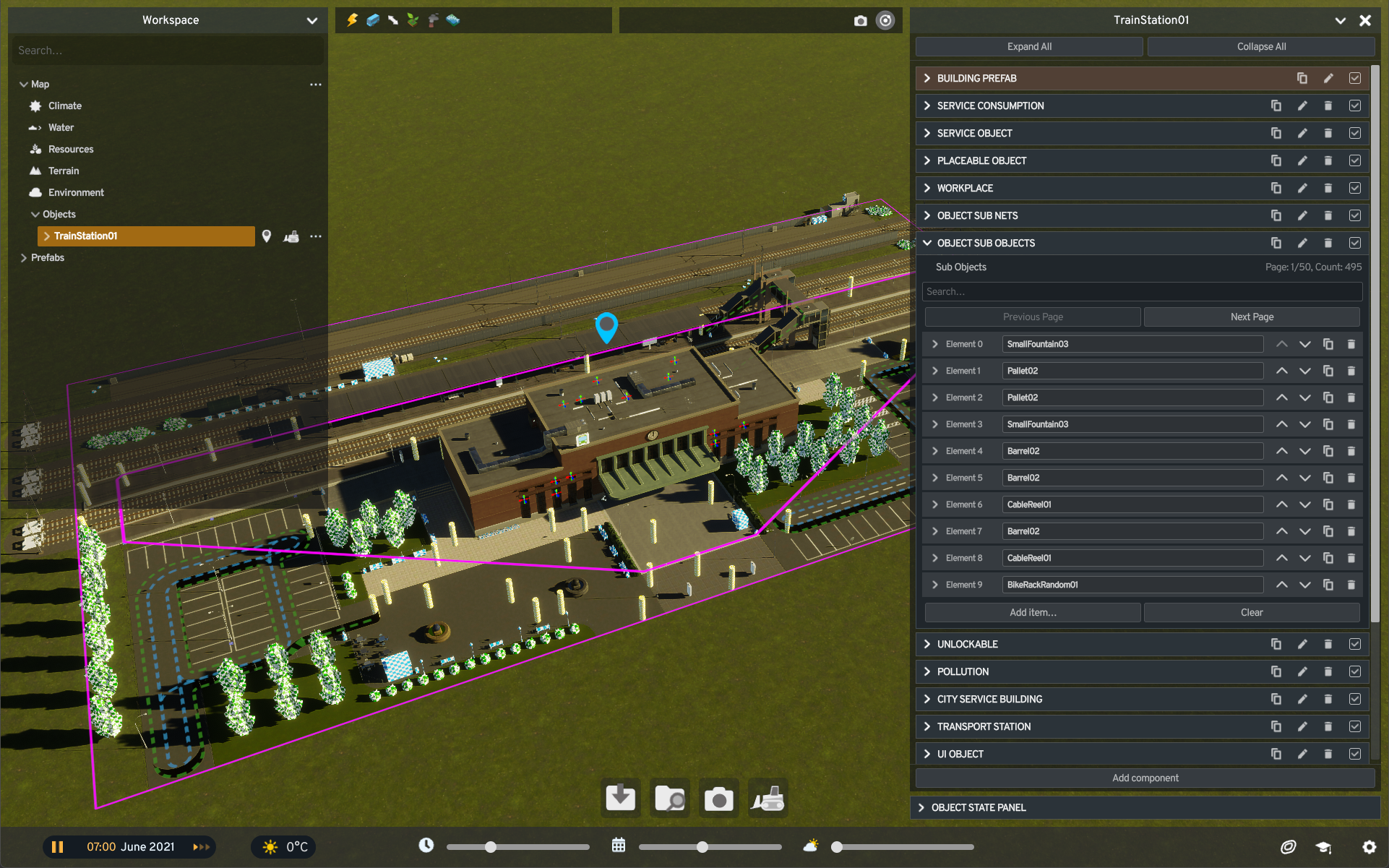
Now, item names are clearly displayed right alongside their Element IDs even while containers remain collapsed, making extensive lists exceptionally easy to scan. We’ve also integrated a dedicated search bar, empowering creators to instantly filter lists by either item name or Element ID.
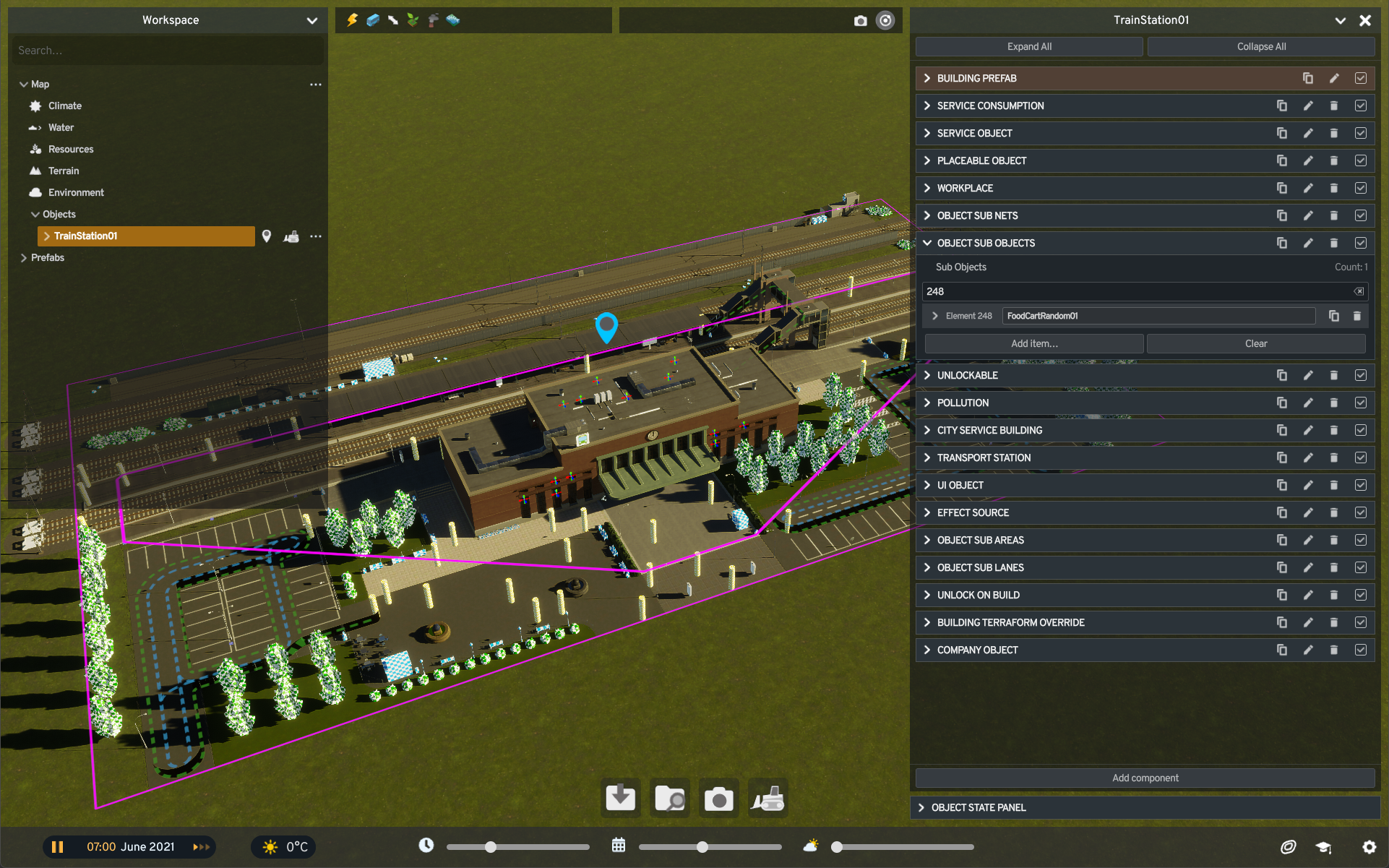
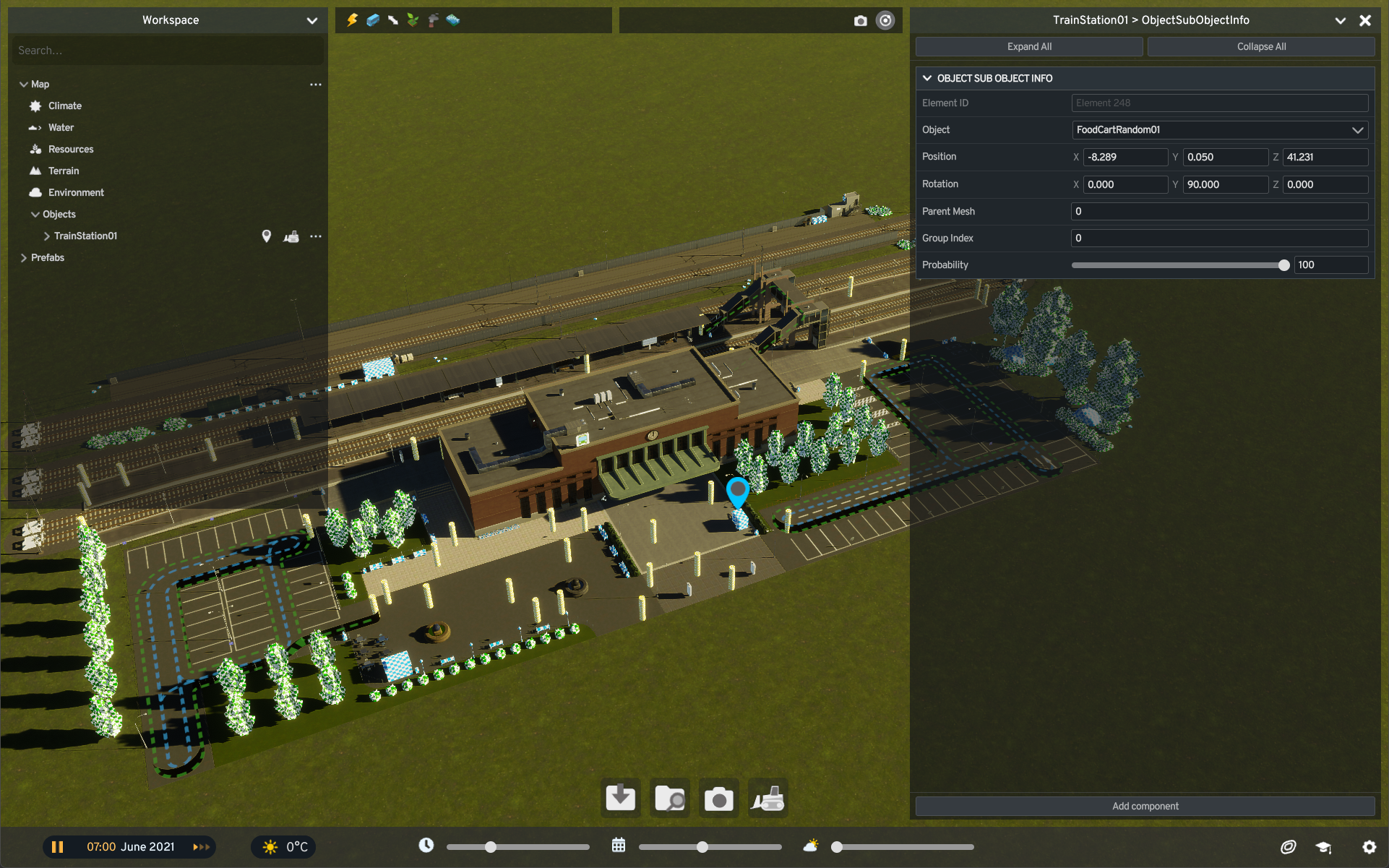
Complementing these changes, selecting a propped item directly on an asset now reveals its Element ID in the Object Info panel—alongside its local coordinates and spawn probability. You can simply copy this ID and paste it into the list search to jump straight to that exact entry.
Refining the Asset Localization Tool
Translating names and descriptions for global audiences has also received a comprehensive polish, making localized content management remarkably seamless.
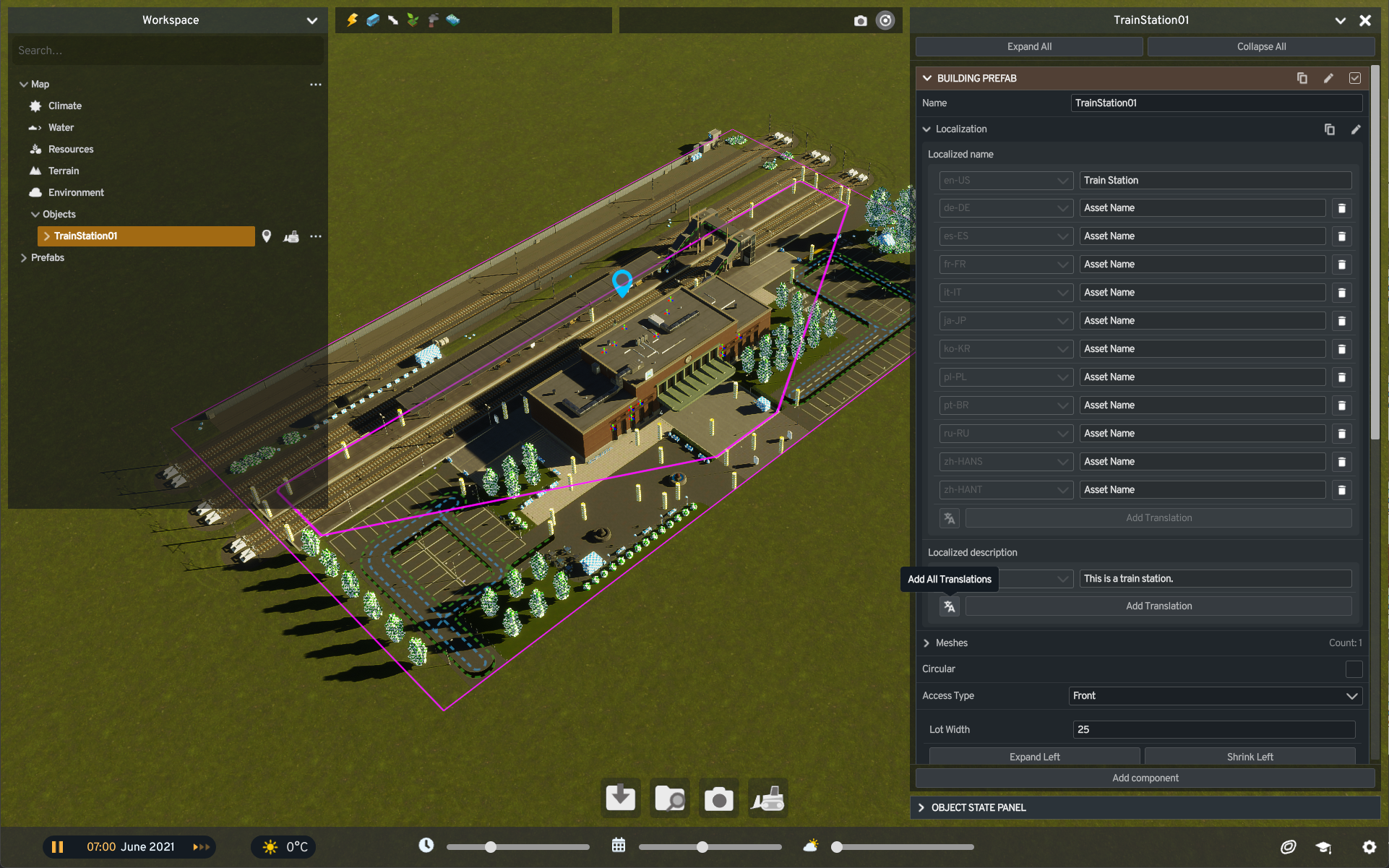
A brand-new Add All Translations button allows creators to instantly generate input fields for every officially supported language with a single click, replacing the tedious process of adding them individually. With 12 languages currently supported, this drastically reduces repetitive inputs for every localized section.
Additionally, description fields now fully support native multiline text formatting. While assets have always supported line breaks and paragraphs, the editor’s input box previously ignored the Enter key. This bug has been squashed, allowing you to format text blocks naturally right inside the editor.
Creators can now also copy localization data from one asset and paste it directly onto another. This proves immensely valuable when developing distinct colorways or regional variants of a single asset, allowing shared text to transfer instantly without relying on external spreadsheets or redundant copy-pasting.
Advanced Placement Overrides for Propping
Our final headline feature for the editor introduces a robust Overrides toolset, which becomes accessible whenever snapping is active during prop placement. This grants access to three optional overrides that can be applied dynamically as items are positioned:
- Parent Mesh: Instantly designates which parent mesh a prop should bind to, guaranteeing they move together in tandem.
- Group Index: Allows creators to define this technical parameter upon initial placement. Because Group Index governs critical behaviors such as synchronized spawn weighting and color variation groups, setting it upfront eliminates the chore of updating individual items later.
- Probability: Lets you establish precise spawn probabilities during the placement phase. When activated, it defaults to a reliable 100%, ensuring props always appear unless manually adjusted to any value between 1% and 100%.
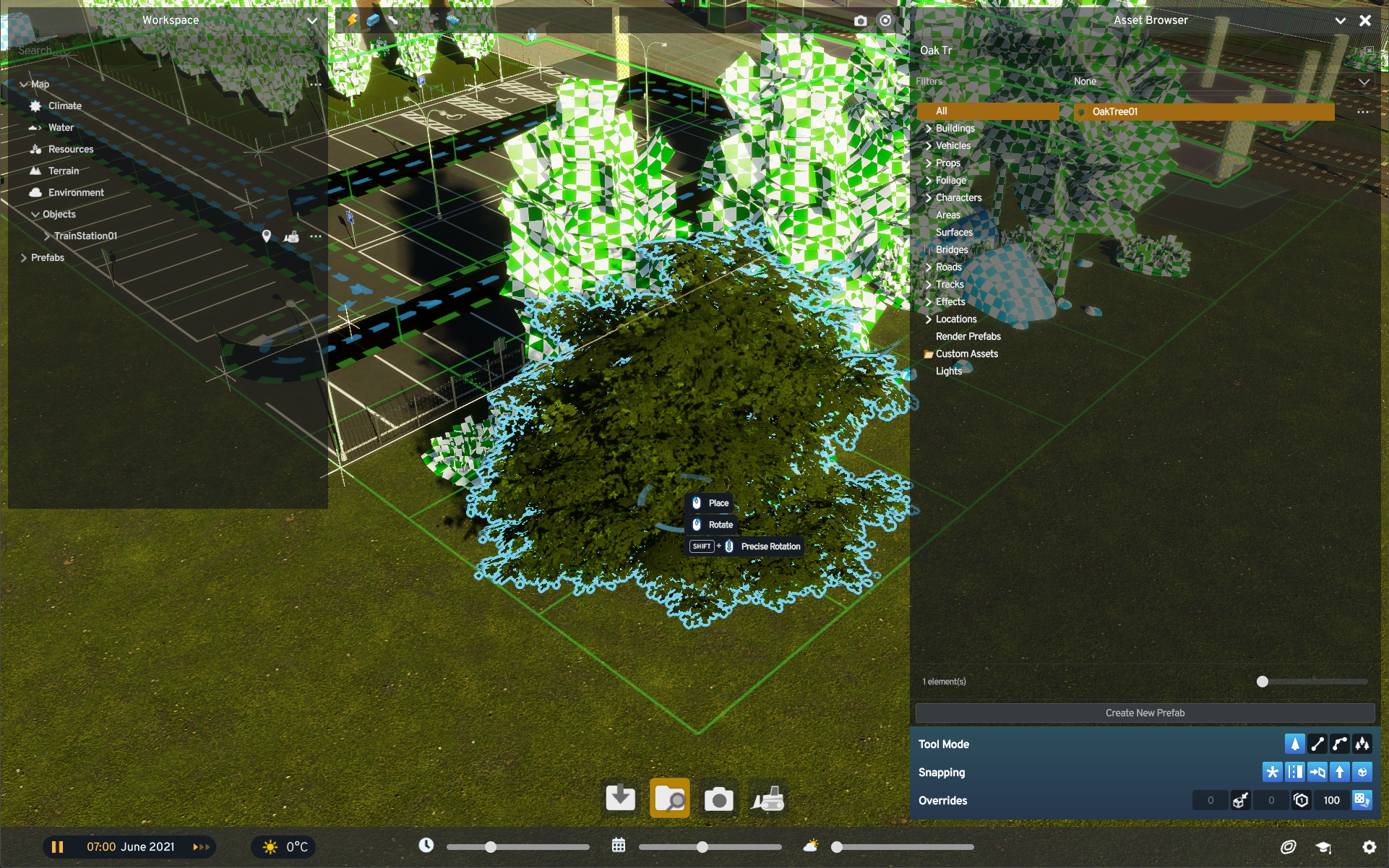
These overrides can be enabled individually or combined freely, shifting crucial data configuration from a post-placement chore into a fluid part of the building process.
Launcher Mod Support Upgrades
Alongside Asset Editor updates, our team has been collaborating closely with the PDX Mods division to overhaul mod management. Many of these upcoming changes come directly from community suggestions. While we cannot share a definitive release date just yet, we are thrilled to show you our progress.
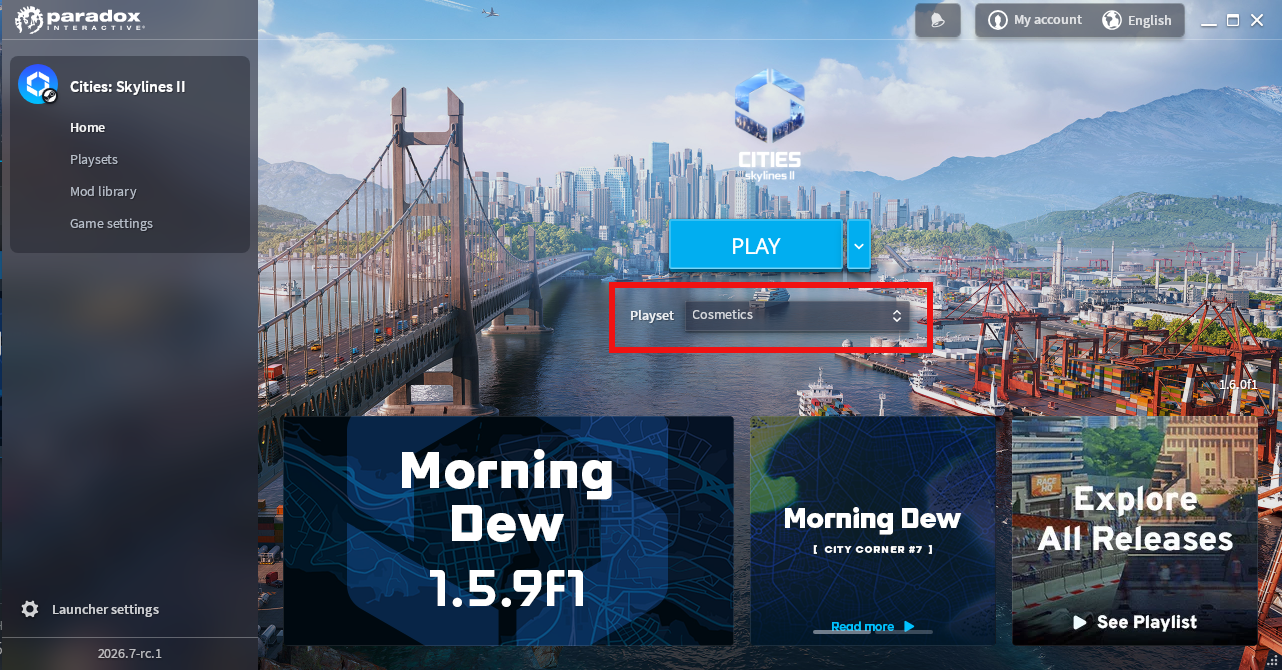
As the section title suggests, we are introducing intuitive mod management directly inside the game launcher, allowing you to curate your setup before even launching the game. Upon opening the launcher, you can select your active playset. If a playset contains corrupted files or outdated dependencies, the launcher will flag it with a warning icon—hovering over it provides detailed troubleshooting insights. Furthermore, the launcher will automatically attempt to fetch missing items or pull the latest updates directly from the PDX Mods backend.
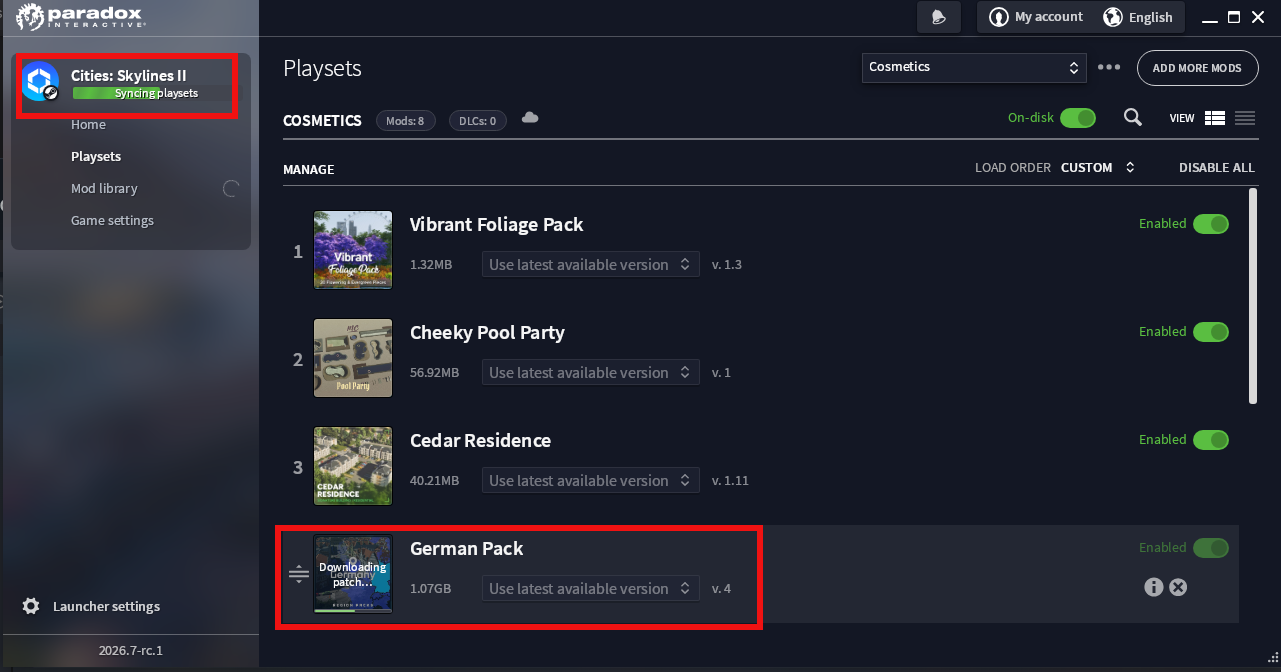
You will also be able to designate playsets as “off-disk,” retaining your tailored configurations without actively downloading or occupying storage space with their associated mods—perfect for archiving setups you aren’t currently using. Naturally, the launcher will also support creating fresh playsets, pruning obsolete ones, and modifying existing setups seamlessly. (Please note that feature nomenclature is still subject to change.)
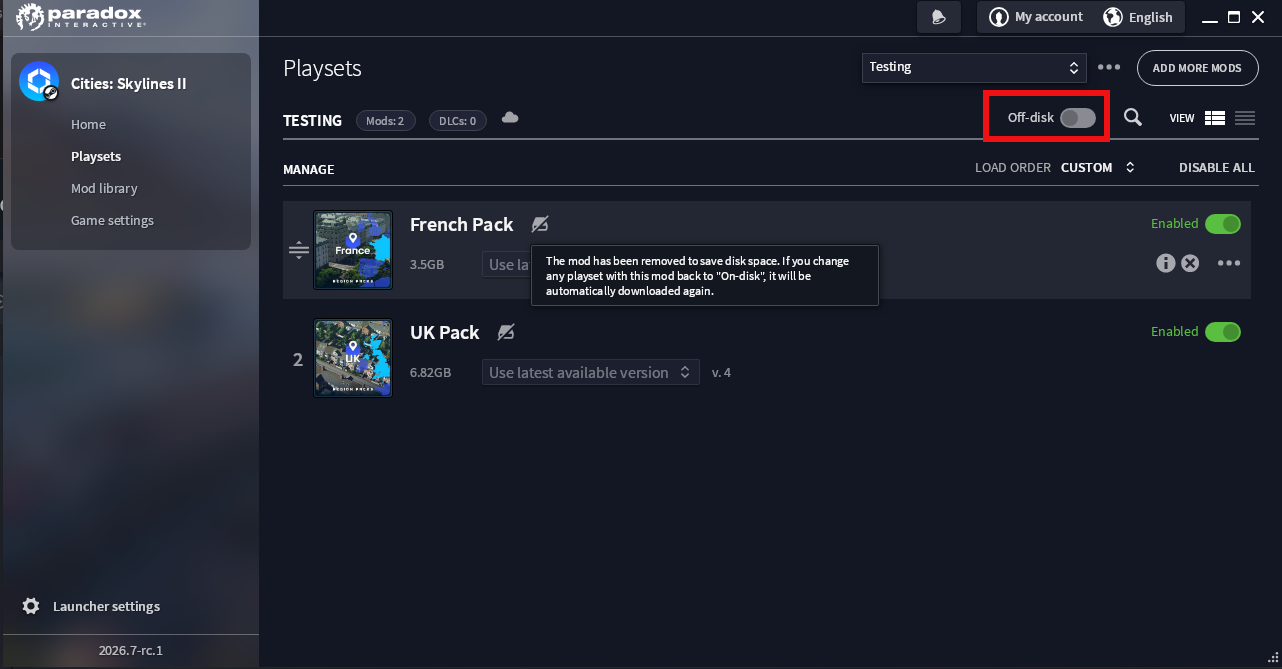
Looking further ahead, we hope to expand these management capabilities even further. For instance, many of you have requested the ability to customize download directories or distribute mod storage across multiple file paths. These deeper capabilities remain actively in development, and we will keep you updated as milestones are reached.
To Be Continued…
Our continuous efforts to polish the editor and expand mod support are directly inspired by the invaluable feedback shared across our forums, social channels, and the Creator Program. We remain committed to refining the creation experience over time. If you have visionary ideas for future tools, please continue sharing them with us!
Thank you for tuning in! We hope you enjoyed this behind-the-scenes look at our ongoing projects. Keep your eyes peeled for our next City Corner, where we will return with fresh details regarding our upcoming patch. Until then, happy building!
 Patch 1.6.2f1 – Autumn Breeze
 Official Q&A Thread | 2026
 City Corner #12: Collected Questions
 City Corner No. 11: Autumn Breeze
 City Corner #9 – Happy Six-Month Anniversary!
 Patch 1.6.0f1 – Summer Solstice
 City Corner #8 – Reshaping the Landscape
 Hotfix: Patch 1.5.10f1