Greetings, Pioneers!
This release is a significant milestone for the team. For the first time, we are launching our update simultaneously across PC, PlayStation 5, and Xbox Series S/X. Now, every Pioneer can experience the latest content together, regardless of their preferred platform!
If you haven’t caught the latest trailer yet, check it out below:
If you run into any hitches while exploring, please head over to our QA Site. We review your feedback daily!
While your download progresses, here is a comprehensive breakdown of everything included in this update.
Weather Systems
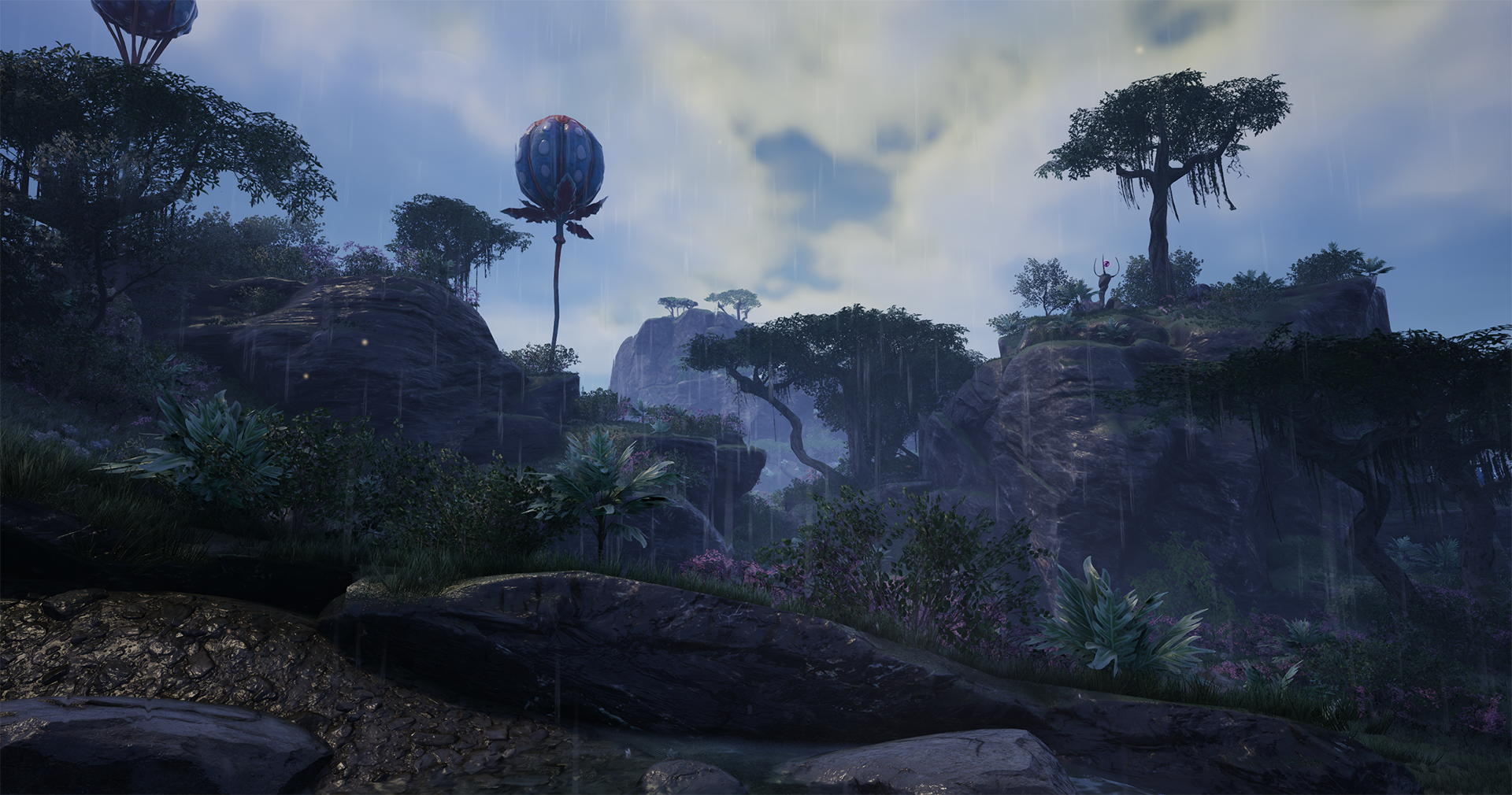
Rain has returned and received a major overhaul! Building on Update 6, we have introduced sophisticated visual enhancements, including wetness shaders for structures and Pioneer suits, improved wind and fog, dynamic rain density, and thunder.
We’ve also implemented a new occlusion system: rain is now physically blocked by buildings, foundations, and walls. Both the visuals and ambient audio react to this, creating a far more immersive atmosphere throughout your factories.
You can fine-tune these settings in the new World Settings tab within the Options Menu:
- Weather Presets: Default, Dry, The Great MASSAGE-2 (AB)b, Clear, Raining Kittens and Puppies, and Extreme.
- Visual/Audio Toggles: Choose whether rain appears on your visor or if you wish to hear thunder.
- Fog Density: A new slider under Options > Video > Advanced gives you full control over map visibility.
Unreal Engine 5.6.1
We have upgraded to Unreal Engine 5.6.1, bringing substantial performance optimizations across the entire game engine.
Controller Enhancements
Thanks to our collaboration with the team at Fishlabs, we have refined the controller experience:
- Dynamic Gamepad Swap: Seamlessly transition between keyboard/mouse and controller on the fly. Enable this in the Controls tab to have the UI update instantly based on your input.
- Customizable Keybindings: You can now remap most controller buttons to suit your accessibility needs or personal playstyle. Please note: these settings are only visible while a controller is actively in use.
Vehicle Logistics Overhaul
Automation for vehicles has been rebuilt from the ground up. While existing routes will remain functional, we have introduced a new path-building system. You can now place Vehicle Paths directly from the Build Menu using the Build Gun, similar to laying down railway tracks. We’ve also added support for straight-line construction and individual path coloring for improved organization.
Fluid Stations and Trucks
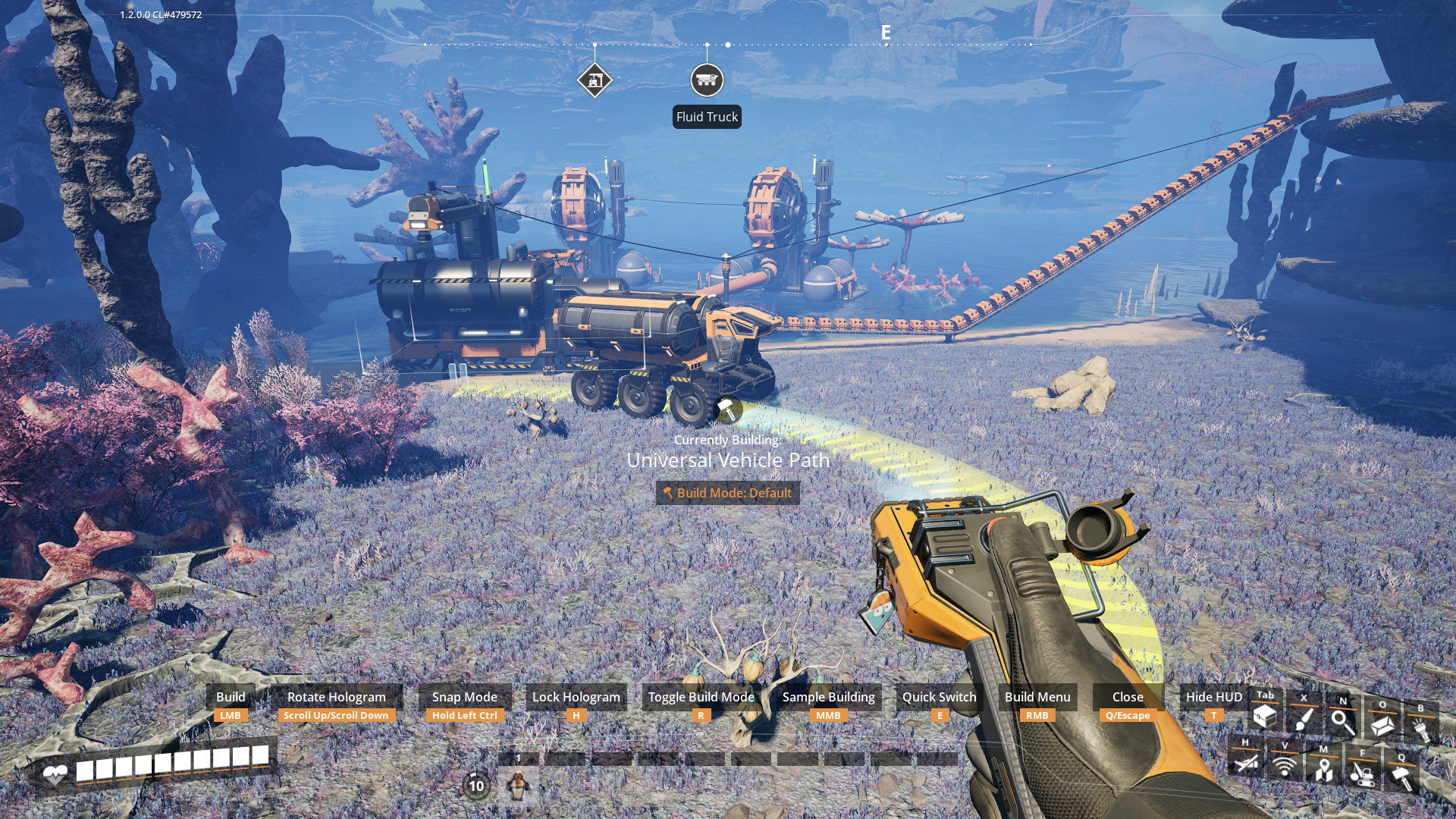
Liquid transport is finally here! Fluid Stations and Fluid Trucks offer a high-capacity (3200m³) solution for moving liquids across your map. Unlocked at Tier 5 (Logistics Mk.4).
New Game Modes & Creative Freedom
We have rebranded “Advanced Game Settings” to Creative Mode. Furthermore, we’ve introduced a new Game Modes menu available when starting a new save. These allow you to customize your playthrough without disabling achievements, including:
- Cost Multipliers: Adjust the requirements for Space Elevator parts, recipes, and power consumption.
- World Randomization: Customize resource node distribution and purity levels for unique challenges.
- Seed Sharing: Easily share your map generation seeds with friends.
Photo Mode Updates
Capture your progress with new features: a “Blueprint” effect, an “I know what you are” color filter, and specialized poses for the Hover Pack. We’ve also introduced a Selfie Mode featuring mobile-aspect ratio cropping and custom Pioneer poses.
New Buildables & Features
- SPWN: A new structure unlocked via the Alien Technology MAM research tree.
- Daisy Chaining: Researchable via the Caterium tree, this allows you to connect power directly from machine to machine.
- Pipeline T-Junctions: Tier 3 Coal Power unlock.
- Cross Beams: Available in the AWESOME Shop.
- Real Pause Menu: In single-player, hitting ESC now pauses game logic entirely—perfect for stepping away from the factory.
Quality of Life Improvements
- Console Parity: All bug fixes and stability improvements from the console release have been ported to PC.
- Hologram Customization: Set how holograms rotate and align (Static, Face Player, etc.) via the Controls menu.
- Manta Visuals: The iconic Flying Manta has received a visual polish.
- Zoopable Signs: Yes, you can finally “zoop” signs, and floor-placed signs now feature support poles!
 Update 1.2 Fixes v1.2.4.1
 Another Satisfactory Announcement
 Satisfactory 1.0 – 2nd Anniversary!
 Update 1.2 Fixes v1.2.4.0
 Update 1.2.3.1 Fixes
 Update 1.2.3.0 Fixes
 Experimental Hotfix 1.2.2.2