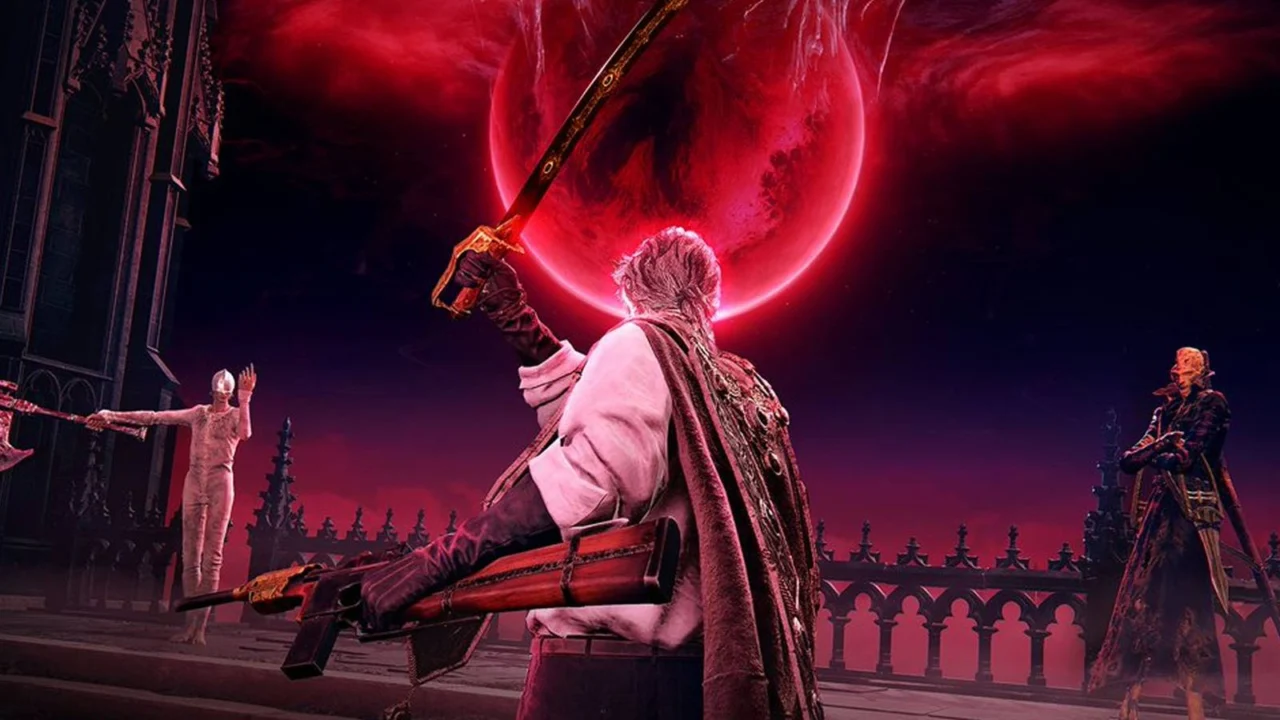
How to Register for The Duskbloods Network Test
The Duskbloods network test, scheduled to run from Friday, August 21, through Sunday, August 23, provides an exclusive preview for players eager to experience FromSoftware’s latest title. Selected participants will gain access to a pre-release build, featuring intense multiplayer combat sessions supporting up to eight players simultaneously.
If you are hoping to secure a spot in this limited testing phase, our comprehensive guide will walk you through the entire registration process.
How to register for The Duskbloods network test
The window for submitting your application opens on Wednesday, July 22, at 10 a.m. EDT and concludes on Tuesday, July 28, at 9:59 a.m. EDT.
To qualify for the test, you must meet three specific requirements: you need an active Nintendo account, a Nintendo Switch 2 console, and a valid Nintendo Switch Online subscription. Please note that registration does not guarantee entry. FromSoftware will notify successful applicants via email on Friday, August 7, at 9 a.m. EDT.
Follow these steps to submit your application:
- Navigate to the official The Duskbloods portal.
- Configure your preferred region and language settings.
- Scroll down to the footer and click the “Apply” button.
- Select “Apply Now” to proceed.
- Review the Terms of Use, accept them, and choose “Link Nintendo Account.”
- On the permissions page, expand the “See details/Edit” menu and ensure the “Country/region setting” box is checked. Skipping this step will trigger an error, so ensure it is completed before moving on.
- Fill out the remaining fields to finalize your entry.
Once submitted, you will need to wait until the notification date of August 7. If chosen, you will receive a unique download code to redeem via the eShop or Nintendo Store. Preloading for the test begins on Tuesday, August 18, at 9 a.m. EDT.
According to the developers, space is restricted and applications are processed on a first-come, first-served basis, so we recommend signing up as early as possible to maximize your chances.
The Duskbloods network test schedule

The testing phase consists of five distinct four-hour windows spread across the weekend. Please refer to the localized start times below:
Session 1: Friday, Aug. 21 at 6 a.m. EDT
- PDT: 3 a.m. – 7 a.m.
- EDT: 6 a.m. – 10 a.m.
- BRT: 7 a.m. – 11 a.m.
- BST: 11 a.m. – 3 p.m.
- CEST: 12 p.m. – 4 p.m.
- JST: 7 p.m. – 11 p.m.
- AEST: 8 p.m. (Friday) – 12 a.m. (Saturday)
Session 2: Friday, Aug. 21 at 10 p.m. EDT
- PDT: 7 p.m. – 11 p.m.
- EDT: 10 p.m. (Friday) – 2 a.m. (Saturday)
- BRT: 11 p.m. (Friday) – 3 a.m. (Saturday)
- BST: 3 a.m. – 7 a.m. (Saturday)
- CEST: 4 a.m. – 8 a.m. (Saturday)
- JST: 11 a.m. – 3 p.m. (Saturday)
- AEST: 12 p.m. – 4 p.m. (Saturday)
Session 3: Saturday, Aug. 22 at 2 p.m. EDT
- PDT: 11 a.m. – 3 p.m.
- EDT: 2 p.m. – 6 p.m.
- BRT: 3 p.m. – 7 p.m.
- BST: 7 p.m. – 11 p.m.
- CEST: 8 p.m. (Saturday) – 12 a.m. (Sunday)
- JST: 3 a.m. – 7 a.m. (Sunday)
- AEST: 4 a.m. – 8 a.m. (Sunday)
Session 4: Sunday, Aug. 23 at 6 a.m. EDT
- PDT: 3 a.m. – 7 a.m.
- EDT: 6 a.m. – 10 a.m.
- BRT: 7 a.m. – 11 a.m.
- BST: 11 a.m. – 3 p.m.
- CEST: 12 p.m. – 4 p.m.
- JST: 7 p.m. – 11 p.m.
- AEST: 8 p.m. – 12 a.m.
Session 5: Sunday, Aug. 23 at 10 p.m. EDT
- PDT: 7 p.m. – 11 p.m.
- EDT: 10 p.m. – 2 a.m. (Monday)
- BRT: 11 p.m. – 3 a.m. (Monday)
- BST: 3 a.m. – 7 a.m. (Monday)
- CEST: 4 a.m. – 8 a.m. (Monday)
- JST: 11 a.m. – 3 p.m. (Monday)
- AEST: 12 p.m. – 4 p.m. (Monday)
Source: Polygon
Related articles
 Gamers Fear Falling in Love With GTA VI’s Lucia and Worry About Their Real-Life Relationships
 Fans Add Enhanced Co-op Multiplayer in Major Mass Effect Legendary Edition Update
 Fortnite Officially Reveals the Odds of Getting a Pirate Shop Access Token
 A physical copy of GTA VI was shown online with references to in-game purchases and online features
 7 Funniest Far Side Comics About Elephants
 Cyberpunk 2077 Gets Fan-Made Multiplayer With RP Servers
 6 Modern Fantasy Books for Fans of The Lord of the Rings
 Sony Begins Adding PlayStation Exclusive Labels to Games as Players Cite Fan-Made PC Ports and Emulators