CS: GO

CS: GO

The latest update news, reviews and useful guides for Counter-Strike: Global Offensive. An overview of the game’s innovations and discussion of the latest updates.

CS: GO update from 8/07/2018 (v1.36.4.6)

CS:GO News

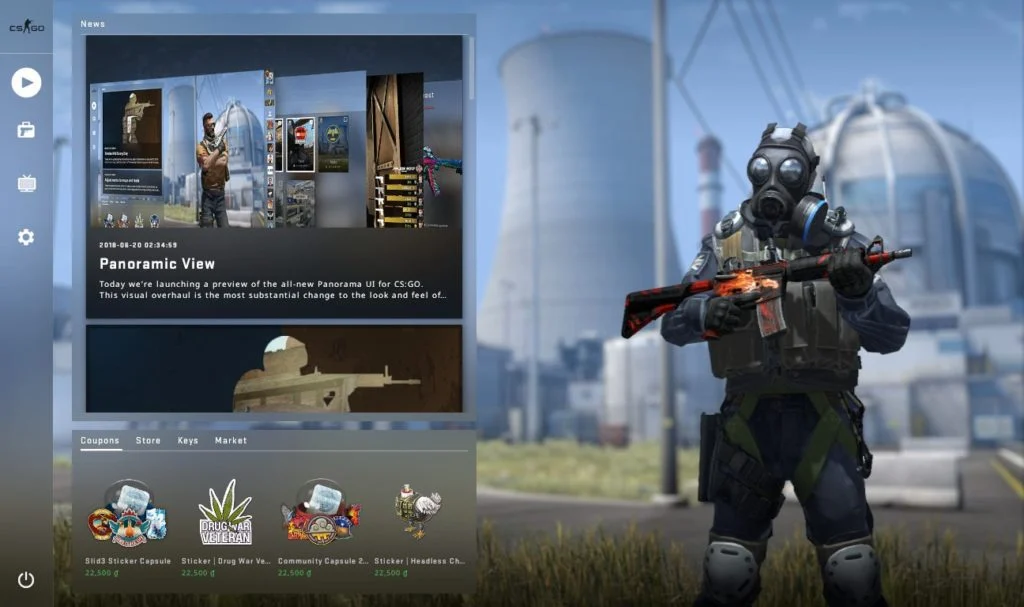
List of changes version 1.36.4.6: [ PANORAMA ] Name tags on weapons now support all Unicode characters for display in UI. Fixed buy menu font size for long localized item names. Fixed font size in Overwatch verdict screen. Reduced width of the Vvte UI element. Fixed scoreboard rows state when users borrow a music kit....

CS: GO update from 07/26/2018 (v1.36.4.4)

CS:GO News

List of changes version 1.36.4.4: [ PANORAMA ] Added in-game UI for invites received from friends and recent players. Added number of players alive and total players to the scoreboard. Added number of viewers to the scoreboard. Fixed a regression in overhead team identification. Fixed coaches seeing other team players state. Inventory sorting order will...

CS: GO update from 07/25/2018 (v1.36.4.3)

CS:GO News

List of changes version 1.36.4.3: [ PANORAMA ] Added support for lobby voice chat in Panorama UI using the same push-to-talk key as in-game. Added a confirmation screen for accounts using Perfect World account balance during checkout. Spectator scoreboard element now respects vertical safezone HUD scale for TV broadcasts. Improved layout of death notices for...

CS: GO update from 7/19/2018 (v1.36.4.2)

CS:GO News

List of changes version 1.36.4.2: [ PANORAMA ] Further scoreboard readability improvements. Added ability to connect to a different community server from pause menu while connected to a community server. Fixed prime accounts notification to correctly show number of days before phone number can be used for activation. Fixed Panorama UI to correctly show a...

CS: GO update from 7/12/2018 (v1.36.4.1)

CS:GO News

List of changes version 1.36.4.1: [ PANORAMA ] Users on Linux and OSX can now also opt in to Panorama UI by adding “-panorama” to their launch options. Adding broadcast stream panel for CS:GO Minors and Majors in the main menu. Adding link to Steam Market for items in containers. Added ability to use gift...

How to turn Panorama UI on/off in CS: GO?

CS: GO

Activating the «Panorama» Please make sure the game isn’t running. For Steam version: Go to Steam Library, press Counter-Strike: Global Offensive using right buttom of your mouse and click “Properties”. Next step – press the button “SET LAUNCH OPTIONS…”. Write the following text in appeared window: -panorama Click«OK». Now Panorama UI activated! For No-Steam...

Search games, news and articles…

Enter at least two characters

Enter at least two characters